


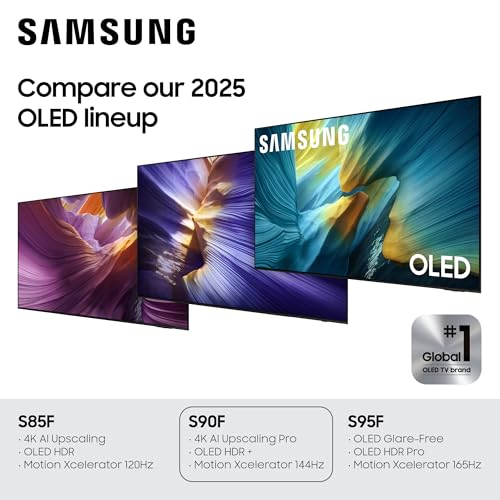



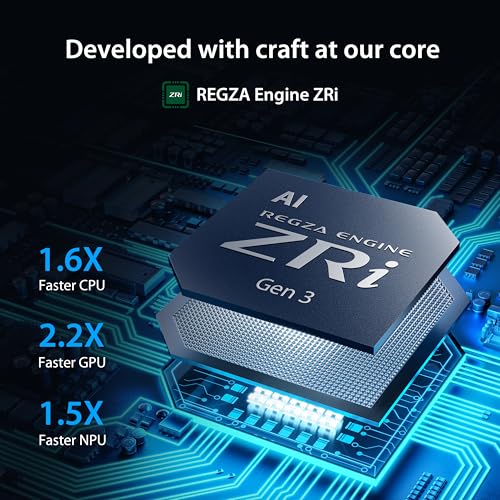


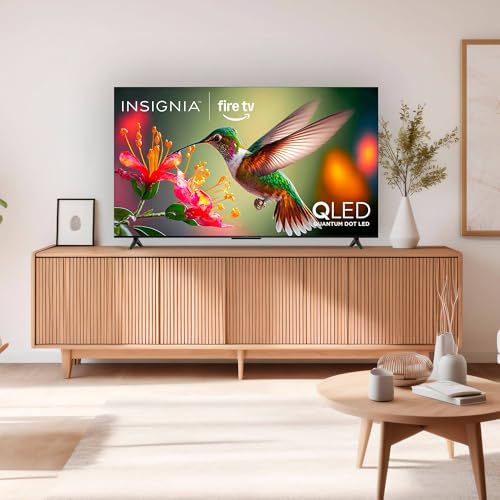

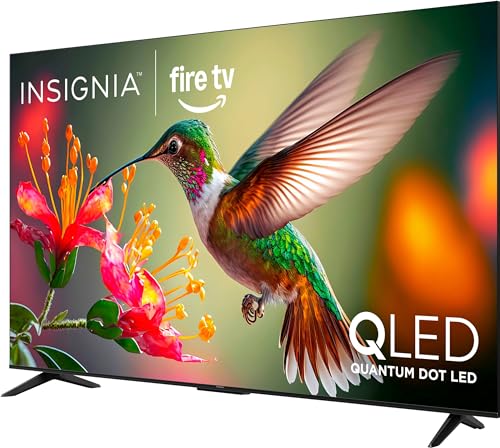


We also considered 10 others:


Our Top Choice
Compare Features


The order above is not editorial opinion, and it is not paid placement. It comes from what shoppers across our network actually do - which 65-inch tvs they compare, and which they ultimately buy. We re-rank as new data comes in, so the long-term favorites have to keep earning their spot against new entrants. The full method, including how we make money.
65-Inch TVs Buyer's Guide
A 65-inch TV sits at the point where screen size feels cinematic but also makes flaws harder to hide: poor upscaling, glare, motion blur, panel uniformity problems, and weak mounting hardware become much more noticeable. The sharpest buying concerns are matching the panel to your room lighting and seating distance, then making sure the ports, gaming features, sound output, and installation details fit how you will actually use it.
Quality
You want a smart TV that feels well built, runs consistently, and keeps delivering stable performance after the novelty wears off. Look for signs of solid construction, dependable software behavior, sturdy ports and stand hardware, and owner feedback about long-term reliability; watch out for reports of freezing, random restarts, loose panels, weak stands, or performance that degrades with regular use.
At 65 inches, quality is not just “does it look good in the store”; check panel uniformity, upscaling, build rigidity, stand or wall-mount stability, and return terms for dead pixels, dirty-screen effect, banding, or corner vignetting that become obvious on a large screen. If you watch cable, sports, or compressed streams, prioritize a strong processor and motion handling over raw resolution, because poor upscaling is much easier to notice at this size. Owner feedback supports this priority: buyers most often praise sharp, realistic 4K pictures, rich color, smooth setup, and premium-feeling gaming performance, while several also call out solid build quality and better-than-expected everyday usability.
Controls
You’ll interact with a smart TV every time you turn it on, switch apps, adjust picture settings, or search for something to watch, so the controls can make a big difference in daily satisfaction. Look for a remote that feels intuitive, menus that are easy to navigate, and a system that responds quickly without lag; watch out for cluttered settings, buried options, or controls that make simple tasks feel slow.
For a 65-inch TV used as a main living-room screen, make sure the control system stays fast after updates and that key settings are easy to reach: input switching, picture modes, motion smoothing, game mode, VRR, audio output, and HDMI-CEC/eARC controls. Gamers should confirm that low-latency mode, 120Hz or 144Hz, VRR, and console/PC settings are exposed clearly rather than buried in menus; shared-household buyers should also check whether the remote has intuitive labeled buttons or a learning curve. Owners generally report quick setup, responsive app navigation, and easy tuning for gaming features, but remote designs and smart-TV reliability draw mixed reactions, with some users needing time to learn controls or running into app and technical frustrations.
Picture
Picture quality determines how clear, natural, and immersive everything looks, from dark movie scenes to bright sports broadcasts. You should look for a TV with accurate color, strong contrast, enough brightness for your room, and good motion handling, while watching out for sets that look vivid in a showroom but make skin tones, shadows, or fast action appear unnatural.
Match the picture technology to the room: choose excellent reflection handling and high brightness for sunny rooms, deep blacks and strong contrast for dark movie rooms, wide viewing angles for sectional seating, and clean motion for sports. At 65 inches, also inspect HDR performance, black-level blooming, near-black detail, color accuracy, and how well lower-resolution content is processed, because flaws scale up with the screen. Owner sentiment strongly reinforces picture as the main reason to buy in this category, with repeated praise for crisp 4K clarity, rich color, deep blacks, bright HDR highlights, natural contrast, smooth motion, matte anti-glare performance in daylight, and noticeably better console gaming visuals.
Features
Smart features determine how easily you can find, stream, and control the content you actually watch, so look for a clear interface, broad app support, reliable voice or remote controls, and smooth casting or device integration. Also watch for sluggish menus, missing services, limited update support, or features that sound impressive but do not improve everyday use.
Do not treat all 65-inch smart TVs as equivalent: verify the exact HDMI bandwidth and port count, especially if you plan to connect multiple current consoles, a gaming PC, an AV receiver, or a soundbar. Look for at least the gaming and home-theater features you will actually use, such as 4K at 120Hz or 144Hz, VRR, ALLM, eARC, reliable Wi-Fi, enough app support, and accessible calibration settings; avoid paying for art, ambient, or smart features if the core ports and panel specs are weak. Owner feedback is especially favorable where high refresh rates, smooth gaming visuals, and responsive smart interfaces make settings easy to tune.
Sound
Sound quality affects how clear dialogue, music, and effects feel, especially when you’re watching movies, sports, or shows without extra speakers. Look for a TV that can get loud enough for your room without sounding harsh, thin, or distorted, and pay attention to whether voices remain easy to understand. If the built-in speakers seem weak or lack bass, plan on pairing the TV with a soundbar or external audio system.
Because a 65-inch TV is often used in a larger room, check sound expectations before buying: built-in speakers may be fine for news and casual streaming, but movies, sports, and open-plan rooms usually benefit from a soundbar or receiver. Confirm eARC support, audio-format compatibility, lip-sync adjustment, Bluetooth behavior, and whether wall mounting blocks or changes speaker direction. Owners are often pleasantly surprised by clear, fuller-than-expected built-in audio and even decent bass for normal viewing, but feedback is less consistent than for picture quality, with some preferring external sound or reporting syncing, connection, or reliability issues.
Value
You want a smart TV that delivers strong picture quality, smooth performance, and useful streaming features without making you pay for extras you won’t use. Look for a balanced mix of display quality, app support, connectivity, and reliability at your budget level, and watch out for models that seem inexpensive but cut corners on brightness, processing speed, or long-term software support.
For value in a 65-inch TV, judge the set by the features that remain visible every day: brightness for your room, upscaling quality, motion handling, HDMI capability, panel uniformity, warranty support, and delivery or installation practicality. A cheaper large screen can disappoint if it has weak processing, poor glare control, limited gaming ports, or unreliable software, while a premium panel may be worth it only if you will benefit from its contrast, HDR, or gaming performance. Owners frequently describe strong value when the picture, smart features, adjustability, and gaming performance feel premium for the spend, especially compared with higher-tier alternatives.
1,000,000+ shoppers use Buyer's Guide every week to find the best products and services online.

Helping millions of users make smarter purchases online.


