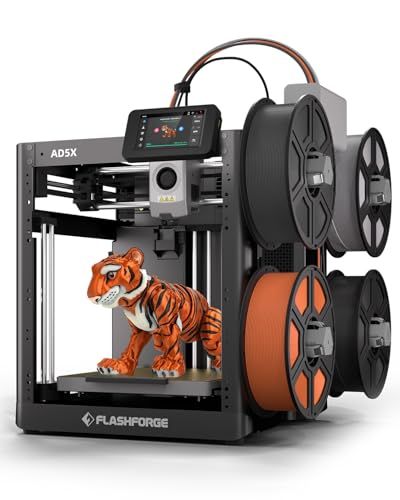
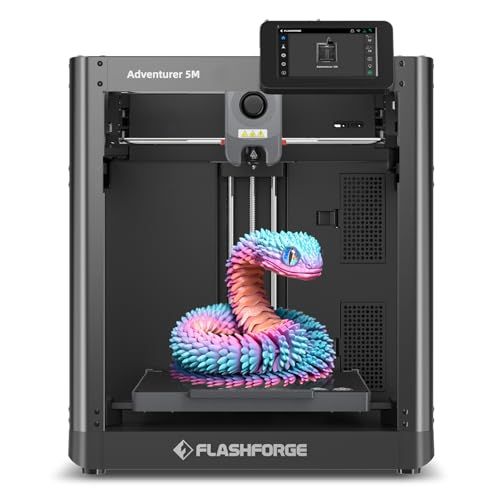
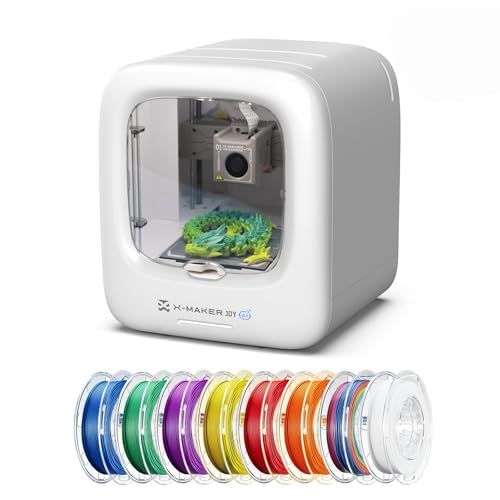
We also considered 10 others:
Our Top Choice
Compare Features
Why These Features Matter:
A 3D printer is not a “set it and forget it” appliance. It’s closer to a very competent, occasionally moody kitchen gadget: incredibly satisfying when it behaves, a little needy when it doesn’t, and somehow always demanding counter space you swear you don’t have. The difference between loving your printer and rage-Googling at 1 a.m. usually comes down to a handful of features that sound boring until you live with them.
I’m not going to drown you in specs. I’m going to talk about the stuff that actually changes your day: how loud it is when you’re trying to watch TV, how many times you’ll re-level the bed before you start bargaining with the universe, and whether it can exist in the same home as pets, children, or people who enjoy breathing.
The “Best 3D Printer” Is the One You’ll Actually Use
Most people don’t quit 3D printing because they “outgrew it.” They quit because the printer becomes a small, humming guilt-machine in the corner. The best printers—at any budget—do two things well: they make success feel normal, and they make failures feel fixable (instead of personal).
- Reliability beats cleverness. A printer that works 90% of the time will get used. A temperamental genius will become a coat rack.
- Friction matters. If starting a print requires a 15-minute ritual, you’ll only print when you have “a free afternoon,” i.e., never.
- Daily-life friendliness is a feature. Noise, smell, and where you’ll physically put it are not footnotes. They’re the difference between “hobby” and “household nuisance.”
Ease of Setup (a.k.a. Will This Ruin My Saturday?)
Some printers arrive like IKEA furniture with a wiring harness. Others are basically “take it out of the box, remove a few foam blocks, and you’re printing a little boat in an hour.” If you’re new—or simply tired—prioritize the latter.
- Look for: clear on-printer prompts, decent documentation, and a setup flow that doesn’t require five browser tabs and emotional support.
- Small delight: printers that ship mostly assembled and include the tools you actually need (not just an Allen key that rounds off if you look at it wrong).
Honest caveat: Even “easy” printers ask you to learn a few concepts. If a brand pretends you’ll never have to think about leveling, adhesion, or filament… they are lying to you in a very friendly font.

Auto-Bed Leveling: The Feature That Saves Marriages
Bed leveling is the classic “this is fine” meme of 3D printing. It’s not hard in theory. It’s just fiddly, repetitive, and somehow always needed right when you have a deadline (or guests). Auto-bed leveling doesn’t eliminate the need to understand first-layer behavior, but it dramatically reduces the amount of crawling around your printer like you’re diffusing a bomb.
- Look for: automatic mesh leveling that’s reliable and easy to run from the screen without ritualistic button mashing.
- What it feels like in real life: fewer prints that fail in the first ten minutes—the specific kind of failure that makes you question your personality.
Honest caveat: Auto-leveling isn’t a magic spell. You can still have a dirty build plate, a warped surface, or a nozzle that’s just… not in the mood.
Enclosed vs. Open Printers: Smell, Pets, and the “Living Room Test”
Open-frame printers are easier to peek into and tinker with—great if you like the “workshop” vibe. Enclosed printers feel more like an appliance, which sounds boring until you remember you share air with other people.
- Choose an enclosure if: you have curious cats, small kids, or you’d prefer not to brush filament dust off your bookcase.
- Also choose an enclosure if: you want fewer drafts messing with prints, and a generally calmer printing experience.
- Open is fine if: you’re mostly printing standard materials in a stable room and you don’t mind the printer being visually… present.
Honest caveat: Enclosures add bulk. They turn your printer into a piece of furniture, which is great until you realize you now own a hot, humming cube that needs a permanent home.
Noise: The Part Everyone Underestimates Until It’s Next to the Couch
Many people imagine a gentle futuristic whirr. The reality can be closer to an electric toothbrush doing CrossFit. Noise isn’t just volume—it’s the kind of sound. High-pitched stepper motor chirps can feel more intrusive than a steady hum.
- Look for: “quiet” motor drivers, vibration-damping feet, and an overall build that doesn’t rattle like a shopping cart.
- Real-life advice: if you live in a small space, plan on printing while you’re out, asleep, or in another room. Your nervous system will thank you.
Honest caveat: Even quiet printers aren’t silent. A long print will become the soundtrack to your evening. Decide if you’re okay with that before you commit.
Print Success: First-Layer Drama, Adhesion, and Why Your Plate Matters
The first layer is where optimism goes to die. A good build surface is the unsung hero: it keeps prints stuck when they should be stuck and lets them go when you’re done, without a chisel and a prayer.
- Look for: flexible spring-steel plates (so you can pop prints off with a bend, like satisfying culinary plating), and surfaces that don’t demand a chemistry degree.
- Daily-life tip: keep a dedicated bottle of isopropyl alcohol and a lint-free cloth near the printer. It’s the equivalent of wiping down your cutting board—small habit, huge payoff.
Honest caveat: You will still occasionally end up peeling a sad spaghetti mess off the plate. This is not a personal failing. It’s just Tuesday.
Filament Handling: The One Thing That Will Make You Feel Like a Hoarder
Filament spools are deceptively bulky, and they multiply. You’ll buy one “just to try,” and soon you have a rainbow pantry you’re weirdly protective of. Printers that make loading and unloading filament painless get used more often, period.
- Look for: easy access to the extruder, clear load/unload routines, and a spool holder that doesn’t feel like it was designed as a prank.
- If you’re printing in a normal home: consider how you’ll store filament away from humidity. A sealed bin is not glamorous, but it’s better than mysteriously brittle prints.
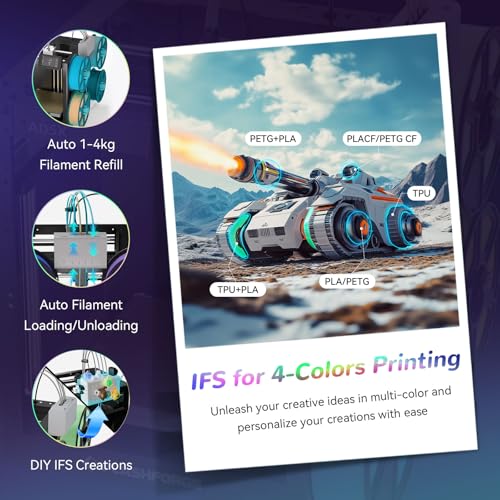
Honest caveat: Multi-color systems are fun, but they can add mess (purge waste) and extra moving parts. If you’re allergic to fuss, start simple.
Software & Usability: The Interface Shouldn’t Feel Like a Punishment
A printer can be mechanically great and still ruin your vibe if the software makes everything harder than it needs to be. You want a workflow that feels modern: slice a file, send it, start the print, walk away. Ideally without a USB drive you’ll lose behind the radiator.
- Look for: a stable slicer profile, Wi‑Fi or network sending that actually works, and a screen/menu system that doesn’t feel like a 2007 treadmill.
- Nice-to-have: camera monitoring if your printer lives in a different room. It turns “I hope it’s fine” into “I can stop it before it makes modern art.”
Honest caveat: App ecosystems can be fickle. Firmware updates can be both helpful and chaotic. If you want serenity, don’t buy a printer that requires weekly tinkering to stay happy.
Maintenance: How Much “Machine Ownership” Are You Signing Up For?
3D printers are not fragile, but they are hands-on. You’ll clean a nozzle. You’ll occasionally replace a consumable part. The key is whether the printer makes this feel approachable or like you’re doing dental surgery on a robot.
- Look for: easy access to the nozzle area, clear error messages, and a brand with readily available replacement parts.
- Green flag: a community that shares fixes without acting like you should’ve been born knowing them.
Honest caveat: If you truly want zero maintenance, you don’t want a 3D printer—you want to outsource printing to a service. That’s not a moral judgment, that’s just self-knowledge.
Size, Weight, and the Reality of Counter Space
Printers look manageable online. In real life, they’re more like microwaves with ambitions. Add clearance for opening doors (if enclosed), filament spools, ventilation, and the fact that you’ll want to access the back panel at least once in your life.
- Look for: a footprint that fits your actual home, not your fantasy workshop.
- Real-life placement ideas: a sturdy sideboard you don’t mind vibrating, a dedicated utility shelf, or a rolling cart (only if it’s truly stable).
Honest caveat: If the only spot is next to your bed, reconsider. Even quiet printers can feel like sleeping next to a polite insect colony.

Safety & Air Quality: The Boring but Important Part
If you’re printing in a lived-in space, you want to think about ventilation and filtration the way you think about cooking smoke: manageable, but not imaginary. Some materials smell more than others. Some prints take hours. You will be sharing that air.
- Look for: an enclosure with filtration options if you’re sensitive, and the ability to place the printer in a ventilated area.
- Practical guidance: don’t print in a tiny unventilated room and then act surprised you have a headache. (We’ve all done it once.)
Honest caveat: Filters help, but they’re not wizardry. Smart placement and ventilation still matter.
What to Buy If You’re a Normal Person (Not a Maker Influencer)
Most people want to print useful things: drawer organizers, broken appliance clips, a neat wall hook, a replacement knob, a toy that will be played with for exactly eight minutes, and then—if you’re lucky—asked for again in a different color.
- Prioritize: reliability, auto-bed leveling, easy filament changes, and a build plate that doesn’t make you sweat.
- Nice-to-have: an enclosure if your printer will share space with pets/kids or you want a calmer, tidier setup.
- Skip (at first): anything that requires constant tweaking to hit its promised performance. Save that for when you actually want the hobby to be “tinkering,” not “printing.”
Things to Know Before You Commit (a Few Gentle Truths)
- You will make trash prints. Everyone does. Keep a small bin nearby so you’re not leaving sad plastic fossils around the house.
- You’ll need a “printer drawer.” Scraper, snips, spare nozzles, alcohol wipes, maybe a tiny brush. Otherwise it migrates across your dining table like glitter.
- It’s not instant gratification. Printing a simple part can still take hours. If you’re impatient, focus on printers that are consistent, not “fast on paper.”
- Your first big win will feel absurdly good. The moment a custom little part solves an annoying home problem, you will look at your printer like it just paid rent.
How to Choose the Right One for Your Home
If you answer two things—where it will live (studio apartment? garage? home office?) and what you actually want to make (functional fixes? miniatures? kid stuff? prototypes?)—they usually steer you toward the feature set that will make you happiest.
In general: aim for a printer that’s easy to start, forgiving in daily use, and not so loud or fussy that it becomes a conversation piece you didn’t ask for. The best 3D printer isn’t the one with the most impressive list. It’s the one that quietly, reliably turns “I wish I had a thing” into “I made the thing,” and then lets you get back to your life.