
Best Home 3D Printers Updated August 2026

Best Home 3D Printers
2026 Buyer's GuideUpdated August 2026
Sort by:
1

10.0

FLASHFORGE Adventurer 5M Pro 3D Printer with 1 Click Auto Printing System, 600mm/s High-Speed, Quick Detachable 280°C Nozzle, C...
Type: FDM
Build Volume: 220 x 220 x 220mm
Max Print Speed: 600mm/s
Build Plate: Double-sided PEI
Resume Printing: Power failure, filament exhaustion

10.0

1
FLASHFORGE Adventurer 5M Pro 3D Printer with 1 Click Auto Printing System, 600mm/s High-Speed, Quick Detachable 280°C Nozzle, C...
Type: FDM
Build Volume: 220 x 220 x 220mm
Max Print Speed: 600mm/s
Build Plate: Double-sided PEI
Resume Printing: Power failure, filament exhaustion
2

9.8

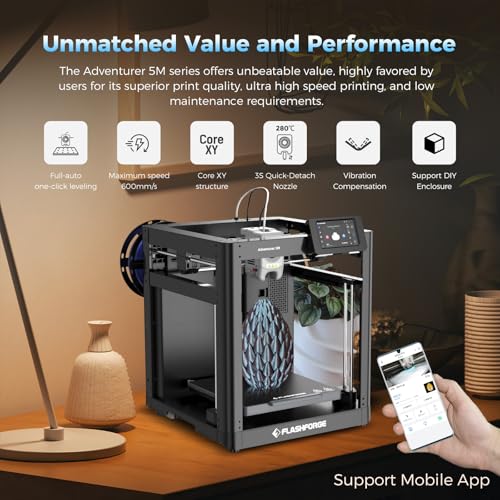
FLASHFORGE Adventurer 5M 3D Printer with Fully Auto Leveling, Max 600mm/s High Speed Printing, 280°C Direct Extruder with 3S De...
Type: FDM
Build Volume: 220mm x 220mm x 220mm
Max Print Speed: 600mm/s
Build Plate: Magnetic spring steel
Resume Printing: Power failure, filament exhaustion
Compare

9.8

2
FLASHFORGE Adventurer 5M 3D Printer with Fully Auto Leveling, Max 600mm/s High Speed Printing, 280°C Direct Extruder with 3S De...
Type: FDM
Build Volume: 220mm x 220mm x 220mm
Max Print Speed: 600mm/s
Build Plate: Magnetic spring steel
Resume Printing: Power failure, filament exhaustion
3

9.5

Anycubic Kobra X Multicolor 3D Printer, Easy One-Click Printing
Type: FDM
Build Volume: 260mm x 260mm x 260mm
Max Print Speed: 600mm/s
Build Plate: PEI spring steel
Resume Printing: Power failure, filament exhaustion
Compare

9.5

3
Anycubic Kobra X Multicolor 3D Printer, Easy One-Click Printing
Type: FDM
Build Volume: 260mm x 260mm x 260mm
Max Print Speed: 600mm/s
Build Plate: PEI spring steel
Resume Printing: Power failure, filament exhaustion
Compare
4

9.4

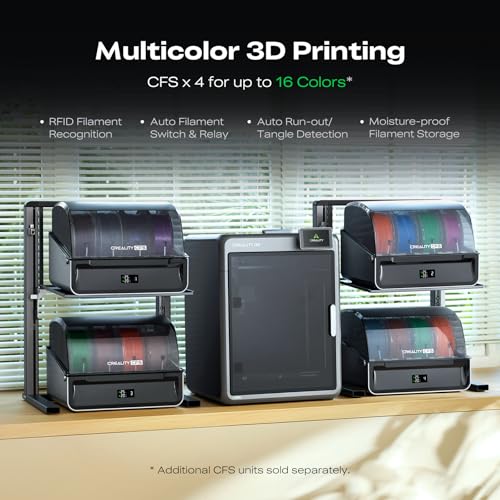
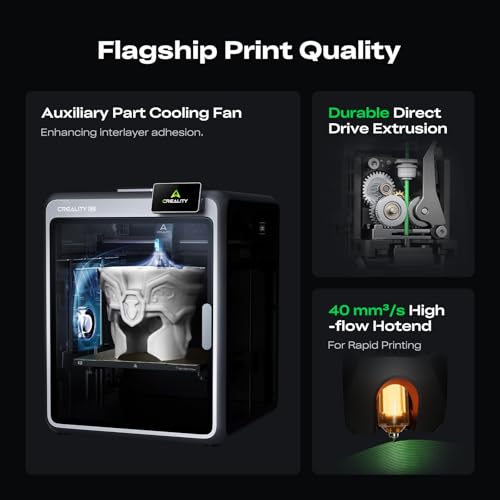
Creality K2 Combo 3D Printer with CFS, 600mm/s, 260mm Build
Type: FDM
Build Volume: 260mm x 260mm x 260mm
Max Print Speed: 600mm/s
Build Plate: Not indicated
Resume Printing: Filament exhaustion
Compare

9.4

4
Creality K2 Combo 3D Printer with CFS, 600mm/s, 260mm Build
Type: FDM
Build Volume: 260mm x 260mm x 260mm
Max Print Speed: 600mm/s
Build Plate: Not indicated
Resume Printing: Filament exhaustion
Compare
5

9.3

FLASHFORGE AD5X Multi-Color 3D Printer, CoreXY 600mm/s High-Speed, 1-Click Auto Leveling, 300°C Direct Drive Extruder, 220x220x...
Type: FDM
Build Volume: 220mm x 220mm x 220mm
Max Print Speed: 600mm/s
Build Plate: Magnetic spring steel
Resume Printing: Power failure, filament exhaustion
Compare

9.3

5
FLASHFORGE AD5X Multi-Color 3D Printer, CoreXY 600mm/s High-Speed, 1-Click Auto Leveling, 300°C Direct Drive Extruder, 220x220x...
Type: FDM
Build Volume: 220mm x 220mm x 220mm
Max Print Speed: 600mm/s
Build Plate: Magnetic spring steel
Resume Printing: Power failure, filament exhaustion
6

9.2

AOSEED AI 3D Printer for Kids, Fast 400mm/s, 8000+ Models, Enclosed Safe
Type: FDM
Build Volume: 290mm x 270mm x 310mm
Max Print Speed: 400mm/s
Build Plate: Magnetic
Resume Printing: Filament exhaustion
Compare

9.2

6
AOSEED AI 3D Printer for Kids, Fast 400mm/s, 8000+ Models, Enclosed Safe
Type: FDM
Build Volume: 290mm x 270mm x 310mm
Max Print Speed: 400mm/s
Build Plate: Magnetic
Resume Printing: Filament exhaustion
Compare
7

9.1

Anycubic Kobra S1 Combo Multi-Color 3D Printer with Active Filament Drying
Type: FDM
Build Volume: 250mm x 250mm x 250mm
Max Print Speed: 600mm/s
Build Plate: Magnetic spring steel
Resume Printing: Power failure, filament exhaustion
Compare

9.1

7
Anycubic Kobra S1 Combo Multi-Color 3D Printer with Active Filament Drying
Type: FDM
Build Volume: 250mm x 250mm x 250mm
Max Print Speed: 600mm/s
Build Plate: Magnetic spring steel
Resume Printing: Power failure, filament exhaustion
Compare
8

8.9

ANYCUBIC Kobra X Fast 3D Printer, Native 4-Color, High Speed, Auto Leveling
Type: FDM
Build Volume: 260mm x 260mm x 260mm
Max Print Speed: 600mm/s
Build Plate: Not indicated
Resume Printing: Power failure, filament exhaustion
Compare

8.9

8
ANYCUBIC Kobra X Fast 3D Printer, Native 4-Color, High Speed, Auto Leveling
Type: FDM
Build Volume: 260mm x 260mm x 260mm
Max Print Speed: 600mm/s
Build Plate: Not indicated
Resume Printing: Power failure, filament exhaustion
Compare
9

8.8

Magic Jimmy 3D Printer for Kids, AI-Powered, Fully Assembled, STEM Gift
Type: FDM
Build Volume: Not indicated
Max Print Speed: 400mm/s
Build Plate: Magnetic
Resume Printing: No

8.8

9
Magic Jimmy 3D Printer for Kids, AI-Powered, Fully Assembled, STEM Gift
Type: FDM
Build Volume: Not indicated
Max Print Speed: 400mm/s
Build Plate: Magnetic
Resume Printing: No
10

8.7

AOSEED 3D Printer for Kids
Type: FDM
Build Volume: 101mm x 101mm x 127mm
Max Print Speed: 400mm/s
Build Plate: Magnetic
Resume Printing: Filament exhaustion
Compare

8.7

10
AOSEED 3D Printer for Kids
Type: FDM
Build Volume: 101mm x 101mm x 127mm
Max Print Speed: 400mm/s
Build Plate: Magnetic
Resume Printing: Filament exhaustion
Compare

Our Top Choice

1

10.0

FLASHFORGE Adventurer 5M Pro 3D Printer with 1 Click Auto Printing System, 600mm/s High-Speed, Quick Detachable 280°C Nozzle, C...
Type: FDM
Build Volume: 220 x 220 x 220mm
Max Print Speed: 600mm/s
Build Plate: Double-sided PEI
Resume Printing: Power failure, filament exhaustion

10.0

1
FLASHFORGE Adventurer 5M Pro 3D Printer with 1 Click Auto Printing System, 600mm/s High-Speed, Quick Detachable 280°C Nozzle, C...
Type: FDM
Build Volume: 220 x 220 x 220mm
Max Print Speed: 600mm/s
Build Plate: Double-sided PEI
Resume Printing: Power failure, filament exhaustion

Compare Features

Max Print Speed
Best Home 3D Printer
1. Flashforge Adventurer 5M Pro 3D Printer
FLASHFORGE Preview FLASHFORGE Preview
FLASHFORGE
at Amazon
Popular
2. Flashforge Adventurer 5M 3D Printer
FLASHFORGE Preview FLASHFORGE Preview
FLASHFORGE
at Amazon
3. Anycubic Kobra X Multicolor 3D Printer, Easy One-Click Printing
ANYCUBIC Preview ANYCUBIC Preview
ANYCUBIC
at Amazon
Premium Pick
4. Creality K2 Combo 3D Printer with CFS, 600mm/s, 260mm Build
CREALITY Preview CREALITY Preview
CREALITY
at Amazon
5. FLASHFORGE AD5X 3D Printer
FLASHFORGE Preview FLASHFORGE Preview
FLASHFORGE
at Amazon
6. AOSEED AI 3D Printer for Kids, Fast 400mm/s, 8000+ Models, Enclosed Safe
AOSEED Preview AOSEED Preview
AOSEED
at Amazon
7. Anycubic Kobra S1 Combo Multi-Color 3D Printer
ANYCUBIC Preview ANYCUBIC Preview
ANYCUBIC
at Amazon
8. ANYCUBIC Kobra X Fast 3D Printer, Native 4-Color, High Speed, Auto Leveling
ANYCUBIC Preview ANYCUBIC Preview
ANYCUBIC
at Amazon
Best Value
9. Magic Jimmy 3D Printer for Kids, AI-Powered, Fully Assembled, STEM Gift
MAGIC JIMMY Preview MAGIC JIMMY Preview
MAGIC JIMMY
at Amazon
10. AOSEED X-MAKER JOY AI+ 3D Printer
AOSEED Preview AOSEED Preview
AOSEED
at Amazon
Deal
-12% -17% -8% -32% -15% -9% -34% -10% + $40 Coupon
Deal -12% -17% -8% -32% -15% -9% -34% -10% + $40 Coupon
Type
FDM FDM FDM FDM FDM FDM FDM FDM FDM FDM
Type
FDM FDM FDM FDM FDM FDM FDM FDM FDM FDM
Build Volume
220 x 220 x 220mm 220mm x 220mm x 220mm 260mm x 260mm x 260mm 260mm x 260mm x 260mm 220mm x 220mm x 220mm 290mm x 270mm x 310mm 250mm x 250mm x 250mm 260mm x 260mm x 260mm Not indicated 101mm x 101mm x 127mm
Build Volume
220 x 220 x 220mm 220mm x 220mm x 220mm 260mm x 260mm x 260mm 260mm x 260mm x 260mm 220mm x 220mm x 220mm 290mm x 270mm x 310mm 250mm x 250mm x 250mm 260mm x 260mm x 260mm Not indicated 101mm x 101mm x 127mm
Max Print Speed
600mm/s 600mm/s 600mm/s 600mm/s 600mm/s 400mm/s 600mm/s 600mm/s 400mm/s 400mm/s
Max Print Speed
600mm/s 600mm/s 600mm/s 600mm/s 600mm/s 400mm/s 600mm/s 600mm/s 400mm/s 400mm/s
Build Plate
Double-sided PEI Magnetic spring steel PEI spring steel Not indicated Magnetic spring steel Magnetic Magnetic spring steel Not indicated Magnetic Magnetic
Build Plate
Double-sided PEI Magnetic spring steel PEI spring steel Not indicated Magnetic spring steel Magnetic Magnetic spring steel Not indicated Magnetic Magnetic
Resume Printing
Power failure, filament exhaustion Power failure, filament exhaustion Power failure, filament exhaustion Filament exhaustion Power failure, filament exhaustion Filament exhaustion Power failure, filament exhaustion Power failure, filament exhaustion No Filament exhaustion
Resume Printing
Power failure, filament exhaustion Power failure, filament exhaustion Power failure, filament exhaustion Filament exhaustion Power failure, filament exhaustion Filament exhaustion Power failure, filament exhaustion Power failure, filament exhaustion No Filament exhaustion
How we rank

The order above is not editorial opinion, and it is not paid placement. It comes from what shoppers across our network actually do - which home 3d printers they compare, and which they ultimately buy. We re-rank as new data comes in, so the long-term favorites have to keep earning their spot against new entrants. The full method, including how we make money.

Home 3D Printers Buyer's Guide

Home 3D printers force a tradeoff between convenience, detail, speed, and maintenance: an enclosed FDM machine may be the safer everyday family tool, while resin can produce finer miniatures but adds fumes, liquid resin handling, washing, and curing. The sharpest buying concerns are not just print quality, but whether the printer can repeat good results without constant bed, hot-end, extrusion, or adhesion problems.

Quality

Print quality determines how sharp, accurate, and polished your finished parts look and whether they fit or function as intended. You should look for consistent layer lines, clean edges, reliable dimensional accuracy, and smooth surfaces, while watching for artifacts like ringing, warping, blobs, or loss of fine detail. Higher output quality is especially important if you plan to make miniatures, prototypes, mechanical parts, or anything that needs minimal post-processing.

For home 3D printers, judge quality by the kind of parts you will actually make: FDM machines should show clean first layers, consistent extrusion, tight belts, good cooling on overhangs, and profiles that handle PLA/PETG without stringing; resin machines should be chosen only if you need miniature-level detail, tiny lettering, or very smooth surfaces and can manage the mess, curing, and ventilation. Avoid being swayed by a glossy demo print alone—check whether the printer can repeat that quality across different model sizes, supports, and materials. Owner feedback supports this split: buyers often praise fast, smooth, detailed FDM prints with little tweaking, while resin owners most often highlight crisp detail on miniatures, logos, tiny text, and intricate models.

Speed

Speed matters because it affects how quickly you can move from a design to a finished part, especially if you print large models, multiple copies, or need fast iteration. Look beyond the advertised maximum print speed and consider real-world job times, since layer height, material, print quality settings, and acceleration can all slow a printer down. A very fast printer is only useful if it can maintain accuracy and surface quality without failed prints or excessive tuning.

Speed matters only if the printer can maintain layer adhesion and dimensional accuracy at that speed, so look for a rigid frame, input shaping or vibration compensation, reliable part cooling, and slicer profiles that do not simply overdrive the machine. For multicolor or large-format jobs, check real project time rather than headline travel speed, because purges, filament swaps, heating, and bed probing can dominate the schedule. Owner sentiment backs speed as a real advantage in this category, with many buyers saying newer machines produce clean prints quickly, feel like major upgrades from slower hobby printers, and reduce waiting time on frequent projects.

Ease

You’ll want a 3D printer that makes setup, calibration, loading filament, and starting prints feel straightforward, especially if you’re new to the hobby or buying for a child. Look for clear controls, guided setup, reliable auto-leveling, easy filament handling, and software that doesn’t require constant troubleshooting. Watch out for printers that advertise strong performance but demand frequent manual tuning or technical fixes before you can get consistent results.

For a home buyer, ease should mean fewer failure points before the first successful part: automatic bed leveling or mesh leveling, filament runout detection, clear filament loading, guided calibration, safe pause/resume, and slicer presets for common materials. If kids or first-time users will be involved, prioritize enclosed moving parts, app guidance that does not hide critical settings, and a machine that makes nozzle changes and bed cleaning understandable. Owners commonly report that quick assembly, self-leveling, helpful apps, and ready slicer profiles make many current machines approachable for beginners and families, with good first prints requiring little tweaking.

Reliability

You want a 3D printer that can complete prints consistently without constant babysitting, because poor reliability leads to wasted filament, failed parts, and repeated setup work. Look for signs of strong bed adhesion, stable extrusion, and easy calibration, and watch out for printers known for frequent clogging, first-layer failures, or extruder issues that interrupt longer prints.

Reliability is the make-or-break issue for home 3D printers: inspect the hot end, extruder path, PTFE tubing or all-metal heat break design, bed surface, cable routing, and availability of replacement nozzles, plates, gears, and sensors. Watch especially for clogs, heat creep, shifted layers, failed print recovery, poor bed adhesion, and machines that work well for a few weeks before extrusion or heating problems appear. Owner reports are clearly mixed here: many users describe dependable workhorse performance over months, but others report jams, clogs, shifted jobs, heating failures, hot-end or extruder wear, loose internal tubing, damaged plates, and persistent bed-adhesion failures.

Value

You want a 3D printer that fits your budget but still delivers the reliability, print quality, and features you’ll actually use. Look beyond the upfront price and consider ongoing costs like filament compatibility, replacement parts, maintenance, and failed prints, since a cheap printer can become expensive if it wastes material or needs constant tinkering.

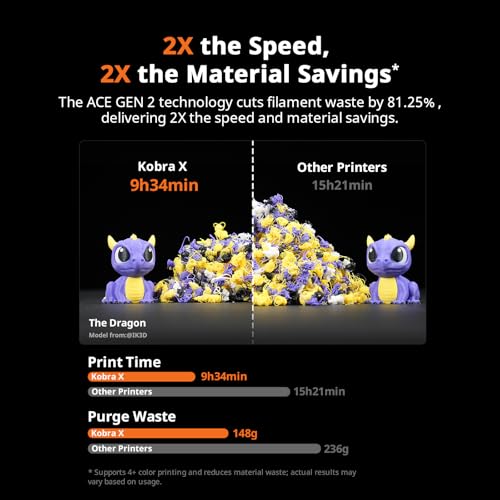
Value in a home 3D printer is not just the machine cost; include the consumables and waste stream: filament or resin, build plates, nozzles, resin vats or films, IPA or wash supplies, gloves, ventilation, purge waste from multicolor systems, and replacement hot-end parts. A good-value FDM printer should save you failed prints and tuning time, while a good-value resin printer should justify the extra handling by delivering detail you cannot get from FDM. Owner sentiment supports strong price-to-performance across the category, especially for buyers who get fast setup, clean small prints, detailed resin output, large-format access, or automatic multicolor handling without heavy fuss.

Setup

Setup matters because it determines how quickly you can go from unboxing to reliable prints, especially if you’re new to 3D printing. Look for clear instructions, well-organized parts, guided onboarding, and dependable calibration or auto-leveling; watch out for printers that require extensive manual assembly or frequent bed leveling before every print.

Before buying, verify what 'easy setup' actually includes: mostly preassembled frame, automatic Z-offset or bed leveling, a tested first-print file, Wi-Fi or USB workflow, material-specific slicer profiles, and clear instructions for tensioning belts, loading filament, cleaning the bed, or calibrating resin exposure. For resin printers, setup also means a safe post-processing station with gloves, ventilation, washing, curing, and waste disposal; for FDM, it means stable placement, bed adhesion routine, and enough clearance for the moving bed or gantry. Owners often say modern machines can go from unboxing to a first print quickly, helped by preassembly, auto leveling, app-based printing, built-in models, and straightforward calibration.



