

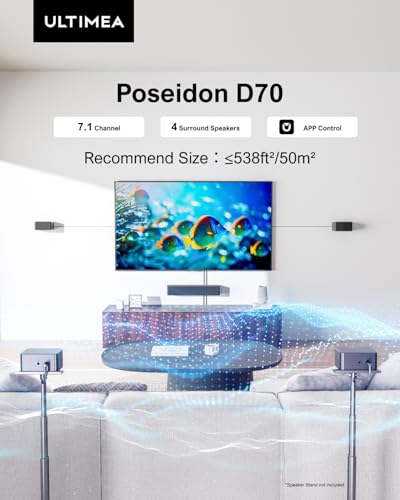






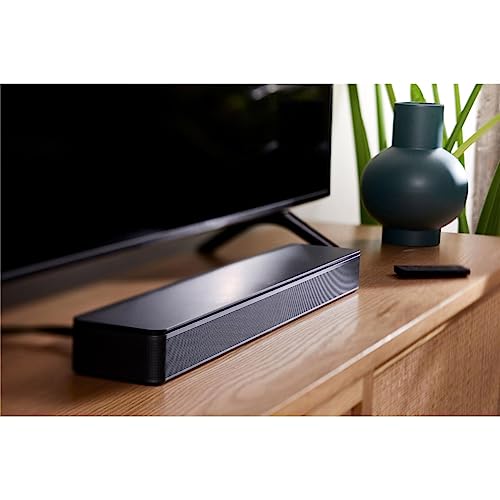














We also considered 10 others:


Our Top Choice
Compare Features


The order above is not editorial opinion, and it is not paid placement. It comes from what shoppers across our network actually do - which wireless surround sound systems they compare, and which they ultimately buy. We re-rank as new data comes in, so the long-term favorites have to keep earning their spot against new entrants. The full method, including how we make money.
Wireless Surround Sound Systems Buyer's Guide
Wireless surround sound systems trade cable freedom against room-dependent performance: the subwoofer or rear channels may connect wirelessly, but they still need power, clean pairing, and sensible placement. The sharpest buying concerns are whether the system can create believable rear separation in your room and whether HDMI eARC, TV-remote control, Bluetooth, and app controls stay reliable day to day.
Surround Effect
Surround systems are only as convincing as their channel separation, rear-speaker placement, and ability to balance levels across the room. A system that sounds big in one layout can feel front-heavy or uneven in another, especially when rear speakers sit too close, too low, or off-axis.
Look for a true surround layout that matches your room: rear speakers should have enough cable or power-outlet flexibility to sit behind or beside the listening position, and the system should let you adjust rear levels so effects do not disappear or overpower dialogue. For gaming and movies, prioritize distinct left/right/rear separation over sheer loudness, and avoid systems that give no way to rebalance the back channels if your couch is against a wall or the room is asymmetrical. Owner feedback strongly supports surround impact as a major reason to buy in this category, with reports of immersive separation for movies and gaming, cinematic sound, and a convincing surround experience. At the same time, owners also note that rear-surround performance can depend heavily on room layout, and some want more flexibility or customization for the back speakers.
Connections
Wireless surround systems must handle both audio quality and control signaling, so connection choices matter as much as speaker count. HDMI eARC, optical, Bluetooth, and TV-remote pairing each solve different problems, and weak handshake behavior can turn a good-sounding system into a daily annoyance.
Prioritize HDMI eARC if you want one-cable TV audio, better format support, and TV-remote volume control; keep optical as a fallback for older TVs, and treat Bluetooth mainly as a convenient music or casual input rather than the backbone of a theater setup. Check whether the wireless subwoofer and rear speakers pair automatically after power loss, whether CEC/eARC power control can be disabled or adjusted, and whether the system recovers cleanly after TV sleep or input changes. Owners commonly praise practical inputs such as HDMI eARC, optical, and Bluetooth, along with fast device connection and reduced cable clutter from a wireless subwoofer. The caution is that connectivity is mixed for some users, with reports of Bluetooth or remote pairing needing a reboot and occasional eARC power or remote-response quirks.
Sound Balance
A surround system has to make dialogue intelligible while still delivering bass impact and room-filling volume. Bass-heavy tuning can impress at first but become tiring if voices are recessed, while underpowered systems can struggle in open rooms.
Choose a system with clear center-channel or dialogue emphasis, enough subwoofer output for your room size, and adjustable bass, midrange, and treble so you can tame boomy walls or thin voices. For apartments or small rooms, look for controlled bass and usable low-volume clarity; for larger living rooms, check owner comments on real-world loudness rather than relying only on wattage claims. Owners repeatedly describe these systems as producing loud, clear TV audio, better dialogue, deep or strong bass, and satisfying impact for movies and TV. However, volume impressions vary, with some owners finding loudness room- and setup-dependent, so match expectations to room size and seating distance.
Easy Setup
The easiest wireless surround systems still require speaker placement, power access, input selection, and sometimes app or remote setup. Clear labeling and simple calibration reduce the chance of reversed channels, weak rear effects, or frustrating first-use pairing.
Before buying, map where every piece will go: soundbar under the TV, subwoofer near an outlet with room to breathe, and rear speakers placed at ear height or slightly above with safe cable routing if they are not fully battery powered. Favor systems with labeled cables, color-coded speaker connections, simple room adjustment, and clear input indicators, especially if multiple people will switch between TV, gaming, and music. Owners often report quick, straightforward setup helped by color-coded cabling, labeled parts, fast connection, app controls, room adjustment, and TV remote pairing. Compact speakers are also appreciated for small rooms and desks, but owners note that small size and placement needs can make performance more room-dependent.
Feature Value
Value in this category is not just the lowest cost; it is how much usable theater performance, control, and reliability you get without needing extra adapters or constant troubleshooting. A good system should feel like an upgrade for TV, movies, and games while avoiding hidden compromises in connectivity or adjustability.
Compare the complete feature set: number of channels, wireless subwoofer or rear-link design, included mounting or speaker hardware, eARC support, EQ controls, app support, and whether the system works well with your existing TV remote. Avoid judging value only by claimed power or speaker count; a less flashy system with stable eARC, adjustable sound, and clear dialogue can be the better home-theater buy. Owner sentiment points to strong value when systems deliver deep bass, useful features, loud clear audio, and an immersive experience that feels better than expected for the spend. The same feedback suggests value is strongest when performance, setup simplicity, and day-to-day quality all line up rather than when only one spec looks impressive.
1,000,000+ shoppers use Buyer's Guide every week to find the best products and services online.

Helping millions of users make smarter purchases online.


