









We also considered 10 others:


Our Top Choice
Compare Features


The order above is not editorial opinion, and it is not paid placement. It comes from what shoppers across our network actually do - which wireless outdoor security cameras they compare, and which they ultimately buy. We re-rank as new data comes in, so the long-term favorites have to keep earning their spot against new entrants. The full method, including how we make money.
Wireless Outdoor Security Cameras Buyer's Guide
Wireless outdoor security cameras trade cable-free placement against battery life, Wi-Fi reach, weather exposure, and the risk of missing the exact moment you need recorded. The sharpest checks are whether the camera can identify faces/packages at your mounting distance after dark, and whether its power, storage, alerts, and network connection will stay reliable through storms, cold, heat, and weak signal areas.
Video
You want clear, sharp video so you can actually identify faces, license plates, packages, or activity rather than just see that something happened. Look for strong daytime image quality, effective night vision, a wide enough field of view to cover the area you care about, and brightness handling that doesn’t wash out faces in glare or hide details in shadows. Be careful with cameras that advertise high resolution but have poor low-light performance, narrow viewing angles, or digital zoom that gets blurry when you need details most.
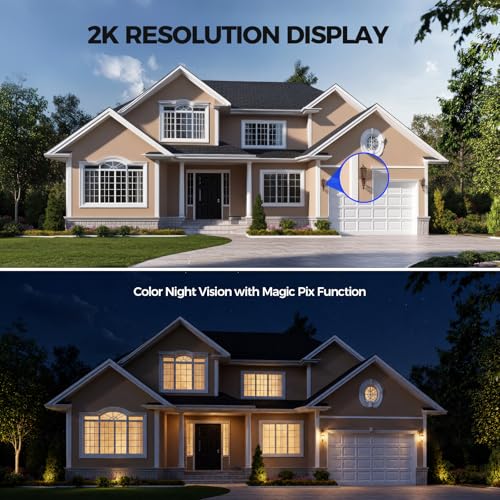
Prioritize usable identification over headline resolution: check the camera’s real field of view, mounting height, digital zoom limits, and whether faces, license plates, packages, gates, and driveway activity remain clear at the distance you actually need. For outdoor use, look for strong dynamic range for porches and backlit driveways, effective infrared or color night vision, and enough detail at night without washing out faces or reflecting off rain, fog, glass, or siding. Owner feedback supports this focus: buyers often praise clear daytime footage, crisp color, strong night visibility, and footage detailed enough for faces, packages, motion, and general property monitoring.
Connectivity
Reliable connectivity determines whether your security camera can send alerts, stream video, and record events when you need it, so check that it supports your home’s Wi-Fi setup and can maintain a strong signal where you plan to install it. Look for clear compatibility with your phone, smart home platform, and network band, and be cautious with cameras placed far from the router, behind thick walls, or outdoors where wireless range and stability can drop.
Before buying, map where each camera will sit relative to the router, base station, or recorder; outdoor walls, brick, metal doors, garages, and long driveways can cut wireless range sharply. Look for dual-band or clearly specified Wi-Fi support, strong antenna performance, stable app access, and a fallback plan such as local recording if the internet drops; if solar is included, verify panel placement will get direct sun year-round rather than shade from eaves or trees. Owner reports generally back the appeal of this setup style, with many buyers describing smooth wireless pairing, quick app connection, reliable longer-range performance, and solar charging that reduces manual battery maintenance.
Detection
Detection determines how reliably your security camera notices activity, follows movement, and alerts you when something matters. Look for adjustable motion zones, sensitivity controls, person/pet/package recognition if you need it, and fast, accurate notifications; watch out for cameras that trigger too many false alerts from shadows, cars, or pets, or miss motion at the edges of the frame.
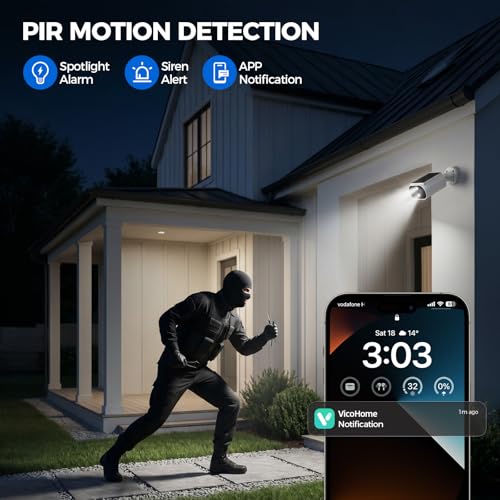
For outdoor cameras, detection quality matters as much as video quality: look for adjustable sensitivity, activity zones, person/vehicle/animal filtering, and controls to reduce false alerts from trees, headlights, rain, insects, flags, and passing traffic. If you need to cover a yard, driveway, or side gate, pan/tilt or auto-tracking can help, but confirm it returns to a useful home position and does not track one subject away while missing another. Owner sentiment supports these priorities, with buyers commonly praising responsive motion alerts, useful detection zones, adjustable settings, sound or subject detection, and tracking that can follow people, vehicles, animals, or yard activity.
Quality
You want a security camera that keeps working day and night, not one that fails when weather, power interruptions, or heavy use put it under stress. Look for solid construction, dependable connectivity, consistent recording and alerts, and weather resistance if it will be used outdoors; watch out for flimsy mounts, frequent disconnects, overheating, or reviews that mention premature failure.
Choose hardware built for the exact exposure point: verify the weather-resistance rating, operating temperature range, sealed charging ports, UV-resistant housing, secure mount, and whether the camera is rated for fully exposed outdoor use rather than only protected eaves. Watch for common failure modes such as water intrusion around ports, weak plastic brackets, battery degradation in cold weather, lens fogging, and poor performance after prolonged sun exposure. Owner feedback is broadly positive on this dimension, with many buyers describing these cameras as sturdy, reliable, well built, and capable of clear day/night monitoring in outdoor or protected outdoor conditions.
Setup
Setup matters because even a great security camera won’t help much if it’s difficult to mount, connect, or configure where you need it. Look for clear installation steps, flexible mounting options, reliable app pairing, and power requirements that fit your space, and watch out for cameras that need complicated wiring, weak Wi-Fi placement, or extra hardware to get working.
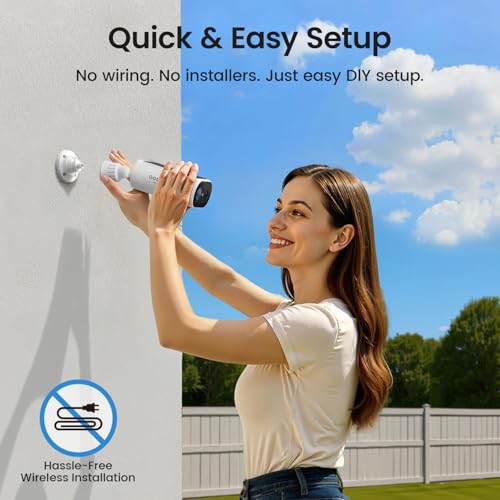
Plan the installation before you trust “wireless” to mean effortless: confirm you can mount at a height that discourages tampering but still captures faces, angle the camera without glare, reach the battery or solar cable, and maintain enough signal at the final location. Check whether the app supports easy onboarding, firmware updates, alert customization, shared users, and integration with any existing chimes, hubs, recorders, or smart-home gear you rely on. Owner experiences generally reinforce that setup can be a strength, with many buyers reporting quick mounting, simple Wi-Fi or hub connection, app-guided onboarding, and manageable controls even for less technical users.
Value
A security camera’s real cost goes beyond the upfront price, so you should consider whether key features like cloud storage, smart alerts, or video history require a subscription. Look for a camera that gives you the level of monitoring and storage you actually need without locking essential functions behind ongoing fees, and weigh any recurring costs against the reliability, image quality, and features you get in return.
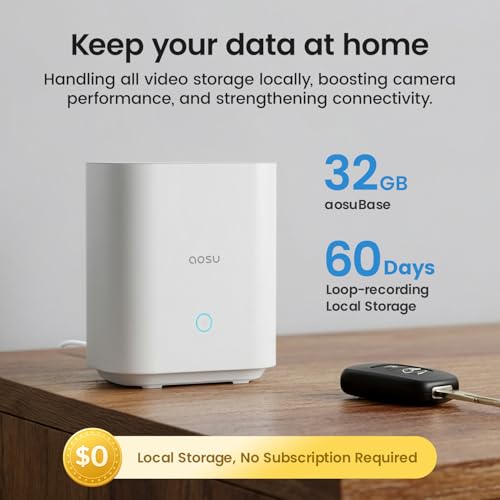
Judge value by total ownership, not just the camera box: compare whether cloud recording, person detection, extended history, cellular backup, extra batteries, solar panels, SD cards, hubs, or recorders require additional purchases or subscriptions. For security use, local storage and no-required-subscription recording can be especially valuable, but confirm clips remain accessible if the camera is stolen or the internet fails. Owner sentiment supports this value lens: buyers often feel the category delivers strong feature sets, especially when solar power, local storage, no mandatory subscription, siren, microphone, night vision, tracking, and app controls are included.
1,000,000+ shoppers use Buyer's Guide every week to find the best products and services online.

Helping millions of users make smarter purchases online.


