













We also considered 10 others:


Our Top Choice
Compare Features


The order above is not editorial opinion, and it is not paid placement. It comes from what shoppers across our network actually do - which solar cameras they compare, and which they ultimately buy. We re-rank as new data comes in, so the long-term favorites have to keep earning their spot against new entrants. The full method, including how we make money.
Solar Cameras Buyer's Guide
Solar cameras trade wiring freedom for dependence on sunlight, battery capacity, and wireless signal, so the best choice is the one that works in your exact mounting spot—not just the one with the highest resolution. The sharpest checks are whether the panel will get real direct sun through winter and whether the camera can still maintain Wi-Fi and motion coverage from that sun-friendly location.
Video
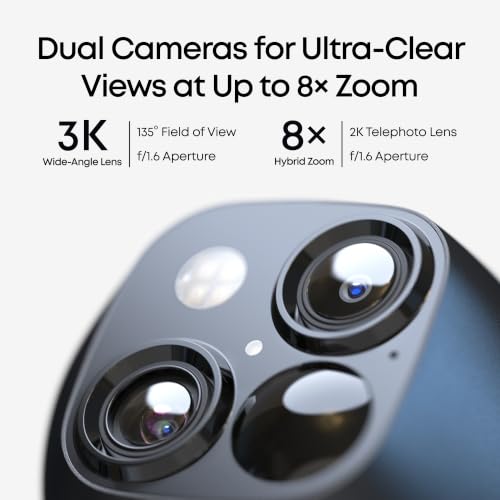
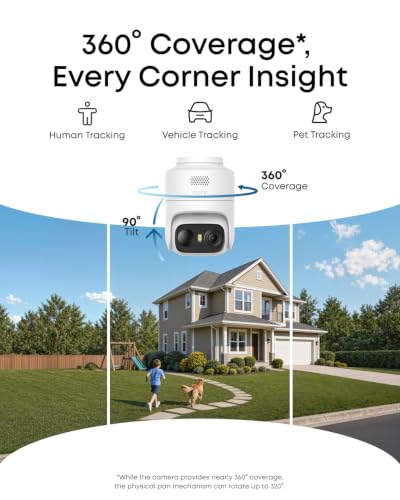
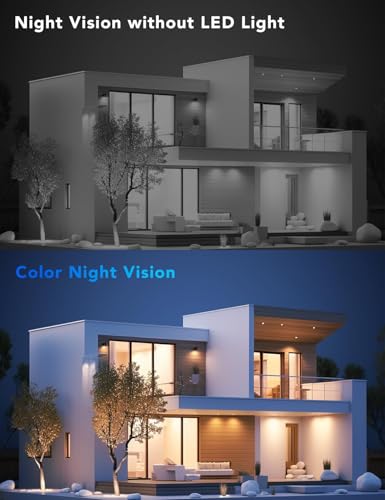
You want clear, sharp video so you can actually identify faces, license plates, packages, or activity rather than just see that something happened. Look for strong daytime image quality, effective night vision, a wide enough field of view to cover the area you care about, and brightness handling that doesn’t wash out faces in glare or hide details in shadows. Be careful with cameras that advertise high resolution but have poor low-light performance, narrow viewing angles, or digital zoom that gets blurry when you need details most.
Choose video specs around the job the camera must do from a fixed, solar-friendly mounting spot: prioritize enough resolution to identify faces, plates, packages, and gate activity at the actual distance you will mount it, plus a wide enough field of view that you are not forced to aim away from the sun or Wi-Fi signal. For solar models, avoid assuming high resolution means better security in every case—higher-res recording, color night vision, and long clips can drain the battery faster, so look for adjustable resolution, motion zones, clip length, and infrared or low-light modes that stay usable without constant spotlight use. Owner feedback supports video as a major strength in this category, with many buyers praising sharp daytime footage, dependable night vision, and detail levels good enough for faces, packages, movement, and general property monitoring.
Battery
Battery life and power reliability determine whether your camera keeps recording when you need it, especially in spots where wiring is difficult or outages happen. Look for realistic runtime, easy recharging, and clear low-battery alerts; if you’re considering solar-powered cameras, make sure your mounting location gets enough consistent sun exposure to maintain power output. Watch out for claims that assume ideal conditions, since cold weather, frequent motion alerts, live viewing, and poor Wi-Fi can all drain the battery faster.
Treat the solar panel as a charger, not a magic power source: check whether your intended mounting area gets several hours of direct sun in the lowest-sun season, and avoid locations shaded by eaves, trees, fences, or north-facing walls if you expect hands-off operation. Look for a battery large enough for cloudy stretches, cold weather, frequent motion events, and night recording; also check whether the battery is removable or replaceable, whether the panel can be mounted separately from the camera, and whether the cable length lets you put the panel in sun while the lens watches the right area. Owners generally report that solar charging is a standout convenience, especially when panels get regular direct sunlight, with many saying the system stays charged for long periods and needs far less manual recharging than battery-only cameras.
Quality
You want a security camera that keeps working day and night, not one that fails when weather, power interruptions, or heavy use put it under stress. Look for solid construction, dependable connectivity, consistent recording and alerts, and weather resistance if it will be used outdoors; watch out for flimsy mounts, frequent disconnects, overheating, or reviews that mention premature failure.
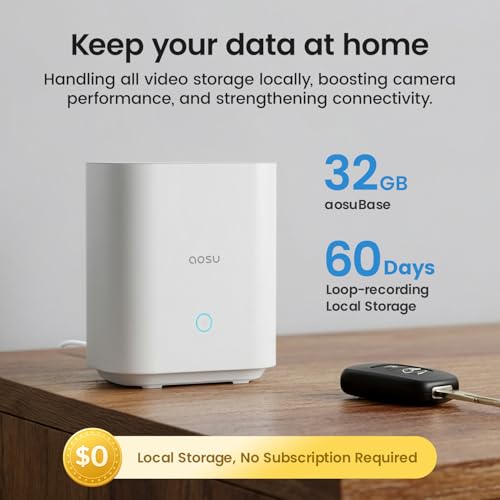
For outdoor solar security use, quality should mean weather survival, stable mounting, and long-term power integrity—not just a nice image on day one. Look for a true outdoor weather rating, sealed charging ports, UV-resistant housing, a sturdy bracket that will not sag in wind, operating-temperature specs that match your climate, and storage options that keep recording if internet service drops; be cautious with models that hide battery-service details or rely on fragile plastic mounts. Owner sentiment is broadly positive here, with buyers often describing solar cameras as well built, reliable, sturdy in demanding outdoor conditions, and equipped with useful app controls, internal or local storage, and solid hardware.
Connectivity
Reliable connectivity determines whether your security camera can send alerts, stream video, and record events when you need it, so check that it supports your home’s Wi-Fi setup and can maintain a strong signal where you plan to install it. Look for clear compatibility with your phone, smart home platform, and network band, and be cautious with cameras placed far from the router, behind thick walls, or outdoors where wireless range and stability can drop.
Plan connectivity before drilling: the best solar location may be the worst Wi-Fi location, so verify 2.4 GHz or 5 GHz support, base-station requirements, range through exterior walls, and whether the camera can maintain signal from gates, sheds, barns, driveways, or detached garages. If the camera will sit far from the router, favor systems with a base station, stronger antennas, offline recording, or clear signal-strength tools in the app; avoid relying on live view or alerts if your Wi-Fi is already weak where the panel gets sun. Owner reports are encouraging, with many describing app pairing, wireless setup, and base-station connection as straightforward, and some praising reliable performance even at longer ranges where other Wi-Fi cameras struggled.
Setup
Setup matters because even a great security camera won’t help much if it’s difficult to mount, connect, or configure where you need it. Look for clear installation steps, flexible mounting options, reliable app pairing, and power requirements that fit your space, and watch out for cameras that need complicated wiring, weak Wi-Fi placement, or extra hardware to get working.
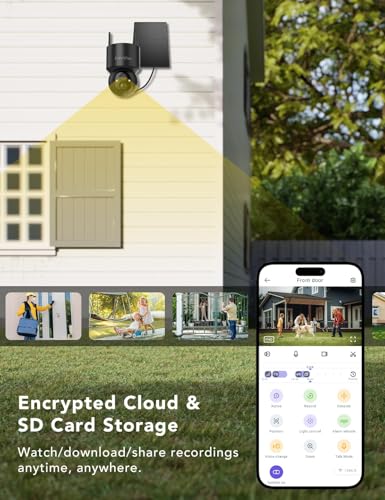
Set up solar cameras by solving three placements at once: the camera needs the right viewing angle, the panel needs sun, and the network needs signal. Before mounting permanently, test live view, motion detection, night vision, alert timing, and solar charging at the exact spot for a full day if possible; also check that the mount allows tilt, that the panel cable can be routed without water running into ports, and that the camera is high enough to reduce tampering but still reachable for resets or cleaning. Owners commonly find installation approachable, with quick app onboarding, QR-code pairing, simple mounting, and wireless setup that avoids running power cables, even for first-time or non-technical users.
Value
A security camera’s real cost goes beyond the upfront price, so you should consider whether key features like cloud storage, smart alerts, or video history require a subscription. Look for a camera that gives you the level of monitoring and storage you actually need without locking essential functions behind ongoing fees, and weigh any recurring costs against the reliability, image quality, and features you get in return.
Judge value by the full ownership package: confirm whether solar panel, mount, storage, base station, siren, microphone, and usable detection features are included, and check whether basic recording or person alerts require a subscription. Solar cameras are often bought to avoid wiring and monthly costs, so local storage, optional cloud service, no forced subscription, and easy battery maintenance can matter more than headline resolution alone. Owner feedback aligns with this: buyers frequently see strong value in systems that combine solar charging, local or internal storage, app control, capable night vision, alerts, and no required monthly fee.
1,000,000+ shoppers use Buyer's Guide every week to find the best products and services online.

Helping millions of users make smarter purchases online.


