










We also considered 10 others:


Our Top Choice
Compare Features


The order above is not editorial opinion, and it is not paid placement. It comes from what shoppers across our network actually do - which wireless backup cameras they compare, and which they ultimately buy. We re-rank as new data comes in, so the long-term favorites have to keep earning their spot against new entrants. The full method, including how we make money.
Wireless Backup Cameras Buyer's Guide
Wireless backup cameras trade easier installation against signal stability, power management, and weather exposure. The biggest niche-specific checks are whether the wireless link reaches your actual camera location and whether the mount, power source, and display remain dependable when reversing, towing, or using equipment in rough conditions.
Video
You want a dash camera that captures enough detail to make footage useful, not just record that something happened. Look for clear daytime video, readable license plates, balanced exposure, and strong low-light or night performance without excessive glare, blur, or grain. Be wary of cameras that advertise high resolution but deliver poor visibility in motion or in challenging lighting, since real-world recording quality matters more than specs alone.
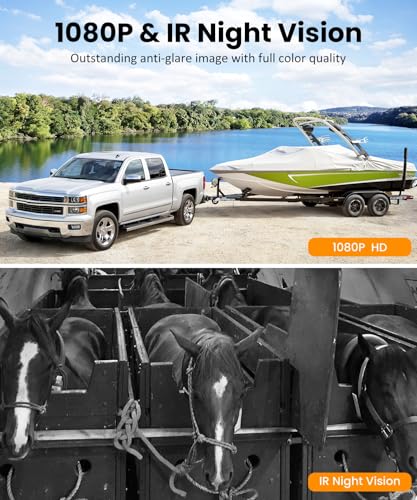
For this category, prioritize a camera/monitor combination that gives a usable reversing view at the actual distance you need: a short car install is different from a long truck, trailer, RV, tractor, or equipment setup. Look for a wide but not wildly distorted rear field of view, visible parking guidelines if you rely on them, enough brightness to see in sun glare, low-light or infrared performance for dark campsites and driveways, and a monitor large enough to judge hitch alignment, curbs, pedestrians, and side blind spots without blocking your normal view. Owner feedback generally supports clear, sharp day/night images, useful viewing angles, bright monitors, split-screen usefulness, and improved confidence when backing out or towing.
Features
Features matter because they determine whether a dash camera simply records or actively helps you drive, park, and review incidents more easily. Look for useful tools like parking monitoring, emergency recording, GPS, voice control, rear or cabin views, and backup or mirror camera modes if they fit your vehicle and habits. Watch out for extras that sound impressive but are hard to use, poorly integrated, or require separate accessories to work.
Choose features around how you will actually use the system: reverse-only backup camera, always-on rear-view monitor while towing, dash-cam recording, split-screen multi-camera coverage, magnetic temporary mounting, or a mirror-style display. For trailers, RVs, farm equipment, and work trucks, features like continuous rear monitoring, battery-status display, quick camera relocation, and secure magnetic or bracket mounting matter more than app extras; for daily drivers, guidelines, mirror integration, recording, and simple controls may be more important. Owners often praise these systems as straightforward upgrades with useful hardware, dependable reversing views, plug-and-play pairing, secure magnetic mounts, and strong overall value.
Reliability
A dash camera only helps if it records when you need it, so you should look for consistent startup, stable recording, and dependable saving of footage after bumps or sudden power loss. Pay attention to reports of overheating, random shutoffs, corrupted files, weak battery or capacitor behavior, and poor performance in everyday driving conditions, since these issues can leave gaps right when evidence matters most.
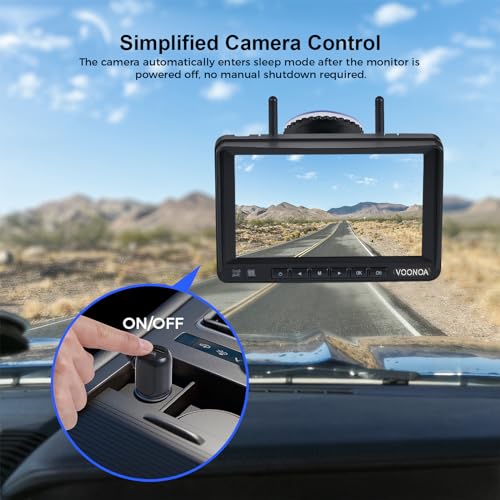
Reliability matters most at the failure points unique to wireless backup cameras: intermittent power, camera sleep modes, weak battery retention, memory-card or recording failures, water intrusion, and monitors that lose the camera just when you shift into reverse. If you need the camera for towing, commercial use, or hitching alone, favor systems with stable power options, clear battery/charge indicators for portable cameras, weather-rated housings, and a track record of staying paired after shutdowns. Owner sentiment is mostly positive about dependable day-to-day operation, strong signal, well-made hardware, and compact setups, but some buyers report inconsistent powering, SD-card recognition or recording problems, charge-holding concerns, sleep-mode issues, shutdowns, and occasional longer-term failures.
Connectivity
Good connectivity makes it easier to review, save, and share footage without removing the memory card, so look for a dash camera with reliable Wi-Fi pairing and a clear, stable app experience. Watch out for weak signal strength, slow file transfers, or apps that frequently disconnect, since those issues can make it harder to retrieve important clips when you need them.
For wireless models, check claimed range against your real layout, not just the box: metal trailers, enclosed cargo, long RVs, tailgates, farm implements, and cab-to-camera distance can weaken the signal. Look for fast pairing, stable reconnection after power cycling, minimal lag when reversing, support for the number of cameras you need, and a monitor that shows connection strength if the camera is battery-powered or frequently moved. Owners commonly like the quick plug-and-play pairing and freedom from long cable runs, and many report dependable links across RV and trailer setups, but feedback also shows that some units fail to pair or have uneven connection reliability.
Setup
A dash camera that’s easy to install is more likely to be positioned correctly, powered reliably, and used consistently without distracting cable clutter. Look for clear instructions, a secure mount with enough magnetic or adhesive strength, adjustable positioning, and cable length that suits your vehicle. If you want a cleaner hardwired setup or parking-mode features, check whether extra wiring steps or professional installation may be needed.
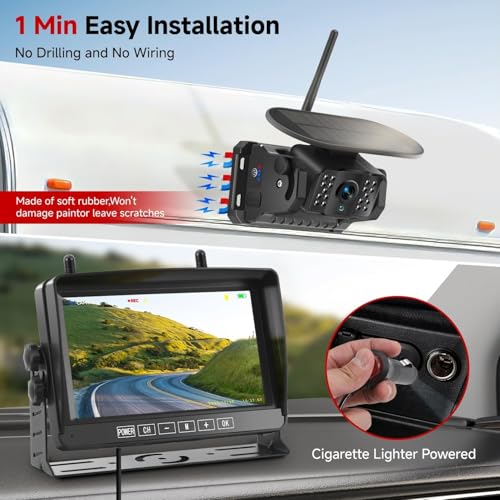
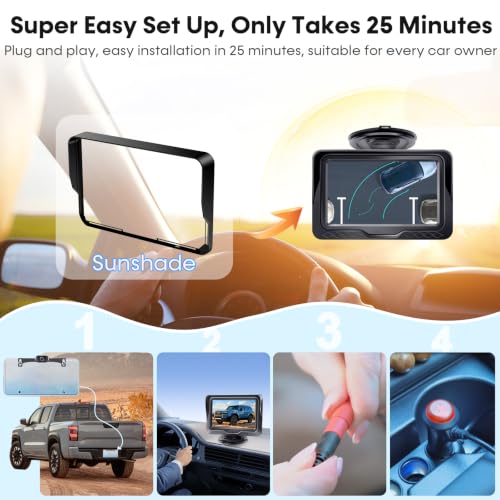
Before buying, map the install path: where the camera gets power, whether it triggers from the reverse light or runs continuously, where the monitor mounts, how cables enter the vehicle or trailer, and whether your RV is prewired for a compatible mount. Wireless avoids a long video cable, but most systems still need power wiring unless they are battery or solar-assisted; a clean hidden install may require trim removal, weatherproof cable routing, and attention to polarity on reverse lights. Owners generally find setup approachable, especially with clear instructions, videos, prewired RVs, plenty of cable, easy mounting, and quick wireless installs, though the neatest installation still depends heavily on the vehicle or trailer.
Build
A dash camera’s build quality matters because it has to withstand heat, cold, vibration, and constant sun exposure while staying securely mounted and reliable when you need footage. Look for a sturdy housing, solid buttons or mounts, neat cable connections, and materials that feel resistant to warping or rattling. Be cautious of flimsy plastic, loose mounts, or designs that feel likely to shift, crack, or fail under everyday driving conditions.
For build quality, focus on the parts exposed to vibration, weather, and repeated adjustment: camera housing, bracket or magnetic mount, antenna, cable strain relief, monitor mount, and waterproof sealing. On trailers, RVs, tractors, and equipment, avoid flimsy mounts that can shift on rough roads, weak magnets without safety backup, and housings without credible weather resistance; for mirror displays, make sure the screen does not overcrowd the windshield or interfere with existing mirrors and visors. Owners often describe the hardware as solid, well-made, compact, secure on rough roads, and bright or sharp enough to make backing trailers, RVs, tractors, and other equipment feel safer.
1,000,000+ shoppers use Buyer's Guide every week to find the best products and services online.

Helping millions of users make smarter purchases online.


