

Best Wi-Fi Routers Updated November 2026

Best Wi-Fi Routers
2026 Buyer's GuideUpdated November 2026
Sort by:
1

10.0

NETGEAR Nighthawk DOCSIS 3.1 Modem Router Combo CAX30, WiFi 6, 2.7 Gbps | Multi-Gig, Reliable Performance, Guided Set Up, 4× Gi...
Speed: Up to 2.7 Gbps
Coverage Area: Up to 2500 sq ft
Bands: Dual (2.4GHz & 5GHz)
Type: Modem & WiFi 6 router
Ports: 4 gigabit ethernet, 1 USB

10.0

1
NETGEAR Nighthawk DOCSIS 3.1 Modem Router Combo CAX30, WiFi 6, 2.7 Gbps | Multi-Gig, Reliable Performance, Guided Set Up, 4× Gi...
Speed: Up to 2.7 Gbps
Coverage Area: Up to 2500 sq ft
Bands: Dual (2.4GHz & 5GHz)
Type: Modem & WiFi 6 router
Ports: 4 gigabit ethernet, 1 USB
2

9.8

NETGEAR Nighthawk WiFi 7 Router RS140, Up to 2,250 sq ft, 5 Gbps | Reliable Performance, Easy Set Up, 80 devices, 1× 2.5G + 3× ...
Speed: Up to 5.0Gbps
Coverage Area: Up to 2250 sq ft
Bands: Dual (2.4GHz & 5GHz)
Type: WiFi 7
Ports: 1x 2.5 gigabit ethernet, 3x 1 gigabit ethernet
Compare

9.8

2
NETGEAR Nighthawk WiFi 7 Router RS140, Up to 2,250 sq ft, 5 Gbps | Reliable Performance, Easy Set Up, 80 devices, 1× 2.5G + 3× ...
Speed: Up to 5.0Gbps
Coverage Area: Up to 2250 sq ft
Bands: Dual (2.4GHz & 5GHz)
Type: WiFi 7
Ports: 1x 2.5 gigabit ethernet, 3x 1 gigabit ethernet
Compare
3

9.6

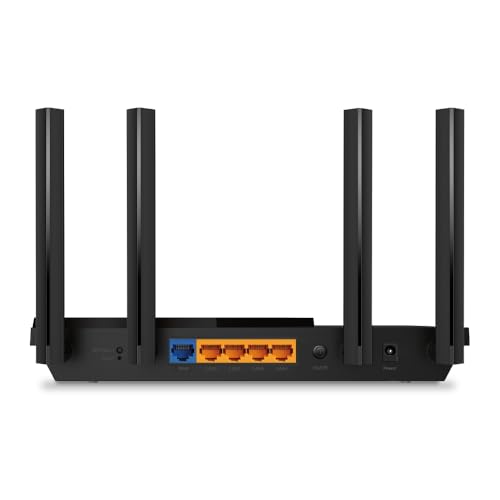
TP-Link BE6500 Dual-Band WiFi 7 Router (BE400) | Dual 2.5Gbps Ports, USB 3.0, Covers up to 2,400 sq. ft., 90 Devices, Quad-Core...
Speed: Up to 6.5 Gbps
Coverage Area: Up to 2400 sq ft
Bands: Dual (2.4GHz & 5GHz)
Type: WiFi 7
Ports: 2x 2.5G Ports + 3x Gigabit Ports
Compare

9.6

3
TP-Link BE6500 Dual-Band WiFi 7 Router (BE400) | Dual 2.5Gbps Ports, USB 3.0, Covers up to 2,400 sq. ft., 90 Devices, Quad-Core...
Speed: Up to 6.5 Gbps
Coverage Area: Up to 2400 sq ft
Bands: Dual (2.4GHz & 5GHz)
Type: WiFi 7
Ports: 2x 2.5G Ports + 3x Gigabit Ports
4

9.4

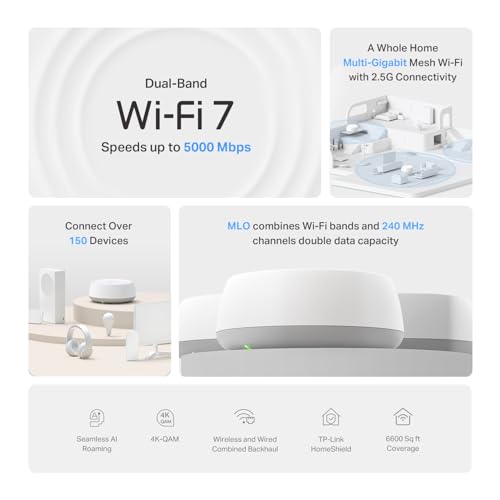
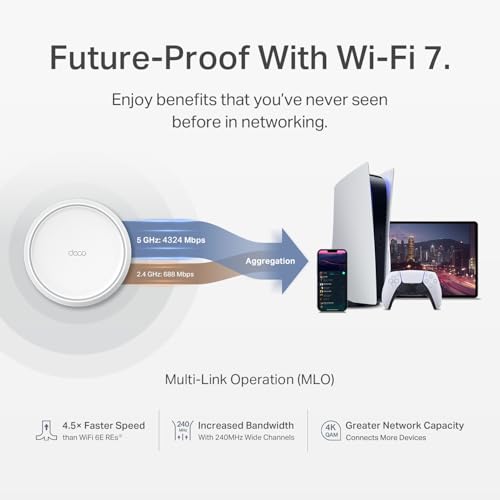
Deco 7 Dual-Band BE5000 WiFi 7 Mesh Wi-Fi System 4-Stream 5 Gbps, 240 Mhz | Up to 6,600 Sq.Ft | 2X 2.5G Ports Wired Backhaul | ...
Speed: Up to 5Gbps
Coverage Area: Up to 6600 sq ft
Bands: Dual (2.4GHz & 5GHz)
Type: WiFi 7 mesh
Ports: 2 gigabit ethernet per unit
Compare

9.4

4
Deco 7 Dual-Band BE5000 WiFi 7 Mesh Wi-Fi System 4-Stream 5 Gbps, 240 Mhz | Up to 6,600 Sq.Ft | 2X 2.5G Ports Wired Backhaul | ...
Speed: Up to 5Gbps
Coverage Area: Up to 6600 sq ft
Bands: Dual (2.4GHz & 5GHz)
Type: WiFi 7 mesh
Ports: 2 gigabit ethernet per unit
5

9.3

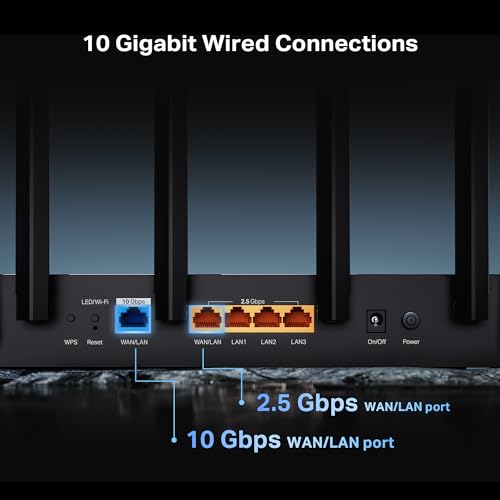
TP-Link Tri-Band BE9700 WiFi 7 Router (Archer BE600) | 10G Port, 2.5G Port, 3× 2.5G LAN, 320MHz Channel, Covers up to 2,600 sq....
Speed: Up to 10Gbps
Coverage Area: Up to 2600 sq ft
Bands: Tri (2.4GHz, 5GHZ, & 6GHz)
Type: WiFi 7
Ports: 1x 10G + 4x 2.5G Ports, 2x WAN
Compare

9.3

5
TP-Link Tri-Band BE9700 WiFi 7 Router (Archer BE600) | 10G Port, 2.5G Port, 3× 2.5G LAN, 320MHz Channel, Covers up to 2,600 sq....
Speed: Up to 10Gbps
Coverage Area: Up to 2600 sq ft
Bands: Tri (2.4GHz, 5GHZ, & 6GHz)
Type: WiFi 7
Ports: 1x 10G + 4x 2.5G Ports, 2x WAN
6

9.1

NETGEAR Nighthawk WiFi 6 Router R6700AX, Up to 1,500 sq ft, 1.8 Gbps | Reliable Performance, Easy Set Up, 20 devices, 4× Gigabi...
Speed: Up to 1.8Gbps
Coverage Area: Up to 1,500 sq ft
Bands: Dual (2.4GHz & 5GHz)
Type: WiFi 6
Ports: 4 gigabit ethernet
Compare

9.1

6
NETGEAR Nighthawk WiFi 6 Router R6700AX, Up to 1,500 sq ft, 1.8 Gbps | Reliable Performance, Easy Set Up, 20 devices, 4× Gigabi...
Speed: Up to 1.8Gbps
Coverage Area: Up to 1,500 sq ft
Bands: Dual (2.4GHz & 5GHz)
Type: WiFi 6
Ports: 4 gigabit ethernet
Compare
7

8.9

NETGEAR Nighthawk WiFi 7 Router RS100, Up to 2,000 sq ft, 3.6 Gbps | Reliable Performance, Easy Set Up, 50 devices, 1× 2.5G + 3...
Speed: Up to 3.6Gbps
Coverage Area: Up to 2000 sq ft
Bands: Dual (2.4GHz & 5GHz)
Type: WiFi 7
Ports: 1x 2.5 gigabit ethernet, 3x gigabit ethernet
Compare

8.9

7
NETGEAR Nighthawk WiFi 7 Router RS100, Up to 2,000 sq ft, 3.6 Gbps | Reliable Performance, Easy Set Up, 50 devices, 1× 2.5G + 3...
Speed: Up to 3.6Gbps
Coverage Area: Up to 2000 sq ft
Bands: Dual (2.4GHz & 5GHz)
Type: WiFi 7
Ports: 1x 2.5 gigabit ethernet, 3x gigabit ethernet
Compare
8

8.7

TP-Link Dual-Band BE3600 Wi-Fi 7 Router, Archer BE230 | 4-Stream | 2×2.5G + 3×1G Ports, USB 3.0, 2.0 GHz Quad Core, 4 Antennas ...
Speed: Up to 3.6Gbps
Coverage Area: Not indicated
Bands: Dual (2.4GHz & 5GHz)
Type: WiFi 7
Ports: 3 gigabit ethernet, 2 2.5 gigabit ethernet
Compare

8.7

8
TP-Link Dual-Band BE3600 Wi-Fi 7 Router, Archer BE230 | 4-Stream | 2×2.5G + 3×1G Ports, USB 3.0, 2.0 GHz Quad Core, 4 Antennas ...
Speed: Up to 3.6Gbps
Coverage Area: Not indicated
Bands: Dual (2.4GHz & 5GHz)
Type: WiFi 7
Ports: 3 gigabit ethernet, 2 2.5 gigabit ethernet
9

8.6

TP-Link AX1800 WiFi 6 Router (Archer AX21 V5) | Dual Band Wireless Internet, Gigabit, Easy Mesh, Works with Alexa - A Certified...
Speed: Up to 1.8Gbps
Coverage Area: Up to 2500 sq ft
Bands: Dual (2.4GHz & 5GHz)
Type: Smart WiFi 6
Ports: 5 gigabit ethernet, USB
Compare

8.6

9
TP-Link AX1800 WiFi 6 Router (Archer AX21 V5) | Dual Band Wireless Internet, Gigabit, Easy Mesh, Works with Alexa - A Certified...
Speed: Up to 1.8Gbps
Coverage Area: Up to 2500 sq ft
Bands: Dual (2.4GHz & 5GHz)
Type: Smart WiFi 6
Ports: 5 gigabit ethernet, USB
10

8.5

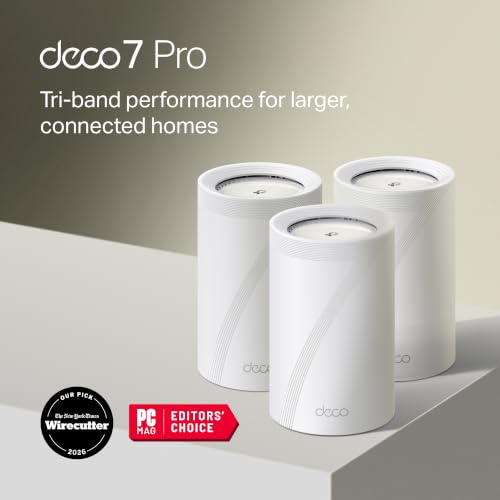
Deco 7 Pro Tri-Band WiFi 7 BE10000 Whole Home Mesh System 6-Stream 10 Gbps | 4 x 2.5G Ports Wired Backhaul, 4 x Smart Internal ...
Speed: Up to 10Gbps
Coverage Area: Up 7600 sq ft
Bands: Tri (2.4GHz, 5GHz, & 6GHz)
Type: WiFi 7 mesh
Ports: 4 × 2.5G Ethernet ports and 1 USB port per unit
Compare

8.5

10
Deco 7 Pro Tri-Band WiFi 7 BE10000 Whole Home Mesh System 6-Stream 10 Gbps | 4 x 2.5G Ports Wired Backhaul, 4 x Smart Internal ...
Speed: Up to 10Gbps
Coverage Area: Up 7600 sq ft
Bands: Tri (2.4GHz, 5GHz, & 6GHz)
Type: WiFi 7 mesh
Ports: 4 × 2.5G Ethernet ports and 1 USB port per unit

Our Top Choice

1

10.0

NETGEAR Nighthawk DOCSIS 3.1 Modem Router Combo CAX30, WiFi 6, 2.7 Gbps | Multi-Gig, Reliable Performance, Guided Set Up, 4× Gi...
Speed: Up to 2.7 Gbps
Coverage Area: Up to 2500 sq ft
Bands: Dual (2.4GHz & 5GHz)
Type: Modem & WiFi 6 router
Ports: 4 gigabit ethernet, 1 USB

10.0

1
NETGEAR Nighthawk DOCSIS 3.1 Modem Router Combo CAX30, WiFi 6, 2.7 Gbps | Multi-Gig, Reliable Performance, Guided Set Up, 4× Gi...
Speed: Up to 2.7 Gbps
Coverage Area: Up to 2500 sq ft
Bands: Dual (2.4GHz & 5GHz)
Type: Modem & WiFi 6 router
Ports: 4 gigabit ethernet, 1 USB

Compare Features

Coverage Area
Best Wi-Fi Router
1. Netgear Nighthawk Modem Router Combo (CAX30)
NETGEAR Preview NETGEAR Preview
NETGEAR
at Amazon
2. Netgear Nighthawk RS140 WiFi 7 Router
NETGEAR Preview NETGEAR Preview
NETGEAR
at Amazon
Cyber Monday Deal
3. TP-Link Archer BE6500 Dual-Band Wi-Fi 7 Router
TP-LINK Preview TP-LINK Preview
TP-LINK
at Amazon
Popular
4. TP-Link Dual-Band BE5000 WiFi 7 Mesh System
TP-LINK Preview TP-LINK Preview
TP-LINK
at Amazon
5. TP-Link Tri-Band BE9700 WiFi 7 Router
TP-LINK Preview TP-LINK Preview
TP-LINK
at Amazon
Best Value
6. NETGEAR WiFi 6 Router (R6700AX)
NETGEAR Preview NETGEAR Preview
NETGEAR
at Amazon
7. NETGEAR Nighthawk WiFi 7 Router RS100, Up to 2,000 sq ft, 3.6 Gbps | Reliable Performance, Easy Set Up, 50 devices, 1× 2.5G + 3...
NETGEAR Preview NETGEAR Preview
NETGEAR
at Amazon
8. TP-Link BE3600 Wi-Fi 7 Router
TP-LINK Preview TP-LINK Preview
TP-LINK
at Amazon
9. TP-Link AX1800 Wi-Fi 6 Router
TP-LINK Preview TP-LINK Preview
TP-LINK
at Amazon
Premium Pick
10. TP-Link Whole Home Mesh System (Deco BE63)
TP-LINK Preview TP-LINK Preview
TP-LINK
at Amazon
Deal
-23% — -32% -17% -28% -25% -15% -38% -42% -21%
Deal -23% — -32% -17% -28% -25% -15% -38% -42% -21%
Speed
Up to 2.7 Gbps Up to 5.0Gbps Up to 6.5 Gbps Up to 5Gbps Up to 10Gbps Up to 1.8Gbps Up to 3.6Gbps Up to 3.6Gbps Up to 1.8Gbps Up to 10Gbps
Speed
Up to 2.7 Gbps Up to 5.0Gbps Up to 6.5 Gbps Up to 5Gbps Up to 10Gbps Up to 1.8Gbps Up to 3.6Gbps Up to 3.6Gbps Up to 1.8Gbps Up to 10Gbps
Coverage Area
Up to 2500 sq ft Up to 2250 sq ft Up to 2400 sq ft Up to 6600 sq ft Up to 2600 sq ft Up to 1,500 sq ft Up to 2000 sq ft Not indicated Up to 2500 sq ft Up 7600 sq ft
Coverage Area
Up to 2500 sq ft Up to 2250 sq ft Up to 2400 sq ft Up to 6600 sq ft Up to 2600 sq ft Up to 1,500 sq ft Up to 2000 sq ft Not indicated Up to 2500 sq ft Up 7600 sq ft
Bands
Dual (2.4GHz & 5GHz) Dual (2.4GHz & 5GHz) Dual (2.4GHz & 5GHz) Dual (2.4GHz & 5GHz) Tri (2.4GHz, 5GHZ, & 6GHz) Dual (2.4GHz & 5GHz) Dual (2.4GHz & 5GHz) Dual (2.4GHz & 5GHz) Dual (2.4GHz & 5GHz) Tri (2.4GHz, 5GHz, & 6GHz)
Bands
Dual (2.4GHz & 5GHz) Dual (2.4GHz & 5GHz) Dual (2.4GHz & 5GHz) Dual (2.4GHz & 5GHz) Tri (2.4GHz, 5GHZ, & 6GHz) Dual (2.4GHz & 5GHz) Dual (2.4GHz & 5GHz) Dual (2.4GHz & 5GHz) Dual (2.4GHz & 5GHz) Tri (2.4GHz, 5GHz, & 6GHz)
Type
Modem & WiFi 6 router WiFi 7 WiFi 7 WiFi 7 mesh WiFi 7 WiFi 6 WiFi 7 WiFi 7 Smart WiFi 6 WiFi 7 mesh
Type
Modem & WiFi 6 router WiFi 7 WiFi 7 WiFi 7 mesh WiFi 7 WiFi 6 WiFi 7 WiFi 7 Smart WiFi 6 WiFi 7 mesh
Ports
4 gigabit ethernet, 1 USB 1x 2.5 gigabit ethernet, 3x 1 gigabit ethernet 2x 2.5G Ports + 3x Gigabit Ports 2 gigabit ethernet per unit 1x 10G + 4x 2.5G Ports, 2x WAN 4 gigabit ethernet 1x 2.5 gigabit ethernet, 3x gigabit ethernet 3 gigabit ethernet, 2 2.5 gigabit ethernet 5 gigabit ethernet, USB 4 × 2.5G Ethernet ports and 1 USB port per unit
How we rank

The order above is not editorial opinion, and it is not paid placement. It comes from what shoppers across our network actually do - which wi-fi routers they compare, and which they ultimately buy. We re-rank as new data comes in, so the long-term favorites have to keep earning their spot against new entrants. The full method, including how we make money.

Wi-Fi Routers Buyer's Guide

Wi‑Fi router shopping is a tradeoff between headline speed, real coverage, and compatibility with your ISP, devices, and home construction. The biggest mistakes are buying more wireless spec than your clients or internet plan can use, or buying too little backhaul and coverage for dead zones, detached spaces, and busy multi-device homes.

Speed

Speed matters because it affects how smoothly your connection handles streaming, video calls, gaming, downloads, and multiple people using the network at once. Look for a router with enough real-world throughput for your internet plan and home size, plus strong performance under load so it stays responsive when several devices are active. Be wary of relying only on headline speed ratings, which often reflect ideal conditions rather than what you’ll get through walls, distance, and everyday congestion.

Choose speed around your actual bottleneck: the internet plan, WAN/LAN port ratings, Wi‑Fi generation your devices can use, and whether mesh nodes will use wired or wireless backhaul. For gigabit or faster service, avoid routers with only single-gigabit WAN/LAN where that limits the connection, and remember that wireless mesh backhaul, thick walls, and crowded channels can cut real room-to-room throughput far below the box rating. Owner feedback supports this focus: many buyers report major speed gains when replacing older routers, extenders, or mesh systems, especially after tuning mesh or backhaul settings, with busy homes seeing better performance for streaming, gaming, and remote work.

Connectivity

Connectivity determines how reliably your router keeps phones, laptops, smart home devices, and streaming gear online at the same time. Look for a router that can handle your device count, maintain steady Wi-Fi across the areas you use most, and recover gracefully when devices move between rooms or bands. Watch out for routers that advertise high speeds but struggle with many simultaneous clients or drop connections under everyday load.

Prioritize stable device handling, not just peak throughput: check stated client capacity, band steering behavior, 2.4 GHz reliability for smart-home gear, DHCP/IP reservation tools, and whether roaming features can be adjusted if phones, printers, cameras, or IoT devices disconnect. In crowded homes, look for a router or mesh system that can keep dozens of devices online without frequent reboots; for detached buildings or hard dead zones, a purpose-built bridge, wired backhaul, or mesh node may be more reliable than a simple repeater. Owner sentiment lines up with this: shoppers often praise routers, mesh systems, extenders, travel routers, and wireless bridges when they turn weak or unstable areas into usable connections for calls, streaming, work, and many simultaneous devices.

Features

The features on a router determine how well it fits your home, devices, and control preferences beyond basic speed. Look for practical functionality like strong security settings, parental controls, guest networks, quality-of-service controls, mesh or extender support, and an app or web interface that makes setup and troubleshooting straightforward. Watch out for routers that advertise lots of extras but hide important controls, require subscriptions for core protections, or lack the modes you need for your network layout.

Match features to the network job you actually need: a main home router should offer strong security settings, guest networking, firmware updates, enough Ethernet ports, and ISP compatibility; a mesh system should have usable backhaul options; a travel router should support Ethernet or Wi‑Fi upstream plus VPN/client isolation; and an extender or bridge should have the right mode and Ethernet port if you need to feed a wired device. Be cautious of features locked behind subscriptions, router-only units that do not replace a modem, and extenders that cannot use the same security or band setup your devices require. Owners tend to value practical features most—dead-zone fixes, Ethernet-port workarounds, flexible travel modes, compact secure travel use, and advanced configuration options for those who want more control.

Setup

A smooth setup process helps you get your network running quickly without guessing through cables, app prompts, or security settings. Look for clear instructions, guided app-based installation, easy Wi-Fi name and password setup, and simple controls for updates, guest networks, and parental features. Watch out for routers that require confusing manual configuration or hide important settings behind hard-to-navigate menus.

Before buying, confirm the setup path for your ISP and home layout: cable users may still need a separate modem, fiber users may need VLAN tagging or PPPoE credentials, and anyone keeping ISP equipment should know whether to use bridge mode or avoid double NAT. For mesh, plan node placement and backhaul before installation; for travel routers, check captive-portal handling; and for advanced users, make sure there is a web interface or local control if you do not want app-only/cloud-only management. Owner reports generally support choosing systems with guided setup, as many buyers describe app-based installation as quick, low-stress, and beginner-friendly while still allowing some custom settings.

Value

You want a router that delivers the speed, coverage, and reliability your home actually needs without paying for features you won’t use. Look for value for money by comparing real-world performance, port options, security and parental controls, mesh expandability, and ease of setup against the cost. Watch out for very cheap routers that may lack range or updates, as well as premium models whose advanced features only matter for demanding networks.

Judge value by avoided bottlenecks and avoided extra hardware: a router is worth more if it fully supports your internet speed, covers the home without multiple add-ons, replaces weak ISP gear, or eliminates rental fees; it is worth less if you pay for Wi‑Fi 6E/7, multi-gig ports, or premium mesh when your devices, wiring, or plan cannot use them. Also factor in subscription costs for security or parental controls, the number of mesh nodes needed, and whether running Ethernet would solve the problem more permanently than buying repeaters. Owner sentiment reinforces this practical calculation: buyers often feel upgrades are worthwhile when they deliver strong price-to-performance, improve gigabit-plan speeds, replace router-and-extender setups, or provide flexible travel/backup networking without a large investment.

Coverage

Coverage determines whether your connection stays strong in the rooms, floors, and outdoor spots where you actually use Wi‑Fi, not just near the router. Look for a router with enough range and signal strength for your home’s size and layout, and watch out for thick walls, metal, appliances, and distant corners that can weaken the signal. If you need signal extension, consider whether a mesh system or additional access point would serve you better than simply choosing a more powerful single router.

Coverage depends more on construction and placement than advertised square footage, so assess wall materials, floor count, router location, outdoor camera locations, basements, garages, and detached spaces before choosing a single router, mesh kit, extender, or point-to-point bridge. For large or awkward homes, prefer mesh with wired or dedicated backhaul when possible; for outdoor or detached coverage, avoid assuming an indoor router will reliably penetrate exterior walls, and do not rely on transmit power alone because client devices must also talk back. Owner feedback strongly supports coverage-focused upgrades: many buyers report stronger whole-home signal, fewer dead zones, and usable Wi‑Fi in difficult areas such as basements, upstairs rooms, garages, outdoor spots, and outbuildings after replacing older routers or extenders.