


Best Home Wi-Fi Routers Updated August 2026

Best Home Wi-Fi Routers
2026 Buyer's GuideUpdated August 2026
Sort by:
1

10.0

TP-Link BE6500 Dual-Band WiFi 7 Router (BE400)
Speed: Up to 6.5 Gbps
Coverage Area: Up to 2400 sq ft
Bands: Dual (2.4GHz & 5GHz)
Type: WiFi 7
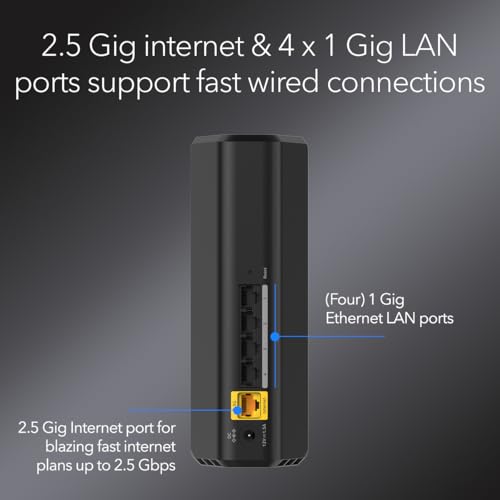
Ports: 2x 2.5G Ports + 3x Gigabit Ports

10.0

1
TP-Link BE6500 Dual-Band WiFi 7 Router (BE400)
Speed: Up to 6.5 Gbps
Coverage Area: Up to 2400 sq ft
Bands: Dual (2.4GHz & 5GHz)
Type: WiFi 7
Ports: 2x 2.5G Ports + 3x Gigabit Ports
2

9.8

TP-Link Tri-Band BE9700 WiFi 7 Router (Archer BE600)
Speed: Up to 10Gbps
Coverage Area: Up to 2600 sq ft
Bands: Tri (2.4GHz, 5GHZ, & 6GHz)
Type: WiFi 7
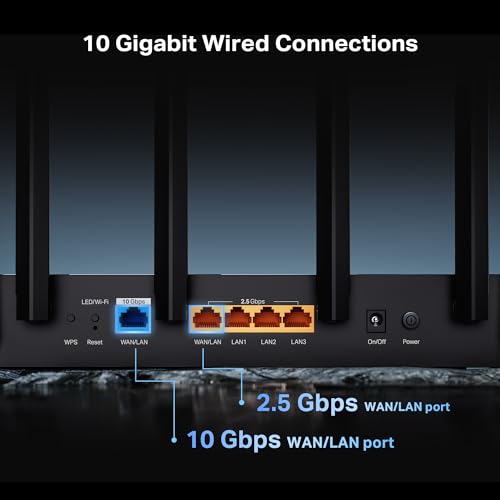
Ports: 1x 10G + 4x 2.5G Ports, 2x WAN
Compare

9.8

2
TP-Link Tri-Band BE9700 WiFi 7 Router (Archer BE600)
Speed: Up to 10Gbps
Coverage Area: Up to 2600 sq ft
Bands: Tri (2.4GHz, 5GHZ, & 6GHz)
Type: WiFi 7
Ports: 1x 10G + 4x 2.5G Ports, 2x WAN
3

9.5

Deco 7 Dual-Band BE5000 WiFi 7 Mesh Wi-Fi System 4-Stream 5 Gbps, 240 Mhz
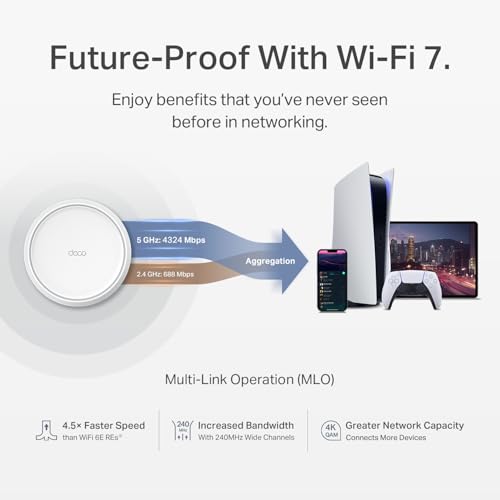
Speed: Up to 5Gbps
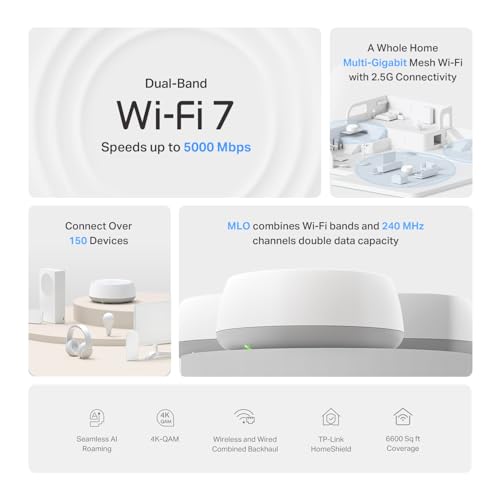
Coverage Area: Up to 6600 sq ft
Bands: Dual (2.4GHz & 5GHz)
Type: WiFi 7 mesh
Ports: 2 gigabit ethernet per unit
Compare

9.5

3
Deco 7 Dual-Band BE5000 WiFi 7 Mesh Wi-Fi System 4-Stream 5 Gbps, 240 Mhz
Speed: Up to 5Gbps
Coverage Area: Up to 6600 sq ft
Bands: Dual (2.4GHz & 5GHz)
Type: WiFi 7 mesh
Ports: 2 gigabit ethernet per unit
4

9.3

NETGEAR WiFi 6 Router 4-Stream (R6700AX) – Router Only, AX1800 Wireless Speed (Up to 1.8 Gbps), Covers up to 1,500 sq. ft., 20 ...
Speed: Up to 1.8Gbps
Coverage Area: Up to 1,500 sq ft
Bands: Dual (2.4GHz & 5GHz)
Type: WiFi 6
Ports: 4 gigabit ethernet
Compare

9.3

4
NETGEAR WiFi 6 Router 4-Stream (R6700AX) – Router Only, AX1800 Wireless Speed (Up to 1.8 Gbps), Covers up to 1,500 sq. ft., 20 ...
Speed: Up to 1.8Gbps
Coverage Area: Up to 1,500 sq ft
Bands: Dual (2.4GHz & 5GHz)
Type: WiFi 6
Ports: 4 gigabit ethernet
Compare
5

9.2

NETGEAR Nighthawk Modem Router Combo (CAX30) DOCSIS 3.1 Cable Modem and WiFi 6 Router - AX2700 2.7 Gbps - Compatible with Xfini...
Speed: Up to 2.7 Gbps
Coverage Area: Up to 2500 sq ft
Bands: Dual (2.4GHz & 5GHz)
Type: Modem & WiFi 6 router
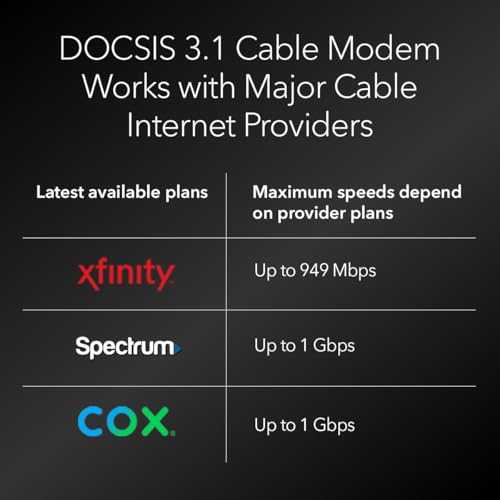
Ports: 4 gigabit ethernet, 1 USB
Compare

9.2

5
NETGEAR Nighthawk Modem Router Combo (CAX30) DOCSIS 3.1 Cable Modem and WiFi 6 Router - AX2700 2.7 Gbps - Compatible with Xfini...
Speed: Up to 2.7 Gbps
Coverage Area: Up to 2500 sq ft
Bands: Dual (2.4GHz & 5GHz)
Type: Modem & WiFi 6 router
Ports: 4 gigabit ethernet, 1 USB
6

9.1

NETGEAR Nighthawk Dual-Band WiFi 7 Router (RS90) – Router Only, BE3600 Wireless Speed (up to 3.6 Gbps) - Covers up to 2,000 sq....
Speed: Up to 3.6Gbps
Coverage Area: Up to 2000 sq ft
Bands: Dual (2.4GHz & 5GHz)
Type: WiFi 7
Ports: 4 1-gigabit ethernet, 1 2.5-gigabit ethernet
Compare

9.1

6
NETGEAR Nighthawk Dual-Band WiFi 7 Router (RS90) – Router Only, BE3600 Wireless Speed (up to 3.6 Gbps) - Covers up to 2,000 sq....
Speed: Up to 3.6Gbps
Coverage Area: Up to 2000 sq ft
Bands: Dual (2.4GHz & 5GHz)
Type: WiFi 7
Ports: 4 1-gigabit ethernet, 1 2.5-gigabit ethernet
7

9.0

TP-Link Dual-Band BE3600 Wi-Fi 7 Router, Archer BE230
Speed: Up to 3.6Gbps
Coverage Area: Not indicated
Bands: Dual (2.4GHz & 5GHz)
Type: WiFi 7
Ports: 3 gigabit ethernet, 2 2.5 gigabit ethernet
Compare

9.0

7
TP-Link Dual-Band BE3600 Wi-Fi 7 Router, Archer BE230
Speed: Up to 3.6Gbps
Coverage Area: Not indicated
Bands: Dual (2.4GHz & 5GHz)
Type: WiFi 7
Ports: 3 gigabit ethernet, 2 2.5 gigabit ethernet
8

8.8

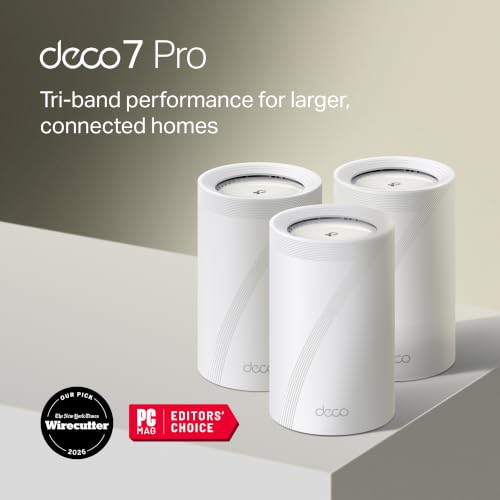
Deco 7 Pro Tri-Band WiFi 7 BE10000 Whole Home Mesh System 6-Stream 10 Gbps
Speed: Up to 10Gbps
Coverage Area: Up 7600 sq ft
Bands: Tri (2.4GHz, 5GHz, & 6GHz)
Type: WiFi 7 mesh
Ports: 4 × 2.5G Ethernet ports and 1 USB port per unit
Compare

8.8

8
Deco 7 Pro Tri-Band WiFi 7 BE10000 Whole Home Mesh System 6-Stream 10 Gbps
Speed: Up to 10Gbps
Coverage Area: Up 7600 sq ft
Bands: Tri (2.4GHz, 5GHz, & 6GHz)
Type: WiFi 7 mesh
Ports: 4 × 2.5G Ethernet ports and 1 USB port per unit
9

8.6

FWOOPS LNN-AX3000 WiFi 6 Router, No App Required
Speed: Up to 3.0Gbps
Coverage Area: Up to 2000 sq ft
Bands: Dual (2.4GHz & 5GHz)
Type: WiFi 6
Ports: 2 gigabit ethernet
Compare

8.6

9
FWOOPS LNN-AX3000 WiFi 6 Router, No App Required
Speed: Up to 3.0Gbps
Coverage Area: Up to 2000 sq ft
Bands: Dual (2.4GHz & 5GHz)
Type: WiFi 6
Ports: 2 gigabit ethernet
Compare
10

8.5

NETGEAR Nighthawk Dual-Band WiFi 7 Router (RS140) - Router Only, BE5000 Wireless Speed (up to 5.0 Gbps) - Covers up to 2,250 sq...
Speed: Up to 5.0Gbps
Coverage Area: Up to 2250 sq ft
Bands: Dual (2.4GHz & 5GHz)
Type: WiFi 7
Ports: 1x 2.5 gigabit ethernet, 3x 1 gigabit ethernet
Compare

8.5

10
NETGEAR Nighthawk Dual-Band WiFi 7 Router (RS140) - Router Only, BE5000 Wireless Speed (up to 5.0 Gbps) - Covers up to 2,250 sq...
Speed: Up to 5.0Gbps
Coverage Area: Up to 2250 sq ft
Bands: Dual (2.4GHz & 5GHz)
Type: WiFi 7
Ports: 1x 2.5 gigabit ethernet, 3x 1 gigabit ethernet
Compare

Our Top Choice

1

10.0

TP-Link BE6500 Dual-Band WiFi 7 Router (BE400)
Speed: Up to 6.5 Gbps
Coverage Area: Up to 2400 sq ft
Bands: Dual (2.4GHz & 5GHz)
Type: WiFi 7
Ports: 2x 2.5G Ports + 3x Gigabit Ports

10.0

1
TP-Link BE6500 Dual-Band WiFi 7 Router (BE400)
Speed: Up to 6.5 Gbps
Coverage Area: Up to 2400 sq ft
Bands: Dual (2.4GHz & 5GHz)
Type: WiFi 7
Ports: 2x 2.5G Ports + 3x Gigabit Ports

Compare Features

Coverage Area
Best Home Wi-Fi Router
1. TP-Link Archer BE6500 Dual-Band Wi-Fi 7 Router
TP-LINK Preview TP-LINK Preview
TP-LINK
at Amazon
2. TP-Link Tri-Band BE9700 WiFi 7 Router
TP-LINK Preview TP-LINK Preview
TP-LINK
at Amazon
Popular
3. TP-Link Dual-Band BE5000 WiFi 7 Mesh System
TP-LINK Preview TP-LINK Preview
TP-LINK
at Amazon
4. NETGEAR WiFi 6 Router (R6700AX)
NETGEAR Preview NETGEAR Preview
NETGEAR
at Amazon
5. Netgear Nighthawk Modem Router Combo (CAX30)
NETGEAR Preview NETGEAR Preview
NETGEAR
at Amazon
6. Netgear Nighthawk WiFi 7 Router
NETGEAR Preview NETGEAR Preview
NETGEAR
at Amazon
7. TP-Link BE3600 Wi-Fi 7 Router
TP-LINK Preview TP-LINK Preview
TP-LINK
at Amazon
Premium Pick
8. TP-Link Whole Home Mesh System (Deco BE63)
TP-LINK Preview TP-LINK Preview
TP-LINK
at Amazon
Best Value
9. FWOOPS LNN-AX3000 WiFi 6 Router, No App Required
FWOOPS Preview FWOOPS Preview
FWOOPS
at Amazon
10. Netgear Nighthawk RS140 WiFi 7 Router
NETGEAR Preview NETGEAR Preview
NETGEAR
at Amazon
Deal
-24% -17% -38% -14% -33% -11%
Deal -24% -17% -38% -14% -33% -11%
Speed
Up to 6.5 Gbps Up to 10Gbps Up to 5Gbps Up to 1.8Gbps Up to 2.7 Gbps Up to 3.6Gbps Up to 3.6Gbps Up to 10Gbps Up to 3.0Gbps Up to 5.0Gbps
Speed
Up to 6.5 Gbps Up to 10Gbps Up to 5Gbps Up to 1.8Gbps Up to 2.7 Gbps Up to 3.6Gbps Up to 3.6Gbps Up to 10Gbps Up to 3.0Gbps Up to 5.0Gbps
Coverage Area
Up to 2400 sq ft Up to 2600 sq ft Up to 6600 sq ft Up to 1,500 sq ft Up to 2500 sq ft Up to 2000 sq ft Not indicated Up 7600 sq ft Up to 2000 sq ft Up to 2250 sq ft
Coverage Area
Up to 2400 sq ft Up to 2600 sq ft Up to 6600 sq ft Up to 1,500 sq ft Up to 2500 sq ft Up to 2000 sq ft Not indicated Up 7600 sq ft Up to 2000 sq ft Up to 2250 sq ft
Bands
Dual (2.4GHz & 5GHz) Tri (2.4GHz, 5GHZ, & 6GHz) Dual (2.4GHz & 5GHz) Dual (2.4GHz & 5GHz) Dual (2.4GHz & 5GHz) Dual (2.4GHz & 5GHz) Dual (2.4GHz & 5GHz) Tri (2.4GHz, 5GHz, & 6GHz) Dual (2.4GHz & 5GHz) Dual (2.4GHz & 5GHz)
Bands
Dual (2.4GHz & 5GHz) Tri (2.4GHz, 5GHZ, & 6GHz) Dual (2.4GHz & 5GHz) Dual (2.4GHz & 5GHz) Dual (2.4GHz & 5GHz) Dual (2.4GHz & 5GHz) Dual (2.4GHz & 5GHz) Tri (2.4GHz, 5GHz, & 6GHz) Dual (2.4GHz & 5GHz) Dual (2.4GHz & 5GHz)
Type
WiFi 7 WiFi 7 WiFi 7 mesh WiFi 6 Modem & WiFi 6 router WiFi 7 WiFi 7 WiFi 7 mesh WiFi 6 WiFi 7
Type
WiFi 7 WiFi 7 WiFi 7 mesh WiFi 6 Modem & WiFi 6 router WiFi 7 WiFi 7 WiFi 7 mesh WiFi 6 WiFi 7
Ports
2x 2.5G Ports + 3x Gigabit Ports 1x 10G + 4x 2.5G Ports, 2x WAN 2 gigabit ethernet per unit 4 gigabit ethernet 4 gigabit ethernet, 1 USB 4 1-gigabit ethernet, 1 2.5-gigabit ethernet 3 gigabit ethernet, 2 2.5 gigabit ethernet 4 × 2.5G Ethernet ports and 1 USB port per unit 2 gigabit ethernet 1x 2.5 gigabit ethernet, 3x 1 gigabit ethernet
Ports
2x 2.5G Ports + 3x Gigabit Ports 1x 10G + 4x 2.5G Ports, 2x WAN 2 gigabit ethernet per unit 4 gigabit ethernet 4 gigabit ethernet, 1 USB 4 1-gigabit ethernet, 1 2.5-gigabit ethernet 3 gigabit ethernet, 2 2.5 gigabit ethernet 4 × 2.5G Ethernet ports and 1 USB port per unit 2 gigabit ethernet 1x 2.5 gigabit ethernet, 3x 1 gigabit ethernet
How we rank

The order above is not editorial opinion, and it is not paid placement. It comes from what shoppers across our network actually do - which home wi-fi routers they compare, and which they ultimately buy. We re-rank as new data comes in, so the long-term favorites have to keep earning their spot against new entrants. The full method, including how we make money.

Home Wi-Fi Routers Buyer's Guide

Buying a home Wi‑Fi router is less about the advertised top speed and more about whether the router fits your internet plan, home layout, device mix, and remote-work tolerance for dropouts. The sharpest checks are matching Wi‑Fi generation and port speeds to gigabit or multi-gig service, choosing mesh versus a single router based on coverage and roaming needs, and avoiding setups that interrupt video calls, VPNs, smart-home gear, or gaming under load.

Speed

Speed matters because it affects how smoothly your connection handles streaming, video calls, gaming, downloads, and multiple people using the network at once. Look for a router with enough real-world throughput for your internet plan and home size, plus strong performance under load so it stays responsive when several devices are active. Be wary of relying only on headline speed ratings, which often reflect ideal conditions rather than what you’ll get through walls, distance, and everyday congestion.

For speed, first verify that the router’s WAN port, LAN ports, and Wi‑Fi standard can actually use your internet plan: a gigabit plan needs gigabit-or-better Ethernet ports, while multi-gig service needs a 2.5GbE or faster WAN/LAN path, not just a fast wireless label. In larger homes, prioritize mesh systems with a dedicated backhaul band or wired Ethernet backhaul, because a basic router-plus-extender setup can cut throughput room to room; for gaming, streaming, and many simultaneous devices, also look for strong 5 GHz/6 GHz performance rather than relying on long-range 2.4 GHz speeds. Owner feedback supports this: shoppers upgrading from older routers, extenders, or mesh systems often report major speed gains, better room-to-room performance, and enough throughput for busy homes, remote work, streaming, and gaming, especially when their old router had been the bottleneck.

Connectivity

Connectivity determines how reliably your router keeps phones, laptops, smart home devices, and streaming gear online at the same time. Look for a router that can handle your device count, maintain steady Wi-Fi across the areas you use most, and recover gracefully when devices move between rooms or bands. Watch out for routers that advertise high speeds but struggle with many simultaneous clients or drop connections under everyday load.

For connectivity, look beyond coverage claims and check how the router handles roaming, band steering, VPN sessions, video calls, and dozens of mixed devices, especially if you use Teams, Zoom, work VPNs, smart cameras, or IoT devices that dislike sudden band changes. Mesh buyers should confirm that nodes can maintain stable backhaul links in their actual layout, and shoppers with older smart-home devices may want the option to separate 2.4 GHz and 5/6 GHz SSIDs or disable aggressive steering. Owner sentiment is notably mixed here: many households report stable connections even with numerous devices active, but repeated complaints mention dropouts, pods briefly losing connection, roaming problems, setup-dependent behavior, and interruptions long enough to break VPNs or video meetings.

Reliability

Reliability matters because a router that drops connections, needs frequent reboots, or struggles under normal household use can make even fast internet feel frustrating. Look for evidence of stable performance over long periods, especially with multiple devices connected, and watch out for reports of random outages, overheating, firmware bugs, or settings that need constant tweaking.

For reliability, favor routers with adequate processor/RAM for heavy household traffic, regular firmware updates, good heat management, and recovery options such as scheduled reboots, local administration, and clear status logs; avoid underpowered units if your home has constant streaming, uploads, cameras, cloud backups, or many smart-home devices. If replacing ISP equipment, confirm modem/router compatibility where relevant, and if you are buying mesh, make sure the system can run steadily with both wired and wireless backhaul rather than needing frequent node resets. Owner reports generally back the value of choosing a robust unit: many buyers describe dependable everyday Wi‑Fi for phones, laptops, smart TVs, and smart-home devices, stable performance with many devices online, and reliable heavy streaming or uploading, though reliability can still vary by setup.

Value

You want a router that delivers the speed, coverage, and reliability your home actually needs without paying for features you won’t use. Look for value for money by comparing real-world performance, port options, security and parental controls, mesh expandability, and ease of setup against the cost. Watch out for very cheap routers that may lack range or updates, as well as premium models whose advanced features only matter for demanding networks.

For value, do not compare routers only by headline Wi‑Fi speed; compare the features you will actually use, such as Wi‑Fi 6/6E/7 support, number of mesh nodes needed, 2.5GbE ports, wired backhaul support, parental controls, security subscriptions, VPN features, OpenWRT or advanced settings, and whether a modem-router combo can eliminate rental fees. A cheaper router can be a good buy for a small home on a modest plan, but a larger or gigabit household may waste money if the unit lacks the ports, backhaul, or processing power to sustain performance. Owner feedback reinforces this practical view of value: buyers often feel upgrades are worthwhile when they replace basic ISP gear, avoid monthly rental costs, deliver strong speed for the money, provide easy setup, or offer a deeper feature set without needing extra wiring or hardware.



