


















We also considered 10 others:


Our Top Choice
Compare Features


The order above is not editorial opinion, and it is not paid placement. It comes from what shoppers across our network actually do - which usb hubs they compare, and which they ultimately buy. We re-rank as new data comes in, so the long-term favorites have to keep earning their spot against new entrants. The full method, including how we make money.
USB Hubs Buyer's Guide
Buying a USB hub is a tradeoff between compact convenience and the limits of one shared connection for power, video, and data. The sharpest concerns are whether your exact laptop or phone supports the hub’s display and charging features, and whether the port mix can run your real desk or travel setup without flaky peripherals or constant cable swapping.
Port Mix
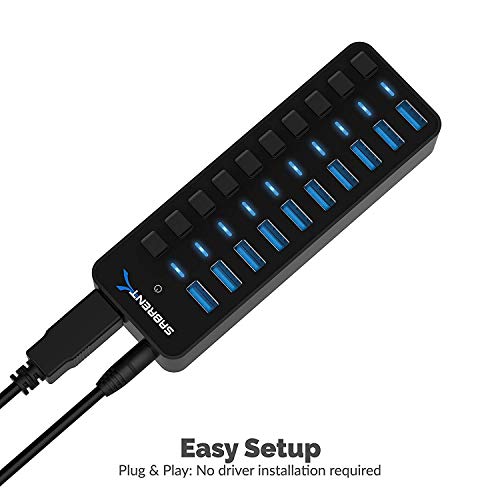
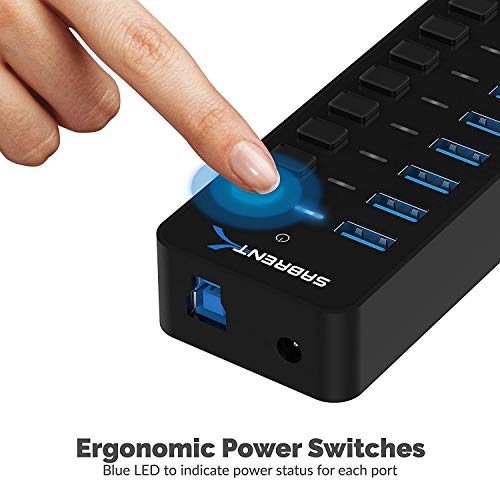
A USB hub is only useful if its ports match the devices you actually connect, not just if it has a high port count. The difference between USB-A, USB-C data, USB-C power-only, card readers, Ethernet, and video outputs determines whether it solves cable clutter or creates new bottlenecks.
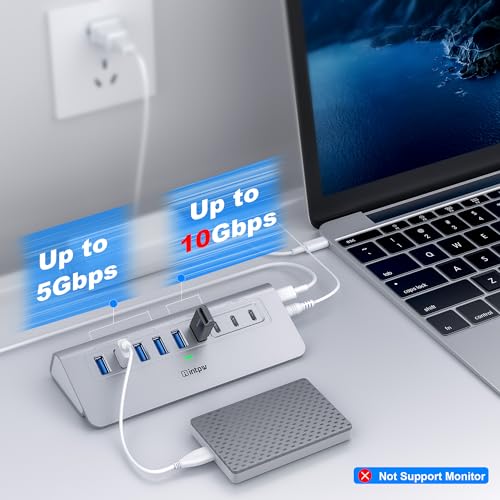
Start by listing what must be connected at the same time: monitor, keyboard, mouse receiver, external drive, SD card, Ethernet, phone, charger, or audio device. Look for clearly specified USB data speeds, not just port shapes; a USB-C-shaped port may be charging-only, data-only, or both, and USB 2.0 ports are fine for receivers and keyboards but poor for external SSDs and large backups. For photographers or creators, check whether the SD reader supports the card type and speed class you use; for desktop setups, leave at least one spare port so the hub does not become another constant swapping point. Owner feedback strongly favors hubs with broad port selection, with buyers repeatedly valuing the ability to connect several peripherals, accessories, drives, and displays from one compact adapter without rearranging cords.
Display Support
Video output is one of the biggest separators between USB hubs because it depends on the host device, the hub controller, and the cable or monitor together. A hub can have HDMI and still fail to deliver the resolution, refresh rate, or multi-monitor mode a shopper expects.
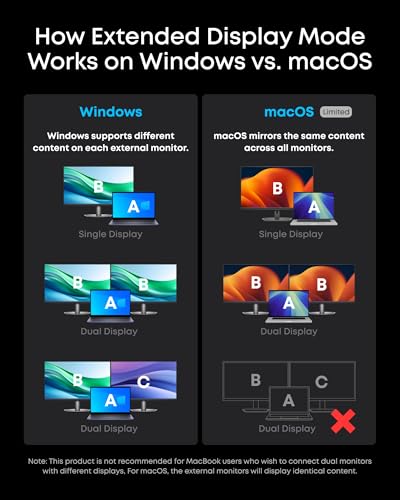
If you need a monitor, verify that the host device supports video over USB-C, often called DisplayPort Alt Mode, Thunderbolt, or USB4; many USB-C ports charge and transfer data but do not output video. Check the exact HDMI rating and target resolution, such as whether it can do 4K at a comfortable refresh rate, and remember that HDMI on these hubs is normally output to a display, not HDMI capture from a camera or console. For multi-monitor workstations, be especially careful: some operating systems and laptops limit extended displays through ordinary USB-C hubs, so a “dual monitor” claim may not behave the same on every machine. Sentiment supports HDMI as a major convenience, especially for laptop-to-monitor and phone-to-monitor use, but also notes that HDMI behavior and cable/device combinations can be picky in some setups.
Device Fit
USB hubs sit between multiple standards, so compatibility depends on the host port, operating system, connected accessories, and power demands. Plug-and-play convenience is realistic for many setups, but assuming every USB-C device supports every USB-C function is a common buying mistake.
Match the hub to the exact host first: laptop model, phone model, operating system, and USB-C capability. MacBook setups often work well with simple plug-and-play hubs, but phones, tablets, and some laptops may lack display output, may restrict external storage, or may need extra power to keep peripherals stable. For external drives and backups, confirm the hub’s data standard and use a short, reputable cable or the built-in cable without strain; sporadic peripherals often come from marginal power, incompatible adapters, or bandwidth sharing. Owner sentiment is strongest around easy MacBook Air and MacBook Pro setup with keyboards, mice, monitors, file transfers, and backups, while mixed reports point to occasional device support issues with specific laptop and phone combinations.
Power Delivery
Power delivery affects whether the hub can charge the host while also keeping drives, monitors, and accessories stable. Pass-through charging ratings can be misleading because the hub itself consumes some power and not every host negotiates charging the same way.
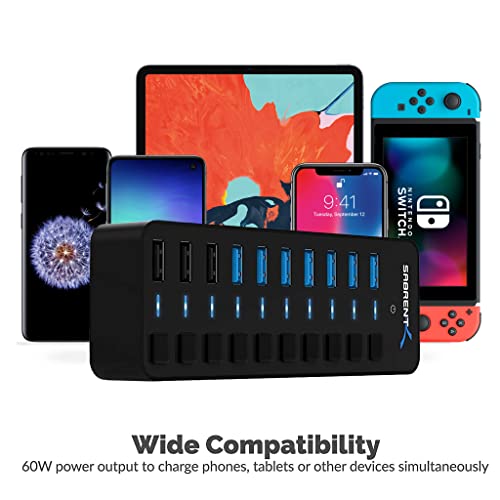
If you want one-cable docking, choose a hub with USB-C Power Delivery pass-through rated above your laptop’s charging requirement, allowing for overhead because the hub takes some power before passing the rest to the computer. For bus-powered external drives, card readers, phones, or multiple USB accessories, consider whether the hub is powered only by the laptop or can accept a charger; underpowered hubs can cause drive disconnects, flaky receivers, or video dropouts. Do not assume pass-through charging will work equally across laptops, tablets, and phones, and avoid using low-wattage chargers when the hub is loaded with devices. Owner feedback treats charging pass-through as useful when matched with the right device and power brick, but charging sentiment is more split than the core data and display functions.
Build Reliability
A hub is handled more than many desk accessories, so weak ports, short strained cables, and heat buildup can turn a good port layout into a short-lived tool. Reliability matters most when the hub is used as a daily dock or travel adapter that is constantly plugged and unplugged.
Look for a rigid shell, snug ports that do not wobble, a cable long enough to sit flat without pulling on the laptop, and enough thermal design that the hub can get warm without becoming unstable. Metal housings can feel sturdy and help spread heat, but strain relief and port fit matter just as much as material. If the hub will live in a bag, avoid designs with exposed fragile connectors or a captive cable that must bend sharply; for a desk, choose one that stays planted when several cables are attached. Owners often praise sturdy, compact construction and durability for daily use, travel, and frequent plugging, but mixed reliability reports also mention some failed USB or video ports over time.
Size Value
USB hubs range from tiny travel adapters to larger docking-style hubs, and the best choice depends on whether you prioritize pocketability or a stable semi-permanent workstation. Value comes from buying the right class of hub for the job, not simply the smallest or most port-heavy option.
For travel, prioritize a compact hub with the few ports you actually use, a protected connector, and no need for a separate power brick unless your devices demand it. For a home-office dock, a slightly larger hub can be better if it gives you stable cable spacing, power pass-through, HDMI, and enough USB ports to leave peripherals connected. Avoid buying a tiny adapter as a full workstation replacement if you need multiple displays, wired networking, high-speed storage, and charging all day; that workload may call for a more capable dock-style setup. Owner sentiment supports compact hubs as practical travel companions and good-value alternatives to bulkier docking stations, especially when they make a laptop feel desktop-ready without much fuss.
1,000,000+ shoppers use Buyer's Guide every week to find the best products and services online.

Helping millions of users make smarter purchases online.


