







We also considered 10 others:


Our Top Choice
The order above is not editorial opinion, and it is not paid placement. It comes from what shoppers across our network actually do - which typing keyboards they compare, and which they ultimately buy. We re-rank as new data comes in, so the long-term favorites have to keep earning their spot against new entrants. The full method, including how we make money.
Typing Keyboards Buyer's Guide
Typing keyboards are a tradeoff between feel, layout, noise, and dependability: the board that is best for long writing may not be the best for shared-office calls, shortcut-heavy work, or multi-device use. The sharpest buying risks are choosing a key feel that tires your hands, a layout that breaks your muscle memory, or a wireless setup that is less reliable than the typing experience itself.
Key Feel
The switch or key mechanism determines how much force, travel, and feedback you get on every press. For typing-focused keyboards, the best feel is not always the loudest or most dramatic; it is the one that lets you type accurately for long stretches without fatigue or missed input.
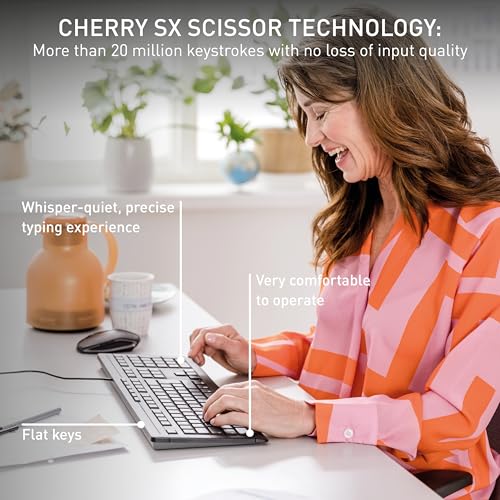
Prioritize a key feel that matches your typing style: low-profile scissor-style or membrane keys often suit quiet office typing, while more defined tactile mechanisms help if you want a clearer actuation point. Look for smooth travel, consistent resistance across the board, and enough feedback to know a press registered without needing to bottom out hard. Avoid boards where keys feel mushy, uneven, cramped, or slow to rebound, because those problems show up quickly in long documents, coding, data entry, and email-heavy work. Owner feedback strongly supports making this the first filter. Buyers praised smooth, deliberate key action, soft cushioned keys, defined tactile feel, and solid typing response. Comfort reactions were more personal when layouts were compact or keys sat close together, so key feel should be judged together with spacing, not just softness.
Layout Fit
A keyboard can feel excellent yet still slow you down if its layout conflicts with your habits. Full-size keys, navigation clusters, media shortcuts, screen-capture behavior, and function-key access matter most to people who rely on muscle memory and shortcuts.
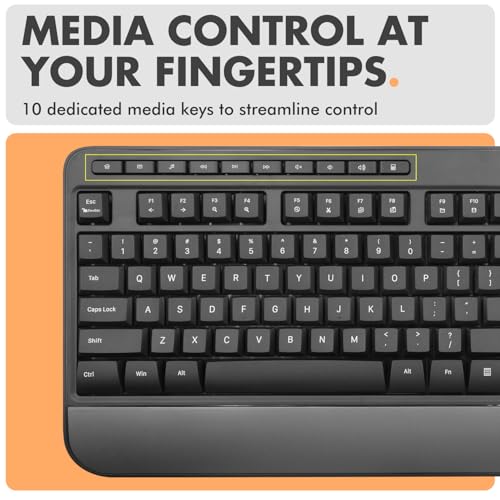
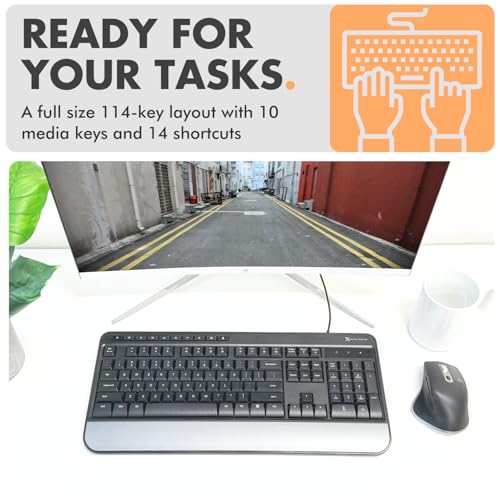
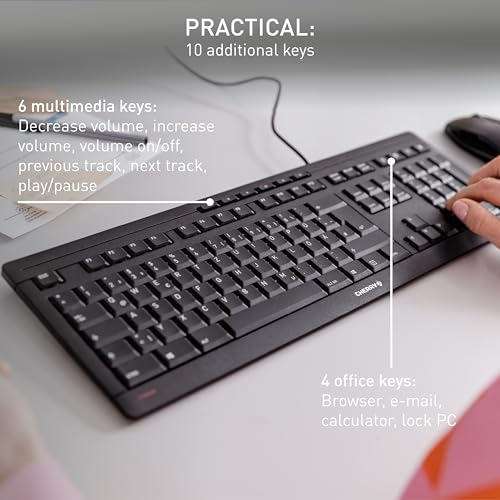
Choose the layout around the work you actually do. A full-size keyboard with a number pad is usually better for spreadsheets, finance, forms, and data entry, while a compact board saves desk space but can crowd arrows, navigation keys, or modifier keys. Check whether function keys require a toggle, whether media and productivity shortcuts replace standard keys, and whether important actions like screen capture, full-screen capture, or remapping are available if your workflow depends on them. Owner sentiment shows this can be a real divider. Shortcut-heavy users appreciated extra special-function options, but others missed standard controls and remapping flexibility. Some comfort complaints also tied back to compactness and keys being too close together, which makes layout fit more than a cosmetic preference.
Typing Comfort
Comfort comes from the combination of key force, keyboard height, front-edge shape, wrist support, and hand spacing. A keyboard that feels fine for a few minutes can still create strain during all-day typing if it forces wrist extension or cramped finger movement.
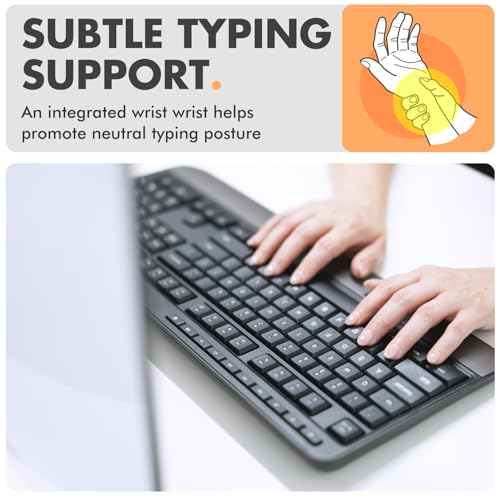
For long typing sessions, look for a low or adjustable typing angle, a stable base, a comfortable front edge, and enough key spacing that your hands do not feel pinched inward. A built-in wrist rest can help some users, but it should support a neutral pause position rather than force your wrists upward while actively typing. If you have broad hands or rely on touch typing, be cautious with narrow compact layouts even if they look tidy on the desk. Owners specifically reported better long-session comfort from soft keys and an integrated wrist rest on some boards. At the same time, comfort feedback was personal: some liked the ergonomic feel, while others found certain layouts too compact or the keys too close together. That split makes sizing and hand position worth checking before prioritizing style or desk-space savings.
Noise Control
Keyboard noise matters in shared offices, calls, bedrooms, and home workspaces where repeated keystrokes can become distracting. Quiet does not mean dead-feeling; the goal is controlled sound with predictable feedback.
If you type near other people or spend time on voice calls, favor keyboards described as quiet, cushioned, damped, or office-friendly rather than clicky or sharp. Membrane, scissor, and low-profile designs are often safer for low-noise work, but still check whether the spacebar, stabilizers, and larger keys rattle, since those are common sources of annoying sound. Avoid assuming that “soft” always means silent; a keyboard can have quiet letter keys but louder bottoming-out or modifier keys. Owner reports repeatedly praised quiet, smooth, office-friendly typing and cushioned keys. However, noise was also a split point: some buyers found the sound quiet enough, while others found it more noticeable than preferred. That makes sound character—soft thock, plastic clack, rattle, or click—more useful to evaluate than a simple quiet/loud claim.
Connection Reliability
Connection type affects setup friction, desk cleanliness, latency, and long-term dependability. Wired keyboards are usually simplest for fixed desks, while wireless or Bluetooth models add flexibility but introduce pairing, battery, and multi-device variables.
For a stationary work desk, a USB wired keyboard is the safest choice if you want plug-in reliability, no battery management, and minimal setup. If you need wireless, check whether it uses Bluetooth, a dedicated receiver, or both; multi-device switching is useful only if pairing stays stable and reconnects quickly after sleep. For secure work machines, shared offices, BIOS access, or troubleshooting, confirm compatibility before relying solely on Bluetooth. Owner sentiment shows wired simplicity was viewed as dependable for everyday setups, while Bluetooth was more variable. Some users had quick setup and seamless multi-device use, but others saw less consistent reliability than they experienced with typing feel. That makes connectivity a separate buying dimension rather than an afterthought.
Build Value
A typing keyboard is handled constantly, so build quality affects stability, key consistency, and how long the board stays pleasant to use. Good value is not just low cost; it is a keyboard that feels solid, remains planted, and avoids early key failures.
Look for a rigid frame, grippy feet, consistent keycaps, and enough weight that the board does not skate across the desk while you type. Heavier is not automatically better for portability, but for a fixed typing station it often improves stability. Also check for common failure points: fading legends, wobbly large keys, weak tilt feet, unreliable individual keys, and cables or receivers that are hard to replace. Owners often described sturdy, refined, good-quality keyboards that felt better than basic office boards, and value for money was a recurring strength. A heavier, well-built frame was praised for staying planted instead of sliding around. Reliability was generally positive for many owners, but marketplace feedback was more mixed here than for typing feel, with some long-lasting experiences and some reports of key issues.
1,000,000+ shoppers use Buyer's Guide every week to find the best products and services online.

Helping millions of users make smarter purchases online.


