


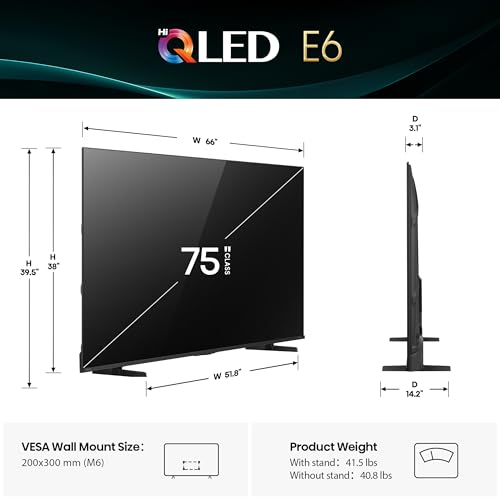
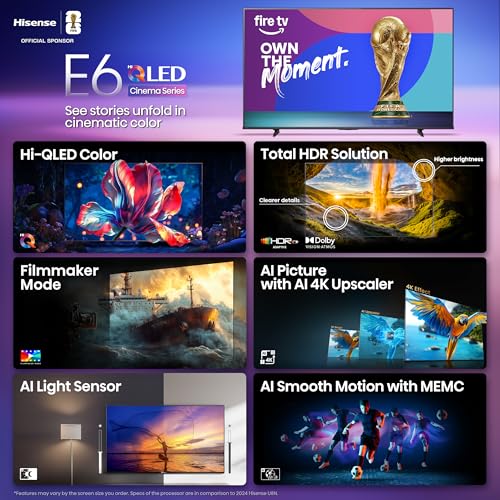




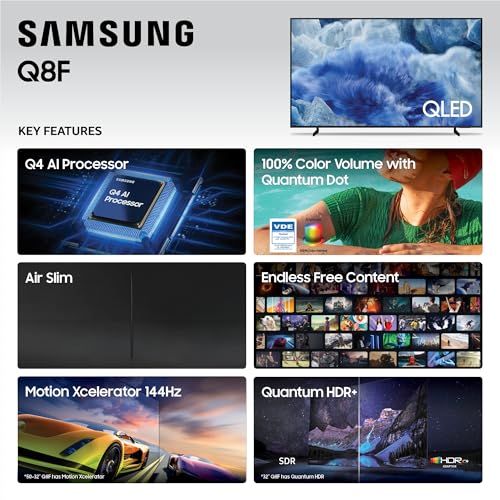


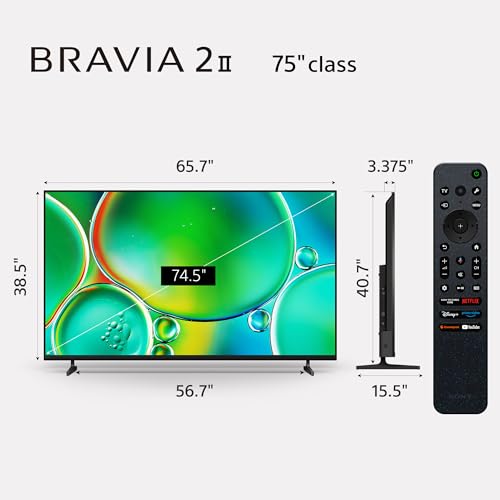


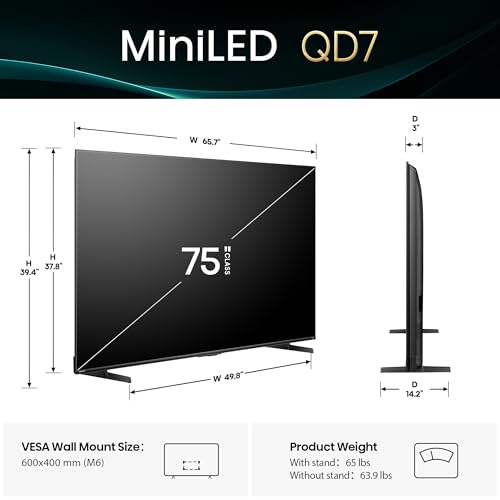


We also considered 10 others:


Our Top Choice
Compare Features


Why These Features Matter:
A smart TV is one of those purchases that seems simple until you’re sitting on the couch at 10:47 p.m., holding three remotes like a deranged orchestra conductor, whisper-yelling at a login screen because the on-screen keyboard has the sensitivity of a waffle iron.
The “best” smart TV isn’t the one with the most acronyms. It’s the one that disappears into your life in the right way: it turns on quickly, doesn’t punish you for switching apps, looks good in daylight (not just in a dark showroom), and doesn’t require an engineering degree to stop it from blasting a trailer at full volume while your roommate is on a work call.
Below are the features that actually change day-to-day living — the stuff you’ll notice after the honeymoon period, when the box is gone but the tiny annoyances remain.
Picture quality that survives real rooms (sunlight, lamps, and “I refuse to close the blinds” people)
Most TVs look stunning in a dim, controlled environment. Your home is not a controlled environment. Your home has a window. Your home has that one lamp you love that happens to sit at the exact angle to create a perfect glare rectangle right across everyone’s faces.
- What to prioritize: A screen that stays readable in bright rooms and doesn’t wash out the moment the sun hits the sofa.
- Why you’ll care: If you watch daytime sports, weekend movies with the curtains open, or you’re simply not interested in living like a vampire, brightness and glare handling matter more than theoretical “perfect blacks.”
- Small lived-in note: Some displays look gorgeous at night but turn into a mirror by morning. If you’ve ever watched a prestige drama while also seeing your own face hovering over it like a ghost, you know the vibe.
Things to know: Bigger isn’t always better if it means you’re sitting too close and noticing every compression artifact from streaming. Your eyes will not thank you for turning your living room into the front row of a suspiciously loud IMAX.
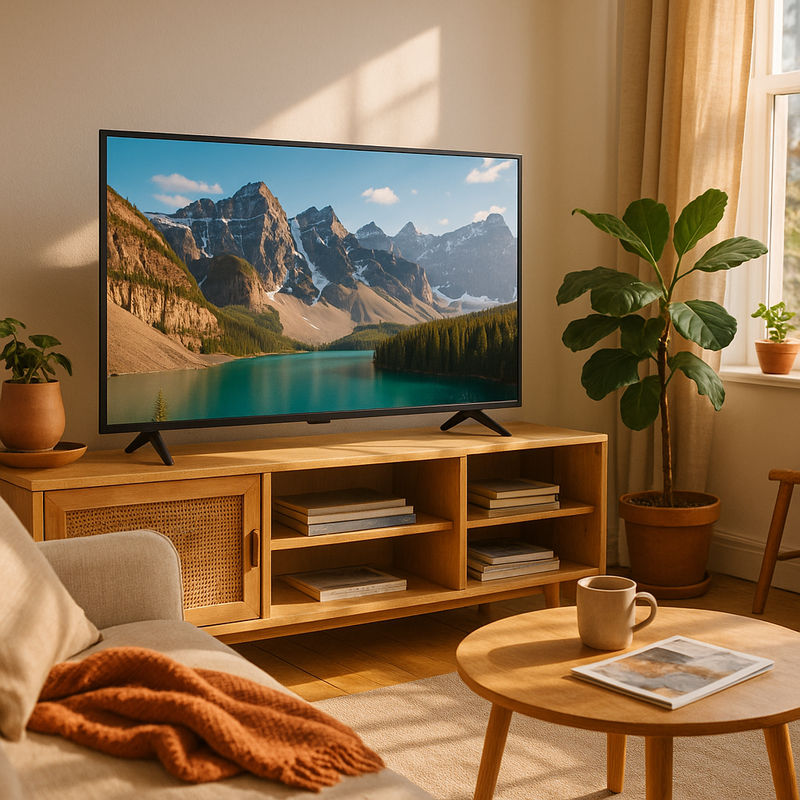
A smart interface that doesn’t feel like a digital airport kiosk
The “smart” part is where many TVs quietly ruin the experience. It’s not about having apps — it’s about getting to them without scrolling through a carousel of sponsored content that looks like it was designed by an energy drink.
- What to prioritize: A home screen that’s clean, fast, and customizable enough that you can pin what you actually use.
- Why you’ll care: Slow menus make everything feel slower — including your patience. The best smart TVs are the ones you don’t think about because they don’t interrupt you.
- My most boring-but-real metric: How many clicks from “power on” to “episode plays.” If it’s more than a few, you’ll start defaulting to whatever app is easiest, not what you want to watch.
Honest caveat: Many TV interfaces get worse over time thanks to updates that add more “recommendations” (read: ads). If you’re sensitive to that, consider using an external streaming device and treating the TV like a really nice monitor.
Remote control: the tiny object that decides your entire personality
A good remote is shockingly emotional. It’s either something you use without thinking — or the thing you’re always looking for, under a throw pillow, next to a half-eaten granola bar, wondering why the volume buttons are microscopic.
- What to prioritize: A remote that’s comfortable in-hand, with sensible button placement and a microphone that actually hears you without you enunciating like you’re in speech therapy.
- Why you’ll care: You will touch this thing every day. Possibly more than you touch your partner. Choose accordingly.
- Small apartment reality: If the remote is too slim and too black, it will disappear into your life like a hair tie.
Things to know: Some TVs are great but ship with a remote that feels like it was designed during a meeting where nobody was allowed to hold objects.
Sound that doesn’t force a soundbar on you (but also: be realistic)
Modern TVs are thin. Their speakers are also thin — not physically, spiritually. If you care about dialogue clarity and don’t want to ride the volume up and down like a roller coaster, pay attention to built-in sound behavior.
- What to prioritize: Clear dialogue at low volume, and sound that doesn’t distort when you nudge it up for action scenes.
- Why you’ll care: A lot of people don’t want a soundbar. Or they can’t fit one. Or they live with neighbors who absolutely do not want to hear your late-night “just one more episode.”
- Helpful setting: A well-implemented dialogue enhancement mode can be the difference between understanding the plot and giving up, subtitles on, again.
Honest caveat: If you want “movie theater” sound, you’re still going to end up with a soundbar (or better). But a good TV can at least get you to “pleasant and intelligible” without additional gear.
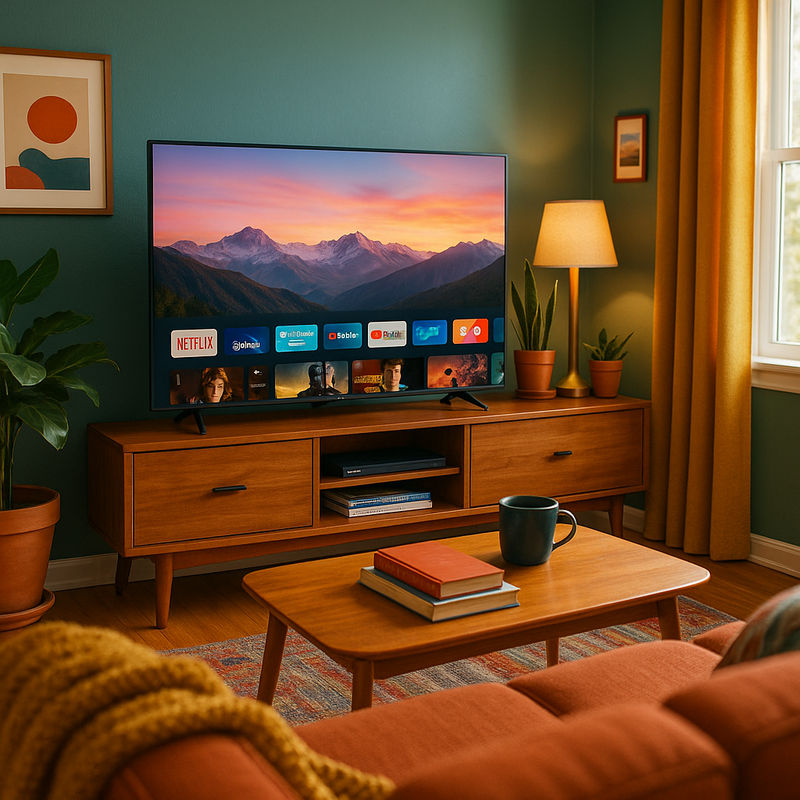
Motion handling for sports, reality TV, and people who hate the “soap opera” look
There are two kinds of viewers: those who don’t notice motion smoothing, and those who will walk into your home and immediately ask why your TV looks like a daytime talk show.
- What to prioritize: Natural-looking motion with settings you can actually adjust (or turn off) without hunting through five menus.
- Why you’ll care: Sports and fast action can look smeary or jittery on some sets. On the flip side, overly aggressive smoothing makes movies look weirdly hyper-real, like you can see the pores of the cinematographer.
Things to know: A TV that offers good customization here is a quiet luxury. You get to make it look like you want, not like the factory demo loop.
Gaming friendliness (even if you only “game” by playing Mario Kart twice a year)
You don’t need to be a competitive gamer to benefit from a TV that responds quickly. Lag is one of those invisible annoyances that makes everything feel slightly off — like walking with a pebble in your shoe.
- What to prioritize: A low-lag game mode that’s easy to toggle, plus enough modern HDMI ports for your actual life (console, soundbar, maybe a laptop).
- Why you’ll care: Even casual gaming feels better when the TV isn’t adding a beat of delay.
- Real-life detail: Ports that face sideways (instead of straight back) are a gift if your TV is wall-mounted or shoved onto a narrow media console like it’s playing Tetris.
Honest caveat: Some TVs auto-detect consoles beautifully; others require fiddling. If your tolerance for fiddling is low, this matters more than you think.
Size, placement, and the “my TV is too high” epidemic
The best smart TV can still become a daily annoyance if it doesn’t fit your room. And yes, I’m talking about TVs mounted so high you have to watch Succession like you’re seated in the front pew.
- What to prioritize: A size that matches your viewing distance, plus a stand that fits your furniture (or a mounting setup that doesn’t involve visible cables dangling like holiday tinsel).
- Why you’ll care: Comfort is a feature. Neck strain is also a feature, just not a good one.
- Small-space note: Wide-set legs can be a dealbreaker if your console isn’t huge. Some TVs demand a media unit the size of a credenza in a museum.
Things to know: If you rent, consider how you’ll route cables without turning your wall into Swiss cheese. A TV with good cable management (or at least ports that don’t fight you) makes a difference.
Privacy, ads, and the quiet creepiness of “smart”
Smart TVs are essentially computers that happen to display Real Housewives. And like any computer, they come with settings you should actually look at once — ideally before your TV starts suggesting content in a way that feels a little too accurate.
- What to prioritize: Clear privacy controls, the ability to limit tracking, and an interface that doesn’t feel like a billboard.
- Why you’ll care: You didn’t buy a screen to also adopt an ad platform.
Honest caveat: Some brands are more aggressive about ads and data collection than others. If that bugs you, a separate streaming device can give you a cleaner experience and reduce how often you interact with the TV’s built-in ecosystem.
Reliability and the annoying stuff no one talks about until it’s too late
Most people don’t write rhapsodies about “doesn’t randomly disconnect from Wi‑Fi,” but that’s exactly the kind of stability that makes a TV feel expensive even when it wasn’t.
- What to prioritize: Stable Wi‑Fi performance, consistent app behavior, and a track record of decent software support.
- Why you’ll care: Nothing kills a vibe like buffering during the final 10 minutes of a movie you’ve been pretending you’ll watch for six months.
- Real-world tip: If your router is far away (hello, prewar apartment walls), you may want to plan for ethernet, a mesh network, or at least a TV known for strong connectivity. Otherwise, you’ll blame the TV for what is actually your building’s extremely charming, extremely unhelpful construction.
Things to know: Extended warranties are rarely thrilling, but TVs are big, fragile rectangles that get moved, bumped, and occasionally hit by a flying toy. Decide how chaotic your household is, then act accordingly.
How to choose the right “best smart TV” for your life
- If you watch mostly at night and care about cinema vibes: Prioritize deep contrast and good motion settings you can tame.
- If your living room is bright and you refuse to live in darkness: Prioritize brightness and anti-glare handling over perfectionist black levels.
- If you hate fiddling and just want it to work: Prioritize a clean, fast interface (or plan to use an external streamer) and a remote you don’t resent.
- If you have kids / roommates / a dog with a happy tail: Prioritize stable placement (stand footprint matters), easy-to-clean surfaces, and sane cable management.
- If you’re adding a soundbar later: Prioritize easy audio setup and ports that don’t become a knuckle-scraping ordeal.
The tiny checklist more people should use (before they buy)
- Where will it sit, and does the stand actually fit your console?
- How many devices do you plug in now (and realistically in the next year)?
- Do you watch in bright daylight or mostly at night?
- Do you care about ads on the home screen, or will they make you quietly furious?
- Are you willing to add a streaming device if the built-in interface annoys you?
- Are you willing to add a soundbar, or do you need decent built-in dialogue clarity?
4,000+ shoppers have used Buyer's Guide in the last week to help find the best Smart TVs.

Helping millions of users make smarter purchases online.

