











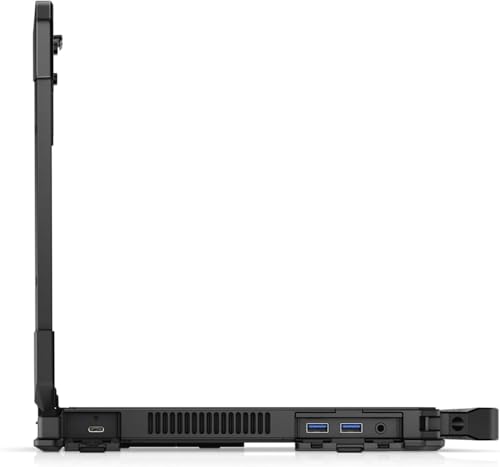


We also considered 10 others:


Our Top Choice
Compare Features


The order above is not editorial opinion, and it is not paid placement. It comes from what shoppers across our network actually do - which rugged laptops they compare, and which they ultimately buy. We re-rank as new data comes in, so the long-term favorites have to keep earning their spot against new entrants. The full method, including how we make money.
Rugged Laptops Buyer's Guide
Rugged laptops are a tradeoff: you gain drop protection, sealed ports, outdoor usability, and field-service features, but often accept extra weight, older components, and more uncertainty around refurbished batteries. The sharpest checks are whether the unit is truly field-rugged for your environment—not just bulky-looking—and whether its batteries, ports, dock compatibility, and screen are suitable for work away from a desk.
Build
Build quality affects how long your laptop feels dependable, how well it holds up to daily carrying, and whether it feels solid every time you open the lid or type. Look for sturdy materials, tight seams, a firm hinge, minimal keyboard or chassis flex, and a clean finish on arrival; watch out for loose parts, uneven gaps, creaking panels, cosmetic damage, or anything that suggests poor durability or quality control.
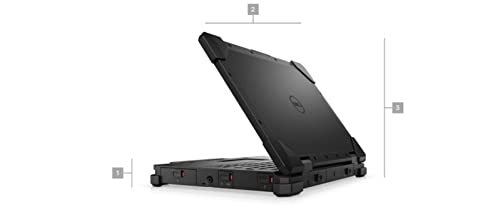
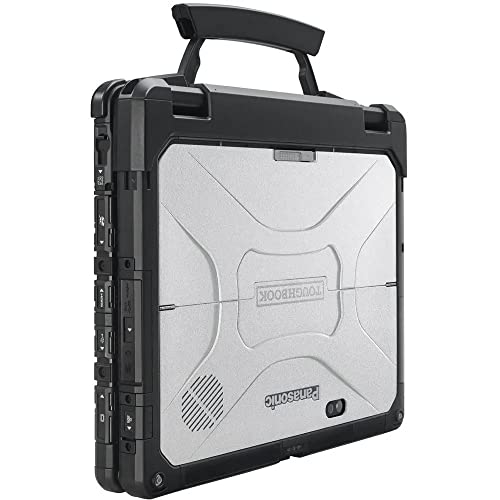
Prioritize verified ruggedization over appearance: look for stated drop, vibration, dust, water, and temperature ratings; intact corner bumpers; sealed or protected ports; a rigid hinge; a latched display; and no missing port doors or cracked chassis pieces, especially on refurbished units. If you need rain, mud, vehicle vibration, or warehouse-floor survival, avoid listings that only say “rugged style” without specifics. Owner feedback supports this focus: buyers often respond very positively to heavy-duty, tank-like construction, protected ports, and refurbished units arriving in like-new or accurately represented condition, but the real buying test is whether the protection matches your field conditions.
Battery
Battery life determines how confidently you can work, stream, or study away from an outlet, so look for runtime that matches your typical day rather than just the biggest advertised number. Watch for real-world factors that drain a laptop faster, such as a bright high-resolution screen, heavy apps, gaming, video calls, or lots of background tasks, and consider charging speed and charger size if you travel often.
Treat battery health as a mission-critical spec, not an accessory: confirm runtime expectations under your actual workload, whether the system uses one or two batteries, whether batteries are hot-swappable, and whether replacements are readily available. For field shifts, inspections, emergency services, or vehicle use, avoid assuming a refurbished rugged laptop will last all day just because the chassis is durable; ask for battery health or be prepared to replace packs. Owner sentiment strongly reinforces this warning, with battery life repeatedly described as the main watch-out, dual-battery systems sometimes arriving with one weak or defective pack, and replacement batteries adding a meaningful extra burden.
Performance
Performance determines how quickly your laptop opens apps, switches between tasks, handles demanding work, and stays responsive in daily use. Look for enough processing power, memory, graphics capability, and storage for what you actually do, and pay attention to cooling and thermals because a powerful laptop that runs hot can slow down, get noisy, or feel uncomfortable over time.
Match the processor, memory, storage, and graphics to field software rather than chasing ruggedness alone: GIS maps, diagnostics suites, CAD viewers, body-cam/video review, virtualization, and multi-monitor dispatch setups need more headroom than basic forms and email. Also check thermal behavior, because sealed or semi-sealed rugged designs can throttle under sustained load, and high-performance gaming-style hardware may drain batteries quickly in the field. Owners commonly praise fast, snappy everyday performance, smooth multitasking, capable graphics, and strong storage configurations, so good performance is attainable—but only if the specs align with your actual field applications.
Usability
A laptop should feel effortless from setup through daily use, with intuitive controls, reliable touch or trackpad response, and a keyboard you can type on comfortably for long stretches. Look for a layout and functionality that match how you work—whether that means touchscreen versatility, easy shortcuts, or simple settings—and watch out for cramped keys, inconsistent touch sensitivity, or features that add complexity without improving everyday use.
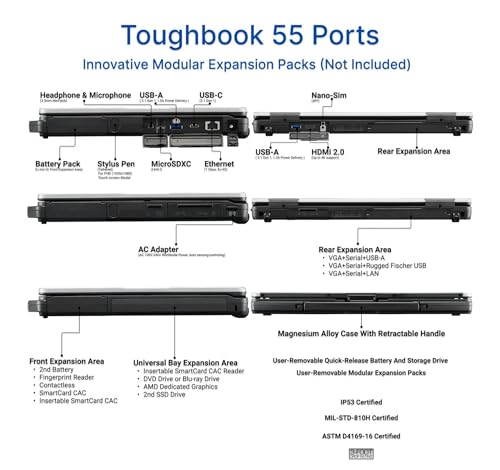
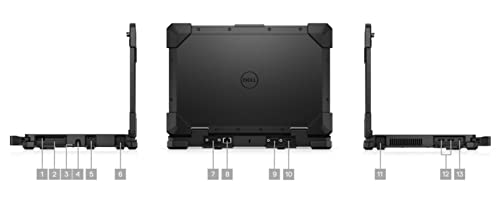
Check field-use ergonomics before buying: a sunlight-readable display, glove-friendly or backlit keyboard, responsive touch or stylus input, physical port access with covers closed or open, strong Wi-Fi/Bluetooth, optional GPS or cellular, and compatibility with vehicle docks or shoulder straps can matter more than raw specs. Make sure the ports match your equipment—serial, Ethernet, USB-A, HDMI, barcode/scanner peripherals, diagnostic tools, or rugged docking connectors—because adapters can be fragile in rough environments. Owner feedback is encouraging on day-to-day usability, with many units described as easy to set up, work-ready, smooth in normal use, and functional out of the box, including core rugged features working as advertised.
Value
Value matters because a laptop can look affordable up front but cost you more in compromises like weak performance, limited storage, poor battery life, or build quality that does not hold up. Look for the best balance of speed, screen quality, battery life, ports, and durability for how you actually work or study, and be wary of paying extra for features you will not use.
Judge value by total field readiness, not just the laptop itself: include battery replacement, charger type, dock or vehicle mount, warranty, operating-system license, port-cover condition, stylus, handle, storage upgrades, and any required cellular/GPS modules. A cheaper rugged unit can become poor value if it needs batteries, missing accessories, or repairs before it can survive a shift; conversely, a renewed or refurbished unit can be worthwhile if condition, specs, and included components are clearly verified. Owner sentiment generally supports the value case, with buyers often feeling they received capable performance, heavy-duty construction, accurate listings, and rugged capability that made the purchase worth repeating.
1,000,000+ shoppers use Buyer's Guide every week to find the best products and services online.

Helping millions of users make smarter purchases online.


