













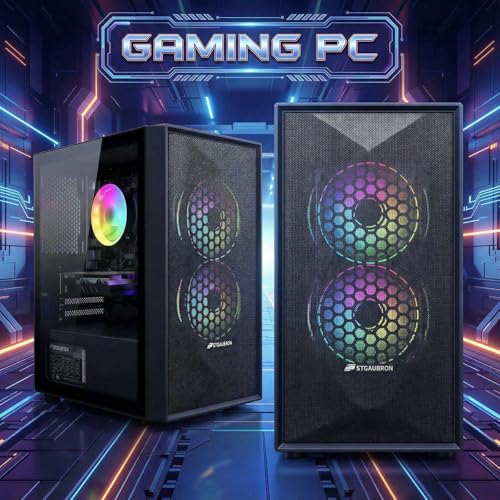





We also considered 10 others:


Our Top Choice
Compare Features


The order above is not editorial opinion, and it is not paid placement. It comes from what shoppers across our network actually do - which prebuilt gaming pcs they compare, and which they ultimately buy. We re-rank as new data comes in, so the long-term favorites have to keep earning their spot against new entrants. The full method, including how we make money.
Prebuilt Gaming PCs Buyer's Guide
Prebuilt gaming PCs trade convenience against component transparency: you can be gaming quickly, but you still need to verify the GPU tier, cooling, power supply, and upgrade path before buying. The sharpest concerns are whether the system actually matches your monitor and games, and whether the builder has avoided weak supporting parts that can cause crashes, heat, noise, or limited future upgrades.
Performance
Performance determines how quickly your desktop feels in daily use and whether it has enough power for gaming, streaming, creative work, and multitasking without stutter or long waits. Look for a balanced CPU, graphics card, memory, and fast storage that match what you actually do, and watch for systems that emphasize one impressive part while cutting corners on cooling, RAM, or upgrade room.
Start by matching the GPU and CPU to your actual target: 1080p high-refresh, 1440p, VR, and competitive shooters all need different graphics headroom, so do not judge by “gaming PC” labeling alone. Check the exact GPU model and VRAM, whether the RAM is at least 16GB and ideally dual-channel, whether the storage is NVMe SSD rather than only a hard drive, and whether the CPU is strong enough not to bottleneck the graphics card in esports or simulation-heavy games. Budget systems can be very satisfying for mainstream titles if you accept older or entry-level GPU limits, while stronger desktops are better suited to 1440p and demanding games. Owner reports support this spread: buyers often praise smooth 1080p gaming, playable frame rates in titles such as battle royale and survival games, quick everyday responsiveness, and, in higher-end configurations, smooth 1440p performance and high frame rates.
Reliability
A reliable desktop PC should run consistently under your everyday workload without frequent crashes, overheating, or premature part failures. Look for solid build quality, good cooling, dependable power delivery, and components that are easy to service or upgrade, and be wary of systems that cut corners on case construction, airflow, or generic internal parts.
Prioritize prebuilts that disclose the power supply, motherboard, RAM configuration, cooling layout, and warranty/RMA process, because reliability problems in this category often come from marginal PSUs, loose shipping connections, poor thermals, or inconsistent assembly rather than the headline CPU or GPU. Look for a known wattage margin for the GPU, adequate case airflow, properly supported graphics cards, accessible internals, and a return window long enough to stress-test the system immediately. When it arrives, inspect for shipping damage, reseat RAM and cables if needed, run a memory test and a gaming stress test, and watch for random shutdowns. Owner sentiment backs this caution: many buyers find these systems stable, quiet, well-packaged, and good starter platforms, but a meaningful minority report crashes, RAM troubleshooting, loose components, shipping damage, systems that will not power on, or failures after a few months.
Value
You want a desktop that feels worth what you pay, not just one with impressive specs on paper. Look for a balanced mix of processor performance, memory, storage, upgrade options, build quality, and included essentials, and watch out for systems that cut corners in areas like cooling, expandability, or bundled peripherals to hit an attractive price.
Judge value by the graphics card, CPU generation, RAM amount/speed, SSD capacity, PSU quality, and upgradeability, not by RGB, case size, or inflated “gamer” styling. A good-value prebuilt should give you a balanced parts list for your monitor: do not overpay for a powerful CPU paired with weak graphics, or for a flashy case with single-channel RAM, tiny storage, or a no-name low-margin power supply. Also check whether Windows, Wi-Fi/Bluetooth, keyboard/mouse, and enough ports are included, and whether the motherboard, case, and PSU allow later GPU, RAM, and storage upgrades. Owner feedback aligns with this: shoppers frequently describe budget and mid-range prebuilts as worthwhile, easy starter machines with strong price-to-performance, especially when expectations match the GPU class and when the system leaves room to upgrade later.
Setup
A desktop PC that’s easy to set up lets you get from the box to a usable workspace with less frustration, especially if you’re buying for a beginner or someone who doesn’t want to troubleshoot hardware and software right away. Look for clear instructions, well-labeled ports, included essentials when needed, and a simple first-run setup process; watch out for systems that require extra adapters, manual driver installs, or confusing account and security prompts before you can start using them comfortably.
For setup, confirm what is actually preinstalled and what still needs physical attention: Windows may be ready, but you may need to remove internal expanding foam, connect the monitor to the dedicated GPU instead of the motherboard, attach Wi-Fi antennas, check that the GPU power cables are seated, and install current graphics drivers. Beginners should also verify Windows activation, set the correct monitor refresh rate, update drivers before benchmarking, and keep all packaging until the PC passes several days of testing. If the system has a glass side panel or large GPU, inspect it before powering on and make sure nothing shifted in transit. Owners commonly support the convenience angle, describing many prebuilts as straightforward, beginner-friendly, plug-and-play, quick to boot, and simple to get running with Windows already installed, though reminders about removing foam and attaching antennas are especially important.
Noise
A desktop’s noise level affects how comfortable it is to use in a home office, bedroom, studio, or shared space, especially during long sessions. Look for quiet operation at idle and under load, with good airflow, larger or well-controlled fans, and a case design that does not amplify vibration. Be wary of compact or poorly cooled systems that may sound fine during light tasks but become distracting when gaming, rendering, or running intensive workloads.
Noise depends less on the word “gaming” and more on airflow, cooler size, fan quality, and how hard the GPU must work, so favor cases with mesh intake, multiple large fans, clear exhaust paths, and a cooler appropriate for the CPU. Be wary of sealed glass-front cases, tiny towers with high-wattage GPUs, undersized CPU coolers, and systems that rely on aggressive fan curves to compensate for poor airflow. If the PC will sit on a desk, in a bedroom, or near a microphone, look for reviews mentioning load noise, not just idle noise, and consider whether liquid cooling adds pump noise or long-term maintenance risk. Owner reports are generally encouraging, with many describing quiet or silent operation, cool gaming loads, and fans that stay unobtrusive, but sentiment is mixed under heavier use because some buyers notice louder fan behavior even when temperatures remain acceptable.
Design
Because a desktop PC often sits in plain view, its appearance can affect how well it fits into your workspace, gaming setup, or home office. Look for a design that matches your taste and room layout while still supporting practical needs like good airflow, easy access to ports, and enough space for future upgrades. Be careful not to choose looks alone, since flashy lighting, unusual shapes, or compact cases can sometimes make the system louder, hotter, or harder to service.
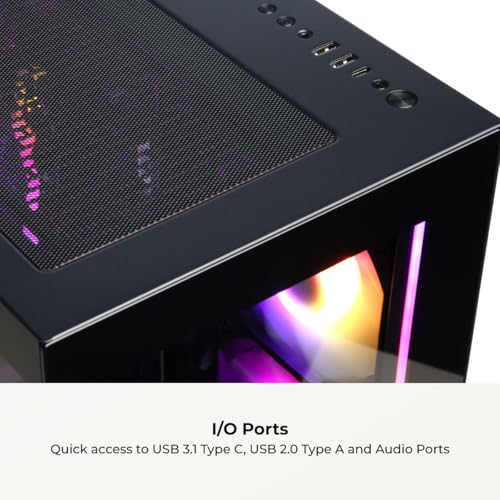
Treat design as airflow, fit, access, and desk compatibility first, aesthetics second. Tempered glass and RGB can look great, but make sure the case has real front intake, dust filters, enough room for future GPUs, accessible RAM and storage slots, usable front USB/audio ports, and dimensions that fit on or under your desk with room to breathe. Also check whether lighting can be controlled or disabled, whether the side panel is easy to remove for cleaning, and whether the internal layout avoids cramped cables blocking airflow. Owner sentiment supports the appeal of gaming-style cases: buyers often like RGB lighting, glass panels, colorful fans, polished presentation, secure packaging, and towers that fit easily in a setup, but the best choice is still the design that keeps components cool and serviceable over time.
1,000,000+ shoppers use Buyer's Guide every week to find the best products and services online.

Helping millions of users make smarter purchases online.


