











We also considered 10 others:


Our Top Choice
Compare Features


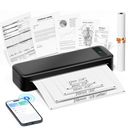
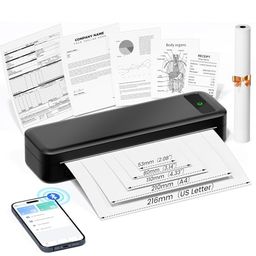


The order above is not editorial opinion, and it is not paid placement. It comes from what shoppers across our network actually do - which portable thermal printers they compare, and which they ultimately buy. We re-rank as new data comes in, so the long-term favorites have to keep earning their spot against new entrants. The full method, including how we make money.
Portable Thermal Printers Buyer's Guide
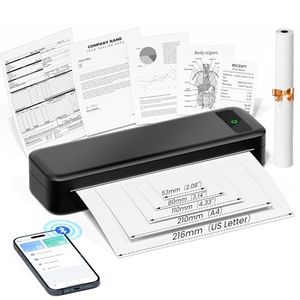
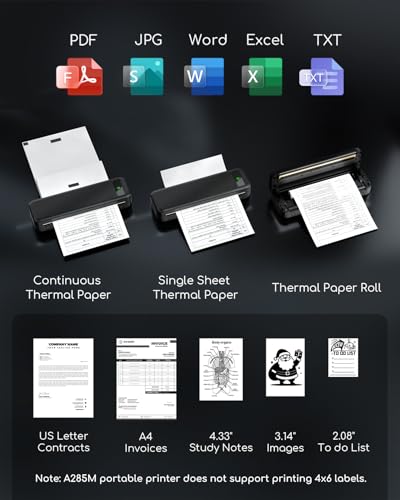
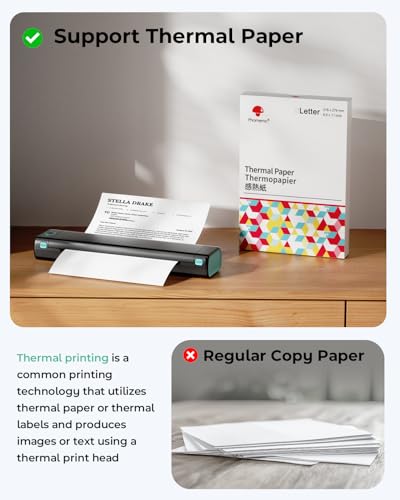
Portable thermal printers trade ink-free convenience and small size against media limits: the paper, label stock, app, and connection method often matter as much as the printer itself. The sharpest checks are whether it supports the exact job you have—4x6 shipping labels, pocket stickers, receipts, full-page documents, or photo prints—and whether the output will stay readable after heat, sunlight, handling, or scanning.
Quality
Print quality determines how sharp your text looks, how clear fine details appear, and how accurately colors reproduce in photos, graphics, and presentations. You’ll want to look for crisp lettering, smooth gradients, consistent color, and minimal banding or smudging, while remembering that results can vary by paper type, ink or toner, and print settings.
Start by matching print quality to the real use case: shipping labels need dense, scannable barcodes; document printers need legible small text and straight feed; mini sticker printers need acceptable contrast on tiny media; photo-focused models need dedicated photo media and color handling rather than basic receipt-style direct thermal output. Avoid assuming “no ink” means archival—many direct-thermal prints can darken, fade, or smear under heat, UV, oils, or long storage. Owner feedback supports that good models can produce crisp black-and-white documents, labels, receipts, forms, and simple line work, while photo-oriented units are praised when they deliver sharp 4x6 prints with natural color and detail.
Ease
You’ll interact with a printer often through setup, paper loading, app or computer software, scan/copy controls, and error prompts, so ease of use can matter as much as print quality in daily life. Look for clear menus, straightforward driver or mobile workflows, accessible ink or toner replacement, and helpful status alerts; watch out for confusing displays, fussy wireless setup, or maintenance steps that turn simple jobs into chores.
For ease of use, look for friction reducers specific to thermal printing: easy roll or cartridge loading, automatic label sensing, a clear feed/calibration button, a usable tear bar or cutter, templates for your label size, and a battery/charging setup that fits mobile use. If you will switch between sticker rolls, shipping labels, receipt paper, and document paper, make sure the app lets you save presets instead of manually correcting size and darkness each time. Owners commonly report that portable thermal printers can be quick to set up and simple to run from a phone or computer, with many people printing stickers, labels, notes, and photos within minutes.
Connectivity
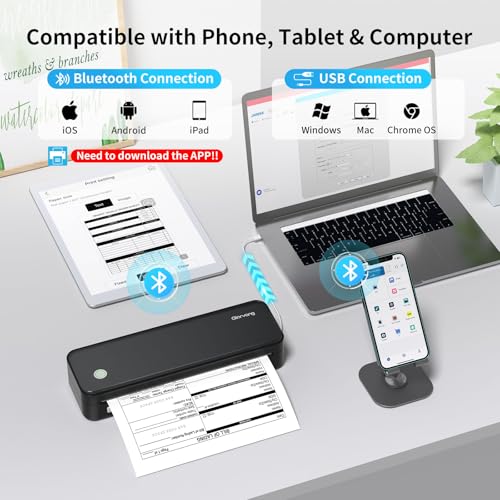
Connectivity determines how easily you can print from the devices you actually use, whether that’s a computer, phone, tablet, or shared office network. Look for reliable Wi-Fi, useful wired options if you need stability, and straightforward mobile or app setup; watch out for printers that are finicky to pair, drop off the network, or require awkward workarounds for everyday printing.
Check the exact connection path before buying: many “Bluetooth” thermal printers work best from a phone app, while computer printing may require USB, a driver, or a different pairing process. If you print shipping labels from marketplaces or carrier sites, confirm support for your operating system, browser workflow, label file format, and whether the app can import PDFs without resizing or cropping. Owner sentiment is generally positive about phone Bluetooth and app-based printing, with templates, fonts, icons, and custom label options often seen as strengths, but feedback is mixed enough that some computer or Bluetooth setups may need extra troubleshooting.
Labels
If you plan to print shipping labels, file tabs, barcodes, or stickers, make sure the printer supports the label sizes, media types, and feed path you need. Look for clean text and barcode output, reliable alignment, and compatibility with label sheets or rolls, and watch out for printers that curl, jam, or smudge on adhesive media.
For label work, verify the supported label widths, roll diameter, fanfold compatibility, gap/black-mark sensing, and whether it handles standard 4x6 shipping labels without scaling. For barcodes and QR codes, choose enough resolution for your smallest code, use true direct-thermal labels, and make sure the software lets you adjust darkness and speed; tiny QR codes or poorly calibrated media can become unreadable even if normal text looks fine. Owners like the speed of thermal label printing for online selling and multi-package workflows, and many describe labels as crisp and scannable, though feedback also shows output can depend on settings, label stock, and connection conditions.
Setup
Setup matters because a printer that is hard to install can turn a simple purchase into driver conflicts, connectivity issues, or repeated troubleshooting before you ever print a page. Look for clear first-time instructions, reliable Wi-Fi or wired connection options, and driver support for the devices you use. Watch out for printers that require complicated account creation, unclear app-based setup, or limited compatibility with your computer or mobile devices.
Treat setup as more than pairing: confirm the printer includes or clearly supports the media you need, has current apps/drivers for your devices, and provides a simple calibration process for changing label sizes. For a shipping station, plan to print and scan a test label before relying on it for orders; for mobile notes or stickers, check whether the app requires an account, cloud access, or permissions you do not want to use. Owner reports generally describe quick, straightforward setup with an easy learning curve, especially from phones, while computer pairing or fully attaching over Bluetooth can be less seamless than mobile printing.
Value
Value matters because the cheapest printer can become expensive if ink, toner, maintenance, or paper handling costs add up quickly. Look for a printer whose performance matches what you actually print—documents, photos, or high-volume jobs—and watch for models that seem affordable upfront but have costly consumables or features you will not use.
Judge value by total media cost and lock-in, not just the ink-free printer body: some models use commodity rolls and fanfold labels, while others depend on proprietary paper, cartridges, or photo packs. Also factor in whether thermal output is temporary or durable enough for your use—shipping labels and short-term organization benefit greatly from no ink, but archival records, outdoor labels, or heat-exposed stickers may need different media or another print method. Owners strongly value the lack of ink or toner, fast printing, and reduced need to order or outsource labels, especially for regular shipping, product stickers, and quick everyday jobs.
1,000,000+ shoppers use Buyer's Guide every week to find the best products and services online.

Helping millions of users make smarter purchases online.


