




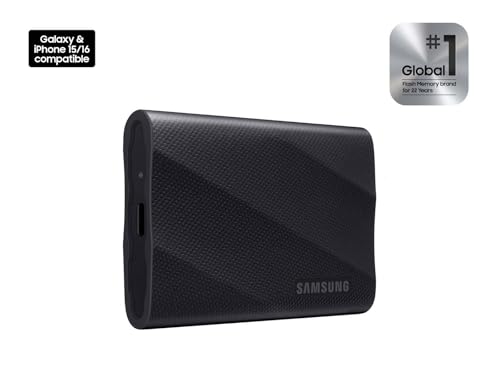


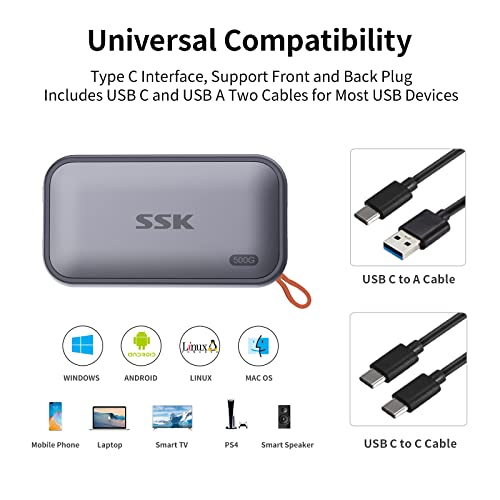
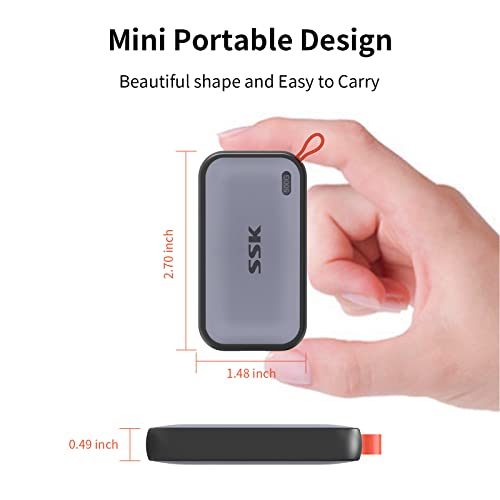





We also considered 10 others:





Our Top Choice
Compare Features


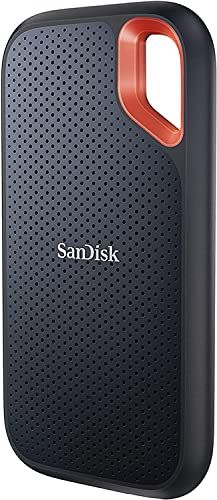


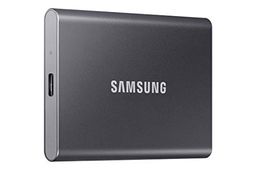


The order above is not editorial opinion, and it is not paid placement. It comes from what shoppers across our network actually do - which portable ssds they compare, and which they ultimately buy. We re-rank as new data comes in, so the long-term favorites have to keep earning their spot against new entrants. The full method, including how we make money.
Portable SSDs Buyer's Guide
Portable SSDs sit between two competing needs: they must be small enough to live in a pocket or camera bag, yet fast and durable enough to handle large transfers without overheating, disconnecting, or slowing to a crawl. The sharpest checks are real-world sustained speed, port/cable compatibility, and whether the drive is trustworthy enough for travel backups or active photo and video work.
Reliability
Reliability matters because a hard drive’s real value is in keeping your data readable and available over years of use, not just offering enough capacity on day one. Look for signs of build quality such as an appropriate workload rating, warranty coverage, heat management, and whether the drive is designed for your use case, and be wary of using a basic desktop drive for constant backups, NAS use, or other always-on workloads.
For portable SSDs, reliability should mean more than “it powers on”: look for a drive with a known durable enclosure, firm USB-C port, good heat handling during long writes, and clear warranty/support terms. If it will hold original photos, client footage, school work, or travel backups, avoid treating any single portable SSD as the only copy; use it as part of a backup plan because cable damage, drops, controller failures, and file-system corruption are still real failure modes. Owner sentiment supports this priority: buyers often describe these drives as dependable for everyday files, projects, photos, documents, and large transfers, and they especially value sturdy pocketable or rubberized builds for travel and active use.
Capacity
Storage capacity determines how much you can keep on the drive, from documents and photos to large video files, backups, and game libraries. Choose enough storage for what you have now plus room to grow, and watch for the difference between advertised capacity and the slightly lower usable space your computer reports after formatting.
Choose capacity based on your real working set plus headroom, not just the largest number on the label: video editors, game-library users, photographers, and laptop-backup shoppers should leave room for versioned backups, cache files, exports, and future shoots. Remember that usable formatted capacity is lower than advertised, and very small or bargain high-capacity SSDs may slow sharply after their write cache fills, which matters when dumping hundreds of gigabytes at once. Owner feedback aligns with this: shoppers like having enough room for photos, videos, games, laptop files, Time Machine-style backups, and large file dumps in compact drives that do not feel bulky.
Usability
You want a hard drive that’s easy to set up, mount, and start using without confusing formatting steps or compatibility surprises. Look for clear installation requirements, simple backup or file-management options, and a design that fits how you’ll use it day to day; watch out for drives that require extra adapters, software, or technical setup that could slow you down.
Before buying, check the exact devices you need it to work with: USB-C shape alone does not guarantee the same speed, power delivery, or compatibility across Windows PCs, Macs, tablets, phones, cameras, consoles, and older USB-A machines. Look for plug-and-play behavior, included cables or adapters that match your ports, and a file system plan—exFAT for cross-platform use, APFS for Mac-only workflows, or NTFS for Windows-heavy use; phone recording and camera workflows may also require specific formatting and sustained-write support. Owners commonly praise straightforward setup, easy reformatting, USB-C simplicity, tool-free enclosure use, and cross-platform plug-and-play operation, which reinforces how much day-to-day usability depends on low-friction connection and setup.
Size
Size affects how easily you can carry a hard drive, fit it into your workspace, or tuck it into a laptop bag alongside other gear. If you travel often or work between locations, look for a compact, durable design that does not add bulk; if it will stay on a desk, make sure its footprint, cable layout, and ventilation needs fit your setup.
Size is not just about pocketability: for portable SSDs, the drive should be small enough to travel with but not so tiny or awkward that it overheats, gets lost, blocks neighboring ports, or hangs from a phone/camera in a way that stresses the connector. For mobile video, field backups, or commuting, favor compact drives with secure attachment options, grippy or rugged surfaces, and cables short enough to manage but replaceable if damaged. Owner sentiment strongly supports compactness as a buying factor, with shoppers appreciating drives that fit in pockets, camera bags, laptop bags, desks, or travel kits while still feeling sturdy and easy to carry.
Speed
Speed affects how quickly you can boot a system, open large files, run applications, and move data on or off the drive. Look for strong real-world transfer performance, not just headline specs, and remember that the drive’s connection type, your computer’s ports, and the kind of files you move can all limit actual speed.
Do not judge speed only by the headline number on the box: check the actual interface standard your computer supports, whether the drive needs USB 3.2 Gen 2, Gen 2x2, or Thunderbolt-class ports to reach its rated speed, and whether it can sustain writes after the cache fills. This is especially important for 4K/8K video, RAW photo batches, game libraries, bootable systems, and full-drive backups, where thermal throttling, cheap cables, or slower host ports can make a “fast” SSD feel ordinary. Owner reports back this up: buyers value portable SSDs for noticeably faster transfers than older external hard drives, smooth handling of large batches, multi-gigabyte video moves, app or game use, and demanding workflows.
Value
Value matters because you want a hard drive that gives you dependable storage capacity and performance without paying for features you do not need. Look at the cost relative to capacity, reliability expectations, warranty coverage, and intended use, since the cheapest option can cost more in the long run if it is slow, noisy, or failure-prone. A good value drive should feel appropriately priced for how much data it holds, how often you will use it, and how much you trust it with your files.
The best value portable SSD is not automatically the cheapest per terabyte; weigh usable capacity, sustained speed, ruggedness, warranty, cable quality, encryption/security needs, and whether you are buying a finished drive or an enclosure for an existing SSD. If your use is occasional document backup, basic value matters most, but if you are editing media directly, traveling with originals, or recording from a phone, paying more for dependable sustained performance and build quality can prevent lost time and failed transfers. Owner sentiment reflects this split: shoppers appreciate strong storage-per-dollar for backups, games, photos, and work files, but many still consider higher-quality options worthwhile when they deliver speed, simple USB-C use, durable construction, and reliable everyday performance.
1,000,000+ shoppers use Buyer's Guide every week to find the best products and services online.

Helping millions of users make smarter purchases online.


