























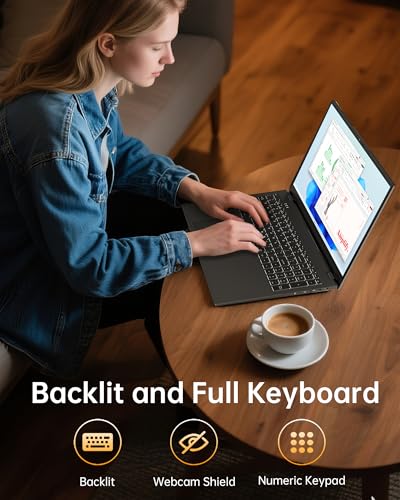


We also considered 10 others:



Our Top Choice
Compare Features


The order above is not editorial opinion, and it is not paid placement. It comes from what shoppers across our network actually do - which large laptops they compare, and which they ultimately buy. We re-rank as new data comes in, so the long-term favorites have to keep earning their spot against new entrants. The full method, including how we make money.
Large Laptops Buyer's Guide
Large laptops trade portability for a roomier screen, more comfortable keyboard, and desktop-replacement feel, but the bigger chassis also magnifies hinge strain, battery drain, heat, and bag weight. The sharpest checks are whether the screen size is backed by real usability—good keyboard, ports, display quality, and cooling—and whether you can live with the charger and runtime realities.
Build
Build quality affects how long your laptop feels dependable, how well it holds up to daily carrying, and whether it feels solid every time you open the lid or type. Look for sturdy materials, tight seams, a firm hinge, minimal keyboard or chassis flex, and a clean finish on arrival; watch out for loose parts, uneven gaps, creaking panels, cosmetic damage, or anything that suggests poor durability or quality control.
For a large laptop, prioritize hinge stiffness, chassis rigidity around the keyboard deck, and a base that does not flex when lifted from one corner; the bigger screen puts more leverage on hinges, and wide plastic shells can creak or crack if carried open or grabbed by the display. Check the actual weight including the charger, whether the lid can be opened without the base twisting, and whether the keyboard layout gives you the numpad, full-size arrows, and palm-rest space you expect from a large machine. Owner feedback generally supports large everyday models as dependable home, school, and small-business machines, with buyers often praising lightweight-feeling builds, durable everyday construction, smooth operation, and solid quality for routine use.
Performance
Performance determines how quickly your laptop opens apps, switches between tasks, handles demanding work, and stays responsive in daily use. Look for enough processing power, memory, graphics capability, and storage for what you actually do, and pay attention to cooling and thermals because a powerful laptop that runs hot can slow down, get noisy, or feel uncomfortable over time.
Large laptops are often bought as desktop replacements, so match the processor, memory, storage, and cooling to sustained desk work—not just quick boot speed. If you plan to run many browser tabs, spreadsheets, video calls, external monitors, creative apps, or light games, look for enough RAM, fast solid-state storage, and a cooling design that can hold performance without constant throttling; avoid assuming the larger chassis automatically means workstation-level power. Owner sentiment is strongest around everyday responsiveness: buyers commonly describe setup, schoolwork, work tasks, browsing, multitasking, and general Windows use as fast, smooth, intuitive, and lag-free, with some models also handling light gaming.
Battery
Battery life determines how confidently you can work, stream, or study away from an outlet, so look for runtime that matches your typical day rather than just the biggest advertised number. Watch for real-world factors that drain a laptop faster, such as a bright high-resolution screen, heavy apps, gaming, video calls, or lots of background tasks, and consider charging speed and charger size if you travel often.
Battery life is the biggest compromise in large laptops: the larger display, brighter panel, stronger CPU or GPU, and cooling fans can drain power much faster than smaller ultraportables. Check tested runtime for your use case, not just claimed hours, and consider whether you will use it mostly near an outlet; also inspect charger fit, USB-C charging support if offered, and power-adapter wattage, because loose connectors or underpowered chargers can make a large laptop frustrating. Owner reports are notably mixed: some users praise tablet-like endurance and good portable use, while others say batteries drain within a few hours, gaming or heavy loads shorten runtime and raise fan noise, and a few mention overheating, power, charging, or early hardware-failure concerns.
Value
Value matters because a laptop can look affordable up front but cost you more in compromises like weak performance, limited storage, poor battery life, or build quality that does not hold up. Look for the best balance of speed, screen quality, battery life, ports, and durability for how you actually work or study, and be wary of paying extra for features you will not use.
Value in a large laptop should be judged by the whole desktop-replacement package: screen quality, keyboard comfort, ports, webcam, RAM/storage headroom, thermals, and warranty support matter as much as the headline processor. Avoid paying only for size if the display is dim or low-resolution, the memory is limited, the storage is cramped, or the machine lacks the ports you need for monitors, Ethernet adapters, card readers, or peripherals. Owner feedback is broadly positive on value, with many buyers feeling large everyday laptops meet school, office, home, writing, browsing, shopping, research, video, and basic coursework needs well while delivering fast setup and capable day-to-day performance.
Usability
A laptop should feel effortless from setup through daily use, with intuitive controls, reliable touch or trackpad response, and a keyboard you can type on comfortably for long stretches. Look for a layout and functionality that match how you work—whether that means touchscreen versatility, easy shortcuts, or simple settings—and watch out for cramped keys, inconsistent touch sensitivity, or features that add complexity without improving everyday use.
For this category, usability hinges on whether the larger footprint actually makes daily work easier: look for a comfortable full keyboard, clear touchpad placement, readable screen scaling, enough brightness for your room, and a hinge angle that works on a desk, couch, or classroom table. If you are replacing a desktop, check how easily it connects to printers, monitors, docks, mice, and headsets; if you move it often, make sure the size fits your bag and the charger is not a burden. Owners often praise straightforward setup, quick booting, easy connection to existing devices, smooth browsing, multitasking, Zoom calls, and touchscreen convenience on models that include it, especially for people replacing older laptops or desktops.
Audio
Sound quality matters if you use your laptop for video calls, streaming, music, or movies, because weak speakers can make voices hard to understand and entertainment feel thin. Look for clear dialogue, enough volume without distortion, and balanced sound that does not become harsh or muddy. If you often work in noisy rooms or watch media without headphones, prioritize laptops with stronger, fuller speakers.
Do not assume a large chassis means strong audio: check speaker placement, maximum volume without distortion, microphone clarity, and whether fan noise intrudes on calls or media. This matters especially if the laptop will sit farther away on a desk, be used for classes or meetings, or replace a desktop entertainment setup; upward- or front-firing speakers and a decent mic array are safer bets than down-firing speakers that can sound muffled on soft surfaces. Owner sentiment is mixed here, with audio sometimes reported as dependable but also showing isolated speaker or microphone problems, so audio is worth testing early rather than treating as an afterthought.
1,000,000+ shoppers use Buyer's Guide every week to find the best products and services online.

Helping millions of users make smarter purchases online.


