

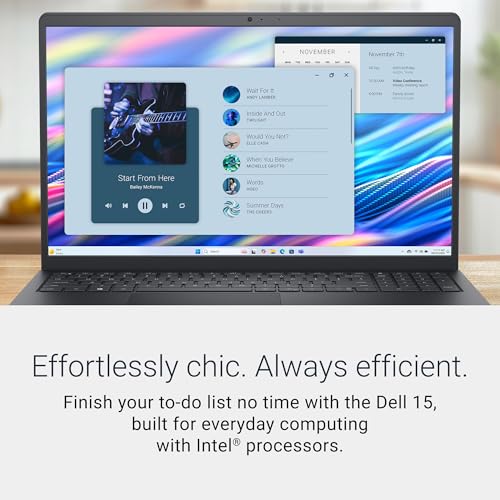


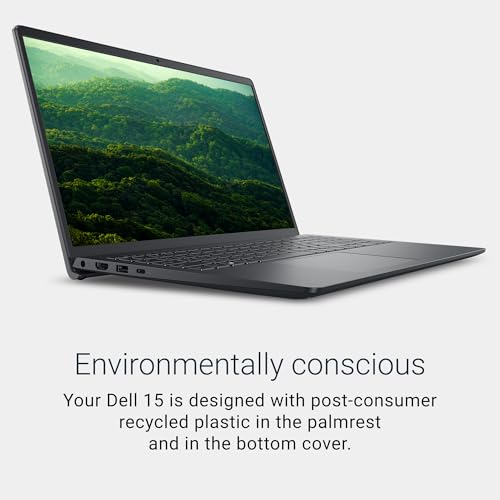
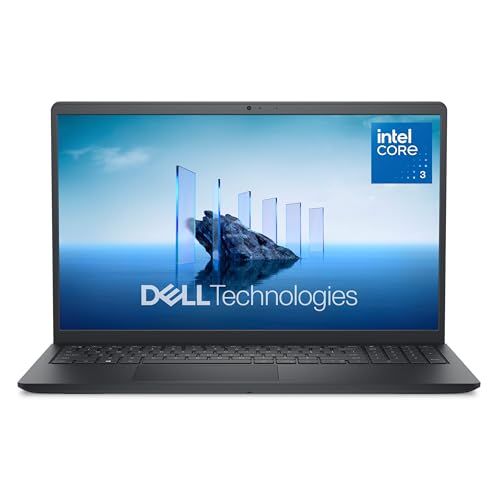
- Display Size: 15.6"
- Resolution: 1920 x 1080
- Memory: 8GB RAM
- Storage: 512GB SSD
- Processor: Intel Core 3-100U 6-core
- Graphics Processor: Intel UHD Graphics
- Touchscreen: No
- Battery Life: Up to 7 hours
- Operating System: Windows 11 Home
- Weight: 4.19 lbs




Dell 15 Laptop DC15250 Review
Overview and Everyday Experience

The Dell 15 Laptop DC15250 is positioned as a practical, mainstream 15-inch laptop aimed at users who want a comfortable screen size, familiar Dell build quality, and the kind of performance that handles typical daily work without fuss. In day-to-day use, what stands out most about a 15-inch Dell in this class is how well it tends to fit “general purpose” routines: web browsing with many tabs open, office productivity, video calls, streaming, light photo edits, and schoolwork. The larger chassis compared with ultra-portables often brings a more comfortable keyboard layout and stronger cooling headroom, which can help the system feel steadier under sustained use.
Ergonomics matter a lot at this size, and most buyers choose a 15-inch machine because they want more screen real estate than a 13- or 14-inch model without moving into bulky desktop-replacement territory. For writing, spreadsheets, and multitasking, a 15-inch display is easier on the eyes and reduces the constant window-shuffling that can slow you down. The trade-off is portability: a 15-inch laptop typically takes up more room in a bag and can feel less convenient on cramped desks or airplane trays. If you primarily work from one location and move around occasionally, the DC15250 form factor makes sense. If you commute daily and want to travel light, you may want to think carefully about weight and charger size before committing.
For sound and video calls, buyers should consider how the webcam and microphones perform in typical indoor lighting. Even when the overall laptop is solid, a mediocre webcam can become an everyday annoyance if you spend hours in meetings. Similarly, speaker quality can matter if you watch videos without headphones. While many laptops in this class are “fine” rather than exceptional in audio, the difference between merely acceptable and genuinely clear dialogue reproduction is bigger than it seems, especially for lectures and conference calls.
Performance, Display, Battery, and Build Considerations
The most important purchase factors for the Dell 15 Laptop DC15250 usually come down to performance configuration, display quality, and battery life, because those three define how the machine will feel months later, not just on day one. Performance is not only about the processor name; it’s about the balance between CPU, memory, storage, and cooling. If you tend to keep many applications open, memory capacity will often have a bigger impact on perceived speed than a small step up in processor tier. Likewise, moving from a basic SSD to a faster or larger SSD can noticeably improve boot times, file transfers, and how quickly creative apps load projects.
Before purchasing, think about your “heaviest day” rather than your average day. If you occasionally edit large photos, run statistical tools, compile code, or use demanding browser-based applications, you’ll benefit from more RAM and a larger SSD than you think you need. Storage fills up quickly with system updates, cloud sync caches, photos, and video, and once your drive is crowded, performance can drop. For many users, prioritizing a healthy amount of memory and SSD capacity is the most important choice because these upgrades delay the moment you feel forced to replace the laptop.
The display is another make-or-break detail. A 15-inch screen can be fantastic for productivity, but only if brightness, color, and viewing angles are adequate for your environment. If you work near windows or in bright rooms, higher brightness becomes crucial. If you do any color-sensitive work like design, social media content creation, or product photography, better color coverage is worth prioritizing. Even for simple tasks, a sharper display can reduce eye strain, particularly when reading dense documents for long periods. Resolution is part of it, but panel quality matters just as much, because a higher resolution on a poor-quality panel doesn’t necessarily feel better.
Battery life depends heavily on configuration and usage. A larger 15-inch display consumes more power, and higher brightness or higher-resolution panels draw more energy. If you need all-day unplugged work, pay attention to realistic battery expectations based on your habits: video calls, streaming, and maximum brightness drain batteries much faster than document editing. For many buyers, the most important battery-related factor is not the maximum advertised time but how comfortably the laptop gets through the specific workloads you do away from an outlet.
Build and input quality are easy to underestimate until you use the laptop every day. A comfortable keyboard with consistent key travel matters if you type for hours. A precise trackpad matters if you don’t regularly use a mouse. Hinge stiffness and chassis rigidity matter if you move the laptop often, because flex and wobble can become irritating over time. Ports are also critical in a 15-inch laptop, because this is the category where people often expect fewer dongles. Consider what you connect regularly: external monitors, USB drives, SD cards, Ethernet, and headphones. The most important point is to match the laptop’s ports to your workflow so you are not stuck buying adapters and dealing with clutter.
Thermals and fan noise are also worth considering, especially if you work in quiet environments. A laptop that stays cool and quiet during common tasks feels more premium than one that frequently spins up fans just to keep many browser tabs open. While noise tolerances vary, it’s wise to prioritize configurations that balance performance and efficiency, because an overpowered CPU in a thin chassis can mean more heat and fan activity without delivering better real-world productivity for your needs.
Common Questions
Is the Dell 15 Laptop DC15250 good for students? Yes, it can be a strong fit for students who want a larger screen for research, writing, and split-screen note-taking. The most important decision for a student is choosing enough memory and SSD space to stay fast over several years of coursework and software updates.
Can it handle light gaming? It depends on the specific graphics configuration, but many laptops in this class are best suited to casual or older titles rather than demanding modern games at high settings. If gaming is a priority, focus on models with stronger integrated graphics or a discrete GPU option, and remember that cooling and fan noise can become more noticeable during gaming sessions.
What should I prioritize: a faster processor or more RAM? For typical multitasking, more RAM often makes a bigger difference than a small CPU upgrade. If your workload includes heavy computation or specialized software that truly leans on the CPU, then a processor upgrade can matter, but for many users the smoother experience comes from sufficient memory and fast storage.
Is a 15-inch laptop too big to carry daily? Not necessarily, but it’s a personal threshold. If you commute on foot or public transit and carry the laptop for long periods, the extra size and weight can become a daily friction point. If you mostly move between home, office, and car, the larger screen is usually worth it.
Overall, the Dell 15 Laptop DC15250 makes the most sense for buyers who value a roomy display and comfortable everyday productivity in a familiar, no-nonsense package. The most important pre-purchase considerations are choosing the right memory and storage, confirming the display quality fits your environment, and ensuring battery life and port selection match how and where you work.