


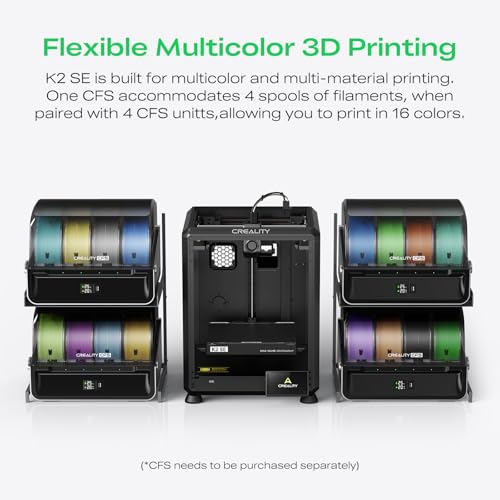
- Type: FDM
- Build Volume: 220mm x 220mm x 250mm
- Max Print Speed: 600mm/s
- Build Plate: PEI spring steel
- Resume Printing: Power failure, filament exhaustion





Creality K1 SE 3D Printer
Introduction

The 3D printing community has been abuzz with excitement over the release of the Creality K1 SE 3D Printer, a machine that promises to bring exceptional value and innovation to the market. Renowned for its budget-friendly yet high-performing machines, Creality aims to set a new standard with the K1 SE. This review seeks to dive deep into the features, usability, and performance of the K1 SE, alongside discussing various factors consumers should consider before making their purchase.
Detailed Review of Features and Performance
One of the standout features of the Creality K1 SE is its large build volume, which allows users to print large models or multiple parts in a single session. The printer operates with a precision that is quite impressive for its price class, delivering clean, sharp prints that require minimal post-processing. Users will appreciate the heated print bed, which helps in reducing warping and ensures better adhesion of the first layer, a crucial factor in achieving high-quality prints.
The Creality K1 SE also boasts an improved user interface with a color touchscreen that facilitates easier navigation and enhances user interaction. The machine supports a variety of filaments from PLA and ABS to more advanced materials such as PETG and TPU, making it versatile for different printing needs. Moreover, its noise level is significantly reduced compared to its predecessors, which makes it suitable for home use.
In terms of self-assembly, the K1 SE maintains Creality's reputation for user-friendly design. It comes partially assembled, which allows for a quick setup process typically taking no longer than an hour. This feature makes it an excellent choice for beginners and seasoned users alike, who do not want to spend excessive time in assembly.
Another noteworthy aspect is the inclusion of several smart features such as filament detection and resume printing function. These features are particularly useful in managing longer print jobs, as they minimize the risk of print failures due to filament runout or power interruptions.
Factors to Consider Before Purchase
Before deciding to purchase the Creality K1 SE 3D Printer, prospective buyers should evaluate several factors to ensure it meets their specific needs. First, consider the type of objects you plan to print and whether the K1 SE’s build volume can accommodate these dimensions. Additionally, the range of supported materials is crucial, especially for users interested in experimenting with different filaments beyond the basic PLA.
Another significant factor is the level of printing precision required. While the K1 SE offers good quality prints, those needing exceptionally detailed prints for professional applications might need to look at higher-end models. Furthermore, it's important to assess the ease of use, from setup to software compatibility and community support. Creality has a robust user community, and this can significantly enhance the user experience by providing shared knowledge and troubleshooting support.
Cost should also be addressed—not just the upfront cost of the printer, but also the long-term running costs including electricity, replacement parts, and filament expenses. Weighing these factors against your budget and printing frequency will influence the overall value the printer brings to your home or workspace.
Common Questions
Q: What is the maximum print size of the Creality K1 SE?
A: The Creality K1 SE has a maximum build volume of 300 x 300 x 400mm, which is quite spacious for most hobbyist projects and even some professional applications.
Q: Does the Creality K1 SE support automatic bed leveling?
A: No, the K1 SE does not come with an auto-leveling sensor pre-installed. However, it supports manual bed leveling, which is straightforward thanks to its user-friendly design.
Q: Can the Creality K1 SE print with ABS filament?
A: Yes, the K1 SE can print with ABS and several other filaments including PLA, TPU, and PETG, offering great flexibility in material choices.
In conclusion, the Creality K1 SE 3D Printer emerges as a robust contender in the budget 3D printer category, suitable for hobbyists and professionals who do not require ultra-high precision. It strikes a balance between price, performance, and features, making it an appealing option for many users. Considering the factors discussed above, you can make a more informed decision regarding its suitability for your specific printing needs.