













We also considered 10 others:





Our Top Choice
Compare Features


The order above is not editorial opinion, and it is not paid placement. It comes from what shoppers across our network actually do - which cheap gaming laptops they compare, and which they ultimately buy. We re-rank as new data comes in, so the long-term favorites have to keep earning their spot against new entrants. The full method, including how we make money.
Cheap Gaming Laptops Buyer's Guide
Cheap gaming laptops are a tradeoff between playable 1080p performance and the cost-cutting that shows up in cooling, battery life, screen quality, and chassis durability. The sharpest checks are whether the graphics hardware can sustain performance under heat and whether the laptop still works well as a daily machine when unplugged, carried around, or used for school and work.
Performance
Performance determines how quickly your laptop opens apps, switches between tasks, handles demanding work, and stays responsive in daily use. Look for enough processing power, memory, graphics capability, and storage for what you actually do, and pay attention to cooling and thermals because a powerful laptop that runs hot can slow down, get noisy, or feel uncomfortable over time.
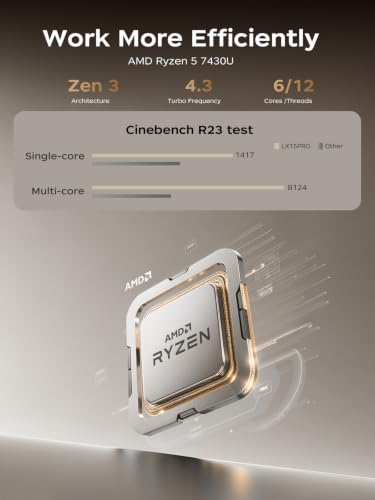
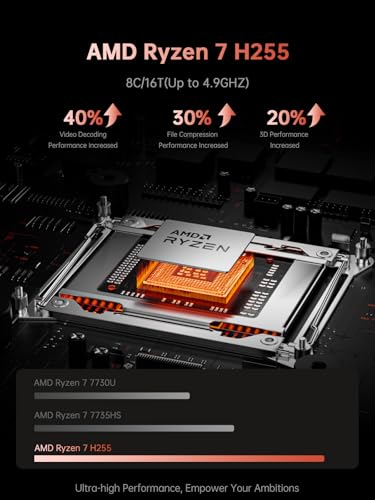
For a cheap gaming laptop, do not judge performance by processor name alone: verify that it has dedicated graphics, a published graphics power limit, enough cooling, and at least 16GB of memory or an easy upgrade path. Favor models that can hold steady 1080p frame rates in the specific games you play, and be cautious of “gaming” listings that rely on integrated graphics, single-channel memory, or tiny solid-state drives that will fill after a few large games. Owner feedback supports this split: many budget laptops feel fast for school, work, setup, browsing, and general multitasking, while the strongest gaming-oriented feedback centers on smooth 1080p play rather than uncompromised high-setting performance.
Build
Build quality affects how long your laptop feels dependable, how well it holds up to daily carrying, and whether it feels solid every time you open the lid or type. Look for sturdy materials, tight seams, a firm hinge, minimal keyboard or chassis flex, and a clean finish on arrival; watch out for loose parts, uneven gaps, creaking panels, cosmetic damage, or anything that suggests poor durability or quality control.
In this category, build quality is mostly about surviving heat, portability, and repeated upgrades, not just feeling nice out of the box. Check hinge stiffness, keyboard deck flex, vent placement, fan noise under load, port sturdiness, and whether the bottom panel can be removed without damaging clips; cheap gaming laptops can fail through cracked hinges, rattling fans, worn power jacks, or hot palm rests long before the specs feel outdated. Owner sentiment is generally encouraging on solid everyday construction, lightweight designs, sleek first impressions, and fair capability for basic use, but those positives should be weighed against the heavier thermal stress gaming adds.
Battery
Battery life determines how confidently you can work, stream, or study away from an outlet, so look for runtime that matches your typical day rather than just the biggest advertised number. Watch for real-world factors that drain a laptop faster, such as a bright high-resolution screen, heavy apps, gaming, video calls, or lots of background tasks, and consider charging speed and charger size if you travel often.
Buy a cheap gaming laptop assuming serious play happens plugged in, and check the charger fit, wattage, and connector stability before the return window closes. Battery size, eco modes, hybrid graphics behavior, and quiet profiles matter for class or travel, but gaming on battery will usually cut performance and drain quickly; a loose charging port is especially risky because it can cause throttling, shutdowns, or failure to stay powered during load. Owner reports match this: some users see tablet-like endurance for portable light use, but battery drain, charging reliability, and louder fans under gaming loads are among the clearest recurring watch-outs.
Value
Value matters because a laptop can look affordable up front but cost you more in compromises like weak performance, limited storage, poor battery life, or build quality that does not hold up. Look for the best balance of speed, screen quality, battery life, ports, and durability for how you actually work or study, and be wary of paying extra for features you will not use.
The best value in a cheap gaming laptop is not the lowest sticker cost; it is the model that spends the budget on the graphics chip, cooling system, memory, storage access, and display instead of cosmetic extras. Compare exact graphics power, memory configuration, screen refresh rate, upgrade slots, and return/warranty coverage, because two laptops with similar headline specs can perform very differently once heat and power limits kick in. Owner sentiment strongly supports the category’s value appeal, with buyers often feeling they got capable machines for school, work, and basic needs, and gaming buyers specifically praising price-to-performance when expectations stay within a limited-budget 1080p target.
Audio
Sound quality matters if you use your laptop for video calls, streaming, music, or movies, because weak speakers can make voices hard to understand and entertainment feel thin. Look for clear dialogue, enough volume without distortion, and balanced sound that does not become harsh or muddy. If you often work in noisy rooms or watch media without headphones, prioritize laptops with stronger, fuller speakers.
For this niche, built-in audio should be treated as a backup, not the main gaming setup. Check that the headphone jack, wireless audio stability, microphone input, and speaker placement work for your headset or chat setup, because fans can overpower small speakers and poor microphones can make team chat frustrating; bottom-firing speakers are especially easy to muffle on a lap or soft surface. Owner feedback is consistent with caution here: audio is more hit-or-miss than core performance, with some buyers reporting underwhelming sound or isolated speaker and microphone problems.
Display
Your laptop’s display affects how comfortable it is to read, work, watch, and create, so look for a screen size and resolution that fit both your tasks and how portable you need the laptop to be. Pay attention to brightness, color quality, viewing angles, and glare control, because a sharp screen can still feel frustrating if it looks dim, washed out, or hard to see in your usual environment.
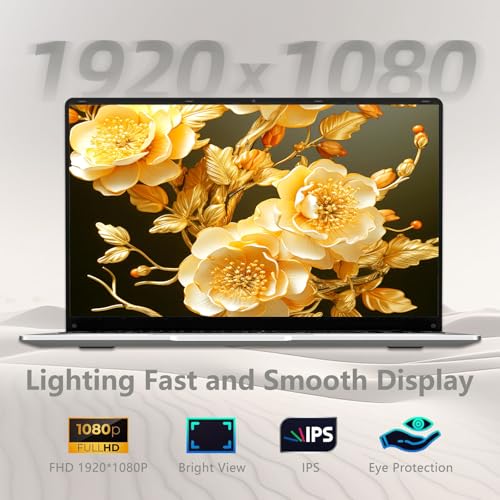
A cheap gaming laptop display should be checked for gaming-specific traits: 1080p resolution, at least a 120Hz or 144Hz refresh rate if you play fast titles, acceptable brightness, decent viewing angles, and tolerable ghosting or backlight bleed. Avoid paying for a weak high-refresh panel that looks washed out, and confirm there is an external monitor output if you plan to use a better screen at a desk; color quality matters more if you also edit photos or video. Owner sentiment backs the importance of this dimension: bright Full HD screens and 144Hz panels receive praise for clarity, vibrancy, and smoother games, while other screen feedback is mixed enough that shoppers should not assume every budget panel is good.
1,000,000+ shoppers use Buyer's Guide every week to find the best products and services online.

Helping millions of users make smarter purchases online.


