





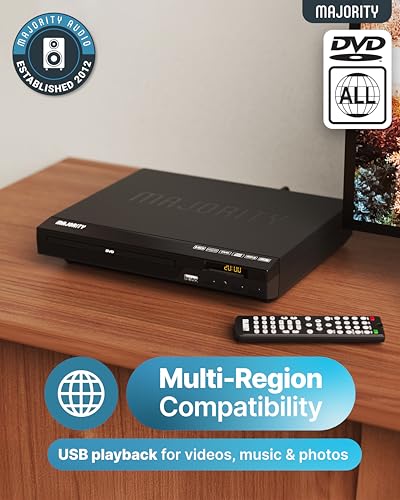


We also considered 10 others:


Our Top Choice
Compare Features


The order above is not editorial opinion, and it is not paid placement. It comes from what shoppers across our network actually do - which cheap blu-ray players they compare, and which they ultimately buy. We re-rank as new data comes in, so the long-term favorites have to keep earning their spot against new entrants. The full method, including how we make money.
Cheap Blu-Ray Players Buyer's Guide
Cheap Blu-ray players are about a tight tradeoff: getting reliable disc playback and a clean HDMI picture without paying for features you may not need. The biggest risks are not glamorous specs, but everyday failures—disc read problems, awkward setup, weak remotes, and renewed units missing the accessories that make them usable.
Playback
A cheap Blu-ray player still has to do the core job consistently: load discs, maintain playback, and output a clean image. Budget models can look similar on paper, so reliability with everyday Blu-ray and DVD playback matters more than extra features a shopper may never use.
Prioritize dependable disc playback over feature lists: look for support for the disc types you actually own, including Blu-ray, DVD, CD, and any recorded disc formats you use, and avoid players with reports of freezing, skipping, slow disc recognition, or inconsistent tray behavior. For picture, confirm the player outputs at least 1080p over HDMI and can upscale DVDs cleanly if you still watch older discs; do not expect a basic cheap player to perform like a premium 4K deck unless 4K Ultra HD support is explicitly listed. Owner feedback supports making this the first filter: buyers praised some low-cost players for turning on, playing discs well, working as expected, and feeling reliable for regular use, though picture quality feedback was not uniformly positive.
Setup
Cheap Blu-ray players are often bought to solve a simple problem: connect to a TV and play discs without fuss. The right ports and a straightforward setup prevent surprise adapter purchases and make the player easier for less technical users to live with.
Check the back panel before buying: most modern budget Blu-ray players rely on HDMI, so make sure your TV has a free HDMI input and that an HDMI cable is included or already available. If you need older red-white-yellow composite outputs, optical/coaxial audio, or connection to a receiver or soundbar, verify those ports specifically instead of assuming they are present. Shoppers in the sentiment repeatedly valued easy connection and minimal setup effort, with positive reports that some players were simple to get running and easy to use day to day.
Remote
The remote is a small part of the purchase, but it controls nearly every daily action: menus, subtitles, disc navigation, and power. In this category, a poor remote can make an otherwise functional player frustrating, especially when it conflicts with nearby TV controls.
Inspect the remote layout and compatibility risks: look for clearly labeled playback, menu, subtitle, audio, and eject controls, and avoid designs that rely on tiny buttons or confusing multi-function keys. If the player will sit near a TV from another brand or in a bedroom where simple use matters, owner reports of remote interference or TV-setting conflicts should be treated as a serious warning. The strongest negative sentiment here centered on the remote being difficult to use and prone to interfering with TV settings, so a cheap player with a bad remote may not feel cheap in daily annoyance.
Value
A low price is only a win if the player performs its basic jobs long enough to justify the purchase. Inexpensive and renewed units can be good buys, but the tradeoff is accepting fewer premium features and checking condition, included accessories, and return options more carefully.
Shop for total usable value, not just the lowest sticker: confirm the unit includes the remote, power cable, required video cable if needed, and clear return coverage, especially for renewed or refurbished players. Avoid paying for features you will not use, but do not drop so low that you give up basic reliability, full accessories, or acceptable picture output. Owner sentiment shows why this balance matters: buyers described some inexpensive and renewed players as solid bargains, good values, and worthwhile upgrades from cheaper DVD-only options, while also tying value to the fact that the units worked well in regular use.
Build
Budget electronics vary in build consistency, and a disc player has moving parts that can fail even when the specs look adequate. Tray action, startup behavior, and basic construction are practical indicators of whether the unit will hold up to regular movie nights.
Look for signs of sound basic construction: a tray or slot that opens smoothly, stable feet so the unit does not vibrate, buttons that respond consistently, and ventilation space so heat does not build up in a tight cabinet. Be cautious with very compact or renewed units if there are complaints about failing to power on, noisy operation, stuck trays, or inconsistent disc reading, because these are the failure modes that can turn a bargain into e-waste. The provided owner feedback was generally positive on quality, with buyers saying certain players worked well for regular use despite being renewed and felt like a step up from lower-end alternatives.
1,000,000+ shoppers use Buyer's Guide every week to find the best products and services online.

Helping millions of users make smarter purchases online.


