











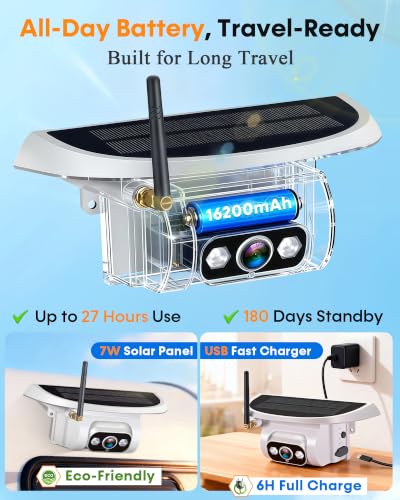


We also considered 10 others:


Our Top Choice
Compare Features


The order above is not editorial opinion, and it is not paid placement. It comes from what shoppers across our network actually do - which cameras for rv they compare, and which they ultimately buy. We re-rank as new data comes in, so the long-term favorites have to keep earning their spot against new entrants. The full method, including how we make money.
Cameras for RV Buyer's Guide
An RV camera has to balance two jobs at once: acting like a rear-view mirror for a long tow rig and helping with slow, high-consequence backing in campsites, fuel stops, and storage lots. The biggest things to verify are long-distance signal stability, usable night/blind-spot coverage, and whether the kit truly matches your RV’s prewiring, power source, and mounting location.
Video
You want a dash camera that captures enough detail to make footage useful, not just record that something happened. Look for clear daytime video, readable license plates, balanced exposure, and strong low-light or night performance without excessive glare, blur, or grain. Be wary of cameras that advertise high resolution but deliver poor visibility in motion or in challenging lighting, since real-world recording quality matters more than specs alone.
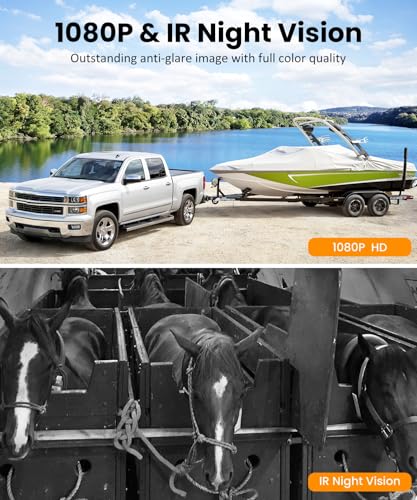
For RV use, prioritize video that is readable at driving distance, not just “HD” on a spec sheet: look for a wide but not overly distorted rear view, adjustable camera angle or rotation for high trailer mounting, usable night vision, and a monitor that stays clear in split-screen if you add side cameras. Avoid tiny or washed-out displays if you intend to use the system as an always-on rear-view monitor while towing, because judging lane changes and campsite obstacles depends on brightness, low-light detail, and blind-spot coverage. Owner feedback supports this focus: clear, sharp images, strong low-light and night performance, broad viewing angles, rotation/pan coverage, and useful day/night split-screen viewing are repeatedly praised as making towing, backing, and monitoring feel safer.
Features
Features matter because they determine whether a dash camera simply records or actively helps you drive, park, and review incidents more easily. Look for useful tools like parking monitoring, emergency recording, GPS, voice control, rear or cabin views, and backup or mirror camera modes if they fit your vehicle and habits. Watch out for extras that sound impressive but are hard to use, poorly integrated, or require separate accessories to work.
Choose features around your actual RV scenario: an always-on rear camera for highway rear awareness, side cameras for lane-change blind spots, a large dedicated monitor for the driver, and parking guidelines or selectable views for backing into sites. If you travel with pets or leave the RV briefly, a portable camera with real-time video, two-way voice, app viewing, or recording can matter more than a simple reverse-only backup camera; if you only need hitching and backing, avoid paying for remote-monitoring features you will not use. Owner sentiment aligns with these use cases, with buyers valuing systems that make backing easier, improve rear and side awareness, switch between multiple cameras, provide a large useful monitor, work at night, and in some cases offer real-time pet monitoring with two-way audio.
Reliability
A dash camera only helps if it records when you need it, so you should look for consistent startup, stable recording, and dependable saving of footage after bumps or sudden power loss. Pay attention to reports of overheating, random shutoffs, corrupted files, weak battery or capacitor behavior, and poor performance in everyday driving conditions, since these issues can leave gaps right when evidence matters most.
For reliability on an RV, check how the camera is powered and how it handles long trips: hardwired 12V power is usually better for an always-on rear-view role, while battery cameras are more suitable for temporary monitoring unless their runtime matches your drive days. Also look for weather sealing, secure mounting against vibration, stable pairing after power cycles, and low-lag transmission across the full truck-and-trailer length; failure modes to avoid include cameras that drop out at highway speed, lose pairing, or need frequent recharging. Owner reports back this up: wireless connection and video transmission are often described as reliable with little noticeable lag even on larger setups, while battery life is the main mixed area, sometimes lasting much of a trip but sometimes requiring external power or raising charge-holding concerns.
Setup
A dash camera that’s easy to install is more likely to be positioned correctly, powered reliably, and used consistently without distracting cable clutter. Look for clear instructions, a secure mount with enough magnetic or adhesive strength, adjustable positioning, and cable length that suits your vehicle. If you want a cleaner hardwired setup or parking-mode features, check whether extra wiring steps or professional installation may be needed.
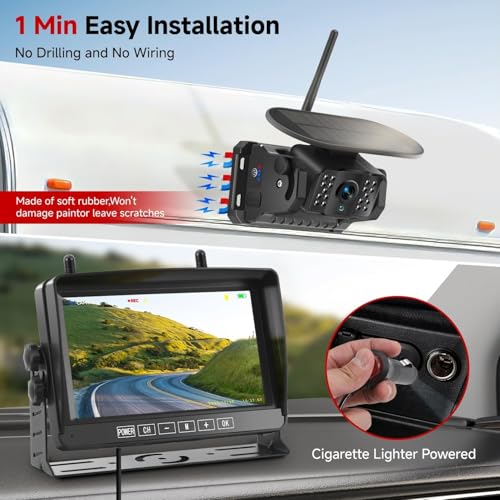
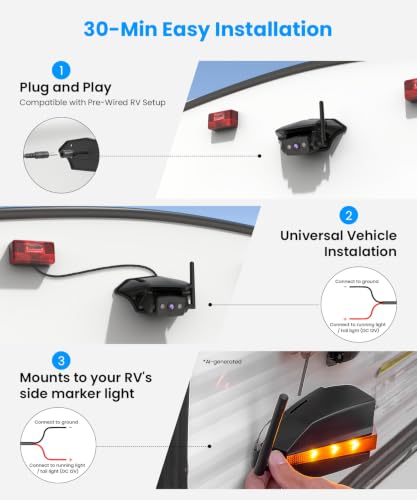
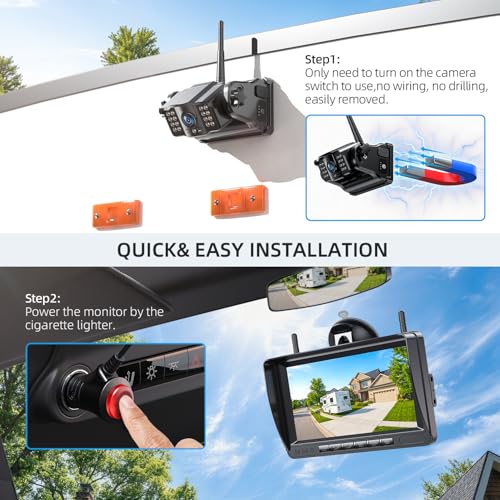
Before buying, confirm the install path for your exact RV: whether it is factory-prewired, what connector and voltage it uses, whether the mounting bracket fits the existing housing, and whether the camera can be aimed correctly from the factory location. “Wireless” usually means wireless video, not necessarily no power wiring, so verify whether you must tie into marker lights, reverse lights, a constant 12V feed, or a battery; also plan for sealing screw holes and cable entries to prevent leaks. Owner feedback is strongly positive when setup matches the RV, with many buyers describing easy mounting, straightforward pairing, helpful instructions, flexible mounting, magnetic or adjustable placement, and near plug-and-play installs on compatible prewired RVs.
Connectivity
Good connectivity makes it easier to review, save, and share footage without removing the memory card, so look for a dash camera with reliable Wi-Fi pairing and a clear, stable app experience. Watch out for weak signal strength, slow file transfers, or apps that frequently disconnect, since those issues can make it harder to retrieve important clips when you need them.
For RVs, connectivity is a core safety feature: choose a system rated for the distance from the rear camera to the tow-vehicle cab, with antennas that can be positioned for line of sight around a metal trailer body. Be cautious with systems that rely only on short-range phone connections if you need a live driving monitor, and check whether the monitor reconnects immediately after stops, whether there is noticeable lag, and whether multiple cameras stay stable at the same time. Owner sentiment supports giving this dimension high priority, as buyers repeatedly praise easy pairing, immediate camera-to-monitor connection, dependable wireless signal over long RV and trailer setups, stable transmission where other systems struggle, and clear video with little to no lag.
Value
Value matters because a dash camera should justify what you spend through dependable recording, usable footage, and features you’ll actually use. Look for a balance of video quality, storage needs, mounting reliability, and app or setup convenience, and be wary of paying extra for features that sound impressive but do not improve everyday protection or ease of use.
Assess value by what the kit saves or solves for your RV, not just by the lowest cost: a package with the right monitor, rear camera, side-camera expandability, recording, compatible prewire hardware, and reliable wireless range can be a better buy than a cheaper kit that requires adapters, rewiring, or later upgrades. Avoid paying for high resolution alone if the system lacks low-latency transmission, night usability, mounting compatibility, or the camera count needed to cover your blind spots. Owner feedback supports this practical view of value: buyers often feel these systems deliver strong value when they combine clear video, easy wireless setup, solid performance, included monitor hardware, optional side cameras, and useful extras such as recording while avoiding difficult cable routing.
1,000,000+ shoppers use Buyer's Guide every week to find the best products and services online.

Helping millions of users make smarter purchases online.


