

- Budgeting & Goals: Create unlimited budgets and easily follow it in the dashboard. Set up automated savings with Financial Goals feature.
- Investing: Net worth tracking, investment overview
- Unique Features: Bill negotiation, subscription cancellation and Financial Goals.
- Bank Sync & Alerts: Receive customizable push notifications for bill payments, subscription price increases, going over budget, and other important scenarios.
- Best For: Individuals trying to save money and/or learn more about their finances. Also ideal for those planning large life events.

How Budgeting Apps Can Change Your Financial Future

5 Ways Budgeting Apps Save You Money—Without You Noticing

Why Budgeting Apps Are the New Personal Finance Superpower


Helping millions of users make smarter purchases online.


Rocket Money Review
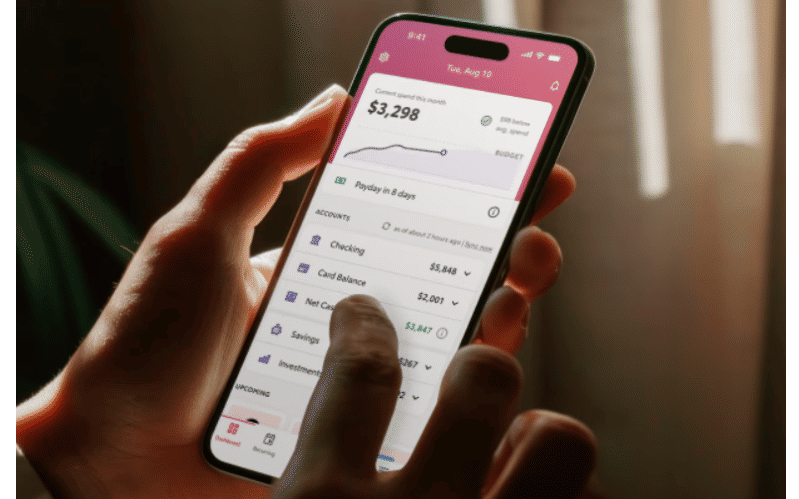
Overview of Rocket Money’s Features
Rocket Money, formerly known as Truebill, is a personal finance and budgeting app designed to help users manage subscriptions, track spending, reduce bills, and improve financial health. It connects directly to your bank accounts and credit cards to give you real-time insights into where your money is going. By offering a comprehensive snapshot of your financial life, Rocket Money aims to empower users with tools to save more and spend smarter.
One of the core strengths of Rocket Money is its ability to identify recurring charges. Users often sign up for trials or services and forget about them; Rocket Money brings those to light and offers a streamlined way to cancel subscriptions from within the app. Subscription cancellations take between 2-10 days. It also negotiates bills with service providers such as cable, internet, and phone companies—on your behalf—with the aim of lowering your monthly payments. If successful, Rocket Money takes a percentage of the savings as a fee, making the service performance-based.
In addition to subscription management, the app also offers budgeting tools, customizable spending categories, real-time alerts, credit score tracking, auto-savings features, and concierge support. The Premium version adds even more functionality, such as subscription cancellations, unlimited budgets, and advanced insights. While Rocket Money is particularly popular with younger consumers and digital-native professionals, its user-friendly design makes it accessible for anyone looking to get a handle on their personal finances.
What to Consider Before Using Rocket Money
Before signing up for Rocket Money, users should evaluate a few important factors to ensure the app aligns with their goals and habits. First and foremost is account connectivity. Rocket Money relies on secure integrations with financial institutions through trusted APIs such as Plaid. While most major banks are supported, users with less common or regional financial institutions may experience issues syncing their accounts. Reliable connectivity is key to ensuring accurate tracking of transactions and spending trends.
Another critical factor is your comfort with sharing financial data. Like many personal finance apps, Rocket Money requires access to sensitive information such as bank balances, transaction history, and account details. While the company uses bank-level encryption and follows industry best practices for data security, users should be aware of the implications of granting such access. Reading the privacy policy and understanding data sharing terms is a recommended step before proceeding.
The subscription management feature is also a draw—but it's worth noting that cancellation functionality varies depending on the service provider. Users expecting a completely hands-off experience should be prepared for occasional follow-up steps, especially with complex services or multi-step cancellations.
Pricing is another element to consider. Rocket Money offers a free tier, which includes core features like budgeting, account tracking, and spending alerts. However, to unlock features like subscription cancellation and real-time syncing, you’ll need to subscribe to the Premium plan. Premium is offered on a pay-what-you-can basis, ranging from $7 to $14 per month, subject to change.
Bill negotiation is a standout service, but it comes with a caveat. Rocket Money only offers this feature in the first year and only charges a fee if it saves you money. The fee can be up to 60% of the savings. While this performance-based model means there's no upfront risk, it also means a sizable cut of your potential savings will go to the company. This is still worthwhile for users who wouldn’t negotiate these savings on their own, but it may be less appealing for DIY-savvy consumers.
Common Questions
Is Rocket Money safe to use?
Yes, Rocket Money uses bank-level encryption and works with Plaid and other secure APIs to link your financial accounts. Your data is protected with multiple layers of security, and the company does not sell your personal information to third parties. However, it’s always smart to review the app’s privacy policy and security disclosures before connecting your bank accounts.
Does Rocket Money really cancel subscriptions for you?
In many cases, yes. For popular services and direct billers, Rocket Money can initiate cancellation requests. However, some services may require additional steps or manual intervention depending on the terms of the subscription. The app will alert you if any follow-up action is needed on your part.
Is the Premium version worth it?
The Premium version offers enhanced features such as subscription cancellation, unlimited budgeting categories, and custom categories. Whether it’s worth it depends on your usage habits. If you want a more proactive app that handles tasks for you and provides in-depth financial insights, the Premium tier is likely a good investment.
How does Rocket Money make money?
Rocket Money earns revenue through its Premium subscription plans and by taking a percentage of the savings it secures through bill negotiation. The app’s free version provides value, but many of its more powerful tools are behind the paywall.
Can Rocket Money help me save money automatically?
Yes, Rocket Money allows you to set savings goals, track progress, help users build emergency funds, and set regular transfers so you can easily set aside funds. When you start a Financial Goal in the Rocket Money app, funds will be transferred from a linked checking account into a non-interest bearing custodial plan established for your benefit at a partner bank, or another FDIC-insured financial institution so your money is safe up to $250,000 per account holder.
Conclusion
Rocket Money is a well-rounded personal finance app that excels in helping users uncover hidden costs, eliminate unwanted subscriptions, and build smarter spending habits. It offers a user-friendly interface, strong automation features, and practical financial tools that cater to a wide audience—from casual budgeters to those deeply engaged in financial planning. Its bill negotiation and subscription cancellation tools stand out as unique offerings in a crowded app marketplace.
For those comfortable linking their financial accounts and sharing transaction data, Rocket Money delivers a lot of value, especially in its Premium tier. Users who want greater control over their finances without having to track every penny manually will find the app both convenient and empowering. While the app isn't perfect—particularly in terms of occasional connectivity issues or varied cancellation success—it is one of the more comprehensive tools on the market. If you're seeking a low-effort way to improve your financial picture and cut wasteful spending, Rocket Money is worth considering.