










We also considered 10 others:


Our Top Choice
The order above is not editorial opinion, and it is not paid placement. It comes from what shoppers across our network actually do - which budget mp3 players they compare, and which they ultimately buy. We re-rank as new data comes in, so the long-term favorites have to keep earning their spot against new entrants. The full method, including how we make money.
Budget MP3 Players Buyer's Guide
Budget MP3 players trade phone-like convenience against simple, distraction-free listening, so the best choice depends on whether you need apps and WiFi or just dependable music in a pocket. The sharpest concerns are playback reliability, easy file loading, and whether the small battery and build can handle walks, workouts, kids, or daily carry.
Playback Control
Playback control is where inexpensive players most often stop feeling simple. A good one should behave predictably in a pocket, during exercise, and when resuming long tracks such as podcasts or audiobooks.
For a budget MP3 player, verify the basics before caring about extras: physical next/back buttons, a real screen-lock or hold function, dependable shuffle/repeat, resume position for audiobooks, and volume memory after power-off. Avoid players where the interface makes it easy to trigger fast-forward in a pocket, loses volume settings, or treats folder play and playlist play inconsistently. Owner feedback makes this the clearest failure point: even otherwise well-liked players drew complaints about accidental fast-forwarding, shuffle not behaving properly, and volume settings not sticking.
Library Loading
Budget MP3 players are often bought to avoid using a phone, so library handling matters as much as sound. If loading files is slow, confusing, or dependent on missing accessories, the device can become a chore even when playback is acceptable.
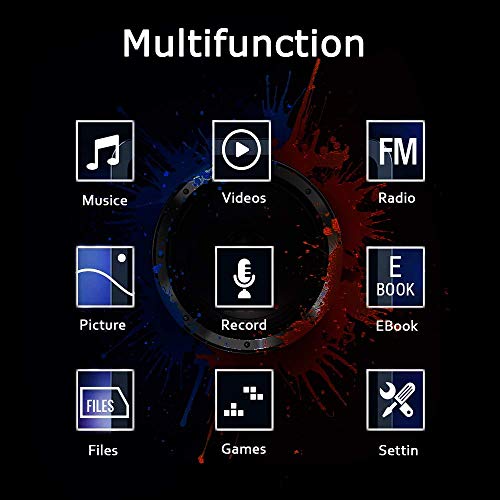
Match the player to how you actually keep music: drag-and-drop folders from a computer, microSD/TF card loading, playlists, audiobooks, or video files. Look for clear supported formats, enough onboard storage or card support, and a file browser that preserves folder order; also check whether a memory card or battery is required before first use. Owners praised quick setup and fast transfers for large libraries, and some liked included storage plus extras such as recording and e-book functions, but sentiment also shows that value can depend on knowing when extra storage or power accessories are needed.
Sound & Bluetooth
Sound quality is the main reason to carry a separate music player, but wireless convenience can expose weak radios or low output power. The best budget picks deliver consistent everyday listening rather than chasing advanced audiophile claims.
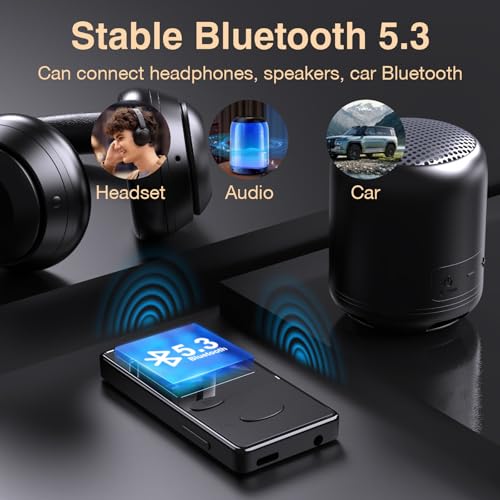
For personal listening, prioritize a clean headphone output, usable equalizer presets, stable Bluetooth pairing, and enough volume without distortion. If you use wireless earbuds or speakers, confirm Bluetooth audio support rather than only file transfer, and remember that budget players may have limited codec support and shorter range than a phone. Owners frequently highlighted clear sound, strong earbud volume, useful EQ, and Bluetooth that worked well with headphones or speakers, though some listeners found volume and audio performance only adequate.
Battery & Power
Small music players have tiny batteries, and features such as Bluetooth, touchscreens, WiFi, and apps can drain them quickly. Runtime claims only matter if they match the way the player will actually be used.
Decide whether you want rechargeable convenience or replaceable-battery simplicity, then check real-world runtime with your use case: screen off, Bluetooth on, WiFi/apps on, or continuous playback. For walks, commutes, and workouts, a player should last beyond a single outing and charge predictably; for emergency or kid use, replaceable batteries can be useful but add an ongoing requirement. Owners generally liked battery life for portable listening, especially on walks, but some feedback says runtime and longer-term dependability vary by use.
Daily Usability
A budget MP3 player should reduce distractions, not create a new tech-support problem. The right interface depends on whether the buyer values simplicity, app flexibility, or child-friendly control.
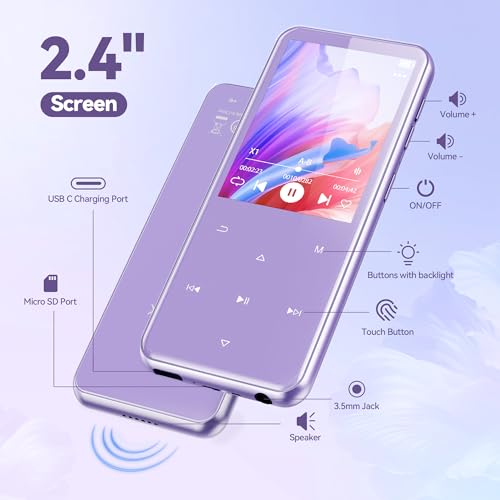
Choose the interface style for the user: simple buttons for pocket use, a responsive touchscreen for browsing, or an Android-style layout if apps, WiFi, and parental controls matter. For children or phone-free use, look for a working PIN, app restrictions, volume limits, and menus that do not require constant troubleshooting. Owners praised smooth day-to-day operation, responsive controls, quick setup, familiar app-style interfaces, WiFi, Bluetooth, and parental PIN features, but also noted that some menus and buttons take trial and error.
Carry Build
Budget players are often tossed into pockets and used while moving, so portability and durability are linked. A device that sounds fine at a desk can disappoint if the clip fails, the buttons misfire, or the build cannot handle daily carry.
For walking, workouts, school bags, or pocket carry, look for low weight, a secure clip or lanyard point, recessed controls or a lock mode, and a case that resists flexing at the ports. Do not assume a tiny player is sweatproof or drop-resistant unless it has a stated rating; exposed ports, loose clips, and fragile screens are common weak spots in this category. Owners liked compact, lightweight builds with clips for walks and workouts, and some reported good durability with regular heavy use, while other feedback tied overall value to receiving a reliable, trouble-free unit.
1,000,000+ shoppers use Buyer's Guide every week to find the best products and services online.

Helping millions of users make smarter purchases online.


