



















We also considered 10 others:


Our Top Choice
The order above is not editorial opinion, and it is not paid placement. It comes from what shoppers across our network actually do - which bluetooth keyboards they compare, and which they ultimately buy. We re-rank as new data comes in, so the long-term favorites have to keep earning their spot against new entrants. The full method, including how we make money.
Bluetooth Keyboards Buyer's Guide
Bluetooth keyboards sit between two competing goals: desktop-grade typing and wireless portability across phones, tablets, laptops, and work machines. The sharpest buying concerns are whether the keyboard switches devices reliably without lag, and whether its layout, battery behavior, and build quality still feel dependable after the novelty of going wireless wears off.
Device Switching
Bluetooth keyboards are often bought to simplify a multi-device workspace, so connection behavior matters as much as key feel. A good model should pair quickly, remember devices reliably, and recover cleanly after sleep without turning every session into troubleshooting.
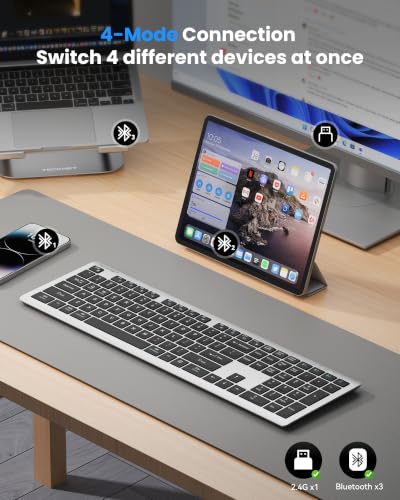
Prioritize keyboards that can remember at least two or three devices and switch with dedicated keys, not a buried key combo you will forget. For mixed setups, look for clear support for the operating systems you use, labeled shortcut behavior, and a backup connection path such as a USB receiver or wired/adapter option; Bluetooth-only models can be frustrating if pairing fails during a meeting or if a work computer locks down Bluetooth. Watch for failure modes like delayed wake, dropped pairing after sleep, mouse lag in combo sets, or device-specific shortcut issues. Owner feedback strongly supports this as a make-or-break area: shoppers repeatedly liked quick pairing, simple setup, stable wireless use, and one-button movement between work computers, personal laptops, tablets, phones, and dongle-connected devices. The caution is that connectivity was not flawless for everyone, with some reports of occasional reconnects, lag, mouse delay, or device-specific responsiveness problems.
Typing Layout
A Bluetooth keyboard can connect perfectly and still be the wrong choice if the layout slows you down. Key spacing, travel, modifier placement, and sound level affect daily comfort more than most specification sheets suggest.
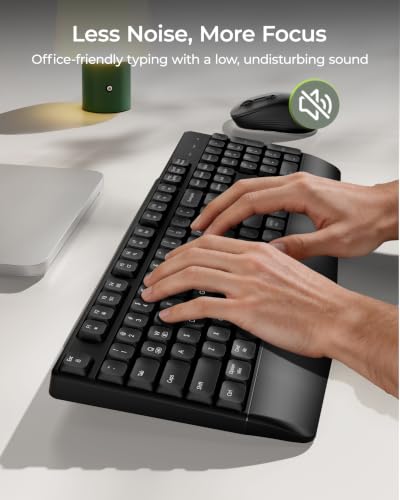
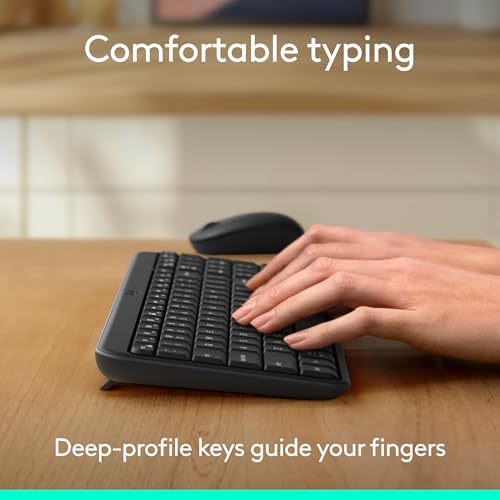
Choose the layout around the work you actually do: full-size if you enter numbers, use shortcuts heavily, or type for long stretches; compact or folding only if bag space matters more than desktop familiarity. Check for standard key spacing, arrow-key placement, OS modifier labels, and whether the hinge or fold seam interrupts the typing zone. Low-profile scissor-style keys can feel fast and quiet, but “quiet” does not always mean silent, so shared-office buyers should avoid assuming any Bluetooth keyboard is noise-free. Owners praised comfortable, tactile, responsive typing, especially on full-size layouts and low-profile designs, and several called out longer typing comfort as a major strength. Sentiment also shows the tradeoff clearly: compact foldable keyboards can be comfortable for travel, but they still compromise versus a rigid full-size desktop keyboard, and typing noise was described by some as quiet-ish rather than truly silent.
Portable Fit
Bluetooth keyboards are often chosen for mobile work, but portability creates tradeoffs in stability, spacing, and protection. The best travel keyboard is small enough to carry yet rigid and compatible enough to type on without constant adjustment.
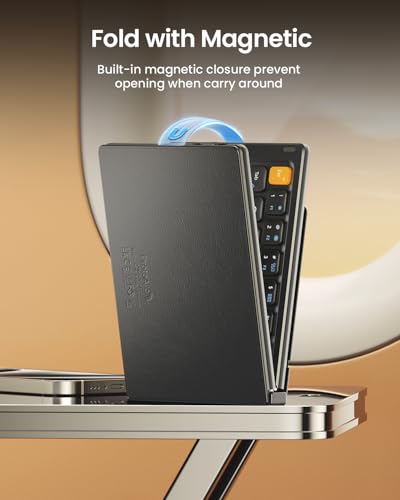
For travel, look beyond the word “portable” and check folded size, weight, hinge design, case protection, and whether the keyboard opens flat and stable on a small table. Foldable models are best when they protect the keys in a bag and do not place a hinge gap under high-use keys; rigid slim models are usually better if you mostly move between rooms or desks. If a built-in phone or tablet slot matters, verify the slot width with your device case on, because holders that fit a bare tablet may be too narrow for real everyday use. Owner sentiment favors compact and foldable designs for coffee shops, meetings, tablet use, and tossing into a bag, while also valuing full-size foldable layouts that remain practical. The main caution from owners is compatibility around built-in holders, with some working well and others being too narrow for phones or tablets in cases.
Battery & Lag
Battery life is not just about how long the keyboard lasts between charges. Sleep behavior, wake speed, and low-battery performance determine whether the keyboard feels dependable during real work.
Look for a battery setup that matches your routine: USB-C rechargeable for frequent travel, replaceable batteries for long storage, and a visible battery indicator if you cannot risk surprise shutdowns. Good Bluetooth keyboards should wake quickly from sleep without missing the first keystrokes, and combo sets should keep both keyboard and mouse responsive. Treat very long runtime claims cautiously unless owners also report stable connectivity over time, because battery life and wireless reliability are tied together in daily use. Owners often reported long stretches between charges, quick Bluetooth setup, and stable wireless performance. At the same time, mixed feedback mentions responsiveness concerns, Bluetooth lag, occasional device-specific delay, and uneven long-term battery or reliability outcomes.
Build Life
Bluetooth keyboards combine electronics, switches, and often ultra-slim or folding construction, so small build weaknesses can become daily annoyances. Durability matters most at the keys, hinge points, and wireless electronics because those are the parts most likely to degrade with use.
Inspect build details that fail first: hinge stiffness on folding models, deck flex on slim boards, key wobble, keycap stability, rubber feet, and whether the keyboard has any dust or crumb protection. A keyboard carried in a bag should feel torsion-resistant and should not expose keys or switches to pressure; a desk keyboard should stay flat and not slide during fast typing. Long-term watch-outs include dead keys, deteriorating responsiveness, loose hinges, and pairing reliability that worsens with use. Owners frequently described sturdy keys, solid construction, better-than-expected quality, and durable-feeling folding action. However, long-term reliability was the clearest caveat in the sentiment, with some users reporting excellent durability while others encountered dead keys, responsiveness issues, or longevity concerns after months of use.
Setup Value
In this category, value depends on whether the keyboard solves the whole workspace problem. Accessories and layout features can be worthwhile when they reduce clutter or improve daily use, but they should not compensate for weak typing, connection, or durability.
Compare value by the complete setup, not just the keyboard: included mouse, receiver, protective cover, device stand, carrying sleeve, and full-size number pad can all reduce what you need to buy separately. For a permanent desk, a polished full-size keyboard-and-mouse setup may be the better value; for mobile work, paying for lighter construction and reliable folding can matter more than extras. Avoid bundles where accessories look useful but weaken the core keyboard, especially if the mouse adds lag or the cover interferes with typing. Owners often framed strong value around practical extras, everyday quality, included mouse functionality, number pads, and keyboards that felt sturdier or more polished than expected. Positive sentiment also noted tidy looks, color options, and minimalist styling, but the most useful value signals were practical features that improved daily setup rather than appearance alone.
1,000,000+ shoppers use Buyer's Guide every week to find the best products and services online.

Helping millions of users make smarter purchases online.


