
Dash Cam Features and Buying Considerations
Posted on Friday, March 27, 2026
To keep this site free for consumers, we receive compensation for customer referrals.
Dash Cam Features and Buying Considerations
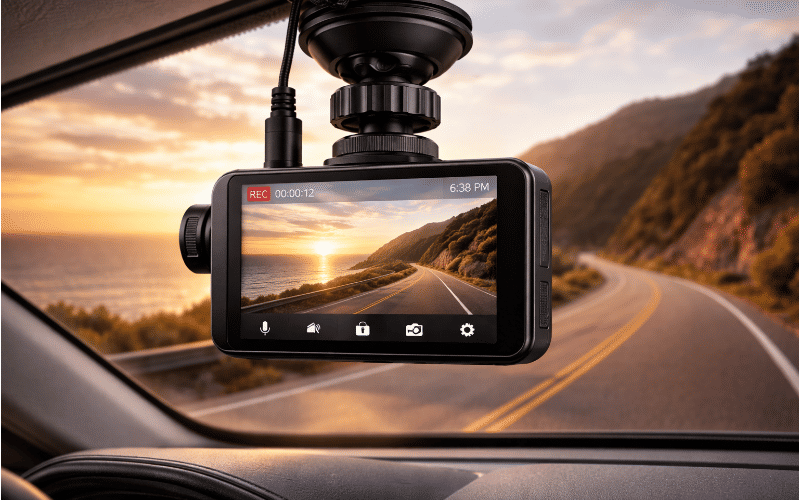
A dash cam is a compact video recording device designed to capture footage from a vehicle while it is in operation. Mounted on the windshield or dashboard, it continuously records the road ahead and sometimes the interior or rear view of the vehicle. Drivers often use dash cams to document trips, capture unexpected road events, or maintain a visual record of driving conditions.
Understanding how dash cams function and which features influence performance can make evaluating available options more straightforward. The category has expanded in recent years with a wide range of configurations, recording capabilities, and supporting technologies. Before comparing specific models, it helps to understand how these devices operate and what factors shape their usability.
The Practical Purpose of Dash Cams
Dash cams serve as passive recording systems that document driving activity without requiring active input once installed. Many units automatically begin recording when the vehicle starts and save footage in short segments. This continuous recording approach allows the device to capture events as they occur.
Some drivers use dash cams for general travel documentation, while others view them as a way to maintain a record of incidents that occur on the road. In addition to capturing accidents or traffic interactions, these devices may also record environmental conditions such as weather, lighting, and road congestion.
How Dash Cams Capture and Store Footage
Most dash cams rely on a forward-facing camera connected to a small processing unit that manages recording and storage. Video is typically saved onto removable memory cards, allowing drivers to transfer files to other devices for viewing or storage. Recording often occurs in short loops so the device can continuously overwrite older footage once storage capacity is reached.
Many systems include sensors that detect sudden movement or impact. When such events occur, the device may automatically protect the associated video clip from being overwritten. This function helps preserve footage that may be relevant later.
Common Dash Cam Configurations
Dash cams are available in several formats depending on how many views they record and where the cameras are positioned. Understanding these configurations helps clarify what type of coverage a driver may prefer.
Front-Facing Systems
These units record the road ahead and represent the most common configuration. They are typically mounted near the rearview mirror and focus on capturing forward driving activity.
Dual-Channel Systems
Dual-camera setups include both a front-facing camera and a secondary camera that records the rear of the vehicle. The second camera may be mounted on the rear window or integrated into the main device.
Interior-Facing Systems
Some configurations add a camera that records inside the vehicle. These are sometimes used in situations where interior activity is relevant, such as ride services or driver training environments.
Features That Influence Performance
Dash cam capabilities vary significantly depending on the features included in the device. While no single feature determines overall usefulness, several elements play a meaningful role in how the device performs during daily use.
- Video Resolution
Resolution affects the level of visual detail captured in recordings. Higher resolution may allow clearer identification of objects, road markings, and environmental conditions. - Field of View
The field of view determines how much of the surrounding area the camera captures. Wider angles may record more of the roadway and adjacent lanes, while narrower angles focus more directly on the forward path. - Low-Light Recording
Driving conditions often include nighttime or low-light environments. Some dash cams incorporate sensors or processing designed to maintain clarity in darker conditions. - Loop Recording
Loop recording allows the device to continuously record by replacing the oldest files once storage becomes full. This ensures the camera can keep capturing new footage without manual intervention. - Impact Detection
Sensors that detect sudden motion may trigger automatic protection of a recording segment. This helps prevent key footage from being overwritten. - Parking Monitoring
Certain systems can record activity around a parked vehicle when motion or vibration is detected. This function typically relies on sensors and power management features. - Connectivity Options
Some devices support wireless connections to smartphones or other devices, allowing drivers to review or transfer footage without removing the memory card.
Operational and Installation Considerations
Dash cams are generally mounted using adhesive brackets or suction mounts attached to the windshield. Placement can affect both visibility and recording coverage, so positioning the camera near the center of the windshield is common practice.
Power is usually supplied through the vehicle’s accessory outlet or through a dedicated hardwired connection. Hardwired installations can enable features such as parking monitoring, while plug-in power setups may provide a simpler installation process.
Design Constraints and Practical Limits
While dash cams can capture continuous footage, they operate within certain limitations. Storage capacity determines how much video can be retained before older recordings are replaced. Environmental factors such as heat, glare, and vibration may also influence recording conditions.
Video clarity may vary depending on lighting conditions, windshield cleanliness, and camera positioning. Drivers should consider how these factors interact with the features offered by different devices.
Where Dash Cams Are Commonly Used
Dash cams appear in a wide range of driving environments. Individual drivers often use them during daily commuting, road trips, or routine travel. Some commercial vehicles incorporate recording systems as part of broader fleet documentation practices.
Drivers who spend extended time on the road may value continuous video capture for documenting long trips or maintaining a visual log of driving conditions. Others may simply prefer having an automatic recording device that operates in the background.
Evaluating Dash Cam Options Independently
The dash cam category includes many design approaches, recording capabilities, and installation methods. Understanding how these elements affect real-world use can help clarify which features align with a particular driving environment or recording preference.
By focusing on factors such as recording coverage, storage behavior, mounting design, and operational features, drivers can approach the category with a clearer perspective. With a solid understanding of how dash cams work and what influences their performance, comparing available options becomes more manageable. For additional category insights and research resources, visit our site to explore more buying guides and educational content.

Related Blog Posts
.png)


