
Best Apps for Scheduling Your Day
Posted on Tuesday, September 23, 2025
To keep this site free for consumers, we receive compensation for customer referrals.
The Best Apps for Scheduling Your Day
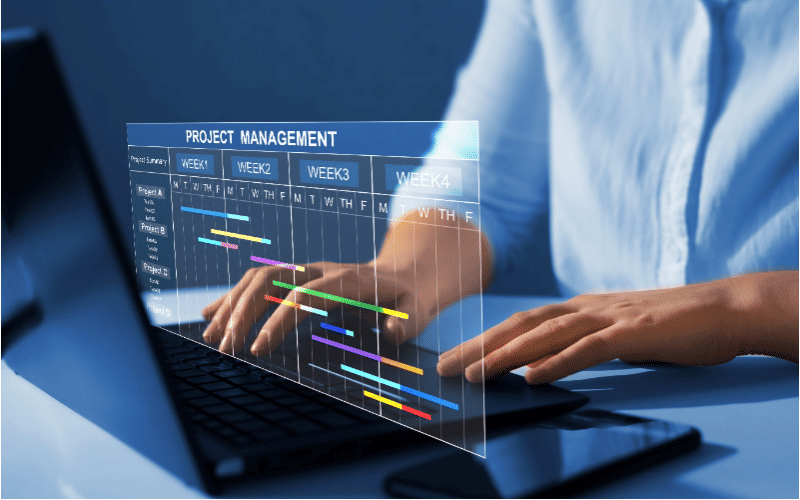
In a world filled with tasks, meetings, notifications, and commitments, keeping track of your day can feel overwhelming. That’s where productivity apps come in. These tools are designed not only to help you manage your time more effectively but also to ensure that your energy is aligned with your most important goals. Whether you're a busy professional, student, freelancer, or just trying to regain control of your routine, the right scheduling app can be a game-changer.
Scheduling your day with productivity apps goes beyond simple calendar reminders. It involves setting priorities, blocking focused time for deep work, handling to-do lists, and building habits that support your personal and professional goals. In this blog post, we’ll look at some of the best productivity apps for daily scheduling and explore how they can help you make the most of your time.
Google Calendar – The Foundation of Daily Planning
Google Calendar remains one of the most powerful and widely used scheduling tools available. It’s free, user-friendly, and integrates seamlessly with Gmail, Google Meet, and hundreds of third-party apps. Whether you’re booking meetings, setting personal reminders, or blocking time for focused work, Google Calendar lets you create color-coded calendars for different areas of your life. You can invite others to events, create recurring routines, and receive timely reminders across all your devices.
Its biggest strength lies in its simplicity and flexibility. You can combine it with tools like Calendly or Zapier to automate scheduling or sync it with your task manager to visualize your day with greater clarity. For those who live by their calendar, Google Calendar is a must-have foundational tool.
Motion – AI-Powered Scheduling Assistant
Motion is a rising star among productivity apps because it doesn’t just track your schedule—it actively helps you manage it. Using artificial intelligence, Motion automatically builds your daily calendar based on task deadlines, meeting availability, and personal preferences. It reorders tasks in real time if meetings change or if something takes longer than expected, ensuring your priorities are always front and center.
This kind of intelligent scheduling is especially useful for people juggling competing deadlines or unpredictable workdays. Motion reduces the time you spend planning your day manually and helps avoid the stress of missed tasks or double-booked meetings. It’s also ideal for time-blocking enthusiasts who want structure without having to constantly adjust their schedule themselves.
Todoist – Task Management Meets Calendar Integration
Todoist is a fan favorite among productivity enthusiasts, and for good reason. It combines the power of a to-do list with smart scheduling tools. You can use natural language input like "Submit report by Friday 3pm" to create tasks, and Todoist will assign the right date and time automatically. You can prioritize tasks, sort them by project, and set recurring schedules to build daily or weekly routines.
Todoist syncs with major calendar apps like Google Calendar and Outlook, which means you can see your tasks alongside your events. This makes it easier to plan your day holistically. The Karma feature adds a gamified element, rewarding you with points for completing tasks and maintaining streaks. Whether you're a beginner or a seasoned productivity nerd, Todoist is one of the most flexible tools for daily planning.
Timepage by Moleskine – For Visual and Creative Planners
For users who prefer a beautiful, minimal design with strong functionality, Timepage by Moleskine offers a refreshing alternative. It turns your daily schedule into a visual experience with heatmaps, fluid animations, and clean typography. Timepage integrates with your existing calendars and allows you to swipe through days and events with ease.
One of its standout features is its intuitive forecasting tools that show you how busy each day is, making it easier to plan ahead and avoid burnout. It also includes weather forecasts, smart reminders, and time-to-leave alerts. Timepage is a great fit for users who appreciate aesthetic tools but still want performance and reliability in their daily schedule.
Trello and Notion – For Task Planning Meets Visual Scheduling
While Trello and Notion aren’t traditional calendar apps, they excel at helping you plan your day in a visual, highly customizable way. Trello uses a board and card system, allowing you to break your day into phases like “Morning Focus,” “Afternoon Calls,” and “Evening Planning.” It’s perfect for managing flexible schedules or batching similar tasks together.
Notion takes things further by letting you build an all-in-one workspace with calendar views, task databases, habit trackers, and embedded content. You can create a daily planner dashboard where everything lives in one place—meetings, goals, deadlines, notes, and more. These tools are especially helpful for users who want complete control over how they visualize their time.
Clockwise – Smart Calendar Assistant for Teams
Clockwise is designed to optimize schedules in collaborative environments. It analyzes your calendar to create blocks of uninterrupted focus time while intelligently moving flexible meetings to reduce conflicts. It works with Google Calendar and is ideal for companies or teams that have too many meetings and not enough time to get deep work done.
It also lets you set your personal preferences—like when you prefer meetings or when your brain is sharpest for creative tasks—and automatically adjusts your calendar accordingly. For remote workers or busy teams, Clockwise helps bring sanity back to the calendar chaos.
Conclusion
The best productivity apps for scheduling your day are the ones that meet your specific needs, whether that's simplicity, automation, visual planning, or deep integration with other tools. From foundational apps like Google Calendar to intelligent assistants like Motion, and powerful organizers like Notion or Trello, each of these tools offers unique strengths to support a more organized, focused, and productive day.
It’s easy to get overwhelmed by the number of productivity apps available, so the key is to start with one that fits your workflow and grow from there. A structured day is a productive day, and with the right tools, you can take control of your schedule—one task at a time.

Related Blog Posts


.png)