








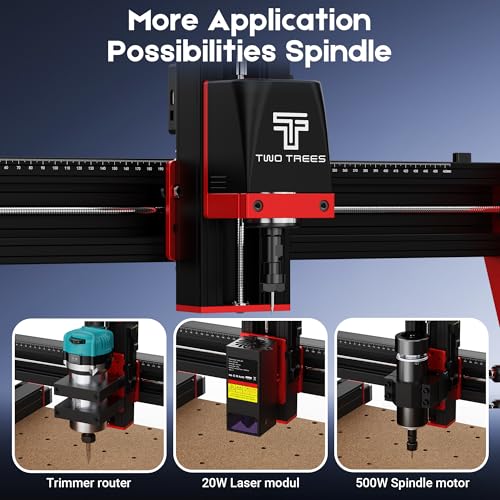


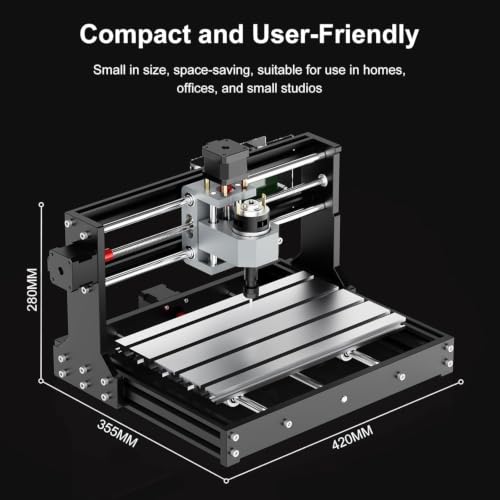
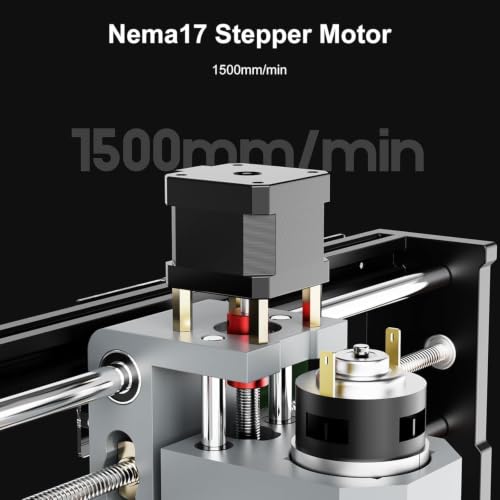


We also considered 10 others:


Our Top Choice
The order above is not editorial opinion, and it is not paid placement. It comes from what shoppers across our network actually do - which cnc routers they compare, and which they ultimately buy. We re-rank as new data comes in, so the long-term favorites have to keep earning their spot against new entrants. The full method, including how we make money.
CNC Routers Buyer's Guide
Buying a CNC router is a tradeoff between work area, rigidity, spindle power, and how much tuning you are willing to do. The sharpest risks are overbuying a large but flexible frame, underestimating the software-and-zeroing workflow, or expecting a desktop light-milling machine to behave like an industrial mill.
Rigidity
A CNC router’s frame is part of the cutting system, not just a stand. Flex in the gantry, Z-axis, rails, or bed shows up as chatter, poor edge finish, inconsistent depth, and broken bits, especially as projects get larger or materials get harder.
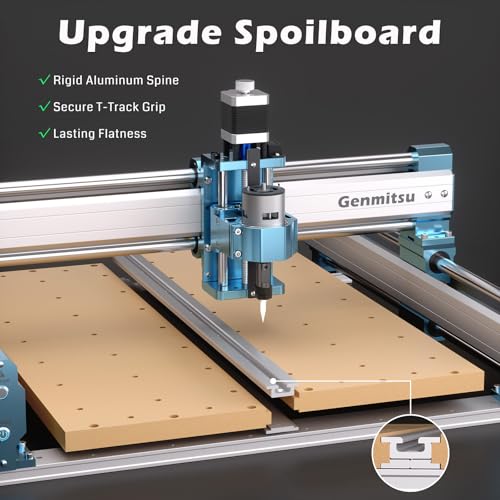
Prioritize a rigid frame, supported linear motion, a square gantry, and a flat spoilboard over flashy travel numbers. For wood signs, acrylic panels, and light aluminum work, look for thick side plates, linear rails or well-supported guides, anti-backlash hardware, and a bed that can be surfaced; avoid machines with a large working area but visibly light gantry or weak Z-axis support. Owner feedback strongly backs this: buyers repeatedly praised solid frames, sturdy construction, smooth linear-rail motion, and machines that felt steady even at larger footprints, while stability and work-surface support were called out as limits on larger or flatter jobs.
Cutting Power
The spindle, motors, and motion system determine what materials the router can cut cleanly and how fast it can do it. A machine that looks precise at light passes may still struggle when slotting, surfacing, or cutting aluminum if the spindle, torque, or rigidity is undersized.
Match the spindle and motion system to the hardest material you genuinely plan to cut. For plywood, hardwood, plastics, and engraving, a modest spindle can work if feeds, speeds, and bit choice are conservative; for regular aluminum, look for a stiffer Z-axis, controlled steppers or closed-loop motors, good chip evacuation, and a spindle upgrade path. Avoid assuming “can cut aluminum” means production milling—desktop CNCs usually need shallow passes, sharp single-flute or coated cutters, careful workholding, and tuning. Owners often reported clean results in wood, acrylic, and aluminum when machines were dialed in, and some praised upgraded motors and spindle setups, but the included spindle was also a recurring weak spot for tougher cutting.
Work Area
The usable cutting envelope must fit the parts you make, the clamps you use, and the room needed for dust collection and tool changes. Bigger is not automatically better, because increased span can reduce stiffness unless the frame and bed support scale with it.
Buy for usable travel, not just advertised frame size: subtract space for clamps, fences, a vise, rotary attachments, and safe bit clearance. A compact desktop machine is easier to place, enclose, and learn on for small plaques, inlays, PCBs, plastics, and small aluminum parts; a larger frame helps with signs, cabinet parts, templates, and batch fixtures, but only if the bed remains flat and the gantry stays rigid across the span. If you want 4th-axis work, confirm rotary diameter, tailstock support, controller compatibility, and CAM workflow before buying. Owner sentiment reflects this tradeoff: compact machines were praised for workbench fit and light milling, large frames earned praise when they felt solid, and feedback on 4th-axis and larger flat jobs was more mixed.
Setup Workflow
CNC routers are not plug-and-play appliances; even friendly kits require squaring, homing, zeroing, CAM setup, feeds and speeds, and safe first cuts. Clear instructions and a predictable control workflow reduce the chance of crashes, lost steps, bad zeros, and wasted material.
For a first CNC, look for partial assembly, labeled wiring, clear gantry-squaring steps, limit or homing switches, a probe or reliable zeroing process, and software that matches your computer and CAM plans. Make sure the controller supports the workflows you need—USB sending, offline control, macros, probing, rotary use, and resume behavior—and expect to verify steps-per-mm, spindle direction, travel limits, and emergency stop access before real cutting. Owner feedback is encouraging but cautious: many buyers found assembly quick, packaging solid, labeling clear, and first use approachable, while others still needed videos, ran into unclear diagrams or troubleshooting gaps, and noted software re-verification, slow uploads, or limitations.
Reliability
A CNC router has many failure points: controller boards, power supplies, wiring, switches, stepper motors, lead screws, couplers, and the spindle. Reliability matters because a brief disconnect, missed step, loose screw, or bad zero can ruin a part or damage tooling.
Choose a machine that is easy to inspect, adjust, and repair: accessible wiring, strain relief, replaceable control boards, standard stepper motors, adjustable eccentric nuts or rail blocks, spare collets, and documented firmware settings all matter. Before cutting valuable stock, check every screw, coupler, belt or lead screw, limit switch, and connector; then run air cuts and simple test patterns to confirm repeatability and zero retention. Sentiment shows why this matters: many machines worked well out of the box or after small fixes, but owners also reported early-use issues involving spindles, control boards, motors, power, switches, connections, screws, and axis adjustment or zeroing.
Upgrade Value
The best hobby or small-shop CNC is often the one whose limits match your projects and whose upgrade path is realistic. A low-cost entry machine can be a smart buy if it teaches the workflow and makes usable parts, but it should not require immediate replacements just to do the work you bought it for.
Evaluate the total system you will actually need: bits, collets, spoilboard, clamps, dust shoe, enclosure, hearing and eye protection, CAM software, probing, better spindle, and replacement electronics can matter as much as the base machine. For beginners, a smaller, well-supported router with clear documentation may be better than a larger, more demanding machine; for small-shop use, prioritize repeatability, maintainable parts, and fixtures that let you run jobs consistently. Owner sentiment often described these machines as strong value for hobbyists, beginners, and small-shop users, with useful capability beyond “toy” status, but value became more mixed when controller, power, spindle, or operation issues interrupted projects.
1,000,000+ shoppers use Buyer's Guide every week to find the best products and services online.

Helping millions of users make smarter purchases online.


