
Best Webcams Updated November 2026

Best Webcams
2026 Buyer's GuideUpdated November 2026
Sort by:
1

10.0

EMEET C960 4K Webcam for PC, PDAF Auto Focus, Dual Omni Mics, 73° FOV | Auto Light Correction, USB-A, Plug&Play, Web cam 4K wit...
Video Resolution: 4K at 30 fps
Field of View: 66°
Focus: Auto
Privacy: Flip cover
Microphone: Dual AI noise cancelling

10.0

1
EMEET C960 4K Webcam for PC, PDAF Auto Focus, Dual Omni Mics, 73° FOV | Auto Light Correction, USB-A, Plug&Play, Web cam 4K wit...
Video Resolution: 4K at 30 fps
Field of View: 66°
Focus: Auto
Privacy: Flip cover
Microphone: Dual AI noise cancelling
2

9.6

OBSBOT Meet 2-4K Webcam for PC with 1/2" Sensor, AI Framing & Autofocus | Beauty Mode, Lightweight, Gesture Control, HDR, Dual ...
Video Resolution: 4K at 60 fps
Field of View: Not indicated
Focus: Auto
Privacy: Magnetic cover
Microphone: Dual omni-directional noise cancelling
Compare

9.6

2
OBSBOT Meet 2-4K Webcam for PC with 1/2" Sensor, AI Framing & Autofocus | Beauty Mode, Lightweight, Gesture Control, HDR, Dual ...
Video Resolution: 4K at 60 fps
Field of View: Not indicated
Focus: Auto
Privacy: Magnetic cover
Microphone: Dual omni-directional noise cancelling
Compare
3

9.2

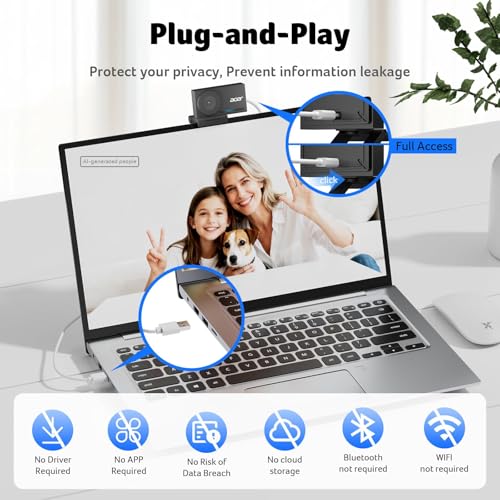
Acer 4K Webcam for PC/Mac with All-Metal Unibody Sculpted, Sony 1/2" Sensor, PDAF, 2 Noise Reduction Mics, Privacy Cover, Light...
Video Resolution: 4K
Field of View: 83°
Focus: Auto
Privacy: Built-in cover
Microphone: Dual with noise reduction
Compare

9.2

3
Acer 4K Webcam for PC/Mac with All-Metal Unibody Sculpted, Sony 1/2" Sensor, PDAF, 2 Noise Reduction Mics, Privacy Cover, Light...
Video Resolution: 4K
Field of View: 83°
Focus: Auto
Privacy: Built-in cover
Microphone: Dual with noise reduction
Compare
4

9.1

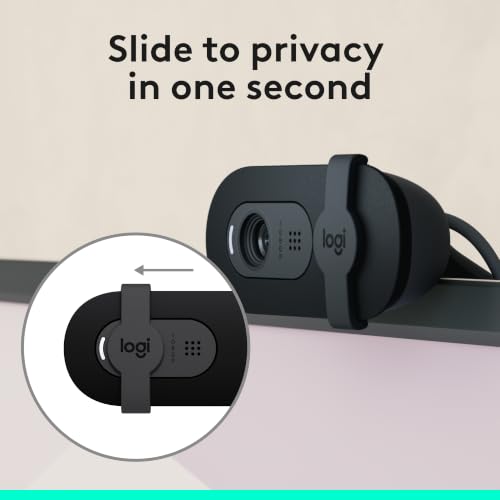
Logitech Brio 101 Full HD 1080p Webcam for PC, Built-in Mic, Black | Full HD 1080p resolution, auto-light balance, privacy shut...
Video Resolution: 1080p at 30 fps
Field of View: 58°
Focus: Fixed
Privacy: Adhesive slide cover
Microphone: Not indicated
Compare

9.1

4
Logitech Brio 101 Full HD 1080p Webcam for PC, Built-in Mic, Black | Full HD 1080p resolution, auto-light balance, privacy shut...
Video Resolution: 1080p at 30 fps
Field of View: 58°
Focus: Fixed
Privacy: Adhesive slide cover
Microphone: Not indicated
5

8.9

OBSBOT Meet SE 1080P 100FPS Webcam for PC, AI Framing Streaming Camera | 1/2.8" Sensor, Beauty Mode, Gesture Control, Staggered...
Video Resolution: 1080p at 100 fps
Field of View: 78°, 66°, or 57°
Focus: Auto
Privacy: Built-in cover
Microphone: Dual with noise reduction
Compare

8.9

5
OBSBOT Meet SE 1080P 100FPS Webcam for PC, AI Framing Streaming Camera | 1/2.8" Sensor, Beauty Mode, Gesture Control, Staggered...
Video Resolution: 1080p at 100 fps
Field of View: 78°, 66°, or 57°
Focus: Auto
Privacy: Built-in cover
Microphone: Dual with noise reduction
Compare
6

8.8

4K Webcam for PC - Ultra 4K HD , PDAF & CDAF Autofocus, 79°FOV, Dual Mics | Auto Light Correction, Plug & Play, Privacy Cover, ...
Video Resolution: 4K at 30 fps
Field of View: 79°
Focus: Auto
Privacy: Flip cover
Microphone: Dual omni-directional noise cancelling
Compare

8.8

6
4K Webcam for PC - Ultra 4K HD , PDAF & CDAF Autofocus, 79°FOV, Dual Mics | Auto Light Correction, Plug & Play, Privacy Cover, ...
Video Resolution: 4K at 30 fps
Field of View: 79°
Focus: Auto
Privacy: Flip cover
Microphone: Dual omni-directional noise cancelling
7

8.7

EMEET C960 1080P Webcam with Microphone, 2 Mics, 90° FOV, Computer Camera | USB Type-A & A-to-C Adapter, Fixed Focus, Plug&Play...
Video Resolution: 1080p at 30 fps
Field of View: 90°
Focus: Fixed
Privacy: Flip cover
Microphone: Dual stereo with noise reduction
Compare

8.7

7
EMEET C960 1080P Webcam with Microphone, 2 Mics, 90° FOV, Computer Camera | USB Type-A & A-to-C Adapter, Fixed Focus, Plug&Play...
Video Resolution: 1080p at 30 fps
Field of View: 90°
Focus: Fixed
Privacy: Flip cover
Microphone: Dual stereo with noise reduction
8

8.6

EMEET C950 1080P Webcam, USB Webcam with Microphone&Physical Privacy Cover | Auto Light Correction, Fixed Focus, USB Plug & Pla...
Video Resolution: 1080p
Field of View: 70°
Focus: Fixed
Privacy: Slide cover
Microphone: Single noise cancelling
Compare

8.6

8
EMEET C950 1080P Webcam, USB Webcam with Microphone&Physical Privacy Cover | Auto Light Correction, Fixed Focus, USB Plug & Pla...
Video Resolution: 1080p
Field of View: 70°
Focus: Fixed
Privacy: Slide cover
Microphone: Single noise cancelling
Compare
9

8.5

Logitech Brio 4K Webcam, Ultra HD Web Camera with Autofocus 5x Digital Zoom | Ultra 4K HD Webcam for PC with dual Noise-cancell...
Video Resolution: 4K at 30 fps
Field of View: 90°, 78° or 65° presets
Focus: Auto
Privacy: Flip cover
Microphone: Dual stereo with noise reduction
Compare

8.5

9
Logitech Brio 4K Webcam, Ultra HD Web Camera with Autofocus 5x Digital Zoom | Ultra 4K HD Webcam for PC with dual Noise-cancell...
Video Resolution: 4K at 30 fps
Field of View: 90°, 78° or 65° presets
Focus: Auto
Privacy: Flip cover
Microphone: Dual stereo with noise reduction
10

8.4

Logitech C922x HD Pro PC Webcam, Full HD 1080p/30fps or 720p/60fps Video, HD Light Correction, Works with Microsoft Teams, Goog...
Video Resolution: 1080p at 30 fps
Field of View: 70°
Focus: Auto
Privacy: None
Microphone: Dual omni-directional noise reducing
Compare

8.4

10
Logitech C922x HD Pro PC Webcam, Full HD 1080p/30fps or 720p/60fps Video, HD Light Correction, Works with Microsoft Teams, Goog...
Video Resolution: 1080p at 30 fps
Field of View: 70°
Focus: Auto
Privacy: None
Microphone: Dual omni-directional noise reducing

Our Top Choice

1

10.0

EMEET C960 4K Webcam for PC, PDAF Auto Focus, Dual Omni Mics, 73° FOV | Auto Light Correction, USB-A, Plug&Play, Web cam 4K wit...
Video Resolution: 4K at 30 fps
Field of View: 66°
Focus: Auto
Privacy: Flip cover
Microphone: Dual AI noise cancelling

10.0

1
EMEET C960 4K Webcam for PC, PDAF Auto Focus, Dual Omni Mics, 73° FOV | Auto Light Correction, USB-A, Plug&Play, Web cam 4K wit...
Video Resolution: 4K at 30 fps
Field of View: 66°
Focus: Auto
Privacy: Flip cover
Microphone: Dual AI noise cancelling

Compare Features

Video Resolution
Best Webcam
1. Emeet C960 4K Webcam
EMEET Preview EMEET Preview
EMEET
at Amazon
Cyber Monday Deal
2. OBSBOT Meet 2-4K Webcam
OBSBOT Preview OBSBOT Preview
OBSBOT
at Amazon
Cyber Monday Deal
3. Acer 4K Webcam
ACER Preview ACER Preview
ACER
at Amazon
4. Logitech Brio 101 Webcam
LOGITECH Preview LOGITECH Preview
LOGITECH
at Amazon
5. Obsbot Meet SE Webcam
OBSBOT Preview OBSBOT Preview
OBSBOT
at Amazon
6. Nework 4K Webcam
NEWORK Preview NEWORK Preview
NEWORK
at Amazon
7. Emeet C960 Webcam with Microphone
EMEET Preview EMEET Preview
EMEET
at Amazon
Best Value
8. EMEET C950 Ultra Compact Webcam
EMEET Preview EMEET Preview
EMEET
at Amazon
Premium Pick
9. Logitech Brio Pro X 4K Webcam
LOGITECH Preview LOGITECH Preview
LOGITECH
at Amazon
10. Logitech C922x Pro Stream Webcam
LOGITECH Preview LOGITECH Preview
LOGITECH
at Amazon
Deal
-31% -27% -27% -38% -16% -15% -36% -20% -15% -38%
Deal -31% -27% -27% -38% -16% -15% -36% -20% -15% -38%
Video Resolution
4K at 30 fps 4K at 60 fps 4K 1080p at 30 fps 1080p at 100 fps 4K at 30 fps 1080p at 30 fps 1080p 4K at 30 fps 1080p at 30 fps
Video Resolution
4K at 30 fps 4K at 60 fps 4K 1080p at 30 fps 1080p at 100 fps 4K at 30 fps 1080p at 30 fps 1080p 4K at 30 fps 1080p at 30 fps
Field of View
66° Not indicated 83° 58° 78°, 66°, or 57° 79° 90° 70° 90°, 78° or 65° presets 70°
Field of View
66° Not indicated 83° 58° 78°, 66°, or 57° 79° 90° 70° 90°, 78° or 65° presets 70°
Focus
Auto Auto Auto Fixed Auto Auto Fixed Fixed Auto Auto
Focus
Auto Auto Auto Fixed Auto Auto Fixed Fixed Auto Auto
Privacy
Flip cover Magnetic cover Built-in cover Adhesive slide cover Built-in cover Flip cover Flip cover Slide cover Flip cover None
Privacy
Flip cover Magnetic cover Built-in cover Adhesive slide cover Built-in cover Flip cover Flip cover Slide cover Flip cover None
Microphone
Dual AI noise cancelling Dual omni-directional noise cancelling Dual with noise reduction Not indicated Dual with noise reduction Dual omni-directional noise cancelling Dual stereo with noise reduction Single noise cancelling Dual stereo with noise reduction Dual omni-directional noise reducing
How we rank

The order above is not editorial opinion, and it is not paid placement. It comes from what shoppers across our network actually do - which webcams they compare, and which they ultimately buy. We re-rank as new data comes in, so the long-term favorites have to keep earning their spot against new entrants. The full method, including how we make money.

Webcams Buyer's Guide

Webcam buying is a tradeoff between looking clearly present on calls and avoiding features that your software, lighting, desk setup, or USB connection will never use. The sharpest checks are real-world video behavior—low-light exposure, autofocus, frame rate, field of view—and whether the camera works cleanly with your meeting or streaming apps without driver friction.

Quality

You want a webcam that consistently delivers clear video, stable connections, and dependable performance every time you join a call or record. Look for solid build quality, reliable autofocus and exposure behavior, durable mounting hardware, and reviews that mention long-term consistency rather than just impressive first impressions. Watch out for webcams that seem good in ideal conditions but are prone to glitches, loose mounts, overheating, or inconsistent image quality in everyday use.

Look past the headline resolution and check the parts that actually determine webcam quality: lens clarity, sensor size, low-light handling, color accuracy, exposure stability, and whether autofocus hunts when you move or hold up objects. For daily calls, a clean 1080p image can beat a noisy or over-sharpened 4K feed; for recording, product shots, or cropping, 4K is more useful if the image stays bright and color-accurate. Owner feedback supports this distinction: buyers repeatedly praise webcams that feel like clear upgrades over built-in laptop cameras, with sharp 4K output, accurate colors, bright images, and dependable daily-work performance, while basic models are still valued when they deliver reliable core quality.

Video

Video quality determines how clear, natural, and professional you look on video calls or while live streaming. Look for sharp detail, accurate color, smooth motion, and strong lighting handling, especially if you sit near a window, in a dim room, or under mixed lighting. Watch out for webcams that look crisp only in ideal conditions but become grainy, washed out, or blurry when the light changes.

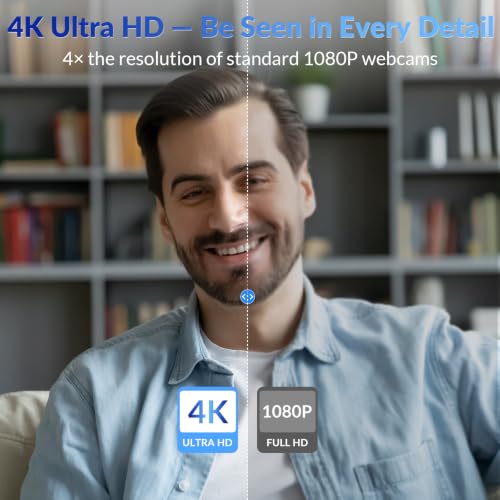
Match video specs to the actual use case: choose 4K if you record, crop, show products, or want extra detail; choose 1080p at 60 fps if motion smoothness matters for teaching, streaming, demonstrations, or interviews. Also check field of view—wide lenses can capture a team or whiteboard but may expose clutter or distort your face—and confirm the camera can maintain detail under your room lighting without blown highlights from windows. Owner sentiment aligns with these priorities: shoppers praise crisp 4K for meetings, recording, streaming, remote interviewing, and product shots, while smooth 1080p 60 fps is specifically appreciated for content creation and interview use; clear 1080p and 2K video are also reported as professional-looking upgrades for everyday calls.

Usability

A webcam that is easy to set up saves you from troubleshooting when you need to join a call quickly, stream, or record. Look for true plug-and-play behavior, simple mounting and positioning, and software that makes common adjustments like framing, exposure, and microphone settings easy to find. Be cautious of models that depend heavily on clunky apps or complicated drivers just to deliver basic performance.

For usability, prioritize a camera that is physically easy to live with: a stable monitor clip, tripod thread if you need flexible placement, a cable long enough for your dock or desktop, easy tilt adjustment, and ideally a privacy cover or clear mute/status behavior. If you switch between apps, avoid models that require fragile companion software just to get a normal image; hardware-level plug-and-play behavior is especially important on work machines with locked-down permissions. Owners strongly reinforce this: setup is repeatedly described as quick plug-and-play over USB, easy to mount, simple to adjust, and usable right away in common work apps without extra software.

Value

You want a webcam that fits your budget while still delivering the video quality, reliability, and features you actually need. Look for good value for money rather than the lowest price, since very cheap models may cut corners on low-light performance, autofocus, microphones, mounting options, or software support. Also watch out for paying extra for features you will not use, such as high-end resolution or advanced controls if your main need is everyday video calls.

The best value is not automatically the highest resolution; it is the cheapest camera that solves your real failure point, whether that is dim laptop video, poor framing, weak color, or the need for smoother motion. Do not overbuy AI tracking, 4K, or advanced controls if you only join standard video calls, but do spend more if you record content, need product detail, or move around while presenting. Owner reports support a wide value range: many buyers see affordable webcams as reliable upgrades for everyday calls and recordings, basic models as hard-to-beat for dependable use, and higher-spec cameras as strong price-to-performance choices when their image quality and features replace bulkier or more complex setups.

Features

Features like autofocus, subject tracking, and zoom shape how easily a webcam keeps you clear, centered, and well-framed without constant manual adjustment. Look for functionality that matches how you actually use video—simple fixed framing may be enough for desk calls, while movement, presentations, or shared spaces benefit from reliable tracking and adjustable zoom. Watch out for feature lists that sound impressive but are poorly implemented, since slow autofocus or jumpy tracking can be more distracting than helpful.

Choose features around your shooting style: fixed desk callers should prioritize autofocus, exposure control, privacy, and a sensible field of view, while presenters, trainers, and streamers may benefit from AI tracking, PTZ movement, or a gimbal that keeps them centered while moving. Be cautious with wide-angle modes, beauty filters, auto-framing, and background software if you need a natural professional image; also check whether settings persist after reboot or require an app every time. Owner feedback specifically highlights plug-and-play USB use and broad device compatibility as useful everyday features, while AI tracking, PTZ movement, and gimbal behavior are praised for keeping people naturally in frame during streams, meetings, training, and videos.

Compatibility

Compatibility determines whether your webcam will work smoothly with your computer, video-call apps, and any accessories or docks you rely on. Look for support for your operating system and connection type, and watch for features that may require specific drivers, software, or app support to function properly.

Verify compatibility before buying: look for standard USB video-class behavior, confirm support for your operating system and meeting apps, and check whether your computer has the right USB-A or USB-C port, dock bandwidth, and permissions for camera access. If you need Windows Hello, make sure the webcam has the required infrared hardware, not just a normal camera; if you expect 4K, confirm your app, cable, port, and computer can actually capture or transmit it. Owners consistently report the least friction from plug-and-play models that work across computers and common apps, including Windows laptops, Mac desktops, Teams, Zoom, and Windows Hello setups, often without extra software or account hassle.