





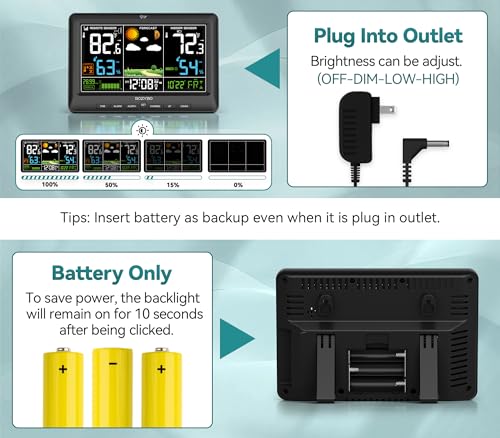


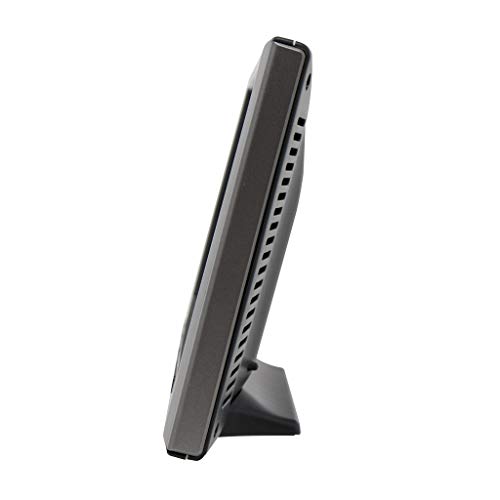


We also considered 10 others:


Our Top Choice
Compare Features


The order above is not editorial opinion, and it is not paid placement. It comes from what shoppers across our network actually do - which weather stations they compare, and which they ultimately buy. We re-rank as new data comes in, so the long-term favorites have to keep earning their spot against new entrants. The full method, including how we make money.
Weather Stations Buyer's Guide
A home weather station has to balance instrument-grade usefulness with household simplicity: the same device must survive outdoors, read accurately in your exact microclimate, and remain easy enough to check every day. The sharpest buying concerns are sensor placement and long-term reliability, followed closely by whether Wi-Fi/app features help your use case or become another failure point.
Measurement Accuracy
A weather station is only useful if its readings are credible for the microclimate around your home, not just generally close to a regional forecast. Temperature, humidity, rain, and wind are affected by sensor placement, shielding, airflow, leveling, and nearby surfaces, so shoppers should judge both sensor quality and how forgiving the system is to install correctly.
Prioritize stations with separate, well-shielded outdoor temperature/humidity sensors, a levelable rain collector, and an anemometer location that can be mounted away from roofs, walls, fences, pavement, dryer vents, and irrigation spray. For wind and rain, look for clear siting requirements and calibration options; for temperature, avoid setups that force the sensor into direct sun or against heat-radiating surfaces unless the radiation shield and airflow are well designed. If your main goal is irrigation, frost alerts, storm watching, or hyperlocal records, accuracy is not a nice-to-have—it determines whether the station is actionable or just decorative. Owner feedback supports making this the first filter: many buyers trusted indoor and outdoor temperature and humidity readings for daily checks, and several found readings dependable out of the box. At the same time, sentiment shows that accuracy can become setup-dependent, with some owners reporting questionable wind readings, rain-gauge gaps, fan or placement issues, and temperature discrepancies.
Sensor Reliability
Outdoor sensors live in the hardest part of the system: heat, cold, UV, wind, rain, insects, and battery changes all stress the hardware. A station that reads well on day one can still be a poor buy if the remote sensor, display link, or weather instruments fail after a season or two.
Look for weather-sealed outdoor assemblies, replaceable batteries or clearly specified solar backup behavior, accessible replacement sensors, and a mounting design that keeps water out while still allowing airflow. Check whether the system can recover automatically after power loss, low battery, or a lost sensor signal; repeated manual re-pairing is a major failure mode for home stations. For all-in-one arrays, no-moving-parts designs reduce mechanical wear, but they still need dependable electronics and exposure handling; for tipping-bucket rain gauges and cup anemometers, check for debris access and easy cleaning. Owners often praised stations that felt solid, compact, well built, or good enough to buy again after years of use, which is encouraging. The counterweight is clear: long-term outdoor sensor reliability was a recurring watch-out, with some buyers seeing remote sensors stop working months or years later, intermittent power loss, sensor faults, outside-sensor dropouts, or frustrating display behavior.
Setup & Mounting
Weather stations are more installation-sensitive than many household electronics because bad placement creates bad data. A good model should make assembly, mounting, pairing, time sync, and first readings straightforward while still giving enough guidance to place sensors correctly.
Choose a station with a stable mounting bracket or pole compatibility, clear sensor orientation markings, simple pairing steps, and instructions that distinguish “powered on” from “properly sited.” Before buying, confirm you have a location with open airflow, safe access for maintenance, suitable wireless range to the console, and enough clearance for wind and rain instruments if included. Avoid systems that make you guess at leveling, north/south alignment, Wi-Fi mode switching, or sensor reset sequences; those gaps turn setup into unreliable data later. Owner sentiment strongly supports valuing easy setup: many buyers reported straightforward installation, easy assembly and mounting, quick outdoor-sensor syncing, guided app setup, and fast readings after installation. However, some connected models drew complaints that network setup and instructions were a stumbling block, sometimes requiring extra steps or a laptop beyond what shoppers expected.
Display Readability
The console is the part most households interact with every day, so readability determines whether the station gets used. A good display should make the most important readings visible at a glance from real viewing angles and lighting conditions, not just look colorful in a product photo.
Look for large numerals for current indoor/outdoor temperature, clear icons or labels for humidity, rain, wind, pressure, and forecast trend, and adjustable brightness if the console will sit in a bedroom or kitchen. Viewing angle matters: some color LCD consoles wash out unless viewed straight on, so shoppers who plan to wall-mount should favor displays known for side-angle visibility or choose a location at eye level. Also consider whether the display stays readable during power interruptions, whether it has battery backup, and whether alert icons are understandable without opening an app. Owners repeatedly praised bright, clear screens, large numbers, vivid color layouts, and displays that show plenty of information at a glance. The main caution from sentiment is that visibility can be fussy for some units, with display angle issues and occasional display reliability complaints affecting the everyday experience.
Connectivity Data
Wi-Fi and app features can turn a home weather station into a useful data source for alerts, history, remote checks, and smart-home automation. They also add setup friction and extra points of failure, especially when the station depends on cloud services or weather-community uploads.
Decide whether you need local console readings only, remote app access, historical charts, public weather-network sharing, or smart integrations such as irrigation control. For connected stations, confirm the Wi-Fi band requirements, app setup flow, account requirements, export options, and whether the console keeps logging data when the internet is down. Avoid buying for a single integration unless you are comfortable with service changes; cloud dependencies can break an otherwise functional station’s data-sharing value. Owners liked app and data access for hyperlocal tracking, and integrations such as sprinkler control were a major draw for some buyers. But connectivity was also one of the sharpest pain points: sentiment mentions frustration with Wi-Fi links, app updates, dependence on weather services, Weather Underground or WeatherCloud setup hassles, online-community connection problems, and updates that stopped later.
Feature Value
Weather stations range from simple indoor/outdoor thermometers to full personal weather systems with wind, rain, pressure trends, forecasts, apps, and alerts. The best value is the feature set you will actually use with sensors reliable enough to support those features.
Match the station to your use case: gardeners may need accurate rain and frost trends, homeowners may want wind and storm alerts, weather hobbyists may want data logging and uploads, while many families only need dependable indoor/outdoor temperature and humidity. Do not pay in complexity for features you will ignore, especially if Wi-Fi, apps, or multi-sensor arrays introduce setup and reliability concerns. Conversely, if you want a true personal weather station, make sure the package includes the instruments you expect rather than only a forecast icon and basic temperature sensor. Owners frequently felt they received strong value when a station combined useful weather functionality, a good display, sensor performance, app features, and solid build quality. Several also noted that feature-rich models compared favorably with pricier personal weather stations, though the value case weakens if connectivity or sensor reliability becomes a recurring problem.
1,000,000+ shoppers use Buyer's Guide every week to find the best products and services online.

Helping millions of users make smarter purchases online.


