











We also considered 10 others:


Our Top Choice
Compare Features


The order above is not editorial opinion, and it is not paid placement. It comes from what shoppers across our network actually do - which vivint compatible door locks they compare, and which they ultimately buy. We re-rank as new data comes in, so the long-term favorites have to keep earning their spot against new entrants. The full method, including how we make money.
Vivint Compatible Door Locks Buyer's Guide
A Vivint-compatible door lock has to do more than fit the door: it needs to pair correctly with the Vivint panel, report lock status accurately, and still work locally when the app or internet is unavailable. The sharpest buying risks are choosing a lock that is merely “smart” but not truly Vivint-compatible, and installing it on a misaligned door that causes battery drain or failed auto-locking.
Access
You’ll use your lock every day, so access should feel quick, reliable, and intuitive for everyone who needs entry. Look for unlocking options that fit your routine, such as a keypad, fingerprint reader, app or remote control, backup key, and auto-locking, and watch for features that may become frustrating if they are slow, inconsistent, hard to program, or too dependent on batteries or connectivity.
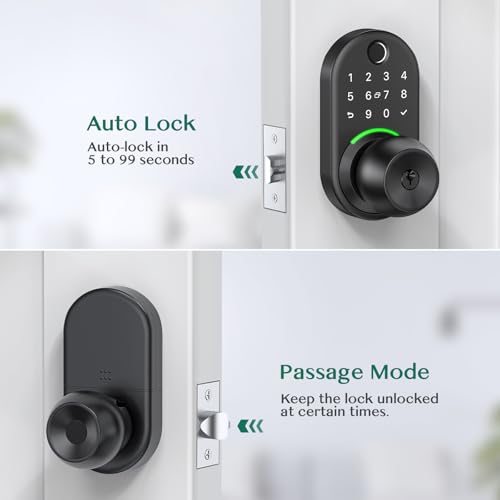
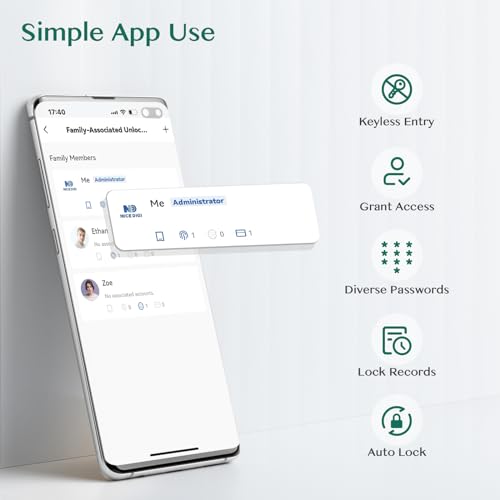
For a Vivint setup, prioritize a lock whose keypad/code functions remain usable locally even if the panel, internet, or app is unavailable, and confirm that Vivint can create, revoke, and report user codes for the exact lock model rather than only lock/unlock it. Look for a physical key override or other backup entry method, guest and temporary-code support, auto-lock with an adjustable delay, and a lockout feature after repeated bad-code attempts; avoid app-only or fingerprint-only designs if those methods do not integrate cleanly with the Vivint system. Owner feedback supports this priority: shoppers consistently like keyless entry, multiple access methods, temporary or single-use codes, auto-lock, app control, and fast fingerprint entry because they make family, guest, and everyday access easier.
Build
You want a lock that feels solid and can stand up to repeated use, weather, and forced handling without loosening, cracking, or corroding. Look for sturdy materials like hardened steel, brass, or reinforced alloys, tight construction with minimal wobble, and a smooth mechanism that does not bind or feel flimsy. Be wary of lightweight housings, exposed weak points, rough edges, or parts that rattle, since these can signal poor build quality and shorter service life.
For Vivint-compatible door locks, build quality matters most at the deadbolt: the motor should throw the bolt smoothly without forcing it, the exterior keypad should tolerate sun/rain exposure at that door, and the lock should fit tightly enough that Vivint status reporting is not confused by a half-thrown bolt. Favor a solid deadbolt body, weather-rated exterior, tamper-resistant mounting, and a design that still operates manually with little resistance; avoid locks that feel loose, bind on the strike plate, or depend on a delicate touchscreen in harsh exposure. Owner sentiment generally backs this up, with many buyers describing compatible-style keypad and smart locks as solid, secure-feeling, smooth in daily use, and a worthwhile upgrade when the hardware feels sturdy after installation.
Installation
A lock is only as secure and convenient as its installation allows, so you want one that fits your door’s thickness, bore hole, backset, and handing without forcing modifications. Look for clear instructions, included hardware, and a setup process that matches your comfort level, especially if the lock has electronic components or app pairing. Watch out for locks that require unusual drilling, poorly aligned strike plates, or extra parts that can turn a simple replacement into a more involved project.
Before buying, verify the lock matches your door’s bore hole, backset, door thickness, handing, and deadbolt/lever layout, then check whether Vivint pairing can be done by you through the panel or requires service support. The critical installation failure mode is not the screws—it is alignment: if the bolt rubs, the motor may drain batteries, fail auto-lock, or show unreliable lock status in the Vivint app. Owner reports are encouraging on the mechanical side, with many saying keypad and smart deadbolts install quickly with clear steps, often as simple replacements for existing hardware and sometimes with only basic tools, but Vivint shoppers should still treat panel pairing and bolt alignment as separate must-check steps.
Reliability
You want a lock that responds quickly and works the same way every time, because hesitation, missed commands, or a sticking locking mechanism can turn a daily convenience into a security concern. Look for signs of dependable operation over time, including smooth manual use, consistent electronic response if applicable, and owner feedback about reliability after repeated locking and unlocking. Be cautious of locks that are prone to lag, jams, frequent resets, or inconsistent engagement.
For this niche, reliability means three things at once: the lock must physically latch every time, the panel must receive accurate locked/unlocked status, and the access method must work when phones or Wi‑Fi are unavailable. Choose a lock with strong local keypad operation, low-battery warnings, manual key backup, and a proven motor that does not struggle with your door seal; avoid installations where the bolt barely clears the strike because that can look like a smart-lock problem when it is really a door-fit problem. Owner sentiment is mostly positive here, with many buyers describing smooth locking, quiet operation, dependable fingerprint or keypad unlocking, solid weather durability, and glitch-free daily use once installed and configured.
Value
Value matters because a lock is a security purchase, not just a hardware expense—you want the right balance of protection, durability, and convenience for what you pay. Look for solid construction, reliable operation, and features you’ll actually use, and be cautious of locks that cost less upfront but feel flimsy, wear quickly, or require frequent maintenance or replacement.
The best value for a Vivint household is not the lock with the longest feature list; it is the one that gives Vivint-compatible remote control, code management, reliable status, and reasonable battery life without forcing you to maintain a separate app ecosystem for core functions. Be cautious with built-in Wi‑Fi models if Vivint integration will actually run through the panel anyway, because extra radios and constant remote connectivity can mean more battery changes without adding useful Vivint control. Owner feedback supports a balanced approach: many buyers feel these locks deliver strong value through sturdy hardware, modern looks, multiple codes, and reduced key sharing, but battery life—especially with Wi‑Fi-heavy use—is the recurring cost-and-hassle watch-out.
Connectivity
Good connectivity determines whether you can reliably lock, unlock, and check status from your phone, and whether the lock fits into the smart-home setup you already use. Look for stable Wi-Fi or wireless performance, a clear app, and support for the integrations you care about, while watching for locks that require extra hubs, drain batteries faster when always connected, or lose key features when the connection drops.
Connectivity is the make-or-break dimension for Vivint compatibility: confirm the exact wireless protocol and model support with the Vivint panel, not just that the lock has an app, Bluetooth, Wi‑Fi, or generic smart-home wording. Prefer a lock that pairs reliably to the panel from the door location, reports status promptly, and lets you manage codes and activity from the same system; avoid relying on mesh Wi‑Fi strength or a separate lock app as a substitute for true Vivint integration. Owner sentiment shows why this check matters: app control, remote code changes, activity notifications, and built-in wireless setup are widely liked, but connection and remote-feature performance can be finicky in some homes, especially where network topology complicates pairing or signal stability.
1,000,000+ shoppers use Buyer's Guide every week to find the best products and services online.

Helping millions of users make smarter purchases online.


