








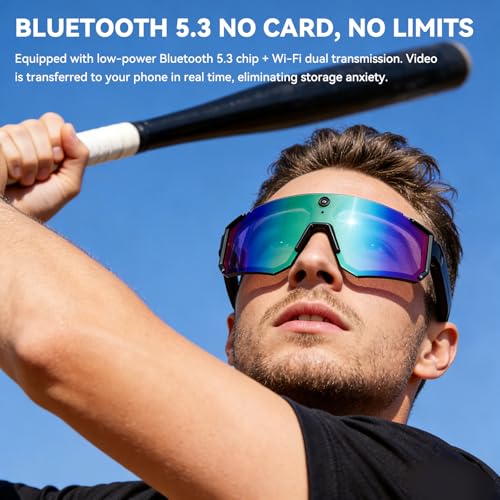




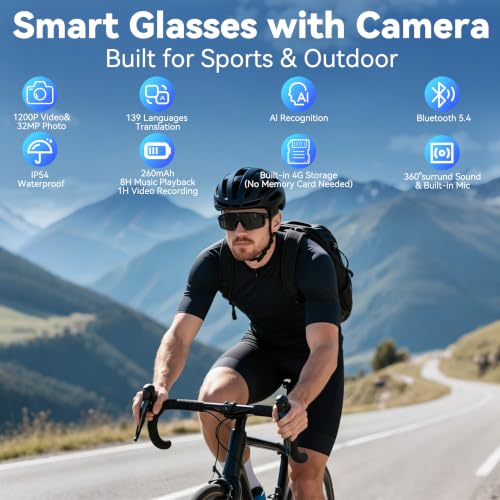



We also considered 10 others:


Our Top Choice
Compare Features


The order above is not editorial opinion, and it is not paid placement. It comes from what shoppers across our network actually do - which video glasses they compare, and which they ultimately buy. We re-rank as new data comes in, so the long-term favorites have to keep earning their spot against new entrants. The full method, including how we make money.
Video Glasses Buyer's Guide
Video glasses split into two very different jobs: wearable displays for movies/gaming and camera smart glasses for first-person capture. The sharpest buying checks are whether the optics/camera match your use case, whether the glasses work with your phone/console/apps, and whether the frame stays comfortable and socially acceptable during real wear.
Visuals
What you see through AR glasses determines whether they feel useful and immersive or distracting and tiring, so pay attention to display quality, brightness, image sharpness, viewing size, and how well text and video hold up in different lighting. If the glasses include cameras, consider camera and video quality too, but watch for trade-offs: a bigger-looking screen, higher brightness, or better picture quality can add weight, heat, battery drain, or make the image harder to see clearly at the edges.
Choose the visual system for the job: for movie, gaming, or laptop-style use, prioritize OLED or similarly high-contrast displays, crisp text rendering, sufficient brightness, smooth refresh/video handling, and adjustable positioning so the image does not blur at the edges. For camera-focused glasses, look for genuinely usable first-person video resolution, stable exposure in mixed light, clear still photos, and enough field of view to capture what your eyes are seeing without excessive fisheye distortion. Owner feedback supports this split: buyers repeatedly praise wearable-display models for sharp definition, rich color, deep blacks, bright images, crisp text, and immersive video, while camera-glasses buyers value clear photos and smooth hands-free 1080P-style footage for travel and everyday moments.
Features
Features determine whether augmented reality glasses feel like a useful everyday tool or just a novelty. You should look for functions that match how you’ll actually use them, such as clear AR overlays, hands-free controls, translation, navigation, calls, media, or AI assistance, while watching out for features that only work well with certain phones, apps, languages, or subscriptions. The best choice is versatile enough for your routine without adding complexity, short battery life, or distractions that make the glasses harder to wear in real life.
Do not buy on the longest feature list alone; first decide whether you need display input, camera recording, open-ear audio, calls, translation, AI assistant tools, or a combination, then verify each feature works in the situations you care about. Display glasses may need a compatible phone, console, computer, adapter, or media station, while camera/audio glasses depend more on app reliability, Bluetooth stability, onboard storage, microphone quality, and whether open-ear sound lets you stay aware of traffic and people nearby. Owner sentiment suggests the best-liked models feel practical rather than gimmicky, with buyers appreciating quick pairing, responsive interfaces, open-ear audio for music and calls, hands-free recording, translation, voice assistant functions, and everyday multi-feature use.
Quality
You want augmented reality glasses that feel solid, stay comfortable through repeated use, and deliver consistent visuals, tracking, and connectivity without frequent glitches. Look for durable materials, stable hinges and controls, dependable software performance, and user feedback that points to long-term reliability rather than just impressive first impressions.
For video glasses, quality means more than sturdy hinges: check thermal comfort, cable strain points, lens/display alignment, button reliability, charging-port durability, app support, firmware updates, and whether the battery can sustain your typical session without the frame getting distracting. For camera models, also consider privacy indicator behavior, storage reliability, and whether repeated outdoor use will stress the frame or lenses. Owner feedback is broadly positive where glasses feel polished, well built, responsive, and like an upgrade over earlier versions, with buyers often tying perceived quality to strong picture performance, straightforward connectivity, practical battery life, and a solid feature set for the money.
Wearability
You’ll enjoy augmented reality glasses more if they feel comfortable and balanced for long sessions, fit securely without pinching, and suit how you want to look in public. Check the weight, nose pads, temple pressure, adjustability, and whether they work with your prescription needs. If you plan to commute or travel with them, consider how compactly they store and whether the design is sturdy enough to carry often.
Fit is a make-or-break spec because video glasses put electronics, lenses, speakers, cameras, and batteries on your face: look for low weight, balanced front-to-back distribution, nose-pad adjustability, temple comfort behind the ears, prescription-lens options if needed, and enough ventilation to prevent heat or pressure during long sessions. If you plan to wear them in public, also consider whether they look like normal glasses or obvious tech, whether camera placement draws attention, and whether interchangeable sun/clear lenses match your use. Owner reports reinforce this priority, with many buyers praising lightweight frames, regular-glasses styling, comfortable face and ear fit, travel-friendly portability, stylish looks, and better-balanced designs for longer wear.
Value
Augmented reality glasses can vary widely in what they include, so you want to judge value by how well the display quality, comfort, software support, controls, and included accessories match what you’ll actually use them for. Watch out for paying more for features you won’t use, or choosing a cheaper pair that needs extra adapters, has limited app compatibility, or feels uncomfortable enough that it stays in a drawer.
Judge value by the complete system you actually need, not the glasses alone: display glasses may require adapters, prescription inserts, a host device, power accessories, or a media module, while camera glasses may need sufficient storage, usable app export, and battery life for recording. A cheaper pair is not good value if it lacks compatibility with your device, has poor text clarity, records unusable footage, or becomes uncomfortable after short wear. Owner sentiment shows buyers feel value is strongest when the core promise is met out of the box—simple big-screen viewing, usable storage, solid camera/Bluetooth/translation/audio features, or an AR-style viewing experience that feels more capable than expected.
Ease
You’ll use AR glasses more often if they’re quick to set up, simple to control, and comfortable to navigate without constant troubleshooting. Look for clear onboarding, reliable pairing with your devices, intuitive touch, button, voice, or app controls, and menus that don’t get in the way of what you’re viewing. Watch out for glasses that require frequent recalibration, confusing companion apps, or too many steps to launch basic features.
Look for controls you can operate without looking: tactile record buttons, reliable touch or voice controls, clear capture indicators, automatic reconnection, simple media transfer, and a setup flow that does not require troubleshooting every time you switch devices. For display use, check whether input switching, screen alignment, and app launching are simple; for camera use, confirm one-touch recording starts quickly enough to capture spontaneous moments. Owner feedback backs this up, with buyers often highlighting one-touch recording, quick phone pairing, straightforward Bluetooth/app setup, automatic connection when unfolded, and smart features that feel accessible instead of complicated.
1,000,000+ shoppers use Buyer's Guide every week to find the best products and services online.

Helping millions of users make smarter purchases online.


