







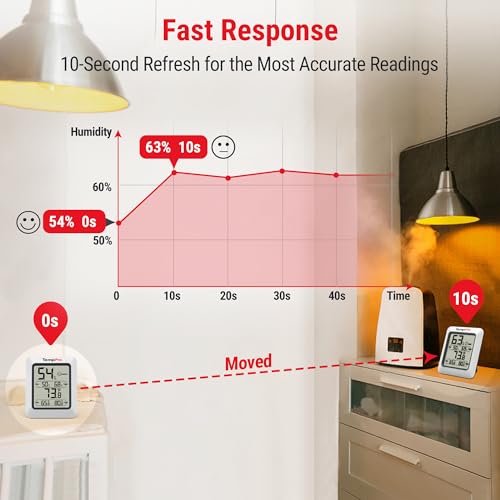


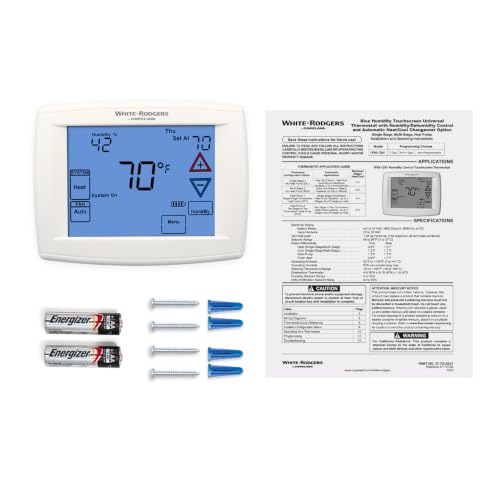


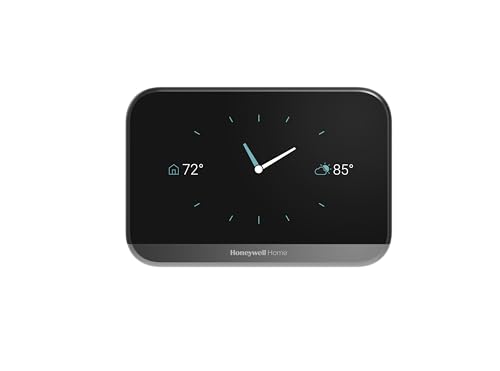


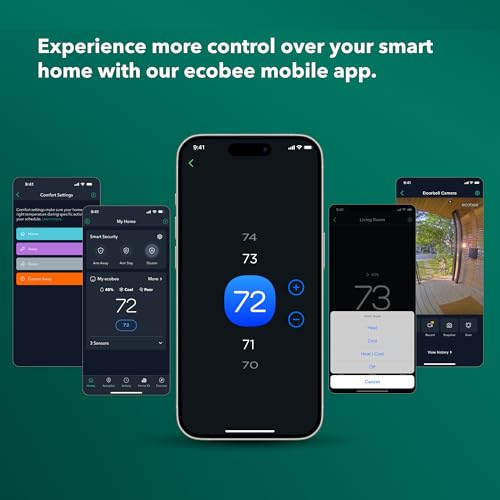


We also considered 10 others:


Our Top Choice
Compare Features


The order above is not editorial opinion, and it is not paid placement. It comes from what shoppers across our network actually do - which thermostats with humidity control they compare, and which they ultimately buy. We re-rank as new data comes in, so the long-term favorites have to keep earning their spot against new entrants. The full method, including how we make money.
Thermostats with Humidity Control Buyer's Guide
Thermostats with humidity control sit at a sharper tradeoff than ordinary thermostats: they must manage comfort while also protecting the house from dry-air damage, muggy rooms, condensation, and mold risk. The biggest buying checks are whether the thermostat can actually control your specific humidifier or dehumidifier wiring, and whether its humidity logic works safely alongside your HVAC equipment.
Ease
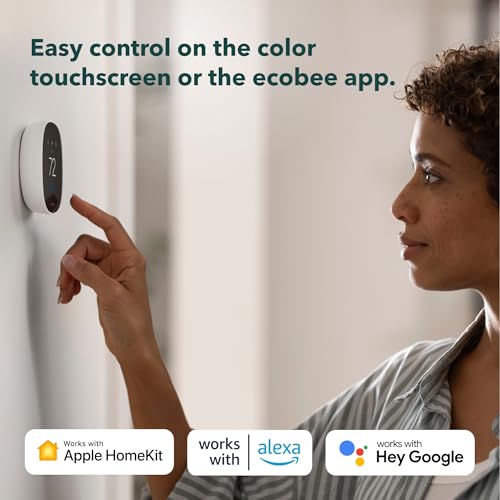
You’ll interact with a smart thermostat often, so it should be simple to adjust the temperature, understand the screen, and find key settings without digging through menus. Look for clear controls, readable displays, and an app that makes schedules, modes, and remote changes easy; watch out for cluttered interfaces or confusing setup steps that can make daily use frustrating.
For humidity-control models, “easy” should mean more than changing the heat setting: look for a thermostat that separates temperature, humidity setpoint, fan, and humidifier/dehumidifier controls in plain language, and avoid interfaces that bury humidity limits or overcooling settings several menus deep. If more than one person will use it, prioritize a readable wall display plus an app that makes remote humidity adjustments obvious, because the practical benefit is being able to respond quickly to dry air, muggy rooms, or condensation risk without reprogramming the whole schedule. Owner feedback supports this: buyers often praise models with app-led setup, readable screens, simple programming, and remote phone control that feels manageable even for less technical users.
Reliability
A smart thermostat needs to work quietly and consistently because a glitch can mean uncomfortable rooms, missed schedules, or unnecessary HVAC strain. Look for solid build quality, dependable power or battery performance, and owner feedback that points to long-term reliability rather than frequent disconnects, frozen screens, or battery-related surprises. The best choice should give you peace of mind that your heating and cooling will respond when you need it.
Reliability matters especially because bad humidity control can damage the home, not just make it uncomfortable: choose a thermostat with proven local control, clear equipment protection settings, and sane fallback behavior if Wi-Fi or the app service is unavailable. For whole-house humidifiers, confirm it can prevent over-humidifying during cold weather; for dehumidification, make sure it can control cooling, fan operation, or a dedicated dehumidifier without short-cycling equipment. Owner sentiment is generally reassuring for straightforward, well-supported thermostats: many report dependable long-term operation, smooth basic HVAC performance after setup, and confidence in units that keep working without unnecessary complexity, though some smart features can depend on remote services.
Features
Features matter because they determine whether your smart thermostat actually makes daily temperature control easier, not just more connected. Look for an app with reliable remote control, clear scheduling, useful automation, and enough customizability to fit your routine; watch out for systems that hide key functionality behind confusing menus, require extra sensors or subscriptions for basic conveniences, or limit control when your internet connection is down.
The key feature check is the exact humidity equipment you need to control: verify terminals and setup options for humidifier, dehumidifier, ventilator/ERV/HRV, multi-stage heat/cool, heat pump with auxiliary heat, and fan control before buying. Look for adjustable humidity setpoints, dehumidify-with-AC or overcool limits, window/frost protection, minimum compressor runtimes, vacation/away humidity settings, and support for remote room sensors if the thermostat hallway does not reflect the damp or dry rooms you care about. Owner feedback backs the usefulness of these features when implemented well: shoppers like steady HVAC control, humidity-control support, staged heating support, schedules, app access, and separate indoor temperature/humidity monitors for tracking room conditions.
Installation
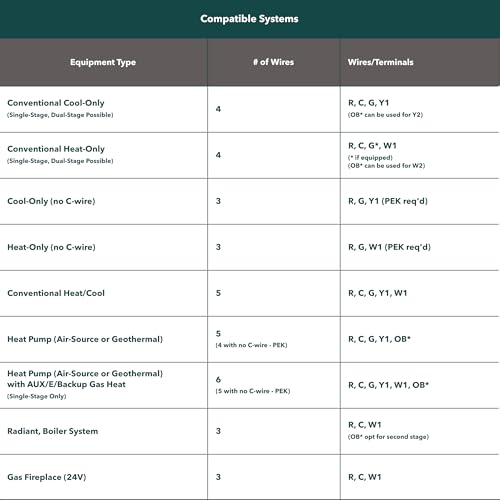
Installation matters because a smart thermostat has to match your existing HVAC wiring, wall opening, and system type before any app features are useful. Look for clear compatibility guidance, an included or optional wall plate if you’re replacing a larger old unit, and setup steps you’re comfortable handling; watch out for systems that require extra wiring, adapters, or a professional installer.
Before installation, photograph the old wiring and verify whether you have a common wire, separate accessory wires, and enough conductors for both HVAC stages and humidity equipment; many “smart” humidity thermostats need more wiring than a basic heat/cool swap. Pay close attention to whether your humidifier is powered or dry-contact, whether a dehumidifier needs a relay, and whether your system uses proprietary communicating controls that a standard thermostat cannot replace. Owner reports are positive when compatibility is confirmed: many buyers find installation straightforward with app-guided wiring, clear terminal matching, and manageable support, especially on prepared systems with the needed common wire already present.
Temperature
You want a smart thermostat that can hold your home close to the temperature you set, not just react after rooms have already become too hot or cold. Look for reliable temperature monitoring, accurate sensors, and options for remote or room-based readings if parts of your home vary widely. If you have pets, children, or temperature-sensitive belongings, watch for alerts and safeguards that warn you when the indoor temperature moves outside a safe range.
For this category, judge temperature control together with moisture control: dehumidification may require longer cooling cycles, overcooling, or fan changes, while humidification should not push indoor humidity high enough to cause window condensation or mold risk. Look for separate temperature and humidity scheduling, remote sensors for rooms that run damp or dry, and limits that keep comfort improvements from abusing the compressor, auxiliary heat, or fan. Owner sentiment supports the convenience side: remote access, schedules, web or phone control, and optional sensors are often praised for making temperature adjustments and multi-area comfort easier, though some users report mixed results when remote services or control logic do not reliably maintain the chosen comfort level.
Value
A smart thermostat should justify its cost through reliable comfort, useful automation, and energy-saving features you’ll actually use. Look for value for money in models that make scheduling, remote control, and efficiency insights easy, and be cautious of paying extra for features that don’t fit your home, HVAC system, or daily routine.
The best value is not simply the most features; it is a thermostat that matches your actual humidity equipment without requiring extra relays, new wiring, or a service call that erases the savings. Pay more attention to compatibility, local reliability, sensor support, and humidity-specific protections than to cosmetic smart features, because a cheaper unit that cannot control your humidifier or dehumidifier correctly is poor value. Owner feedback suggests good value is possible when the feature set aligns with the home: buyers appreciate app control, scheduling, flexible HVAC configurations, attractive displays, and practical smart features at reasonable cost, but value drops when remote functions depend on unreliable servers.
1,000,000+ shoppers use Buyer's Guide every week to find the best products and services online.

Helping millions of users make smarter purchases online.


