









We also considered 10 others:


Our Top Choice
Compare Features


The order above is not editorial opinion, and it is not paid placement. It comes from what shoppers across our network actually do - which tcl tvs they compare, and which they ultimately buy. We re-rank as new data comes in, so the long-term favorites have to keep earning their spot against new entrants. The full method, including how we make money.
TCL TVs Buyer's Guide
TCL TV shopping is mostly a tradeoff between screen size and spec depth: two sets that look similar on the shelf can differ sharply in panel type, local dimming, refresh rate, HDMI bandwidth, and smart-TV platform. The biggest things to verify are the exact model-year/spec sheet for your size, plus whether the set can handle your real use case—HDR movies, sports, console gaming, PC use, or simple streaming—without relying on vague “4K smart TV” labeling.
Quality
You want a smart TV that feels well built, runs consistently, and keeps delivering stable performance after the novelty wears off. Look for signs of solid construction, dependable software behavior, sturdy ports and stand hardware, and owner feedback about long-term reliability; watch out for reports of freezing, random restarts, loose panels, weak stands, or performance that degrades with regular use.
For quality, do not judge a TCL TV only by size or 4K resolution; check the exact panel tier, backlight type, refresh rate, warranty terms, return window, and early-unit defects such as dead pixels, uneven backlighting, dirty-screen effect, or sluggish software. Budget-oriented sets can be excellent, but they vary more by series and size than premium TVs, so a careful shopper should test gray screens, sports pans, subtitles on dark scenes, HDMI ports, Wi-Fi stability, and remote responsiveness while the return period is still open. Owner feedback supports this value-first view: buyers often describe these TVs as strong budget buys with solid build quality, quick setup, sharp 4K picture quality, useful gaming features, and performance that feels competitive without paying premium-TV prices.
Connectivity
You want a smart TV that connects reliably to your Wi-Fi, pairs smoothly with your phone, speakers, controllers, or other devices, and supports the apps and inputs you actually use. Look for enough HDMI and USB ports, current wireless standards, and broad compatibility with streaming apps and external gear, while watching out for TVs that drop connections, limit certain apps, or make device switching frustrating.
For connectivity, match the ports to your devices before buying: confirm how many HDMI inputs are full-bandwidth, whether 4K/120Hz, VRR, ALLM, and eARC are actually supported on the ports you need, and whether using eARC leaves enough remaining inputs for consoles, streaming boxes, and a PC. If you plan to use the TV as a computer monitor, look specifically for chroma 4:4:4/PC mode support, reliable sleep-wake behavior, low input lag, and text clarity; some buyers report HDMI works but wake-from-sleep can require unplugging and reconnecting. For streaming-only setups, verify the built-in platform has your required apps, supports stable Wi-Fi on your network, and offers Bluetooth headphone pairing if you need private listening; owner sentiment is generally positive on easy Wi-Fi, app access, Bluetooth devices, and simple external-device setup, but some users report app failures, resets, frozen screens, or uneven smart-platform reliability.
Picture
Picture quality determines how clear, natural, and immersive everything looks, from dark movie scenes to bright sports broadcasts. You should look for a TV with accurate color, strong contrast, enough brightness for your room, and good motion handling, while watching out for sets that look vivid in a showroom but make skin tones, shadows, or fast action appear unnatural.
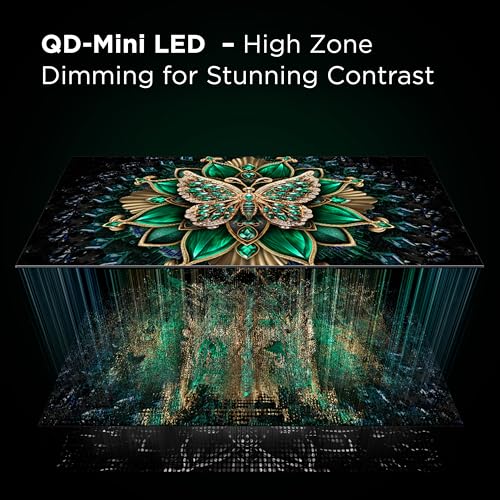
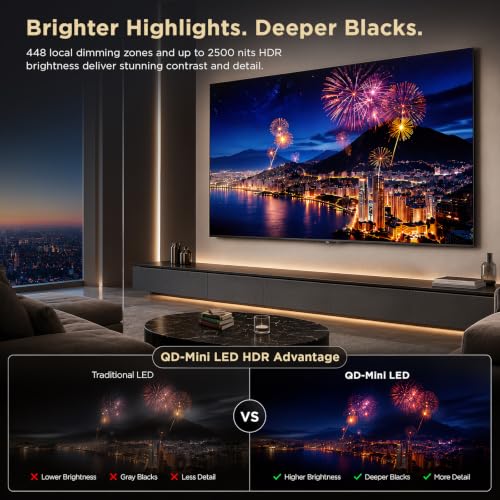
For picture quality, choose by room and content: bright rooms benefit from higher peak brightness and good reflection handling, dark-room movie watching benefits from strong local dimming and controlled blooming, sports need good motion handling and screen uniformity, and wide seating needs acceptable off-axis viewing. Do not assume every 4K TCL TV has the same HDR impact; entry-level models may look sharp but lack the brightness and contrast needed for convincing HDR, while higher backlight tiers can deliver much stronger highlights and deeper contrast. Check for blooming around subtitles, banding in gradients, dirty-screen effect during hockey/soccer/gaming camera pans, and whether the TV’s motion smoothing can be adjusted without making movies look unnatural. Owner reports broadly reinforce the upside: buyers often praise sharp, clear 4K images, bright colors, vibrant QLED-style color, smooth motion for movies, sports, and gaming, and a noticeable upgrade when replacing older TVs.
Setup
Setup matters because a smart TV can be large, fragile, and awkward to position, especially if you plan to wall-mount it or connect multiple devices. Look for clear instructions, stable stand assembly, accessible ports, straightforward Wi-Fi and account sign-in, and a guided on-screen setup that helps you tune channels and configure picture, sound, and apps without guesswork. Watch out for TVs that require extra tools, uncommon mounting hardware, or two-person lifting beyond what your space and setup plan can handle.
For setup, plan around the physical and platform details: confirm stand width fits your furniture, VESA pattern matches your mount, the TV can be safely lifted at its screen size, and side-facing versus rear-facing ports will remain accessible after wall mounting. On the software side, decide whether you want the built-in smart platform or will use an external streamer, then check account requirements, app availability, voice-assistant preferences, privacy settings, and whether the setup flow supports easy password entry through a phone app. Owner feedback suggests setup is usually a strength, with many buyers describing installation as quick, guided, beginner-friendly, and close to plug-and-play, especially when they are already familiar with the TV’s smart interface.
Value
You want a smart TV that delivers strong picture quality, smooth performance, and useful streaming features without making you pay for extras you won’t use. Look for a balanced mix of display quality, app support, connectivity, and reliability at your budget level, and watch out for models that seem inexpensive but cut corners on brightness, processing speed, or long-term software support.
For value, avoid buying the largest screen with the thinnest spec sheet if your use case needs performance: a smaller set with better backlighting, local dimming, refresh rate, HDMI features, and processing may be the better long-term buy for HDR, sports, and gaming. Conversely, if the TV is for a bedroom, office, guest room, or basic streaming, an entry-level 4K model may be the smarter value as long as brightness, viewing angle, and app performance meet your needs. The strongest value comes from matching the model to the job rather than assuming all TCL TVs perform alike. Owner sentiment aligns with that: shoppers frequently say they get a capable 4K or QLED-style large-screen experience, useful functions, smooth performance, and noticeably better picture quality than an older TV without stepping into premium-TV territory.
1,000,000+ shoppers use Buyer's Guide every week to find the best products and services online.

Helping millions of users make smarter purchases online.


