


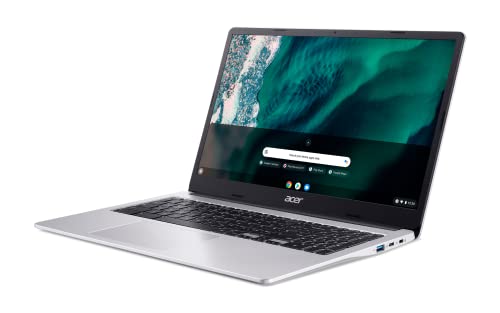


- Display Size: 15.6"
- Resolution: 1920 x 1080
- Memory: 8GB RAM
- Storage: 64GB eMMC
- Processor: Intel Celeron N4500 2-core





Acer 15.6" Chromebook Laptop
Introduction

In the burgeoning market of affordable, user-friendly laptops, the Acer 15.6" Chromebook stands out as a notable contender. This Chromebook model, known for its balance between performance and portability, targets users seeking a straightforward, reliable computing experience. Entrusted with Google's Chrome OS, this device prioritizes internet-based applications and services, potentially reshaping how users approach everyday computing tasks. This review closely examines the features, performance, and overall value of the Acer 15.6" Chromebook to help potential buyers make an informed decision.
Key Considerations
When contemplating the purchase of a new laptop, especially one as specific as a Chromebook, several factors can guide the decision-making process. The most crucial of these is undoubtedly the operating system. Unlike more traditional laptops that run on Windows or MacOS, the Acer Chromebook operates on Chrome OS, which relies heavily on cloud-based services. This makes it an excellent choice for users who are constantly connected to the internet and prefer using web-based applications like Google Docs, Sheets, and Drive.
Another significant aspect to consider is the hardware configuration. The Acer 15.6" Chromebook typically includes a basic Intel processor coupled with sufficient RAM to handle everyday tasks such as web browsing, video streaming, and handling documents. However, it's not designed for heavy multitasking or advanced graphics tasks, like video editing or gaming. The focus is on efficiency and battery life over raw power, which is crucial for users who need a machine that can last all day without seeking a power outlet.
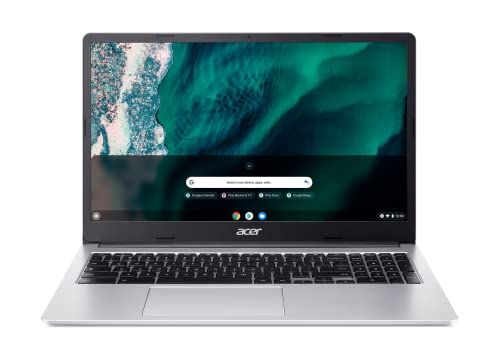
The size and quality of the display are also pivotal, particularly for those who spend hours staring at the screen. The 15.6-inch display of this Chromebook offers ample space for productivity and entertainment, with decent resolution and color accuracy. Additionally, the build quality and keyboard comfort are essential, especially for students or professionals who will use the device extensively for typing.
Common Questions
Q: Can the Acer 15.6" Chromebook run Microsoft Office applications? A: While Chrome OS does not run Microsoft Office natively, users can access Microsoft Office apps through the web-based Microsoft Office Online or use Google’s G Suite, which offers similar functionality.
Q: Is it suitable for gaming? A: The Acer 15.6" Chromebook is not ideally suited for traditional gaming, especially demanding, graphics-intensive titles. It is better suited for casual or browser-based games.
Q: Can I install additional software on the Acer Chromebook? A: Installation of traditional Windows or MacOS applications is not possible on Chromebooks; however, the Google Play Store support does allow you to install Android apps, expanding the range of tools and functions available.
Q: What about connectivity options? A: This model typically includes multiple USB ports, an HDMI output, and might include additional connectivity options like a microSD card reader. It supports Wi-Fi and sometimes Bluetooth, covering most bases in terms of connectivity.
Conclusion
The Acer 15.6" Chromebook proves to be a robust entry in the low-cost laptop market, hitting a sweet spot for educational purposes and business users who rely on web apps and cloud services. While it may not have the firepower of more expensive laptops, its convenience, simplicity, and efficiency make it an appealing choice for a significant segment of potential users. The limitations of Chrome OS, especially in terms of software compatibility and gaming, are compensated by the system’s smooth performance, excellent battery life, and ease of use. Prospective buyers should weigh these factors carefully against their specific needs and preferences before purchasing.