Best HP Scanners Updated August 2026

Best HP Scanners
2026 Buyer's GuideUpdated August 2026
Sort by:
1

10.0

HP LaserJet Pro MFP 3101fdw Wireless Black & White All-in-One Laser Printer, Scanner, Copier, Fax, Best-for-Office (3G628F)
Type: Sheet-fed, flatbed
Scan Speed: 35 ppm
Two-Sided Scanning: Yes
Max Paper Size: 8.5" x 14"
Connectivity: Wi-Fi, USB
Document Feeder: 35-sheet auto
Scan To: Cloud, network, email

10.0

1
HP LaserJet Pro MFP 3101fdw Wireless Black & White All-in-One Laser Printer, Scanner, Copier, Fax, Best-for-Office (3G628F)
Type: Sheet-fed, flatbed
Scan Speed: 35 ppm
Two-Sided Scanning: Yes
Max Paper Size: 8.5" x 14"
Connectivity: Wi-Fi, USB
Document Feeder: 35-sheet auto
Scan To: Cloud, network, email
2

9.9

HP OfficeJet Pro 8125e Wireless All-in-One Color Inkjet Printer, Print, scan, Copy, ADF, Duplex Printing Best-for-Home Office, ...
Type: Sheet-fed, flatbed
Scan Speed: 3.5 ppm
Two-Sided Scanning: No
Max Paper Size: 8.5" x 14"
Connectivity: Wi-Fi, USB
Document Feeder: 35-sheet auto
Scan To: Cloud, USB, file, network, email, mobile device
Compare

9.9

2
HP OfficeJet Pro 8125e Wireless All-in-One Color Inkjet Printer, Print, scan, Copy, ADF, Duplex Printing Best-for-Home Office, ...
Type: Sheet-fed, flatbed
Scan Speed: 3.5 ppm
Two-Sided Scanning: No
Max Paper Size: 8.5" x 14"
Connectivity: Wi-Fi, USB
Document Feeder: 35-sheet auto
Scan To: Cloud, USB, file, network, email, mobile device
3

9.7

HP Small USB Document & Photo Scanner for Portable 1-Sided Sheetfed Digital Scanning, Model HPPS100, for Home, Office & Busines...
Type: Sheet-fed, photo
Scan Speed: 1 ppm
Two-Sided Scanning: No
Max Paper Size: 8.5" x 14"
Connectivity: USB
Document Feeder: Manual
Scan To: Cloud, USB, file, network, or email
Compare

9.7

3
HP Small USB Document & Photo Scanner for Portable 1-Sided Sheetfed Digital Scanning, Model HPPS100, for Home, Office & Busines...
Type: Sheet-fed, photo
Scan Speed: 1 ppm
Two-Sided Scanning: No
Max Paper Size: 8.5" x 14"
Connectivity: USB
Document Feeder: Manual
Scan To: Cloud, USB, file, network, or email
Compare
4

9.6

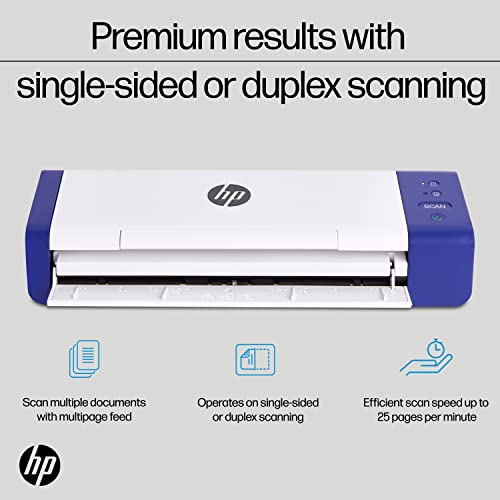
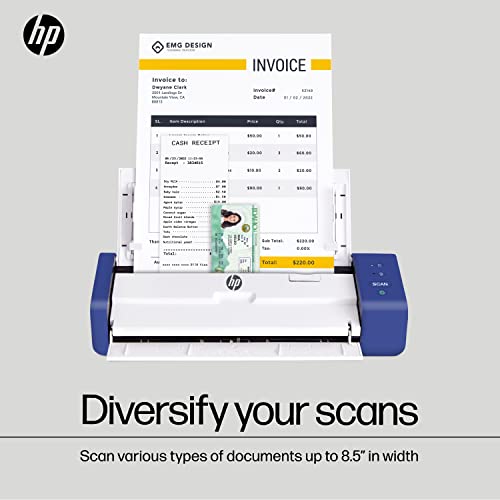
HP Compact Desktop Duplex USB Mobile Document & Photo Scanner with Auto-Feed Tray for Portable 2-Sided Digital Scanning, Model ...
Type: Portable
Scan Speed: 25 ppm
Two-Sided Scanning: Yes
Max Paper Size: 8.5" x 14"
Connectivity: USB
Document Feeder: 25-sheet auto
Scan To: USB, file, PDF
Compare

9.6

4
HP Compact Desktop Duplex USB Mobile Document & Photo Scanner with Auto-Feed Tray for Portable 2-Sided Digital Scanning, Model ...
Type: Portable
Scan Speed: 25 ppm
Two-Sided Scanning: Yes
Max Paper Size: 8.5" x 14"
Connectivity: USB
Document Feeder: 25-sheet auto
Scan To: USB, file, PDF
Compare
5

9.5

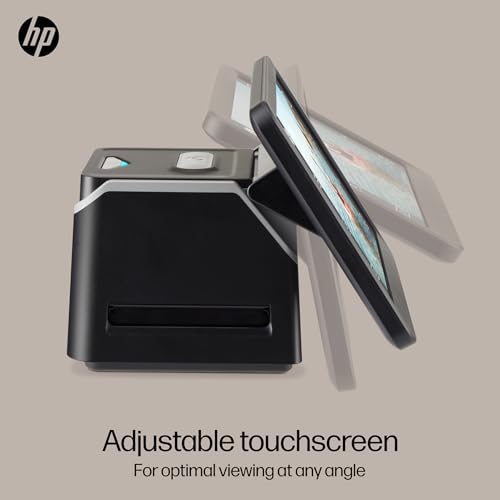
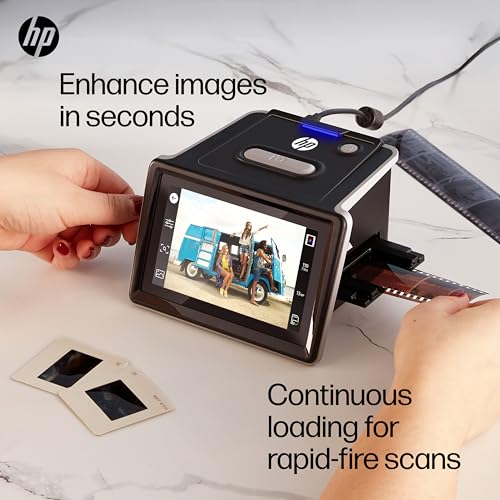
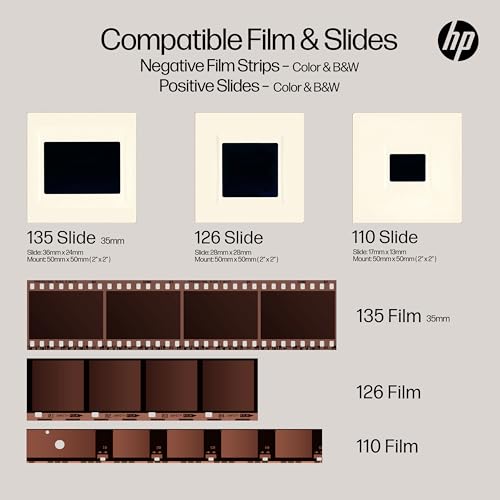
HP Film & Slide Scanner, 7" Touchscreen, 13MP/22MP, No PC Required
Type: Film
Scan Speed: Not indicated
Two-Sided Scanning: No
Max Paper Size: N/A
Connectivity: USB
Document Feeder: Manual
Scan To: USB
Compare

9.5

5
HP Film & Slide Scanner, 7" Touchscreen, 13MP/22MP, No PC Required
Type: Film
Scan Speed: Not indicated
Two-Sided Scanning: No
Max Paper Size: N/A
Connectivity: USB
Document Feeder: Manual
Scan To: USB
Compare
6

9.3

HP OfficeJet Pro 9135 Wireless All-in-One Color Inkjet Printer, Print, Scan, Copy, Fax, ADF, Duplex Print/scan, Best-for-Office...
Print quality
Easy setup

9.3

6
HP OfficeJet Pro 9135 Wireless All-in-One Color Inkjet Printer, Print, Scan, Copy, Fax, ADF, Duplex Print/scan, Best-for-Office...
Print quality
Easy setup
7

9.2

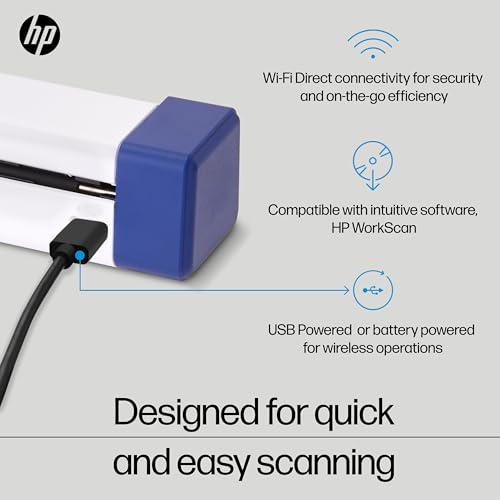
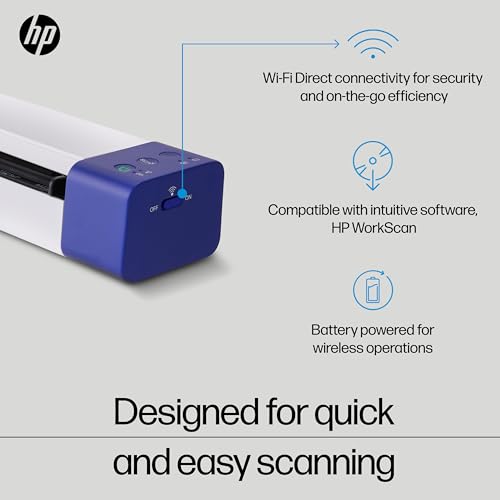
HP Portable Document Scanner for Laptop, Wi-Fi Direct, Legal Size 8.5x14
Type: Portable
Scan Speed: 15 ppm
Two-Sided Scanning: Yes
Max Paper Size: 8.5" x 14"
Connectivity: Wi-Fi, USB
Document Feeder: Manual
Scan To: File, PDF
Compare

9.2

7
HP Portable Document Scanner for Laptop, Wi-Fi Direct, Legal Size 8.5x14
Type: Portable
Scan Speed: 15 ppm
Two-Sided Scanning: Yes
Max Paper Size: 8.5" x 14"
Connectivity: Wi-Fi, USB
Document Feeder: Manual
Scan To: File, PDF
Compare
8

9.1

HP Film & Slide Scanner, 5" Touchscreen, 13MP/22MP, USB-C, No PC Required
Type: Photo
Scan Speed: Not indicated
Two-Sided Scanning: No
Max Paper Size: Not indicated
Connectivity: USB-C
Document Feeder: Manual
Scan To: SD card
Compare

9.1

8
HP Film & Slide Scanner, 5" Touchscreen, 13MP/22MP, USB-C, No PC Required
Type: Photo
Scan Speed: Not indicated
Two-Sided Scanning: No
Max Paper Size: Not indicated
Connectivity: USB-C
Document Feeder: Manual
Scan To: SD card
Compare
9

8.9

HP DeskJet 4255e Wireless All-in-One Color Inkjet Printer, Scanner, Copier, Best-for-Home, 3 Month Instant Ink Trial Included. ...
Type: Sheet-fed & flatbed
Scan Speed: 2.5 ppm
Two-Sided Scanning: Yes
Max Paper Size: 8.5" x 14"
Connectivity: Wi-Fi, USB
Document Feeder: 35-sheet auto
Scan To: Cloud, USB, file, network, email
Compare

8.9

9
HP DeskJet 4255e Wireless All-in-One Color Inkjet Printer, Scanner, Copier, Best-for-Home, 3 Month Instant Ink Trial Included. ...
Type: Sheet-fed & flatbed
Scan Speed: 2.5 ppm
Two-Sided Scanning: Yes
Max Paper Size: 8.5" x 14"
Connectivity: Wi-Fi, USB
Document Feeder: 35-sheet auto
Scan To: Cloud, USB, file, network, email
10

8.8

HP Portable Duplex Document & Photo Scanner, USB, Wi-Fi Direct, 15 PPM
Type: Portable
Scan Speed: 15 ppm
Two-Sided Scanning: Yes
Max Paper Size: 8.5" x 14"
Connectivity: Wi-Fi, USB
Document Feeder: Manual
Scan To: USB, file, PDF
Compare

8.8

10
HP Portable Duplex Document & Photo Scanner, USB, Wi-Fi Direct, 15 PPM
Type: Portable
Scan Speed: 15 ppm
Two-Sided Scanning: Yes
Max Paper Size: 8.5" x 14"
Connectivity: Wi-Fi, USB
Document Feeder: Manual
Scan To: USB, file, PDF
Compare

Our Top Choice

1

10.0

HP LaserJet Pro MFP 3101fdw Wireless Black & White All-in-One Laser Printer, Scanner, Copier, Fax, Best-for-Office (3G628F)
Type: Sheet-fed, flatbed
Scan Speed: 35 ppm
Two-Sided Scanning: Yes
Max Paper Size: 8.5" x 14"
Connectivity: Wi-Fi, USB
Document Feeder: 35-sheet auto
Scan To: Cloud, network, email

10.0

1
HP LaserJet Pro MFP 3101fdw Wireless Black & White All-in-One Laser Printer, Scanner, Copier, Fax, Best-for-Office (3G628F)
Type: Sheet-fed, flatbed
Scan Speed: 35 ppm
Two-Sided Scanning: Yes
Max Paper Size: 8.5" x 14"
Connectivity: Wi-Fi, USB
Document Feeder: 35-sheet auto
Scan To: Cloud, network, email

Compare Features

Two-Sided Scanning
Best Scanner
1. HP LaserJet Pro MFP 3101fdw All-in-One Printer
HP Preview HP Preview
HP
at Amazon
2. HP OfficeJet Pro 8125e Wireless All-in-One Printer
HP Preview HP Preview
HP
at Amazon
3. HP Small USB Document and Photo Scanner
HP Preview HP Preview
HP
at Amazon
4. HP Compact Desktop Scanner
HP Preview HP Preview
HP
at Amazon
5. HP Touch Screen Film & Slide Scanner
HP Preview HP Preview
HP
at Amazon
6. HP Portable Document Scanner
HP Preview HP Preview
HP
at Amazon
7. HP Film & Slide Scanner, 5" Touchscreen, 13MP/22MP, USB-C, No PC Required
HP Preview HP Preview
HP
at Amazon
Best Value
8. HP DeskJet 4255e All-in-One Printer
HP Preview HP Preview
HP
at Amazon
9. HP PS150 Portable Document Scanner
HP Preview HP Preview
HP
at Amazon
Deal
-55%
Deal -55%
Type
Sheet-fed, flatbed Sheet-fed, flatbed Sheet-fed, photo Portable Film Portable Photo Sheet-fed & flatbed Portable
Type
Sheet-fed, flatbed Sheet-fed, flatbed Sheet-fed, photo Portable Film Portable Photo Sheet-fed & flatbed Portable
Scan Speed
35 ppm 3.5 ppm 1 ppm 25 ppm Not indicated 15 ppm Not indicated 2.5 ppm 15 ppm
Scan Speed
35 ppm 3.5 ppm 1 ppm 25 ppm Not indicated 15 ppm Not indicated 2.5 ppm 15 ppm
Two-Sided Scanning
Yes No No Yes No Yes No Yes Yes
Two-Sided Scanning
Yes No No Yes No Yes No Yes Yes
Max Paper Size
8.5" x 14" 8.5" x 14" 8.5" x 14" 8.5" x 14" N/A 8.5" x 14" Not indicated 8.5" x 14" 8.5" x 14"
Max Paper Size
8.5" x 14" 8.5" x 14" 8.5" x 14" 8.5" x 14" N/A 8.5" x 14" Not indicated 8.5" x 14" 8.5" x 14"
Connectivity
Wi-Fi, USB Wi-Fi, USB USB USB USB Wi-Fi, USB USB-C Wi-Fi, USB Wi-Fi, USB
Connectivity
Wi-Fi, USB Wi-Fi, USB USB USB USB Wi-Fi, USB USB-C Wi-Fi, USB Wi-Fi, USB
Document Feeder
35-sheet auto 35-sheet auto Manual 25-sheet auto Manual Manual Manual 35-sheet auto Manual
Document Feeder
35-sheet auto 35-sheet auto Manual 25-sheet auto Manual Manual Manual 35-sheet auto Manual
Scan To
Cloud, network, email Cloud, USB, file, network, email, mobile device Cloud, USB, file, network, or email USB, file, PDF USB File, PDF SD card Cloud, USB, file, network, email USB, file, PDF
Scan To
Cloud, network, email Cloud, USB, file, network, email, mobile device Cloud, USB, file, network, or email USB, file, PDF USB File, PDF SD card Cloud, USB, file, network, email USB, file, PDF
How we rank

The order above is not editorial opinion, and it is not paid placement. It comes from what shoppers across our network actually do - which scanners they compare, and which they ultimately buy. We re-rank as new data comes in, so the long-term favorites have to keep earning their spot against new entrants. The full method, including how we make money.

Scanners Buyer's Guide

Scanners involve a tradeoff between safe, accurate capture of your originals and the throughput needed to make a digitizing project realistic. The sharpest buying concerns are whether the scanner matches your media type—loose office pages, photos, books, IDs, receipts, or fragile records—and whether its feeder, software, duplex/OCR workflow, and drivers will stay reliable over repeated batches.

Quality

Scan quality matters because it determines whether text stays sharp, fine details are preserved, and colors or grayscale tones look true to the original. Look for consistent clarity across the whole page, accurate color reproduction, and minimal artifacts like banding, blur, skew, or washed-out images—especially if you plan to archive photos, digitize records, or use OCR.

Choose scan quality by the originals you actually need to preserve: for contracts and receipts, prioritize clean text edges, accurate auto-crop/de-skew, strong OCR output, and dependable duplex capture; for photos, art, IDs, or bound material, look for true optical resolution, good color handling, a flatbed or overhead design, and the ability to disable over-aggressive auto-enhancement. Avoid judging a scanner only by maximum DPI claims, because feeder alignment, lens quality, color consistency, and software cleanup often matter more in real use. Owner feedback supports this split: buyers consistently praise crisp, dependable scans and sharp document results, while photo-oriented users value strong color and general image quality when the device is suited to that media.

Speed

Scanning speed matters if you handle multi-page documents, frequent batches, or need scans ready without slowing down your work. Look for both pages-per-minute ratings and how quickly the scanner processes, saves, or sends files, since a fast capture speed can be undermined by slow software or file handling. Also check whether speed drops at higher resolutions, in color, or when using duplex scanning.

Match speed to the bottleneck in your workflow, not just the advertised pages-per-minute number: offices digitizing stacks should look for an automatic document feeder, single-pass duplex scanning, fast warm-up, and searchable-PDF/OCR processing that does not slow batches to a crawl; photo archiving needs safe batch handling for standard-thickness prints, while fragile or odd-sized originals may require slower flatbed or overhead scanning. Check whether the rated speed applies at the resolution and color mode you will actually use, since 300 dpi duplex color with OCR can be much slower than basic grayscale scanning. Owner sentiment backs this up: shoppers especially appreciate fast batch scanners for turning large photo or paper archives into practical projects, and duplex scanning is repeatedly valued for quickly capturing both sides of pages.

Usability

You’ll want a scanner that’s simple to set up and easy to operate, especially if you scan often or share it with others. Look for clear installation steps, intuitive software, straightforward buttons or menus, and reliable connection options; watch out for confusing drivers, clunky scan settings, or workflows that take too many clicks for basic tasks.

Prioritize software and workflow usability before extra hardware features: confirm compatibility with your operating system, whether the scanner supports TWAIN/ICA/WIA or business apps you rely on, and whether presets can send files directly to email, folders, cloud storage, USB, or searchable PDF without repeated manual steps. For portable models, check whether USB-only operation, battery use, mobile-app scanning, and sheet alignment fit where you will scan; for office models, make sure one-touch buttons, profiles, file naming, and multi-page PDF handling are easy for nontechnical users. Owner feedback is strongest when setup is straightforward, USB installation is uncomplicated, apps are simple, and presets or touchscreens make everyday scan routing easy.

Reliability

A reliable scanner saves you time by producing consistent scans without frequent paper jams, connection dropouts, software crashes, or calibration issues. Look for models known for dependable feeding, stable drivers, and consistent image quality across repeated use, especially if you plan to scan large batches or important documents. Watch for owner feedback that mentions recurring errors or setup problems, since small frustrations can become major slowdowns over time.

For reliability, inspect the parts most likely to fail in scanner use: feeder rollers, separation pads, hinges, document sensors, and the paper path. Heavy paperwork users should look for a realistic daily duty cycle, replaceable consumables, jam recovery that preserves page order, and a feeder rated for mixed paper sizes; photo users should avoid feeders that scratch, bend, or mis-detect delicate prints. Also consider driver longevity and whether scanning depends on fragile bundled software or online services. Owner sentiment is positive for dedicated document scanners described as dependable workhorses through big batches, but it also warns that some compact or software-dependent all-in-ones can be inconsistent, frustrating to set up, or less sturdy over time.

Value

A scanner’s value for money depends on whether its image quality, speed, reliability, and features match what you actually need. Look for durable build quality, useful software, suitable resolution, and document-handling features that justify the cost, and be cautious of paying extra for capabilities you won’t use or choosing a cheaper option that creates frustration over time.

Assess value by the cost of the scanning job you are avoiding: a household photo archive may justify a fast photo feeder, a small office may benefit most from duplex ADF plus OCR, and occasional IDs, letters, or artwork may be better served by a compact flatbed or portable unit rather than a high-volume machine. Do not overbuy speed and duty cycle if you scan a few pages a week, but do not underbuy if jams, rescans, and poor OCR will consume staff time. Owner feedback supports the idea that buyers feel scanners are worthwhile when they prevent outside service visits, handle photos and records at home, or deliver capable basic scanning without unnecessary extras.

Performance

You want a scanner that handles your usual documents cleanly and consistently, whether you’re digitizing text, photos, receipts, or mixed-size pages. Look for reliable detail, accurate color or grayscale reproduction, smooth paper feeding, and steady results across repeated scans. Watch out for models that slow down, skew pages, miss fine details, or require frequent rescans to get usable output.

Evaluate performance as an end-to-end capture system: the scanner should feed your real paper types cleanly, detect double-feeds, auto-rotate and de-skew accurately, create readable searchable PDFs, and maintain usable image quality across long batches. For manuals, records, client files, and daily paperwork, duplex batch handling is often the decisive feature; for books, artwork, or delicate originals, an overhead or flatbed design may outperform a faster feeder by avoiding damage and distortion. Owner feedback aligns with this: users praise scanners that make huge archives dramatically faster, handle large PDFs and client files efficiently, produce professional-looking readable scans, and outperform phone photos or basic flatbed workflows when the design matches the job.