










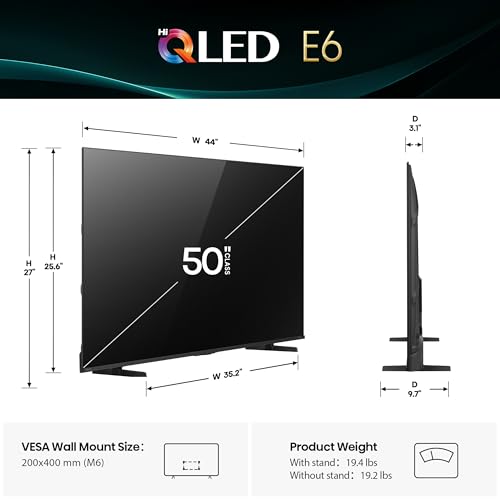
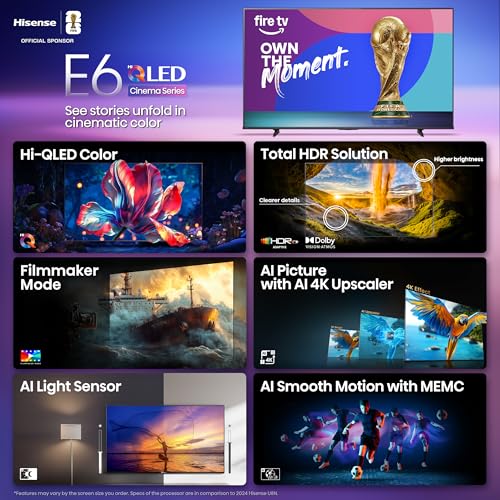


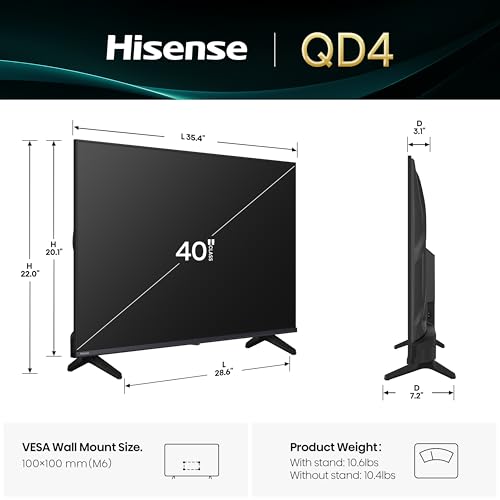

We also considered 10 others:


Our Top Choice
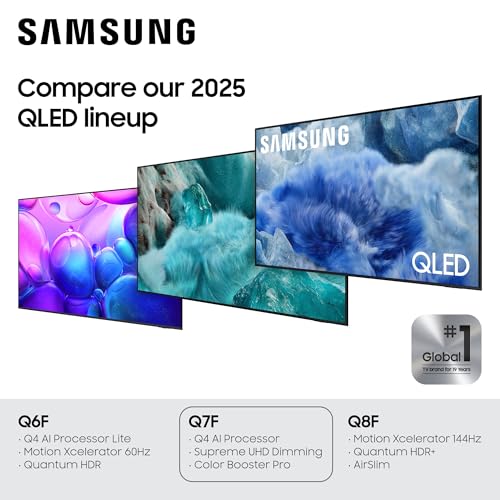
Compare Features


The order above is not editorial opinion, and it is not paid placement. It comes from what shoppers across our network actually do - which qled smart tvs they compare, and which they ultimately buy. We re-rank as new data comes in, so the long-term favorites have to keep earning their spot against new entrants. The full method, including how we make money.
QLED Smart TVs Buyer's Guide
QLED smart TVs are appealing because they can deliver bright, colorful pictures and large screen sizes without stepping into flagship-TV territory, but the label alone does not guarantee great HDR, black levels, or gaming performance. The sharpest buying concerns are the backlight system, HDMI/gaming support, smart-TV responsiveness, and whether the built-in audio and app platform will hold up in daily use.
Quality
You want a smart TV that feels well built, runs consistently, and keeps delivering stable performance after the novelty wears off. Look for signs of solid construction, dependable software behavior, sturdy ports and stand hardware, and owner feedback about long-term reliability; watch out for reports of freezing, random restarts, loose panels, weak stands, or performance that degrades with regular use.
Prioritize the panel and backlight hardware over the “QLED” label alone: look for 4K resolution at the sizes where you sit close, adequate HDR brightness, good uniformity, and ideally local dimming if you watch movies in a dark room. If gaming matters, verify the native refresh rate and HDMI bandwidth rather than assuming every QLED set handles high-frame-rate consoles well. Owner feedback supports this focus: buyers most often praise sharp, premium-looking images, smooth high-refresh gaming, and an overall feature set that feels stronger than expected for the class.
Controls
You’ll interact with a smart TV every time you turn it on, switch apps, adjust picture settings, or search for something to watch, so the controls can make a big difference in daily satisfaction. Look for a remote that feels intuitive, menus that are easy to navigate, and a system that responds quickly without lag; watch out for cluttered settings, buried options, or controls that make simple tasks feel slow.
Check that the smart platform and remote match how you actually watch: quick app access, simple input switching, reliable HDMI-CEC, and enough picture-setting control to tune HDR, motion smoothing, game mode, VRR, and color temperature. For voice control, treat it as a convenience rather than a primary control method, because recognition and response can vary. Owners generally find setup, Wi-Fi connection, app sign-in, and streaming menus approachable, and gamers appreciate responsive tuning options such as high-refresh and sync settings, but voice-command reliability is reported as inconsistent.
Features
Smart features determine how easily you can find, stream, and control the content you actually watch, so look for a clear interface, broad app support, reliable voice or remote controls, and smooth casting or device integration. Also watch for sluggish menus, missing services, limited update support, or features that sound impressive but do not improve everyday use.
Match features to your source devices before buying: console users should confirm 120Hz or 144Hz support, VRR, ALLM, low input lag, and which HDMI ports support them; movie watchers should check HDR format support, eARC, local dimming, and whether the TV can pass surround formats to a soundbar or receiver. Also be cautious about slow processors in cheaper smart TVs, since app lag, startup delays, and casting/search issues can matter more over time than a long feature list. Owner sentiment backs this split: shoppers like built-in streaming platforms, voice assistants, plentiful apps, and gamer-friendly settings, while some report thin audio, sluggish smart-TV behavior, or uneven device integration.
Picture
Picture quality determines how clear, natural, and immersive everything looks, from dark movie scenes to bright sports broadcasts. You should look for a TV with accurate color, strong contrast, enough brightness for your room, and good motion handling, while watching out for sets that look vivid in a showroom but make skin tones, shadows, or fast action appear unnatural.
For QLED picture quality, look beyond vibrant color and check brightness, contrast, black levels, blooming control, viewing angles, motion handling, and reflection performance in your room. A bright living room benefits from strong peak brightness and anti-reflection handling, while a dark movie room needs better contrast and local dimming to avoid gray blacks and halos around subtitles. Owners consistently praise QLED sets in this group for crisp 4K detail, bright images, rich color, strong clarity for streaming, movies, sports, and console gaming, with some noting especially improved color and clarity versus older TVs.
Sound
Sound quality affects how clear dialogue, music, and effects feel, especially when you’re watching movies, sports, or shows without extra speakers. Look for a TV that can get loud enough for your room without sounding harsh, thin, or distorted, and pay attention to whether voices remain easy to understand. If the built-in speakers seem weak or lack bass, plan on pairing the TV with a soundbar or external audio system.
Do not assume a large QLED screen has matching audio: check speaker wattage, dialog clarity modes, Dolby format support, eARC/ARC behavior, Bluetooth headphone support, and whether the stand or wall mount leaves room for a soundbar. Built-in speakers may be fine for news and casual streaming, but thin bass, narrow soundstage, and muffled dialog are common failure points in slim TVs. Owner reports are mixed but useful: many find the built-in sound clear, loud, fuller than expected, or good enough without a soundbar, while others still describe flat or thin audio and prefer external speakers or headphones.
Value
You want a smart TV that delivers strong picture quality, smooth performance, and useful streaming features without making you pay for extras you won’t use. Look for a balanced mix of display quality, app support, connectivity, and reliability at your budget level, and watch out for models that seem inexpensive but cut corners on brightness, processing speed, or long-term software support.
Judge value by the specific hardware you get, not just screen size: a slightly smaller QLED with better brightness, local dimming, HDMI 2.1 features, and smoother software can be a better buy than a larger set with weak HDR and limited ports. If upgrading from an older TV, even an entry QLED can feel dramatic, but make sure the savings do not come from missing gaming features, poor app responsiveness, or limited audio connectivity. Owners strongly reinforce the value angle, frequently describing these TVs as delivering sharp pictures, large-screen QLED color, strong streaming features, and a higher-end feel without moving into premium-TV territory.
1,000,000+ shoppers use Buyer's Guide every week to find the best products and services online.

Helping millions of users make smarter purchases online.


