











We also considered 10 others:


Our Top Choice
Compare Features


The order above is not editorial opinion, and it is not paid placement. It comes from what shoppers across our network actually do - which projectors they compare, and which they ultimately buy, together with the product traits and the commercial relationships that keep this site free. We re-rank as new data comes in, so the long-term favorites have to keep earning their spot against new entrants. The full method, including how we make money.
Projectors Buyer's Guide
Projector buying is a tradeoff between image size, room control, and placement: a model that looks great at night on a modest screen can look washed out in daylight or when stretched too large. The sharpest checks are real brightness, native resolution, throw distance, keystone/focus behavior, streaming compatibility, and whether you will need external audio.
Quality
A projector’s quality affects how consistently it delivers a sharp, bright image and how well it holds up through repeated use, setup, transport, heat, and dust. Look for solid build quality, stable focus and alignment, reliable inputs and controls, and cooling that runs without excessive noise or overheating. Be cautious of flimsy housings, loose ports, uneven image uniformity, or frequent complaints about early failures, since these can turn a good-looking spec sheet into a frustrating purchase.
For quality, prioritize the fundamentals that determine whether the projector will still feel good after the novelty of a huge image wears off: native resolution, credible brightness specs, uniform focus from center to corners, color that does not look oversaturated, fan noise you can tolerate, and a chassis that vents heat without blowing hot air into the viewing area. Be cautious of models that lean heavily on digital keystone, vague lumen claims, or “supports 4K” wording without a clear native resolution, because those can hide softness, dimness, or scaling limits. Owner feedback supports this focus: buyers most often praise projectors that produce a clear, bright, sharp, colorful image,
Setup
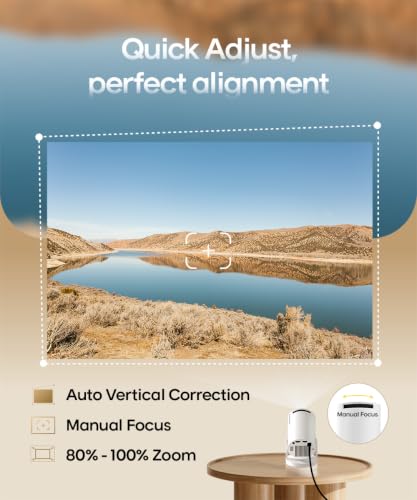
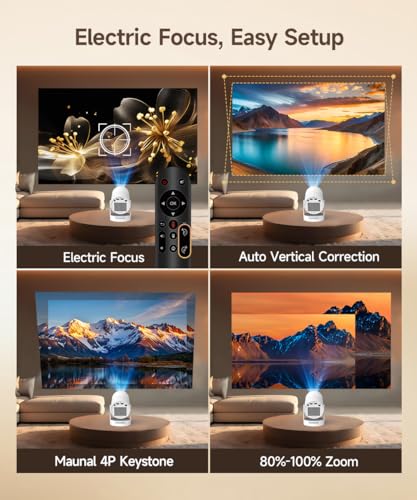
A projector that’s easy to set up saves you frustration every time you move it, mount it, or adjust your viewing space. Look for straightforward controls, flexible placement options, and helpful features like autofocus, keystone correction, lens shift, or adjustable feet—but watch out for models that rely heavily on digital correction, which can reduce image quality if the projector is placed far off-center.
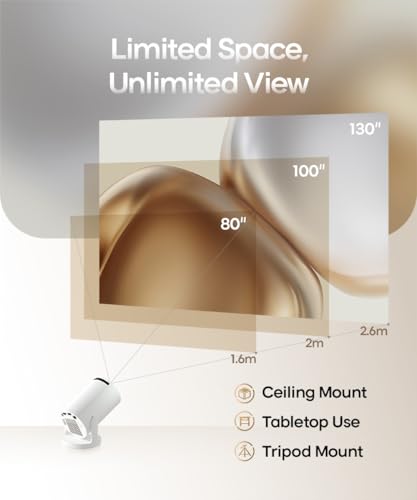
For setup, measure your throw distance and screen size before buying, then check the projector’s throw ratio, zoom range, tripod or ceiling-mount compatibility, lens offset, and whether auto focus and auto keystone work at the angles you actually plan to use. Auto correction is convenient for portable use, but heavy keystone can reduce resolution and add blur, so the best setup is still one where the lens can sit close to square with the screen. Owners consistently value models that get sharp and squared quickly, with auto focus, screen adjustment, and keystone correction making moves between rooms or outdoor locations much easier.
Picture
Picture quality determines how sharp, bright, and natural the image looks, especially as screen size increases or room lighting changes. Look for enough brightness for your space, accurate color, strong contrast, and a resolution that matches how large you plan to project; be cautious of vague “4K” or brightness claims that don’t reflect real-world viewing.
For picture, match brightness to the room rather than the advertised maximum screen size: dark bedrooms and movie nights can work with less light output, while garages, daytime rooms, sports viewing, and backyard use need much stronger brightness and a proper screen to avoid a gray, low-contrast image. Look for native 1080p or better for large screens, usable contrast in dark scenes, edge-to-edge sharpness, and realistic color; avoid assuming that a projector will replace a TV in bright daylight. Owner sentiment lines up with this: the most-liked projectors are described as sharp, vibrant, colorful, and bright enough for dim rooms, large images, some ambient-light rooms, garages, and outdoor
Value
A projector can seem like a bargain until you factor in brightness, resolution, contrast, input lag, lamp or light-source life, setup flexibility, and whether you’ll need extra speakers or mounting gear. Look for value for money in the full experience: a model that performs well in your room, suits what you watch or play, and avoids costly compromises like dim images, weak audio, limited ports, or frequent maintenance.
For value, do not judge only by headline features; the better buy is the one that saves you from replacement purchases such as a separate streaming stick, long HDMI run, speaker, screen, mount, or adapter. Check whether the claimed smart features are licensed and reliable, whether brightness is sufficient for your actual room, and whether portability matters enough to accept smaller speakers, lower brightness, or fewer mounting options. Owners tend to call a projector a strong value when it combines clear visuals, easy operation, useful smart or portable features, and solid everyday performance rather than just a low upfront cost.
Connectivity
You’ll want a projector that works easily with the devices and services you actually use, whether that means HDMI sources, wireless screen mirroring, Bluetooth audio, or built-in streaming apps. Check that its smart platform supports your preferred apps and stays easy to navigate, and watch for projectors that rely on limited app stores, unstable wireless casting, or adapters for basic connections.
For connectivity, verify the exact sources you plan to use: HDMI for consoles and streaming sticks, HDCP support for protected video, USB power that can actually run a stick, dual-band Wi-Fi for stable streaming, Bluetooth output for speakers, and screen mirroring that works with your phone’s ecosystem. Be especially careful with built-in apps: some projectors list popular services but may rely on workarounds, updates, or external devices, so a reliable HDMI streaming device may still be the safer plan. Owner reports are encouraging where connectivity is well implemented, with buyers appreciating built-in streaming interfaces, Wi-Fi apps, AirPlay or mirroring, Bluetooth, HDMI, USB, automatic
Sound
Sound quality matters because weak built-in speakers can make movies, games, and presentations feel thin or hard to follow, especially in larger rooms or outdoors. Look for clear dialogue, enough loudness for your space, and minimal distortion at higher volume; if the projector’s built-in audio is basic, plan on using external speakers or a soundbar.
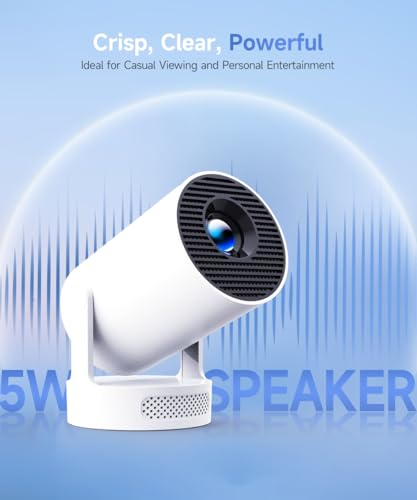
For sound, assume the built-in speakers are for convenience, not a full theater experience, and check whether the projector has Bluetooth audio, a 3.5 mm output, HDMI ARC/eARC, or optical audio depending on your speaker setup. Also consider Bluetooth latency for dialogue and gaming, fan noise during quiet scenes, and whether the speaker fires toward the audience or away from it when ceiling-mounted. Owners often find built-in audio louder and clearer than expected for casual viewing, but many still prefer adding a wired or Bluetooth speaker for fuller movie sound.
1,000,000+ shoppers use Buyer's Guide every week to find the best products and services online.

Helping millions of users make smarter purchases online.


