







We also considered 10 others:


Our Top Choice
The order above is not editorial opinion, and it is not paid placement. It comes from what shoppers across our network actually do - which portable dvd players they compare, and which they ultimately buy. We re-rank as new data comes in, so the long-term favorites have to keep earning their spot against new entrants. The full method, including how we make money.
Portable DVD Players Buyer's Guide
Portable DVD players are bought for a very specific job: make discs watchable away from a full home-theater setup without turning the trip, classroom, kitchen, or bedside into a wiring project. The sharp tradeoff is between compact convenience and the things that fail in real use: disc compatibility, battery/runtime honesty, usable controls, and sound that can compete with a car or room noise.
Disc Reliability
Portable DVD players have more moving parts than many modern media devices, so playback consistency is central to the purchase. A model that reads discs quickly, handles the formats you own, and keeps working after repeated travel use will matter more than extra features you rarely touch.
Start by checking the playback list, not just the screen size: a good portable DVD player should clearly support the discs you actually own, including standard DVDs and, if needed, burned DVD-R/RW discs, CDs, JPEG/MP3 media, USB, or memory-card playback. Look for resume play, anti-skip buffering for car use, a sturdy disc door or tray, and easy disc switching; avoid vague format claims if you have older home-burned discs or imported discs. Long-term reliability matters because the whole device is useless if the spindle, laser, lid switch, or controls stop reading discs after a few months. Owner sentiment supports making this the first filter: buyers strongly like players that simply work with lots of discs and are easy to get running, but the main watch-out in the feedback is reliability, including reports of units that stop playing DVDs after several months. Feedback is also mixed on day-to-day functionality, with some owners running into annoyances around remotes, controls, or disc switching.
Picture & Outputs
A portable DVD player is limited by DVD resolution, so screen processing, brightness, and output options determine how watchable the image feels. The right output ports can also turn a small travel player into a source for a larger TV or classroom display.
Choose the screen and outputs around where the player will actually be used. For lap or car-seat viewing, prioritize a bright screen, decent viewing angles, a hinge that swivels and folds securely, and a size that is large enough to watch without making the unit awkward to mount or carry. If you plan to connect it to a TV, projector, classroom display, or wall-mounted screen, check the exact outputs before buying: HDMI output is useful for cleaner digital video, while AV output may be needed for older displays; do not assume every portable player has both. Owner feedback gives picture quality real weight in this category. The sentiment set includes strong praise for clear standard DVD playback, with some owners calling picture quality a standout, and other feedback noting that HDMI output can make older movies look clear and watchable.
Portable Fit
Portability is not just weight; it is whether the player fits the place you want to use it without blocking ports, controls, or the disc door. A well-sized unit is safer in a car, easier for children or travelers to handle, and less frustrating in cramped setups.
Match the physical design to the location: compact players are easier to pack, use in kitchens or classrooms, tuck behind wall-mounted TVs, and carry between rooms, while larger-screen units are better for shared viewing but harder to mount safely. For car use, look for a stable headrest mounting method, a hinge that locks or folds flat, rounded edges, and controls that remain reachable once mounted. Avoid players whose charging port, headphone jack, disc door, or buttons are blocked by the case, strap, or mounting position. Owner sentiment strongly favors light, compact designs that are easy to carry and suit travel and car rides. The feedback also highlights very small size as a standout advantage in tight spaces such as behind wall-mounted TVs, kitchens, classrooms, and portable setups.
Battery & Power
Portable DVD players are often used where outlets are inconvenient, but spinning a disc and powering a screen drains energy faster than many shoppers expect. Flexible charging options reduce the risk of a trip or lesson depending entirely on one battery estimate.
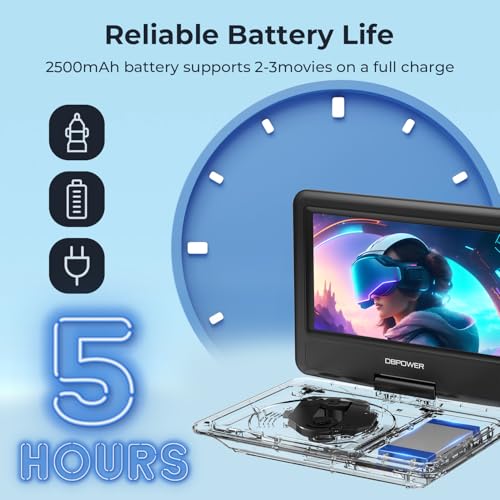
Treat claimed battery life as a best-case number and check the full power setup: wall adapter, car charger, charging time, whether it plays while plugged in, and whether the battery is built in or replaceable. For road trips, pass-through operation from a car outlet can matter more than maximum battery claims; for flights or waiting rooms, real unplugged runtime and standby drain matter more. Also check cable length and charging-port placement so the player can sit safely without strain on the connector. Owner feedback on battery life is mixed but generally serviceable: some owners are pleased with runtime and charging, while others become less convinced over time. That pattern makes battery flexibility important, especially if the player is being bought for travel where a dead battery can end the movie.
Easy Controls
A portable DVD player is often used in motion, by children, or in temporary setups, so basic controls must be obvious and reliable. If everyday actions depend on a tiny remote or confusing menus, the player can become frustrating even when playback quality is fine.
Look for large physical buttons on the player, clear labels, a simple menu, and essential controls that do not require the remote. The remote should be a convenience, not a single point of failure, because small remotes are easy to lose and can be awkward in cars or mounted setups where the infrared angle is poor. For children, classrooms, or older users, prioritize quick start, easy volume adjustment, obvious play/pause controls, and memory resume over complicated media menus. Owner sentiment repeatedly values players that are simple to operate and easy to get running. At the same time, functionality is mixed in the feedback because some buyers report annoyances with remotes, controls, or disc switching, so control layout is a practical buying concern rather than a minor extra.
Sound Setup
DVD players are often used in environments where small speakers struggle, especially cars and shared spaces. Clear dialogue, headphone compatibility, and distortion control can matter as much as raw volume.
Decide whether the built-in speakers are enough for your use or whether you will rely on headphones, external speakers, or a car audio connection. In a quiet bedroom or kitchen, built-in speakers may be acceptable; in a car, classroom, or noisy room, prioritize a headphone jack, adequate maximum volume, clean speech reproduction, and low distortion at higher volume. If two kids will watch together, check whether you need a splitter, dual headphone outputs, or Bluetooth support rather than assuming the player handles shared listening well. Owner sentiment is mixed on sound: many owners find built-in sound good enough for casual viewing, but broader feedback also includes complaints about distortion. That makes audio worth testing early, especially at the volume level you will actually use.
1,000,000+ shoppers use Buyer's Guide every week to find the best products and services online.

Helping millions of users make smarter purchases online.


