


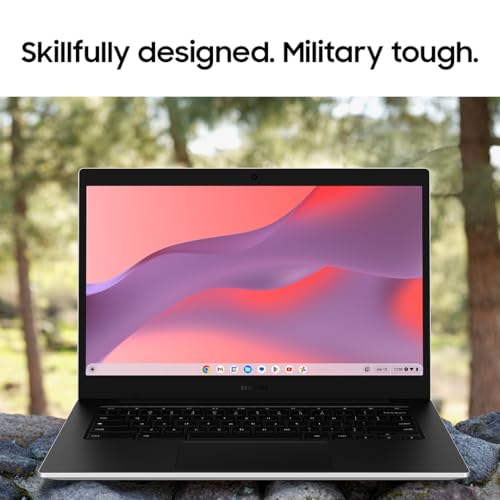

- Display Size: 14"
- Resolution: 1366 x 768
- Memory: 4GB RAM
- Storage: 64GB SSD
- Processor: Intel Celeron N4500 2-core
- Graphics Processor: Intel UHD Graphics
- Touchscreen: Yes
- Battery Life: 12 hours
- Operating System: Chrome OS
- Weight: 3.2 lbs





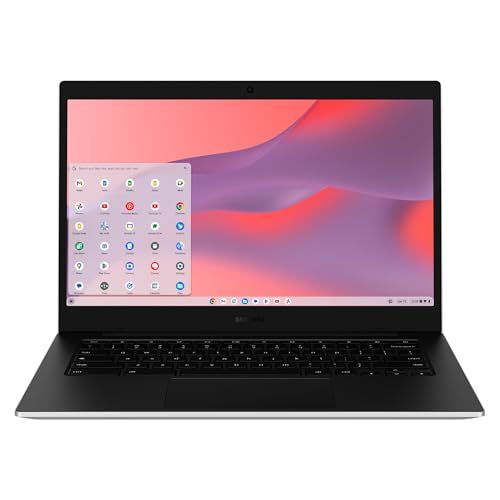
Samsung 14" Galaxy Chromebook Go Laptop
Introduction to the Product

In the world of laptops, Chromebooks have carved out a niche by offering a cloud-first approach, blending the boundary between affordability and performance. The Samsung 14" Galaxy Chromebook Go is a testament to this philosophy, providing users with a seamless experience engineered for efficiency and portability. This model is designed for those who rely on web-based applications and streaming, with a suite of features tailored to enhance user interaction and productivity.
The Samsung Galaxy Chromebook Go sports a sleek, lightweight design, featuring a 14-inch display that balances size and portability. Powered by Intel Celeron processors and equipped with up to 4GB RAM and 32GB eMMC storage, it addresses the basic needs of casual users, students, and professionals who do not require intensive computing power but rather a reliable online access point.
Key Factors to Consider Before Purchasing
Before proceeding with the purchase of the Samsung Galaxy Chromebook Go, prospective buyers should weigh several factors that could influence their user experience and satisfaction. First and foremost is the operating system. Chrome OS is known for its fast boot times and efficient operation, heavily reliant on cloud services. This device is optimal for users fully invested in Google's ecosystem or those who can adapt to storing files online and utilizing web apps.
Performance is another critical factor. Given its configuration, the Chromebook Go is suited for handling everyday tasks such as web browsing, streaming video content, and working with apps like Google Docs and Sheets. It is not designed for heavy multitasking or graphic-intensive applications, which can be pivotal for power users or creative professionals.
The battery life of the Chromebook Go is a significant advantage, ideal for those constantly on the move. Students and mobile professionals would benefit greatly from being able to use the device for extended periods without needing a charge. Additionally, the user should consider connectivity options; the Chromebook features essential ports but lacks higher-end features like Thunderbolt support.
Lastly, the price and warranty offerings are crucial. Chromebooks are generally affordable, and the Samsung 14" Galaxy Chromebook Go is no exception. It provides good value for money, especially for those primarily using the device for internet-based tasks. Ensuring that there's adequate warranty coverage and customer support is also essential to safeguard the investment.
Common Questions
How does the Samsung Galaxy Chromebook Go handle multitasking?
While adequate for basic tasks and single applications, users might experience slowdowns if too many tabs or apps are open simultaneously due to its limited RAM and processor speed.
Can I use Microsoft Office on this Chromebook?
Yes, Microsoft Office applications are accessible on the Chromebook through web-based versions or through the Microsoft Office apps available for download on the Google Play Store, offering convenience although with some features limited compared to the desktop versions.
Is the Samsung Galaxy Chromebook Go suitable for gaming?
It is capable of handling casual, less demanding games available through the Google Play Store or online. However, it is not suitable for more graphics-intensive games, as it lacks the necessary hardware specifications.
What are the internet connectivity options available on this device?
The Chromebook Go supports Wi-Fi connectivity, which is robust and efficient for most online applications and streaming services. However, there is no built-in LTE option, so users will need access to Wi-Fi for internet access.
In conclusion, the Samsung 14" Galaxy Chromebook Go is an ideal choice for users seeking a straightforward, portable, and efficient laptop primarily for internet use and basic productivity tasks. Its strengths lie in its system responsiveness, battery life, and lightweight design, making it particularly appealing to students and travelers. By considering the outlined factors, consumers can make an informed decision tailored to their specific needs and expectations from a Chromebook.