
















We also considered 10 others:


Our Top Choice
Compare Features


The order above is not editorial opinion, and it is not paid placement. It comes from what shoppers across our network actually do - which home office chairs they compare, and which they ultimately buy. We re-rank as new data comes in, so the long-term favorites have to keep earning their spot against new entrants. The full method, including how we make money.
Home Office Chairs Buyer's Guide
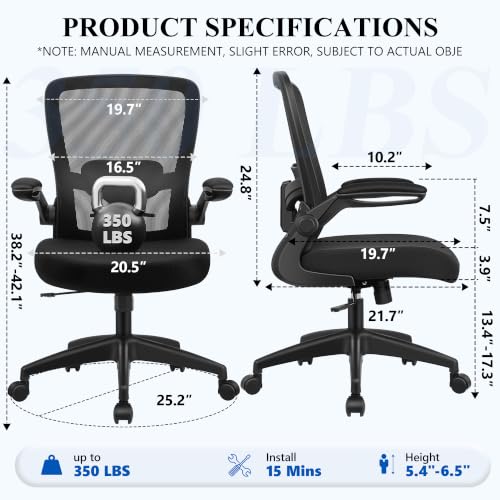
A home office chair has to do two jobs at once: keep you ergonomically aligned for full workdays and fit the realities of your desk, room, flooring, and body size. The sharpest checks are whether the seat, arms, lumbar, and recline can be tuned to your workstation—not just whether the chair feels soft at first—and whether the frame, lift, casters, and mesh or padding will hold up to daily use.
Comfort
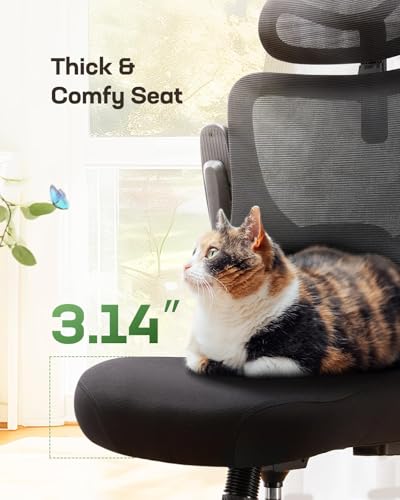
You’ll feel the difference in comfort most during long work sessions, when poor cushioning or the wrong seat firmness can lead to pressure points, fidgeting, or fatigue. Look for a chair with enough cushion to support you without feeling overly soft or bottoming out, and make sure the seat stays comfortable after more than a quick test sit.
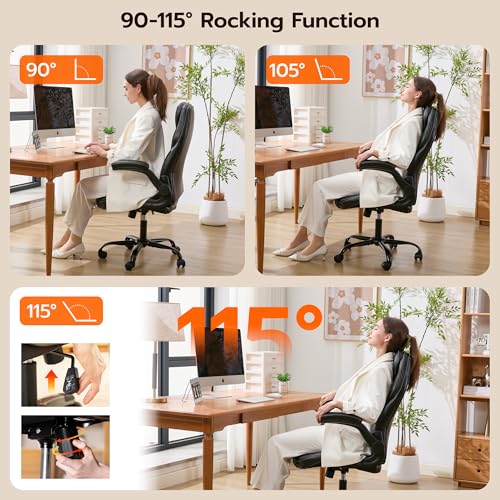
For home-office comfort, prioritize fit over plushness: the seat should let your feet rest flat, leave a small gap behind your knees, and support you without a hard front edge; the back should meet your spine rather than forcing you into a generic curve. If you work long hours, breathable mesh can help with heat buildup, while thicker cushioning may feel better initially but should be dense enough not to bottom out. A headrest is only useful if it reaches your head or neck in your natural posture, and a recline mode should support short posture changes without turning the chair into an unstable lounge chair. Owner feedback supports these priorities: shoppers often praise chairs that stay comfortable through long desk sessions, reduce back fatigue, offer breathable materials, and allow movement between upright work and reclining.
Quality
Quality matters because an office chair has to hold up to daily movement, weight shifts, and long hours of use without feeling loose, noisy, or flimsy. Look for sturdy materials, clean stitching or seams, stable armrests and controls, and a frame that feels solid under you; watch out for wobble, creaking, rough edges, uneven upholstery, or parts that feel cheap or poorly fitted.
For a chair used every workday, inspect the failure points: a wide stable base, a smooth gas lift that does not sink, tight arm and back connections, casters matched to your floor, and fabric or mesh that does not sag under repeated use. Avoid chairs that feel wobbly at the backrest, creak when reclining, or rely on thin plastic at stress points, especially if you are near the chair’s stated weight limit or recline often. Quality matters more in a home office because small annoyances—rocking, squeaking, uneven rolling—become daily distractions. Owner sentiment generally backs this up, with many buyers valuing chairs that feel sturdy, smooth-rolling, well finished, stable, and reliable over months of use.
Support
Good support helps you sit with less strain through your back, neck, and hips, especially during long work sessions. Look for adjustable lumbar support, seat height, armrests, and recline tension that let the chair fit your body rather than forcing you into one posture. Be wary of chairs that feel comfortable at first but lack lower-back support or adjustability, since they may contribute to aches over time.
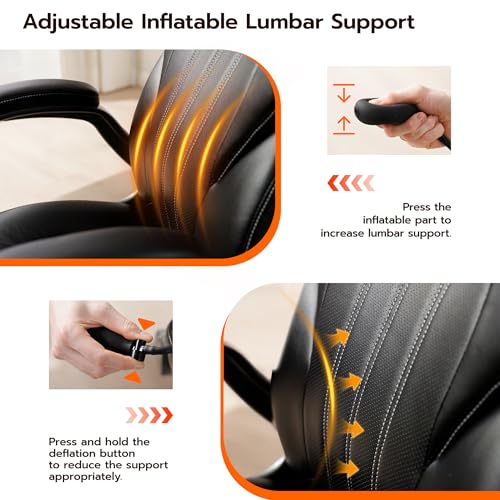
For ergonomic support, look for lumbar that lands at your lower back and can be moved or tensioned; fixed lumbar can miss the right spot for shorter or taller users. The backrest should encourage an upright working posture without pushing your shoulders forward, and the seat should keep your pelvis supported rather than tilting you into a slouch. If you have lower-back sensitivity, adjustable or inflatable lumbar can be more useful than a one-size-fits-all bump, but it should feel supportive rather than sharp. Owner reports align with this: buyers frequently highlight effective lumbar and back support, better posture once adjusted correctly, less back strain, and breathable supportive backs for long sessions.
Adjustability
You’ll get a better fit and more consistent support from an office chair that lets you fine-tune seat height, recline or tilt tension, arm position, and lumbar support to your body and desk setup. Look for adjustments that are easy to reach and meaningful in range, not just listed as features; limited or awkward controls can leave you stuck in a posture that causes discomfort over long work sessions.
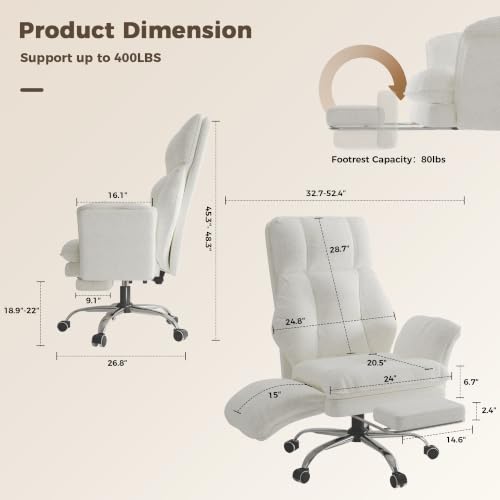
For a home office chair, the most important adjustments are seat height, arm height or width, lumbar position, back angle or recline tension, and ideally seat depth if multiple people or unusual body proportions are involved. Check that the armrests can slide under your desk or be moved out of the way; arms that are too high can force shoulder tension, while arms too low leave wrists unsupported. If you use a taller desk, drafting-height setup, or switch between typing, calls, and gaming, features like a foot ring, flip-up arms, adjustable headrest, or footrest may matter—but only if they lock securely and do not compromise stability. Owner feedback reinforces this dimension, with many shoppers appreciating chairs that let them tune lumbar, headrest, height, arms, back angle, seat depth, and footrest to their body and desk setup.
Assembly
A chair that’s easy to assemble lets you get set up quickly and reduces the chance of wobbles, misaligned parts, or missing hardware causing frustration later. Look for clear instructions, labeled parts, included tools, and straightforward steps, and be cautious of chairs that require two people, complex adjustments, or frequent re-tightening after setup.
Before buying, consider whether assembly gives access to the parts most likely to be misaligned: the seat plate, arm brackets, backrest bolts, casters, and gas lift. Look for clearly labeled hardware, included tools, and instructions that specify bolt order, because uneven tightening can cause a crooked seat, wobbling arms, or a back that never feels centered. If you live alone or are assembling in a small room, check whether one-person assembly is realistic and whether the chair is heavy enough to need support when attaching the back. Owner sentiment is reassuring here: buyers often describe setup as quick, straightforward, manageable alone, and helped by clear instructions, labeled parts, and included tools.
Value
A good office chair should justify its cost through lasting comfort, useful adjustments, supportive design, and materials that hold up to daily use. Look for value for money in the balance between build quality and features you’ll actually use, and be wary of chairs that seem cheap upfront but sacrifice ergonomics, durability, or warranty support.
Judge value by ergonomic fit and durability, not by the longest feature list. A chair is a poor value if the arms do not meet your desk height, the lumbar misses your back, the cushion flattens, or the casters damage your floor, even if it includes a headrest, footrest, and recline. Spend attention on the features you will use daily—supportive seat, adjustable lumbar, stable base, smooth lift, appropriate wheels, and materials suited to your room temperature—rather than cosmetic extras. Owner feedback supports this practical view: shoppers tend to call chairs a strong value when they combine comfort, useful adjustments, sturdy construction, easy assembly, smooth movement, and ergonomic support compared with more expensive office-chair options.
1,000,000+ shoppers use Buyer's Guide every week to find the best products and services online.

Helping millions of users make smarter purchases online.


