
Best Digital Notepads Updated November 2026

Best Digital Notepads
2026 Buyer's GuideUpdated November 2026
Sort by:
1

10.0

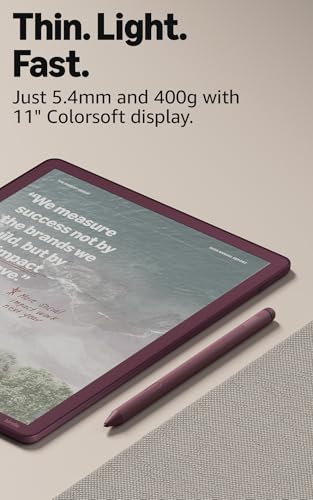
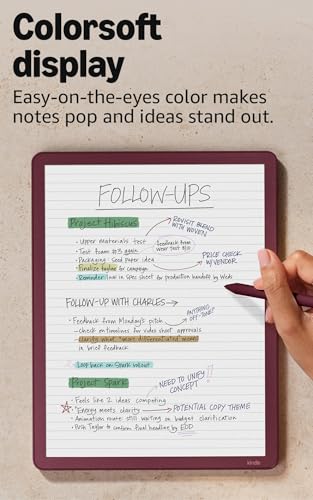
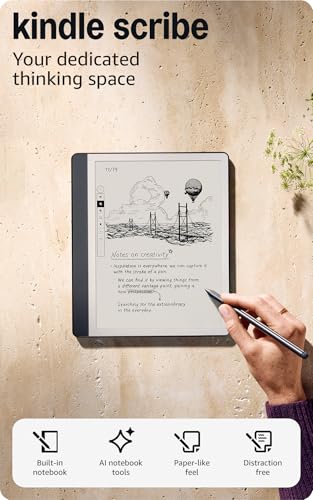
Amazon Kindle Scribe Colorsoft 32GB (newest model) — 11” paper-like color display — Write in notebooks, docs, and books. Read i...
Digitizing: Automatic page, sticky notes, comments
Size: 11"
Storage: 32GB
Battery Life: Up to 2 weeks (writing)
Integrations: Google Drive, Kindle Store, Microsoft OneDrive, web browser

10.0

1
Amazon Kindle Scribe Colorsoft 32GB (newest model) — 11” paper-like color display — Write in notebooks, docs, and books. Read i...
Digitizing: Automatic page, sticky notes, comments
Size: 11"
Storage: 32GB
Battery Life: Up to 2 weeks (writing)
Integrations: Google Drive, Kindle Store, Microsoft OneDrive, web browser
2

9.9

Amazon Kindle Scribe (16GB) - Your notes, documents and books, all in one place. With built-in AI notebook summarization. Inclu...
Digitizing: Automatic page, sticky notes, comments
Size: 10.2"
Storage: 16GB, 32GB, or 64GB
Battery Life: Up to 3 weeks (writing)
Integrations: Kindle Store, Microsoft Word, web browser
Compare

9.9

2
Amazon Kindle Scribe (16GB) - Your notes, documents and books, all in one place. With built-in AI notebook summarization. Inclu...
Digitizing: Automatic page, sticky notes, comments
Size: 10.2"
Storage: 16GB, 32GB, or 64GB
Battery Life: Up to 3 weeks (writing)
Integrations: Kindle Store, Microsoft Word, web browser
Compare
3

9.7

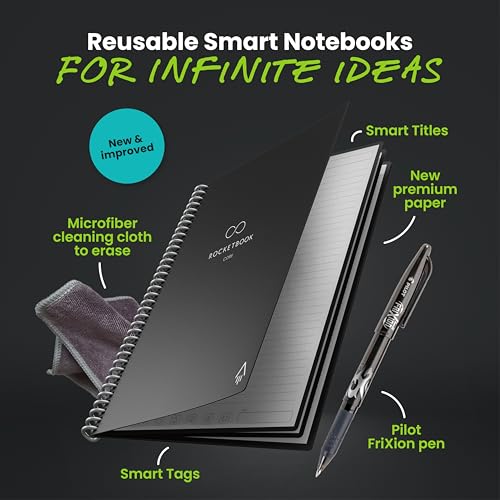
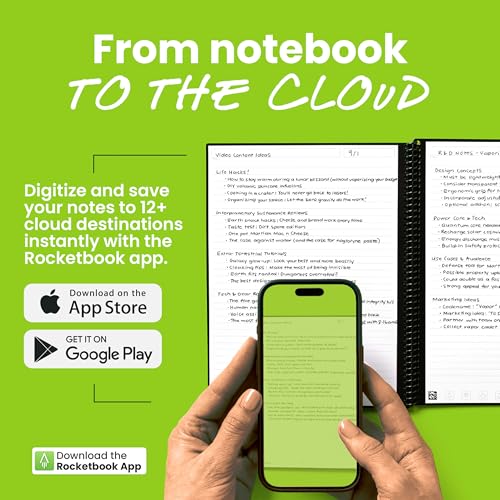
Rocketbook Core Reusable Smart Notebook, Letter Size 8.5x11, Black | Lined Pages For School Work and Creative Projects, Include...
Digitizing: App-enabled scan
Size: 8.5" x 11"
Storage: None
Battery Life: N/A
Integrations: Google Drive, Kindle Store, Dropbox, Microsoft OneDrive, Microsoft Word, Slack, and more
Compare

9.7

3
Rocketbook Core Reusable Smart Notebook, Letter Size 8.5x11, Black | Lined Pages For School Work and Creative Projects, Include...
Digitizing: App-enabled scan
Size: 8.5" x 11"
Storage: None
Battery Life: N/A
Integrations: Google Drive, Kindle Store, Dropbox, Microsoft OneDrive, Microsoft Word, Slack, and more
Compare
4

9.6

reMarkable Paper Pro Move Digital Notebook with Marker Plus | Ultraportable 7.3" paper tablet with color display and reading li...
Digitizing: Automatic page
Size: 7.3"
Storage: 64GB
Battery Life: Up to 15 days
Integrations: Google Drive, Microsoft OneDrive, Dropbox
Compare

9.6

4
reMarkable Paper Pro Move Digital Notebook with Marker Plus | Ultraportable 7.3" paper tablet with color display and reading li...
Digitizing: Automatic page
Size: 7.3"
Storage: 64GB
Battery Life: Up to 15 days
Integrations: Google Drive, Microsoft OneDrive, Dropbox
5

9.4

TCL Note A1 NXTPAPER Paper Tablet, 11.5" 2.2K 120Hz Display, 8+256GB | 8192-Level Stylus & Case Included, NXTPAPER PURE, 8000mA...
Digitizing: Automatic handwriting recognition
Size: 11.5”
Storage: 256GB
Battery Life: Not indicated
Integrations: Not indicated
Compare

9.4

5
TCL Note A1 NXTPAPER Paper Tablet, 11.5" 2.2K 120Hz Display, 8+256GB | 8192-Level Stylus & Case Included, NXTPAPER PURE, 8000mA...
Digitizing: Automatic handwriting recognition
Size: 11.5”
Storage: 256GB
Battery Life: Not indicated
Integrations: Not indicated
Compare
6

9.3

Noteorius Smart Pen & Reusable Digital Notebook with Folio – Write Naturally, Sync Effortlessly – Writing Pad with App Sync, Cl...
Digitizing: Automatic handwriting recognition
Size: 8.5” x 11”
Storage: None
Battery Life: Not indicated
Integrations: Evernote, Microsoft OneNote, Google Drive
Compare

9.3

6
Noteorius Smart Pen & Reusable Digital Notebook with Folio – Write Naturally, Sync Effortlessly – Writing Pad with App Sync, Cl...
Digitizing: Automatic handwriting recognition
Size: 8.5” x 11”
Storage: None
Battery Life: Not indicated
Integrations: Evernote, Microsoft OneNote, Google Drive
Compare
7

9.2

XPPen 3-in-1 Color Digital Notebook 10.95'' Magic Note Pad | Paper Note-Taking Tablet with 16384 Pressure Levels, X3 Pro Pencil...
Digitizing: Automatic handwriting recognition
Size: 10.95"
Storage: 128GB
Battery Life: Up to 24 hours
Integrations: Google Drive, Microsoft OneDrive, and more
Compare

9.2

7
XPPen 3-in-1 Color Digital Notebook 10.95'' Magic Note Pad | Paper Note-Taking Tablet with 16384 Pressure Levels, X3 Pro Pencil...
Digitizing: Automatic handwriting recognition
Size: 10.95"
Storage: 128GB
Battery Life: Up to 24 hours
Integrations: Google Drive, Microsoft OneDrive, and more
8

9.1

reMarkable Paper Pro Digital Notebook with Marker Plus | 11.8” color e ink paper tablet with reading light for writing, reading...
Digitizing: Automatic handwriting recognition
Size: 11.8"
Storage: 64GB
Battery Life: 2 weeks
Integrations: Google Drive, Dropbox, Microsoft OneDrive, Connect
Compare

9.1

8
reMarkable Paper Pro Digital Notebook with Marker Plus | 11.8” color e ink paper tablet with reading light for writing, reading...
Digitizing: Automatic handwriting recognition
Size: 11.8"
Storage: 64GB
Battery Life: 2 weeks
Integrations: Google Drive, Dropbox, Microsoft OneDrive, Connect
9

8.9

HUION Note Digital Notebook with Real-Time & Offline Sync, Battery-Free Pen | 2-in-1 Bluetooth Digital Notepad Drawing Tablet, ...
Digitizing: Automatic handwriting recognition
Size: 7.35" x 5.5"
Storage: None
Battery Life: Up to 18 hours
Integrations: Google Drive, OneNote, Microsoft Word
Compare

8.9

9
HUION Note Digital Notebook with Real-Time & Offline Sync, Battery-Free Pen | 2-in-1 Bluetooth Digital Notepad Drawing Tablet, ...
Digitizing: Automatic handwriting recognition
Size: 7.35" x 5.5"
Storage: None
Battery Life: Up to 18 hours
Integrations: Google Drive, OneNote, Microsoft Word
Compare
10

8.7

VIWOODS AiPaper 10.65" AI E Ink Tablet, Digital Notebook Bundle with Pen | AI meeting notes taking, handwriting-to-text, PDF an...
Digitizing: Automatic handwriting recognition
Size: 10.65"
Storage: 128GB
Battery Life: Not indicated
Integrations: Google Drive, Dropbox, Microsoft OneDrive
Compare

8.7

10
VIWOODS AiPaper 10.65" AI E Ink Tablet, Digital Notebook Bundle with Pen | AI meeting notes taking, handwriting-to-text, PDF an...
Digitizing: Automatic handwriting recognition
Size: 10.65"
Storage: 128GB
Battery Life: Not indicated
Integrations: Google Drive, Dropbox, Microsoft OneDrive
Compare
We also considered 10 others:

Our Top Choice

1

10.0

Amazon Kindle Scribe Colorsoft 32GB (newest model) — 11” paper-like color display — Write in notebooks, docs, and books. Read i...
Digitizing: Automatic page, sticky notes, comments
Size: 11"
Storage: 32GB
Battery Life: Up to 2 weeks (writing)
Integrations: Google Drive, Kindle Store, Microsoft OneDrive, web browser

10.0

1
Amazon Kindle Scribe Colorsoft 32GB (newest model) — 11” paper-like color display — Write in notebooks, docs, and books. Read i...
Digitizing: Automatic page, sticky notes, comments
Size: 11"
Storage: 32GB
Battery Life: Up to 2 weeks (writing)
Integrations: Google Drive, Kindle Store, Microsoft OneDrive, web browser

Compare Features

Battery Life
Best Digital Notepad
1. Amazon Kindle Scribe Colorsoft 11" (newest model) Digital Notebook
AMAZON Preview AMAZON Preview
AMAZON
at Amazon
2. Amazon Kindle Scribe E-Reader
AMAZON Preview AMAZON Preview
AMAZON
at Amazon
Best Value
3. Rocketbook New Core Reusable Spiral Notebook
ROCKETBOOK Preview ROCKETBOOK Preview
ROCKETBOOK
at Amazon
4. reMarkable Paper Pro Move Digital Notebook
REMARKABLE Preview REMARKABLE Preview
REMARKABLE
at Amazon
5. TCL Note A1 NXTPAPER Paper Tablet, 11.5" 2.2K 120Hz Display, 8+256GB | 8192-Level Stylus & Case Included, NXTPAPER PURE, 8000mA...
TCL Preview TCL Preview
TCL
at Amazon
6. Noteorius Smart Pen & Reusable Digital Notebook with Folio – Write Naturally, Sync Effortlessly – Writing Pad with App Sync, Cl...
NOTEORIUS Preview NOTEORIUS Preview
NOTEORIUS
at Amazon
7. XPPen 3-in-1 Color Digital Notebook
XPPEN Preview XPPEN Preview
XPPEN
at Amazon
Premium Pick
8. ReMarkable Paper Pro Bundle
REMARKABLE Preview REMARKABLE Preview
REMARKABLE
at Amazon
9. Huion Note 2-in-1 Drawing Tablet & Smart Pen
HUION Preview HUION Preview
HUION
at Amazon
10. VIWOODS AiPaper 10.65" AI E Ink Tablet, Digital Notebook Bundle with Pen | AI meeting notes taking, handwriting-to-text, PDF an...
VIWOODS Preview VIWOODS Preview
VIWOODS
at Amazon
Deal
-29% — — — -25% -25% -29% — -34% -20%
Deal -29% — — — -25% -25% -29% — -34% -20%
Digitizing
Automatic page, sticky notes, comments Automatic page, sticky notes, comments App-enabled scan Automatic page Automatic handwriting recognition Automatic handwriting recognition Automatic handwriting recognition Automatic handwriting recognition Automatic handwriting recognition Automatic handwriting recognition
Size
11" 10.2" 8.5" x 11" 7.3" 11.5” 8.5” x 11” 10.95" 11.8" 7.35" x 5.5" 10.65"
Size
11" 10.2" 8.5" x 11" 7.3" 11.5” 8.5” x 11” 10.95" 11.8" 7.35" x 5.5" 10.65"
Storage
32GB 16GB, 32GB, or 64GB None 64GB 256GB None 128GB 64GB None 128GB
Storage
32GB 16GB, 32GB, or 64GB None 64GB 256GB None 128GB 64GB None 128GB
Battery Life
Up to 2 weeks (writing) Up to 3 weeks (writing) N/A Up to 15 days Not indicated Not indicated Up to 24 hours 2 weeks Up to 18 hours Not indicated
Battery Life
Up to 2 weeks (writing) Up to 3 weeks (writing) N/A Up to 15 days Not indicated Not indicated Up to 24 hours 2 weeks Up to 18 hours Not indicated
Integrations
Google Drive, Kindle Store, Microsoft OneDrive, web browser Kindle Store, Microsoft Word, web browser Google Drive, Kindle Store, Dropbox, Microsoft OneDrive, Microsoft Word, Slack, and more Google Drive, Microsoft OneDrive, Dropbox Not indicated Evernote, Microsoft OneNote, Google Drive Google Drive, Microsoft OneDrive, and more Google Drive, Dropbox, Microsoft OneDrive, Connect Google Drive, OneNote, Microsoft Word Google Drive, Dropbox, Microsoft OneDrive
How we rank

The order above is not editorial opinion, and it is not paid placement. It comes from what shoppers across our network actually do - which digital notepads they compare, and which they ultimately buy. We re-rank as new data comes in, so the long-term favorites have to keep earning their spot against new entrants. The full method, including how we make money.

Digital Notepads Buyer's Guide

Digital notepads sit between paper notebooks, E Ink readers, smart pens, and full tablets, so the key tradeoff is distraction-free handwriting versus app flexibility. The sharpest buying concerns are whether your handwritten notes stay organized and exportable after capture, and whether the pen-and-screen feel is good enough that you will actually stop carrying paper.

Features

Features determine whether a digital notepad fits smoothly into your daily workflow or becomes another device you stop using. Look for reliable handwriting and typing options, flexible templates, easy search, tagging or folder organization, and simple ways to export or share notes; watch out for systems that lock you into limited formats or make organizing notes feel slower than paper.

Choose features around your actual capture workflow: a digital notepad that replaces meeting folders, textbooks, PDFs, and notebooks needs strong PDF annotation, searchable notebooks, folders, tags, templates, and reliable export; a paper-first smart notebook must prioritize accurate page capture and filing over tablet extras. Avoid models that only offer a blank writing surface if you need lesson planning, study packets, client notes, or recurring meeting templates, and check whether markup stays editable after export. Owner feedback supports this split: shoppers especially value all-in-one reading plus note-taking for travel, classes, meetings, planning, PDF markup, and work organization, while paper-capture devices are praised when they reliably preserve handwritten pages and help replace scattered notes with organized notebooks, folders, tags, and templates.

Writing

Your digital notepad should feel close enough to paper that you can write, sketch, and revise without thinking about the device. Look for low input lag, accurate palm rejection, comfortable pen pressure and tip options, and an eraser that feels natural to use. Watch out for slick screens, noticeable delay, or inconsistent touch sensitivity, which can make longer note-taking sessions frustrating.

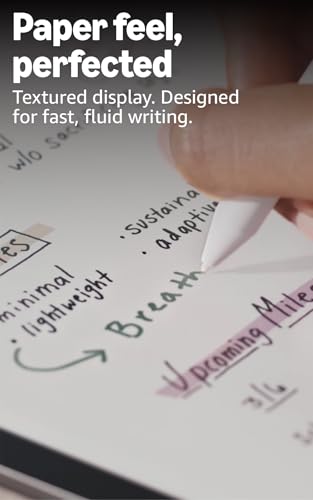
For writing, test or verify latency, palm rejection, nib drag, line accuracy near screen edges, and whether the pen supports pressure or tilt if you sketch, annotate diagrams, or vary line weight. If you want a paper notebook replacement, avoid glossy glass-feeling screens unless you are comfortable adding a textured protector; if you write for hours, also check nib wear, replacement availability, pen charging requirements, and whether the stylus is easy to lose or expensive to replace. Owner sentiment consistently backs writing feel as the deciding factor: buyers praise devices that feel close to pencil or pen on paper, respond quickly, capture handwriting precisely, and use responsive pens with fine line control, pressure sensitivity, tilt support, or battery-free convenience.

Ease

A digital notepad should feel as natural as reaching for paper, so setup and daily navigation matter as much as writing performance. Look for a simple onboarding process, intuitive menus, quick access to notes and tools, and reliable syncing or exporting that does not interrupt your workflow. Watch out for devices that hide basic functions behind confusing gestures, cluttered interfaces, or too many steps for common tasks.

Ease of use depends less on the first note you write and more on what happens afterward: check how notes sync, whether export to common cloud services works without friction, whether phone or desktop review is automatic, and whether notebooks can be reorganized without breaking links or losing pages. For work or school, avoid systems that require too many manual scans, awkward app steps, or proprietary workflows you cannot explain in one minute, because those are the failure points that make people go back to paper. Owners often like large screens for comfortable reading and writing, easy uploading, practical organization, instant phone appearance, and automatic syncing, but sentiment is split where apps and workflows take learning or become cumbersome.

Value

A digital notepad is only good value if it meaningfully improves how you capture, organize, and revisit notes without making you pay for features you won’t use. Look for a balance of writing feel, display quality, storage and syncing options, file support, battery life, and included accessories, while watching out for hidden costs like required subscriptions, replacement tips, or paid cloud features.

Judge value by the complete kit and the long-term workflow cost, not just the device: confirm whether the pen, case, extra nibs, cloud sync, handwriting conversion, app access, and export features are included or locked behind accessories or subscriptions. A cheaper general tablet may be better if you need apps, media, and color, while a focused E Ink notepad can be worth more if it reduces distraction and replaces notebooks, PDFs, and printed packets; avoid paying for tablet features you will not use or a closed note ecosystem you may outgrow. Owner feedback reflects that tradeoff: buyers see strong value when a device arrives ready with stylus and case and covers reading, notes, sketching, and everyday tasks, but value becomes mixed when focused writing devices cost more than feature-rich tablets or when accessories and paid app ecosystems feel restrictive.

Build

A digital notepad should feel solid enough for daily writing, carrying, and occasional bumps, with a screen and body that do not flex, creak, or show premature wear. Look for reliable construction, well-fitting accessories or covers, and secure pen attachment or storage, and watch out for loose parts, poor case fit, or materials that make the device feel fragile instead of protected.

For build, prioritize daily-carry durability: look for a rigid body, secure pen attachment, replaceable nibs, a protective folio, reliable battery life, and a screen type that can survive being carried with books, laptops, or meeting materials. E Ink and digital-paper screens can feel premium and light but still be vulnerable to pressure and drops, so avoid tossing one unprotected into a bag; also check reports of pen, marker, nib, or sync reliability because those small parts can break the whole workflow. Owners commonly praise solid, lightweight, well-made builds that are easy to carry between home, office, reading, and note-taking sessions, while the main cautions involve uneven reliability, fragile writing accessories, and nib-related issues despite otherwise good daily use.

Design

A digital notepad’s design affects how comfortable it is to carry, hold, and use for long writing sessions. Look for a size and weight that fit your routine, whether you need something bag-friendly for travel or a larger surface for sketching and detailed notes. Also consider the shape, grip, button placement, and color or finish, since poor ergonomics or a slick surface can make an otherwise capable device frustrating to use.

Design should match page size and portability to your writing style: choose a larger writing area if you annotate PDFs, sketch, teach, or take dense meeting notes, but choose a smaller model only if quick capture and bag space matter more than full-page comfort. Check bezel width for hand rest, orientation support, front light or color if you read and mark up long documents, page templates with title/date fields, and whether the pen and cover travel as one unit; avoid pocket-sized designs if you regularly need legal-pad-like space. Owner sentiment supports these design priorities: people like slim, lightweight notepads for work, travel, classes, and quick notes, appreciate paper-like displays that are easier on the eyes, value cases and light pens that keep the setup together, and note that very small formats can be convenient but too compact for some workflows.