













We also considered 10 others:


Our Top Choice
The order above is not editorial opinion, and it is not paid placement. It comes from what shoppers across our network actually do - which computer mouses they compare, and which they ultimately buy. We re-rank as new data comes in, so the long-term favorites have to keep earning their spot against new entrants. The full method, including how we make money.
Computer Mouses Buyer's Guide
Buying a computer mouse is a tradeoff between hand comfort, movement precision, connection simplicity, and the amount of control you actually need. The sharpest mistakes are choosing a shape that strains your wrist during long sessions or picking a wireless/feature-heavy mouse that adds pairing, battery, or software friction to a simple daily task.
Hand Fit
A mouse is a contact point you may use for hours, so small shape differences can become wrist, thumb, or palm strain. The right choice depends on hand size, dominant grip style, handedness, and whether you need a standard, vertical, or trackball layout.
Start with hand size, grip style, and session length before looking at features. A good office mouse should fill the palm enough that you are not pinching it all day; a gaming mouse should match your palm, claw, or fingertip grip without forcing your wrist angle; a vertical or trackball shape can help if flat mice cause wrist fatigue, but it may require an adjustment period. Check handedness, thumb-button placement, height, and whether the mouse is a compact travel shape, because small bodies are easy to carry but can feel cramped during long desk use. Owner feedback strongly supports making fit a top criterion: contoured shapes, secure grip, vertical “handshake” designs, and palm support are repeatedly praised for long work or gaming sessions. Buyers also call out wrist relief, reduced hand strain, and comfort for right-handed use, while one recurring caution is that some gaming-style mice can feel small for larger hands.
Tracking Feel
The best mouse disappears under your hand: the cursor goes where intended without lag, jitter, or overshooting. Tracking quality matters differently by use case, with gaming and precision work needing faster, cleaner response while office use needs consistent control and predictable scrolling.
Choose the sensor and movement style around the work you actually do. For gaming, design, or high-resolution multi-monitor setups, prioritize clean tracking, low perceived lag, stable polling, smooth glide feet, and adjustable DPI that can be changed without ruining precision. For everyday office use, accurate cursor movement and a scroll wheel that tracks predictably matter more than extreme DPI numbers; avoid models that advertise speed but feel twitchy, skip, or wake slowly. Owner sentiment repeatedly rewards mice that feel smooth, responsive, accurate, and dependable in daily use. Gaming-focused buyers especially praise quick movement control, low-latency wireless feel, and clean tracking, while everyday users value smooth response and accurate tracking without fuss.
Connection Setup
Connection type affects daily friction as much as performance. A mouse that pairs cleanly, wakes reliably, and works without driver hunting is especially important for laptops, shared desks, and people who move between devices.
Decide first whether you need wired certainty, a USB receiver, Bluetooth, or multi-device switching. Wired is still the safest pick for no charging, no pairing, and latency-sensitive use, while a 2.4 GHz receiver is often the easiest wireless path for laptops and desktops with USB-A or an adapter. Bluetooth is useful for tablets, ultraportables, and switching between machines, but shoppers should check operating-system compatibility, pairing steps, and whether the mouse can remember multiple devices. Owners consistently praise plug-and-play setup, USB receivers that work immediately, and mice that do not require driver troubleshooting for ordinary computer use. Multi-device buyers also value straightforward pairing and connection switching, while dependable wireless performance is a recurring reason a mouse feels easy to live with.
Controls
Buttons and settings can either save time or add clutter. The right control layout should put frequent actions within easy reach while avoiding accidental clicks, confusing software dependence, or features you will never use.
Match the button layout to your shortcuts, not to the biggest spec sheet. Office users may only need left/right click, a reliable wheel, side back/forward buttons, and a DPI toggle; MMO, productivity, and creative users may benefit from many programmable buttons if they are reachable without accidental presses. Look for onboard button behavior, easy DPI changes, scroll-wheel modes, and optional weight tuning; avoid layouts that force software for basic use if you need a simple shared or work computer mouse. Owner feedback highlights extra programmable buttons, adjustable weights, scroll-wheel modes, and adjustable DPI as useful when they feel practical rather than gimmicky. Buyers also appreciate mice that offer lighting changes or basic customization without extra software, showing that control flexibility matters most when it stays easy.
Power Life
Wireless convenience depends on whether the mouse is ready when you are. Long runtime, predictable charging, and reliable wake behavior prevent interruptions during work, gaming, or travel.
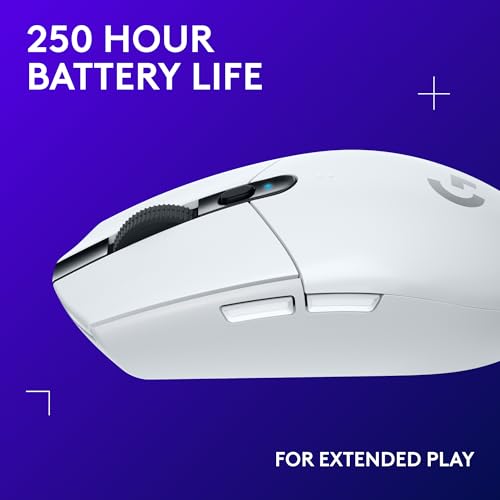
For wireless mice, check the power system as carefully as the shape. Rechargeable models should last long enough for your work rhythm and ideally allow use while charging; replaceable-battery models should wake quickly and avoid frequent swaps. If you travel or work long days, prioritize clear battery indication, reliable sleep behavior, and no surprise shutdowns over flashy lighting that may shorten runtime. Owners strongly praise mice that last for weeks or months with little charging and models that keep working without surprise shutdowns. Battery life appears most valued when it supports dependable daily use rather than becoming another device to monitor constantly.
Daily Durability
A mouse can seem fine on day one but fail through worn feet, inconsistent clicks, loose wheels, or unreliable wireless behavior. Durability is especially important because the mouse is used constantly and small failures immediately affect comfort and productivity.
Look for a shell, wheel, switches, feet, and cable or receiver storage that fit your usage intensity. A dependable everyday mouse should click consistently, scroll cleanly, maintain glide, and survive bag carry or full-day desk use; a gaming or MMO mouse also needs buttons that do not feel mushy after heavy use. Quiet clicks can be a major advantage in shared offices, bedrooms, and classrooms, but they should not come at the expense of clear actuation or a weak-feeling wheel. Owner reports repeatedly describe dependable daily mice that keep working smoothly, including some with years of use. Shoppers also praise well-made feel, sturdy construction, quiet clicking, and strong value when the mouse delivers reliable basics or useful gaming features without feeling flimsy.
1,000,000+ shoppers use Buyer's Guide every week to find the best products and services online.

Helping millions of users make smarter purchases online.


