


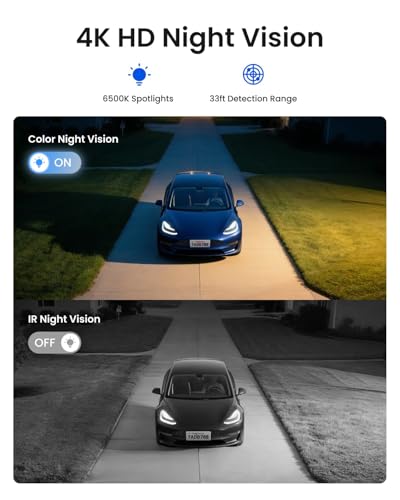






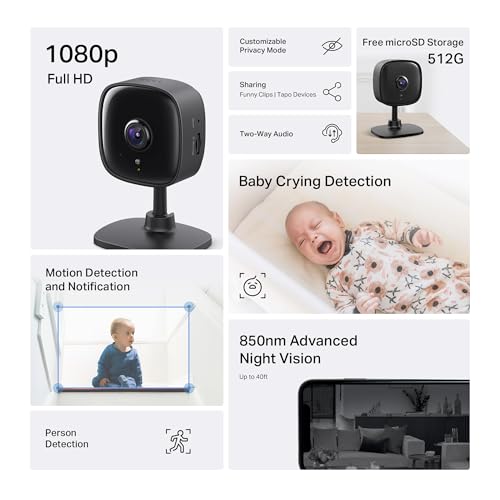




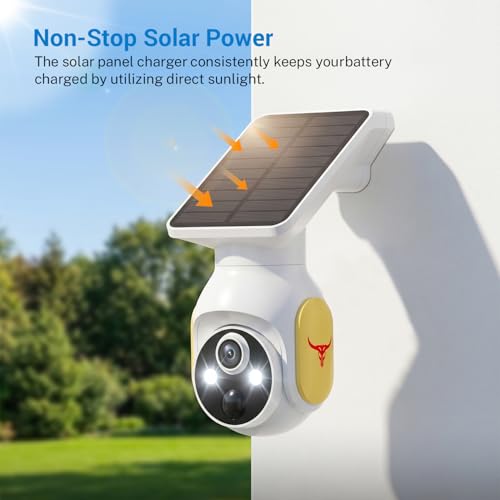


We also considered 10 others:


Our Top Choice
Compare Features


The order above is not editorial opinion, and it is not paid placement. It comes from what shoppers across our network actually do - which cameras without wi-fi they compare, and which they ultimately buy. We re-rank as new data comes in, so the long-term favorites have to keep earning their spot against new entrants. The full method, including how we make money.
Cameras without Wi-Fi Buyer's Guide
Cameras without Wi‑Fi trade cloud convenience for privacy, off-grid use, simpler closed-circuit monitoring, or cellular-only access. The sharpest buying checks are whether the camera truly works without a router after setup, how footage and alerts are delivered, and what happens during power, signal, or storage failures.
Video
You want clear, sharp video so you can actually identify faces, license plates, packages, or activity rather than just see that something happened. Look for strong daytime image quality, effective night vision, a wide enough field of view to cover the area you care about, and brightness handling that doesn’t wash out faces in glare or hide details in shadows. Be careful with cameras that advertise high resolution but have poor low-light performance, narrow viewing angles, or digital zoom that gets blurry when you need details most.
For video, prioritize a camera whose resolution, lens angle, and night mode still make sense when footage is viewed locally, saved to a card, or streamed over cellular rather than Wi‑Fi. Check for true night visibility at your needed distance, whether “color night vision” requires a visible spotlight, and whether recorded clips keep enough detail for faces, pets, license plates, or baby monitoring instead of only looking good in a live preview. Owner feedback supports video as a strong point in this category: buyers repeatedly describe clear everyday footage, sharp 2K/4K-style images, crisp color, strong low-light performance, useful night range, and in some cases a large local screen or camera movement that helps cover more of a room.
Quality
You want a security camera that keeps working day and night, not one that fails when weather, power interruptions, or heavy use put it under stress. Look for solid construction, dependable connectivity, consistent recording and alerts, and weather resistance if it will be used outdoors; watch out for flimsy mounts, frequent disconnects, overheating, or reviews that mention premature failure.
For quality, look beyond the camera body and check the parts that fail first in no-Wi‑Fi use: weather sealing for outdoor or RV mounting, durable hinges or pan mechanisms, reliable card slots, stable power connectors, battery behavior after outages, and resistance to heat if used in vehicles, barns, or protected outdoor spots. If the camera depends on cellular, solar, or local recording, build quality matters because a loose mount, weak seal, or flaky storage interface can mean no footage when there is no Wi‑Fi/cloud backup. Owner sentiment is broadly positive here, with buyers calling many units well-made, sturdy, tough, reliable in demanding outdoor conditions, and easy to install with helpful indicators and instructions.
Value
A security camera’s real cost goes beyond the upfront price, so you should consider whether key features like cloud storage, smart alerts, or video history require a subscription. Look for a camera that gives you the level of monitoring and storage you actually need without locking essential functions behind ongoing fees, and weigh any recurring costs against the reliability, image quality, and features you get in return.
For value, calculate the total no-Wi‑Fi cost, not just the device: memory cards, card replacement, batteries, solar panels, cellular SIM/data plans, monitor screens, mounts, and any optional cloud or remote-viewing fees can change the real deal. The best value in this niche is a camera that performs its required job locally or off-grid without forcing a subscription for basic recording, playback, or alerts. Supporting owner feedback points in that direction: buyers often praise strong feature sets, local storage options, solar power, remote-viewing features, no required subscription designs, and budget-friendly performance that exceeds expectations for basic home, pet, baby, RV, or security monitoring.
Features
Extra features determine how well a security camera fits your space and daily routine, so look for functionality you’ll actually use: pan-tilt adjustability for wider coverage, built-in lighting for dark areas, flexible storage options, and customizable motion zones or alerts. Watch out for features that sound helpful but depend on subscriptions, weak app controls, or limited camera modes, since they can affect how much control and value you get over time.
For features, verify which ones actually work without Wi‑Fi: local recording, local live view, cellular remote view, two-way talk, motion alerts, pan/tilt control, temperature alerts, and app access may each have different connectivity requirements. Avoid assuming “wireless” means “no Wi‑Fi”; it may mean battery-powered but still router-dependent. For off-grid, RV, pet, or baby use, prioritize the exact feature path you need: closed-circuit screen for nearby monitoring, cellular for remote viewing, onboard storage for evidence, and temperature or sound alerts where safety depends on more than motion. Owner comments back up the usefulness of these features when implemented well, citing real-time HD viewing, two-way voice, remote viewing, notifications, pan controls, adjustable motion features, cellular/solar operation for no-Wi‑Fi locations, and temperature alerts for pets and RVs.
Setup
Setup matters because even a great security camera won’t help much if it’s difficult to mount, connect, or configure where you need it. Look for clear installation steps, flexible mounting options, reliable app pairing, and power requirements that fit your space, and watch out for cameras that need complicated wiring, weak Wi-Fi placement, or extra hardware to get working.
For setup, confirm the first-time activation path before buying: some cameras advertised for no-Wi‑Fi locations still need an app, QR scan, account, Bluetooth handoff, SIM activation, APN settings, or temporary internet connection. If the camera is for a cabin, trailer, jobsite, nursery, or elderly relative, choose one with clear local pairing, visible status lights, easy card formatting, simple reset steps, and mounting that does not require network troubleshooting on a ladder. Owner feedback generally says setup can be quick and low-friction, with app-guided onboarding, QR-code scanning, clear indicators, fast pairing when the unit is working properly, and simple installation without difficult wiring.
Detection
Detection determines how reliably your security camera notices activity, follows movement, and alerts you when something matters. Look for adjustable motion zones, sensitivity controls, person/pet/package recognition if you need it, and fast, accurate notifications; watch out for cameras that trigger too many false alerts from shadows, cars, or pets, or miss motion at the edges of the frame.
For detection, make sure motion, person/pet recognition, sound alerts, zones, and sensitivity are processed on the device or through the camera’s actual connection method, not only through Wi‑Fi/cloud services. For battery or solar models, check whether detection uses PIR sensors to save power, whether the wake-up delay is short enough to catch fast visitors, and whether alerts can reach you over cellular or only when you are near the local monitor. Also confirm that detection zones still apply to recorded clips, not just live app viewing. Owner sentiment is favorable when these systems are tuned well: buyers report responsive motion and sound detection, adjustable sensitivity, detection zones, useful pan/tilt tracking, reliable visitor or activity alerts, pet/person detection that works, and fast notifications over distance in some use cases.
1,000,000+ shoppers use Buyer's Guide every week to find the best products and services online.

Helping millions of users make smarter purchases online.


