

















We also considered 10 others:


Our Top Choice
Compare Features


The order above is not editorial opinion, and it is not paid placement. It comes from what shoppers across our network actually do - which budget projectors they compare, and which they ultimately buy. We re-rank as new data comes in, so the long-term favorites have to keep earning their spot against new entrants. The full method, including how we make money.
Budget Projectors Buyer's Guide
Budget projectors are a tradeoff between a big, fun image and the limits of small optics, modest brightness, app support, and built-in audio. The sharpest concerns are whether the projector is truly usable in your room’s light level and whether it will connect cleanly to your streaming device, phone, speakers, or game console without lag or copy-protection headaches.
Quality
A projector’s quality affects how well it holds focus, handles heat, and delivers a consistent image over repeated use. Look for sturdy construction, dependable controls and inputs, stable brightness and color, and signs of good thermal design; be cautious of flimsy housings, noisy fans, loose ports, or user feedback pointing to early failures or inconsistent performance.
For quality, judge the projector as a complete viewing system, not just a spec sheet: look for native resolution clearly stated, usable brightness in dim or partially lit rooms, stable focus edge-to-edge, and low input lag if you plan to game or watch sports. Avoid models that rely on vague brightness claims, overpromise “daytime” performance, or require extreme keystone correction, because those are common ways budget projectors lose sharpness and contrast. Owner feedback supports that the best budget options can still look clear, bright, colorful, and convincing for movies, sports, games, and outdoor viewing, especially in dimmer rooms; buyers also value smooth Bluetooth, AirPlay, app streaming, and easy pairing with external speakers when the projector behaves like a complete setup rather than just a display.
Setup
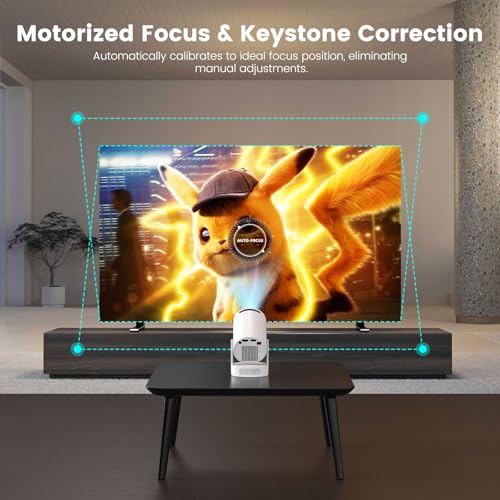
A projector that’s easy to set up saves you from fighting with placement, focus, and image alignment every time you want to watch something. Look for helpful features like autofocus, keystone correction, lens shift, zoom, clear menus, and flexible mounting or tabletop placement options. Be cautious if a projector requires a very exact position or relies heavily on digital correction, since that can make setup fussier or slightly reduce image quality.
For setup, prioritize auto-focus, auto-keystone, zoom or image-size adjustment, and a mounting position that matches your room before you buy; a projector that only looks good from one exact distance or angle can be frustrating in small rooms, bedrooms, and backyards. Be cautious with heavy keystone use, because it can soften the image and reduce usable resolution, and check whether ceiling mounting, tripod threads, power-cord length, and remote-based focus fit your intended setup. Owner sentiment backs this up: shoppers repeatedly describe the easier models as fast, beginner-friendly, and low-effort, with auto-focus, 6D or automatic keystone correction, simple Wi-Fi configuration, and quick device hookup making it possible to get a large image running within minutes.
Picture
Picture quality determines how clear, bright, and natural your projected image looks, especially as screen size increases or room lighting changes. Look for enough brightness for your space, sharp resolution for the content you watch, and accurate color that doesn’t look washed out or overly artificial. Be careful not to judge by “4K” alone, since contrast, lens quality, and light output can matter just as much to how good the image actually looks.
For picture, match expectations to lighting: budget projectors are best in dark rooms, shaded patios, or nighttime outdoor setups, and even “bright” models can look washed out under lamps, daylight, or large screen sizes. Look for native 1080p if you want text, subtitles, sports graphics, or gaming HUDs to stay crisp; also check throw distance, maximum recommended screen size, contrast, color accuracy, and whether the lens stays sharp at the corners. Owner reports suggest the stronger models deliver sharp, vivid, bright-looking images that make movies, games, videos, and sports feel impressive for the cost, with some users getting acceptable results on plain walls or with some ambient light, though the most consistently praised results still come in darker viewing conditions.
Value
A projector’s value for money comes down to whether its image quality, brightness, features, and reliability justify what you pay. Look for a balance of performance and practical extras you’ll actually use, such as easy setup, useful ports, or low-maintenance operation, and be wary of paying more for specs or features that won’t improve your viewing experience.
For value, do not buy only the cheapest unit; compare the cost of everything you may need to add, such as a screen, streaming stick, tripod, ceiling mount, HDMI adapter, extension cord, Bluetooth speaker, or replacement remote. The best value in this niche is a projector that includes the features you will actually use—smart apps, reliable wireless casting, autofocus, decent speakers, and the right inputs—without hiding major compromises in brightness, fan noise, app compatibility, or warranty support. Owner feedback reinforces that buyers see strong value when affordable models deliver sharp picture quality, convenient smart features, portability, included accessories, and performance that feels better than expected for casual movie nights, sports, and everyday streaming.
Connectivity
You’ll want a projector that connects easily to the devices and services you actually use, whether that means HDMI sources, wireless screen mirroring, Bluetooth audio, or built-in streaming apps. Check that its smart features support your preferred apps and that wireless casting works with your phone, tablet, or laptop ecosystem. Watch out for projectors with limited app stores, outdated software, or “wireless” features that still require extra adapters for common setups.
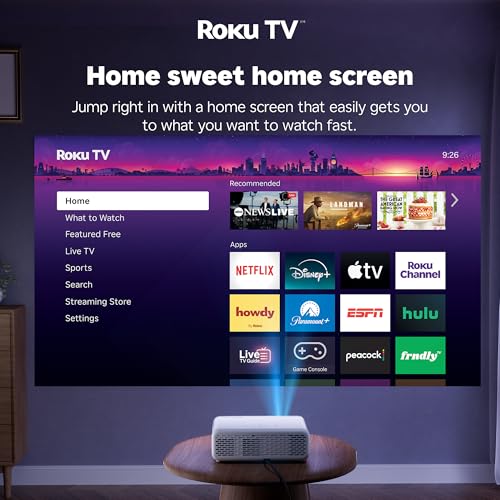
For connectivity, verify the exact way you plan to watch before purchasing: HDMI for streaming sticks and game consoles, USB or media playback if needed, Wi-Fi casting for your phone ecosystem, Bluetooth audio output for speakers, and support for built-in apps if you want an all-in-one setup. Be especially careful with phone mirroring and streaming services, because some apps block copyrighted video over basic screen mirroring; in those cases, a dedicated streaming device through HDMI is often more reliable. Owner sentiment shows that connectivity is a major strength when Wi-Fi setup, Bluetooth pairing, HDMI, TV sticks, speakers, game consoles, phone mirroring, and built-in streaming interfaces work smoothly, with buyers appreciating simple menus and stable everyday device connections.
Sound
You’ll want to consider sound quality because built-in speakers can determine whether a projector is convenient on its own or needs an external speaker system to feel complete. Look for audio that is loud enough for your room, clear at higher volumes, and not overly thin or distorted; compact projectors often have limited bass and separation, so plan for external audio if you want a more immersive movie or gaming experience.
For sound, decide whether the projector will be used in a quiet bedroom, a living room, or outdoors, because small built-in speakers may be fine up close but can struggle against fan noise, conversation, or open-air spaces. Look for Bluetooth audio output, a 3.5 mm jack, HDMI audio compatibility, or support for an external sound system; also check for audio-delay controls if you use Bluetooth, since lip-sync lag can ruin movies and gaming. Owner feedback is encouraging for casual use: many buyers find built-in speakers surprisingly loud, clear, and full enough for small rooms or movie nights, while others still prefer pairing an external Bluetooth speaker or sound system for a fuller experience.
1,000,000+ shoppers use Buyer's Guide every week to find the best products and services online.

Helping millions of users make smarter purchases online.


