
















We also considered 10 others:


Our Top Choice
Compare Features


The order above is not editorial opinion, and it is not paid placement. It comes from what shoppers across our network actually do - which vr goggles they compare, and which they ultimately buy. We re-rank as new data comes in, so the long-term favorites have to keep earning their spot against new entrants. The full method, including how we make money.
VR Goggles Buyer's Guide
VR goggles are not one-size-fits-all: the big tradeoff is between simple standalone wireless play, PC-connected performance, and basic phone or media viewers that may not deliver true room-scale VR. The sharpest things to verify are tracking and content compatibility, lens fit/IPD clarity, comfort for your face or glasses, and whether the setup path matches the way you actually plan to use the headset.
Quality
You want a VR headset that feels solid, holds up to repeated adjusting, and stays comfortable and functional through long sessions and regular use. Look for sturdy straps and hinges, well-finished materials, reliable controllers and tracking components, and a fit that doesn’t creak, loosen, or feel fragile. Watch out for poor condition, flimsy plastics, weak cables or ports, and reports of parts wearing out quickly.
For VR goggles, “quality” should start with the hardware path you actually need: standalone wireless headsets avoid base-station setup and cable snagging, while PC/HDMI-style viewers need stronger scrutiny for port reliability, lens alignment, and unit-to-unit QC. Check that the package includes working controllers, spacers, charging gear, and any required straps or cables, and inspect renewed/open-box units immediately for dead inputs, scratched or misaligned lenses, controller drift, and tracking-camera faults. Owner feedback supports this split: many buyers describe modern standalone and renewed headsets as complete, well built, quick to use, and a major quality step up, but some wired or display-input units arrive with input or lens problems that make quality control a real concern.
Performance
Performance determines how natural and reliable a VR headset feels once you’re inside an experience. Look for responsive motion tracking, accurate controller behavior, and smooth functionality during fast movements, and watch out for lag, drifting, lost tracking, or controls that break immersion.
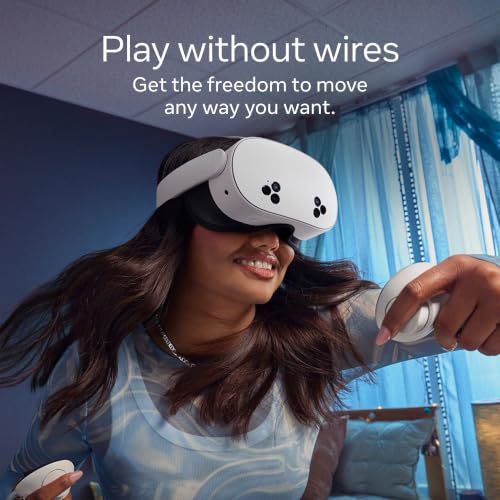
Match performance to your use case: active room-scale games need low-latency 6DoF tracking, responsive controllers, and reliable guardian/boundary detection; seated media viewing can tolerate simpler tracking; PCVR needs a strong enough computer, compatible cable or wireless streaming setup, and stable network conditions. If you want mixed reality, look for good passthrough clarity and depth handling, not just “VR” in the listing; if you want hand tracking, confirm app support rather than assuming every title uses it well. Owners often praise wireless play, accurate movement detection, hand tracking, quick everyday operation, and strong mixed-reality performance, but they also report that usable content can be hit or miss depending on apps, subscriptions, phone support, or connectivity.
Value
Value matters because a VR headset’s real cost includes not just the headset, but also any needed accessories, compatible hardware, subscriptions, games, and replacement parts. Look for a setup that delivers the comfort, tracking, display quality, and content you’ll actually use, and watch out for cheaper options that cut corners in ways that make the experience frustrating or require costly add-ons later.
Judge value by the complete VR system, not the headset alone: add the likely cost of prescription lens inserts or glasses spacers, a better head strap, controller grips, carrying case, longer cable or router upgrade for PCVR, extra battery, and paid apps or subscriptions. A cheap phone viewer may be reasonable for occasional big-screen video but is poor value if you expect true positional VR, while a premium headset is only worth it if you will use its tracking, display, passthrough, storage, and app ecosystem. Owner sentiment backs this: buyers often feel standalone, renewed, budget, and feature-rich headsets deliver strong entertainment value for games, fitness, family play, and media, yet functional failures like blank screens or inconsistent comfort can make higher-priced choices feel less risk-free.
Comfort
Comfort affects how long you can stay immersed without feeling distracted by pressure, heat, or neck strain. Look for a headset with balanced weight distribution, adjustable straps, adequate padding, and enough room for glasses if you wear them. Be wary of designs that feel front-heavy, pinch around the face, or require frequent readjustment during movement.
Comfort is a make-or-break VR spec, so check weight distribution, strap type, facial interface material, IPD adjustment range, glasses clearance, and whether the headset can accept prescription inserts. For fitness or long sessions, avoid forehead-heavy designs unless you can counterbalance them with a better strap or rear battery; for glasses wearers, confirm frame width and lens-scratch protection; for motion-sensitive users, prioritize stable refresh rates, sharp focus, and easy fit adjustment. Owners commonly like lightweight, balanced fits and note that some models accommodate thick glasses and headphones, especially with upgraded straps or cushions, but feedback also shows fit varies by head shape, lens alignment, strap support, battery weight, and nausea sensitivity.
Display
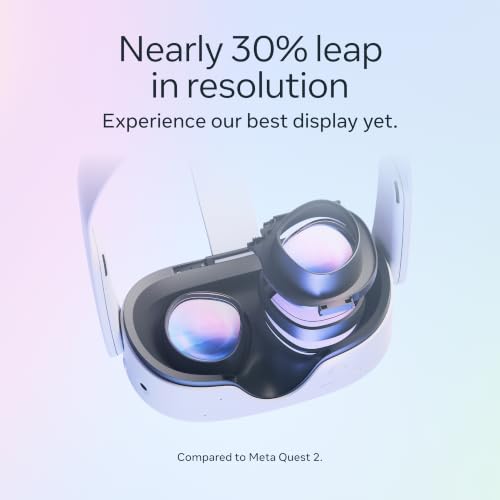
Display quality determines how sharp, comfortable, and convincing VR feels, affecting everything from reading text to spotting details in games and videos. Look for high resolution, good contrast and color, a wide sweet spot, and lenses that stay clear across the view; watch out for blur, glare, screen-door effect, and edge distortion that can break immersion or cause eye strain.
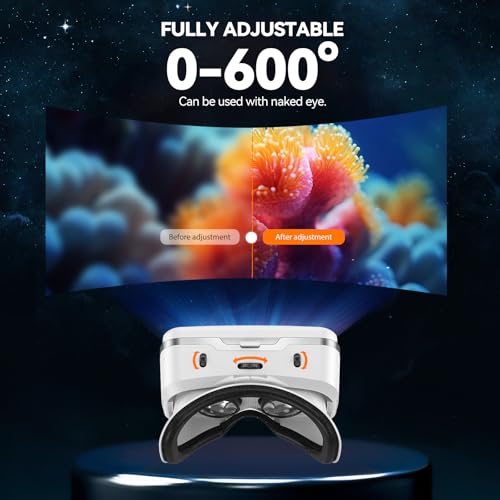
For display quality, look beyond resolution claims: check lens type, sweet-spot size, IPD adjustment, edge clarity, refresh rate, field of view, screen-door effect, brightness, and whether text is readable for your intended use. Movie viewers may tolerate a virtual-screen look, but productivity, sims, cockpit games, and reading-heavy apps need sharp text across the lens; phone-in-headset and low-resolution viewers often disappoint if you expect full VR immersion. Owners frequently praise sharper text, clearer distant objects, immersive screens, reduced screen-door effect, and smooth graphics, but they also report uneven focus, blurry edges, limited viewing angles, 720p-style virtual screens, and confusion between simple 3D viewing and true VR.
Setup
A VR headset should be easy to set up and stay connected, because complicated pairing, unclear room calibration, or unreliable links can make you use it less. Look for clear onboarding, broad device and app compatibility, simple controller pairing, and connection options that fit how you plan to play, whether standalone or tethered. Also watch for requirements such as account setup, external sensors, specific ports, or minimum computer specs that could add friction before you even start.
Before buying, map the setup chain: standalone goggles need account/app onboarding, Wi‑Fi quality, boundary setup, and controller pairing; PCVR needs GPU compatibility, cable or wireless-link support, drivers, ports, and enough play space; phone viewers need the right phone size, sensors, apps, and content format. If buying for a child, shared household, classroom, or nontechnical user, favor guided onboarding, easy recentering, simple app access, and clear safety boundaries over maximum tweakability. Owner reports generally say first-time setup can be quick, simple, and beginner-friendly, with many units working right away, but app syncing, content compatibility, HDMI/input reliability, and strap/comfort adjustments can still turn “easy setup” into a frustrating process for some users.
1,000,000+ shoppers use Buyer's Guide every week to find the best products and services online.

Helping millions of users make smarter purchases online.


