


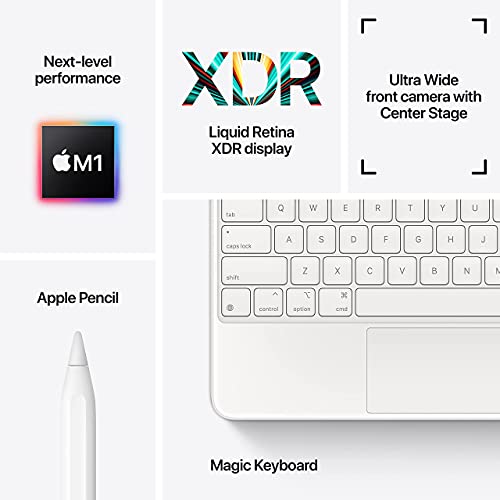
- Screen: 12.9"
- Resolution: 2732 x 2048
- Processor: Apple M1 8-core
- Storage: 256GB
- Battery Life: Up to 10 hours
- Camera: 10MP front & 12MP rear
- Operating System: iPadOS





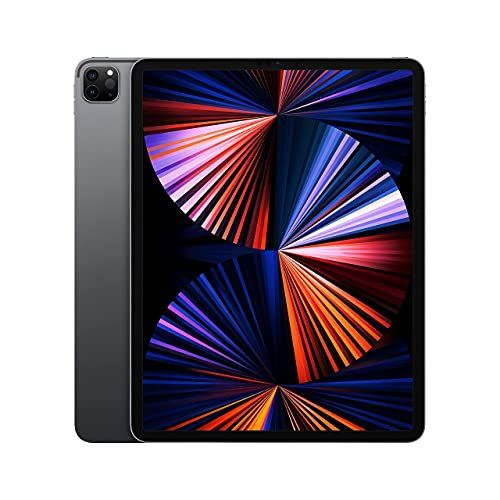
Apple 12.9" iPad Pro Tablet Review
Overview of Features

The Apple 12.9" iPad Pro stands out as a top contender in the realm of high-performance tablets designed for professionals and creatives alike. This device brings forward a vivid Liquid Retina XDR display, which provides extreme dynamic range and an immersive viewing experience, perfect for graphic design, video editing, and everyday media consumption. Powering this tablet is Apple’s own M1 chip, which offers a significant leap in processing power, making multitasking seamless and efficient.
The new iPad Pro also boasts a Thunderbolt port, expanding its capabilities in terms of connectivity with external displays, drives, and peripherals, thereby enhancing its suitability for professional use. For those who use their tablet as a camera, the latest model improves its offering with a 12MP wide camera, 10MP ultra-wide camera, and a LiDAR scanner for unrivaled depth-sensing capabilities. Furthermore, the support for the 2nd generation Apple Pencil and the Magic Keyboard provides users an intuitive and productive way to interact with their devices, whether it’s note-taking, sketching, or typing.
Purchasing Considerations
Before committing to the Apple 12.9" iPad Pro, potential buyers should review a few considerations. The size and weight of the device might be the first to consider; while the large screen is excellent for viewing and editing high-resolution images and videos, it might be cumbersome for those who prefer a more portable and lightweight tablet. Another important aspect is the price point. The iPad Pro is positioned as a premium device, which is reflected in its cost. Buyers should evaluate whether the advanced features justify the investment over other models or even over a conventional laptop.
Next, compatibility with existing ecosystems could sway the decision. Users already invested in the Apple ecosystem will find it instantly familiar and beneficial in terms of app synergy and cross-device compatibility. Battery life also plays a crucial role, especially for professionals who need to use the device for extended periods without access to charging. The iPad Pro offers up to 10 hours of battery life, which is sufficient for a full day’s work but may be less than some competing tablets.
Finally, storage options should be considered as the device utilizes non-expandable storage. With options ranging from 128GB to 2TB, users must predict their space needs over the life of the device, especially those dealing with large file sizes in fields like video editing or 3D modeling.
Common Questions
What makes the Apple 12.9" iPad Pro different from other tablets?
The Apple 12.9" iPad Pro distinguishes itself with its cutting-edge Liquid Retina XDR display, M1 chip performance, and professional-grade camera features including the LiDAR scanner. Its support for Thunderbolt connections also sets it apart, providing more robust peripheral connectivity than typical tablets.
Is the iPad Pro a suitable laptop replacement?
For many users, particularly those in creative and technical fields, the iPad Pro can indeed replace a laptop. It is powerful enough to handle tasks traditionally reserved for desktop computers, such as video editing, complex graphic design, and large-scale data management. However, whether it can replace a laptop depends on the specific applications and peripherals one needs to use.
Can the iPad Pro handle gaming?
Yes, the iPad Pro is quite capable of handling an extensive range of games, including AR games, thanks to its powerful M1 chip and advanced graphics capabilities. Its large display and responsive refresh rates also contribute to a superior gaming experience.
Conclusion
In conclusion, the Apple 12.9" iPad Pro is highly recommended for users looking for a powerful, versatile tablet that can handle professional tasks, creative projects, and everyday entertainment with ease. The considerations mentioned are crucial in determining if it’s the right fit for your particular needs and workflow, ensuring that it serves not only as a high-performance device but also as a smart investment into your digital toolkit.