










We also considered 10 others:


Our Top Choice
Compare Features


The order above is not editorial opinion, and it is not paid placement. It comes from what shoppers across our network actually do - which 49-inch monitors they compare, and which they ultimately buy. We re-rank as new data comes in, so the long-term favorites have to keep earning their spot against new entrants. The full method, including how we make money.
49-Inch Monitors Buyer's Guide
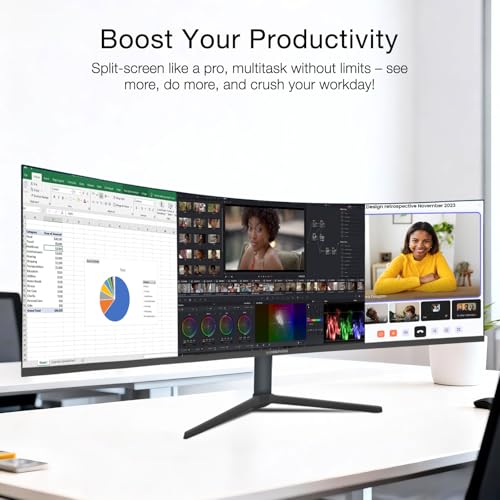
A 49-inch monitor is not just “a bigger screen”; it is usually a 32:9 dual-monitor replacement, so the real tradeoff is seamless workspace versus desk space, GPU/input demands, and ergonomics. The sharpest checks are whether you are getting full dual-QHD-class resolution instead of a stretched low-resolution panel, and whether your desk, mount, graphics hardware, and workflow can actually handle the width.
Build
Build quality matters because your monitor is something you’ll adjust, plug into, and rely on every day, so weak construction can lead to wobble, loose ports, creaking plastics, or early failures. Look for a stable stand, solid hinge and height-adjustment mechanisms if included, well-fitted panels, dependable buttons or controls, and ports that feel secure when cables are connected. A monitor that feels sturdy and consistent out of the box is more likely to stay reliable over years of use.
For build, treat the monitor like a piece of furniture: verify the stand footprint, total weight, VESA pattern, mounting weight limit, and whether the desk has enough depth to keep the huge curved panel at a comfortable distance. Look for a rigid stand with height/tilt/swivel adjustment, accessible rear ports, and solid packaging, because 49-inch panels are heavy and more vulnerable to shipping damage, panel flex, and wobble than ordinary monitors. Owner feedback supports prioritizing sturdy construction: buyers often describe these displays as well-built and capable after setup, with the large, crisp screen feeling like a major upgrade from older 1080p or dual-monitor arrangements.
Display
Your monitor’s display quality determines how sharp text looks, how accurate and vivid colors appear, and whether the screen stays clear in bright rooms or during fast motion. Look for a resolution and pixel density that suit your screen size, enough brightness for your workspace, good color coverage and accuracy if you edit photos or video, and low motion blur or ghosting if you game or watch fast-moving content. Also watch for uneven backlighting, poor viewing angles, and distracting artifacts that can make daily use more tiring.
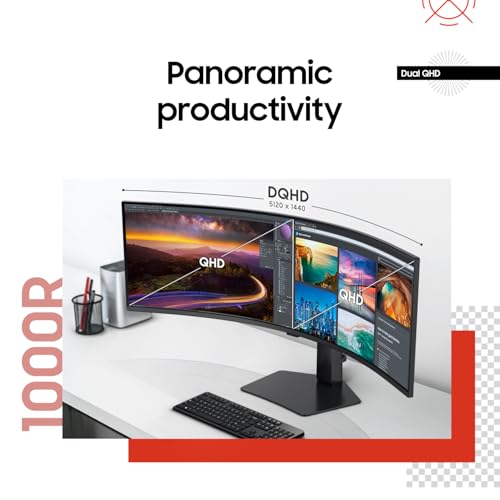
For display quality, do not assume every 49-inch monitor is equally sharp: for productivity, prioritize 5120×1440 or similar dual-QHD resolution over lower 3840×1080 options, because spreadsheets, code, trading dashboards, and small text expose pixel density quickly. Check brightness, matte coating, color coverage, text clarity, uniformity across the far edges, and whether HDR claims are backed by real dimming hardware rather than marketing. Owner sentiment aligns with this: shoppers most often praise sharp resolution, rich color, bright images, crisp text, and out-of-box picture quality, especially when the monitor is used for office, trading, multitasking, gaming, and general work.
Size
Screen size affects how much workspace you get, how comfortably you can view text and details, and how much room the monitor takes up on your desk. Look at the full footprint, including stand depth and width, not just the diagonal screen measurement, and consider weight if you’ll move it often, use a monitor arm, or need a portable setup. Bigger can feel more immersive, but it may be awkward in tight spaces or at close viewing distances.
For size, measure before buying: a 49-inch ultrawide can be roughly as wide as two 27-inch monitors, and the curve plus stand can demand far more desk depth than expected. Make sure you want one uninterrupted 32:9 canvas rather than two independently adjustable displays; it removes the center bezel but can make full-screen sharing, older games, console use, and single-window focus awkward unless you use window-management tools or picture-by-picture modes. Owner feedback strongly backs the size advantage when the fit is right: buyers value the enormous curved screen as a dual-monitor replacement with lots of room for finance work, spreadsheets, documents, work-from-home setups, and multitasking without a center seam.
Value
You want a monitor that gives you the right mix of image quality, size, refresh rate, ergonomics, and connectivity for what you actually do, without paying for features you won’t use. Look for strong core performance at a fair price, and watch out for cheap models that cut corners on panel quality, adjustability, or ports, as well as expensive ones whose extras don’t improve your everyday experience.
For value, compare specifications that matter to 49-inch use rather than buying the cheapest large panel: resolution, refresh rate at native resolution, input bandwidth, USB-C power delivery if needed, picture-by-picture support, KVM features, VESA compatibility, warranty terms, and dead-pixel handling. A lower-cost model can be a good buy if it preserves the core 49-inch strengths, but cutting corners on panel resolution, firmware, port bandwidth, or support can erase the savings. Owner sentiment suggests value can be strong in this category, especially when buyers get useful extras like PIP/PBP, multiple inputs, VESA mounting, and large-screen capability that feels competitive with more expensive alternatives.
Design
You’ll see your monitor every day, so its appearance and slim design matter not just for style but for how comfortably it fits your desk and workspace. Look for clean cable management, stable stand design, and bezels that suit single- or multi-monitor setups; if you’re considering a curve, make sure it matches your viewing distance and screen size rather than choosing it for looks alone.
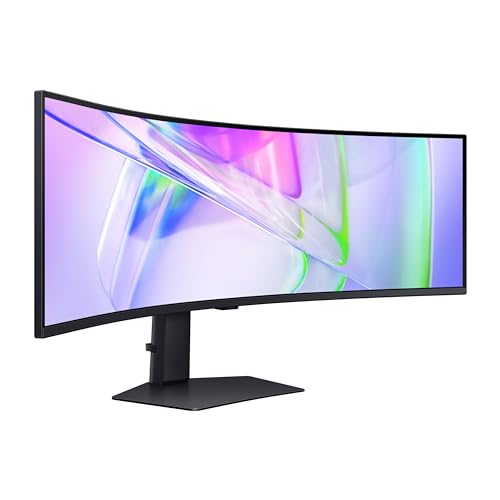
For design, choose the curve based on viewing distance and work type: a tighter 1000R curve can make the edges easier to see in games and dashboards, while a gentler curve may feel less distorted for design, CAD, or documents with straight horizontal lines. Also check bezel thickness, matte versus glossy finish, rear lighting or gamer styling if the monitor will be in a professional space, cable routing, and whether the stand leaves enough usable desk area. Owner feedback supports the appeal of the format: buyers frequently like the clean premium look, thin bezels, curved matte presentation, and the impressive desk presence of a large ultrawide screen.
Performance
Performance matters because it affects how smooth motion looks, how quickly the display responds to your inputs, and whether the monitor feels comfortable for gaming, creative work, or everyday multitasking. Look for a refresh rate and response behavior that match how you’ll use it: faster specs help with games and fast-moving content, while stable, responsive performance is still important for work. Watch out for monitors that advertise high numbers but have poor motion handling, input lag, or trade-offs in image quality at their fastest settings.
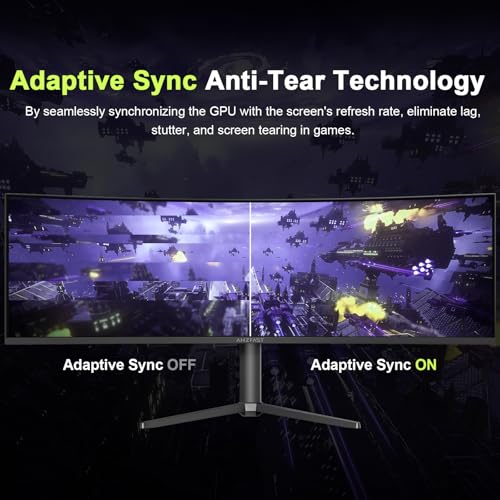
For performance, confirm your computer can drive the monitor at its native resolution and target refresh rate through the right port standard, because 5120×1440 at high refresh can require DisplayPort with compression or high-bandwidth HDMI. Gamers should check real pixel response, VRR support, input lag, and whether favorite titles support 32:9; console users should expect many games to run in 16:9 rather than using the full width. Productivity users should also check wake-from-sleep behavior, firmware stability, PBP refresh limitations, and manual settings needs. Owner sentiment is positive overall for smooth high-refresh gaming, responsive feel, and all-in-one work/play use, though some buyers report more uneven results for gaming, reliability-sensitive use, or settings that need adjustment.
1,000,000+ shoppers use Buyer's Guide every week to find the best products and services online.

Helping millions of users make smarter purchases online.


